






Price Breakdown & Availability
Here's how current offers compare across retailers.

You Might Also Like
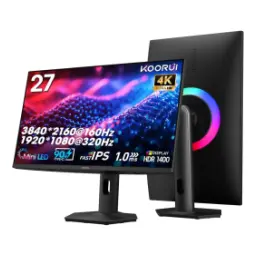
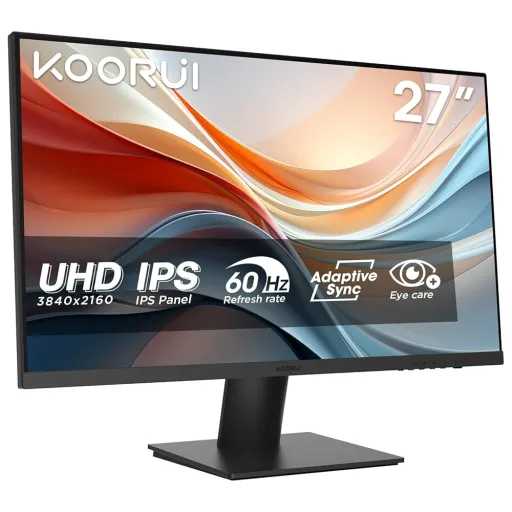
A modern desk setup deserves a sharp centerpiece, and KOORUI N07 27 is positioned as a 27 inch 4K UHD IPS business monitor. This 27 inch canvas feels balanced for roozana work, because the IPS panel keeps colors steady and the size stays practical on most desks. The 3840 x 2160 resolution makes text and UI look cleaner, so spreadsheets, timelines, and documents read like printed pages. The HDR10 support adds extra depth in compatible movies and games, aur highlights aur shadows ka separation zyada natural lagta hai. The 60Hz refresh rate stays predictable for productivity, making cursor movement and window animations feel consistent in everyday workflows. The wide color approach targets creators too, because KOORUI lists 90% DCI P3 coverage for richer tones without weird oversaturation. The 178 degree viewing angle helps in shared setups, side se bhi colors wash nahi hotay and the image remains easy to judge. The small extras feel practical for long sessions, because the product highlights eye care modes and the manual describes a low blue light mode you can enable in the menu
The 3840 x 2160 layout gives you true UHD 1 sharpness, so more rows, tabs, and panels fit comfortably on one screen. The UHD 1 format is commonly referred to as 4K, and it matches the familiar 16:9 aspect ratio that most apps and videos are built around. The pixel density advantage feels immediate in daily use, kyun ke small fonts smoother nazar aate hain and icons look more defined. KOORUI specifically calls out 8.3 million pixels for 4K detail, which explains why fine lines and small UI elements hold their shape. A 27 inch screen pairs nicely with 4K, because you can scale the interface asaani se while still keeping that crispness. The flat screen design keeps geometry natural for design grids and documents, so straight edges stay straight across the canvas. The IPS panel supports that clarity with consistent color behavior, making the screen feel uniform from center to corners during long work blocks. The end result is a calmer workspace where your eyes search less, focus zyada hota hai, and you waste fewer seconds resizing windows
An IPS panel is chosen for consistency, and KOORUI lists IPS with a 178 degree viewing angle on the N07. That matters in real life because you rarely sit perfectly centered, kabhi chair lean back hoti hai and sometimes you stand while presenting. IPS panels are also widely recognized for stronger viewing angles than VA, which helps keep the image stable from the sides in shared or multi monitor setups. The wide angle behavior helps when you run dual screens, kyun ke side monitor ko dekhte hue washout kam mehsoos hota hai. KOORUI’s 27 inch sizing makes collaboration comfortable, because two people can review a document without awkward head tilting. The 4K resolution also stays readable off center, so small UI labels remain legible even when you pivot slightly in your chair. The practical benefit is smoother teamwork and cleaner alignment checks, bilkul especially for photo edits, layout reviews, or spreadsheet auditing. KOORUI positions the monitor for photographers and graphic designers, which fits the IPS goal of consistent color perception across typical viewing positions
HDR can make scenes look more dimensional, and KOORUI states the N07 supports HDR10 formats for enhanced colors and deeper blacks. That HDR lift feels most obvious in streaming and modern games, jahan shadows mein detail aur bright highlights ka balance better lagta hai. HDR as a concept is designed to improve perceived brightness, contrast, and color compared to standard dynamic range, especially when content is mastered for HDR playback. HDR10 is also commonly described as an open HDR standard, which helps explain why it shows up broadly across devices and content ecosystems. The 4K UHD resolution helps HDR content look cleaner, because extra detail reduces the “soft” look in textured scenes and small highlight areas. KOORUI also frames HDR10 here as clearer and brighter viewing, jo casual viewing ko bhi zyada premium feel deta hai without changing your workflow. The on screen menu in the included manual also references HDR behavior as a monitor function, which supports the idea that HDR modes are part of the user experience
A native 60Hz refresh rate keeps motion predictable, and KOORUI lists 60 Hz as the refresh rate for the N07. That steady rhythm works well for productivity, kyun ke scrolling and window switching feel consistent without requiring GPU heavy tuning. The 4K UHD sharpness stays intact during motion, so moving text remains clearer than lower resolution panels when you scroll long documents. A 27 inch display at 60Hz suits mixed routines, matlab email plus light creative edits plus YouTube, all without pushing you into “gaming only” specs. KOORUI also lists overdrive response time modes (OD 8/6/4 ms), which can help reduce perceived blur in faster transitions when you choose a stronger setting. The IPS panel keeps motion color shifts under control, so fast page scrolls don’t suddenly look tinted from angle changes. The overall experience feels calm and stable, lag nahi hota in normal tasks, and your eyes can settle into long sessions
Color work benefits from measured coverage claims, and KOORUI lists 90% DCI P3 coverage for the N07. That wider gamut can make reds and greens feel richer, especially when you watch HDR content or preview creative assets, bilkul without the “flat” look typical of narrow gamut screens. KOORUI also lists 10 bit color depth and 10.7 billion color support, which helps gradients look smoother in skies, shadows, and UI backgrounds. DCI P3 itself is commonly associated with digital cinema color standards, so percent of P3 marketing usually aims at that cinematic palette. Percentage claims can be misunderstood, because a stated percent may refer to coverage overlap and sometimes brands describe gamut size differently depending on measurement methods. The practical takeaway stays simple for buyers, kyun ke higher DCI P3 coverage typically means more saturated range available for compatible content and creative previews. KOORUI lists a 1000:1 contrast ratio alongside the color specs, which supports more separation in midtones during everyday editing and reading. The end result is a display that looks crisp and composed, and colors feel more confident without needing constant adjustments
Screen tearing can break immersion quickly, and KOORUI claims AdaptiveSync to reduce stuttering and tearing on the N07. Adaptive Sync works by letting the monitor vary refresh timing to better match the GPU’s frame output, jis se frame mismatch ka effect kam hota hai. That matters even on a 60Hz panel, because frame pacing issues can still show up when a game fluctuates around the refresh limit. KOORUI also lists Free sync and G sync modes in its gaming features, which suggests broader compatibility for adaptive refresh style behavior. The best use case stays realistic and practical, matlab casual single player titles, lighter competitive games, and smoother camera pans during everyday gaming. The crosshair feature is also highlighted by KOORUI, which can be handy for quick aim reference without extra overlays. The overall benefit is cleaner motion perception, heat aur tension kam, and a more controlled feel in the moments that usually look messy
Comfort matters as much as sharpness, and KOORUI lists a stand that can be adjusted up and down from 5 to 20 degrees. That adjustment helps you dial in posture, kyun ke screen angle change karke neck strain naturally kam hota hai during long workdays. KOORUI also lists VESA 100 x 100 mm support, so you can mount it on an arm for a cleaner desk and better eye level alignment. The included manual gives practical eye health guidance, including a suggested viewing distance of about 50 to 70 cm and taking breaks during extended sessions. The manual also describes a low blue light mode available in the menu, jo night work ya late browsing ke liye helpful ho sakta hai. KOORUI lists a 300 cd/m2 brightness rating, which gives you a reasonable range for different rooms without pushing your eyes at full blast. KOORUI lists HDMI 2.0 as an included accessory, so basic setup stays straightforward with common devices. The overall setup feels flexible and tidy, asaani se you can tune comfort first and then enjoy the 4K detail
A good monitor choice matches your real routine, and KOORUI positions the N07 as a 27 inch IPS 4K UHD 60Hz business monitor. That identity fits professionals who want crisp text and clean multi window flow, kyun ke UHD 1 (3840 x 2160) gives you a big workspace in a familiar 16:9 shape. The IPS panel choice supports collaboration and multi monitor viewing, and reputable testing guidance often highlights IPS as stronger for viewing angles. The HDR10 support adds a modern media layer, so after work you can switch to streaming and see better contrast behavior in compatible content. The 90% DCI P3 claim gives creative users a wider color feel, aur 10 bit support helps gradients look smoother when you edit or preview visuals. The 60Hz refresh keeps the experience steady and simple, which is ideal if you prefer stable productivity over chasing ultra high refresh numbers. The AdaptiveSync feature adds a practical gaming bonus, so casual play looks cleaner with fewer tearing moments when frame rates fluctuate. The final takeaway stays straightforward and buyer friendly, because KOORUI N07 27 focuses on sharpness, comfort options, and color breadth without turning the setup complicated
Here's how current offers compare across retailers.
Review current prices and specifications side by side.
 Current
Koorui
KOORUI N07 27Rs. 54,400
Local price
Lowest current price8 offers
Updated 2 days ago
Koorui
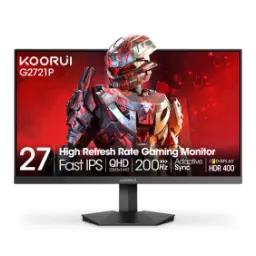
KOORUI G2721PRs. 54,400
Local price
Lowest current price8 offers
Updated 23 minutes ago