Price Breakdown & Availability
Here's how current offers compare across retailers.

KOORUI G2711P


You Might Also Like
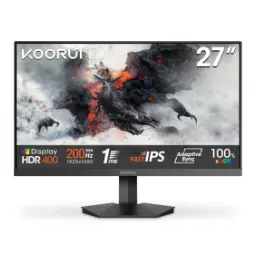
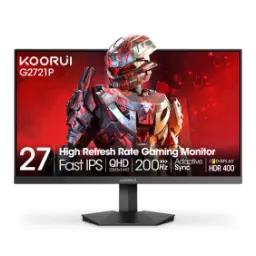
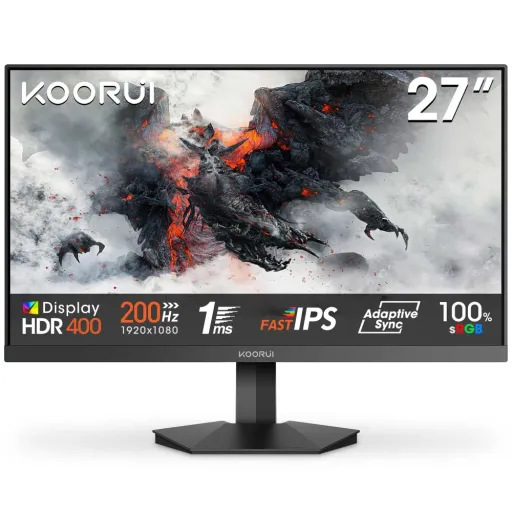
KOORUI G2711P is built for fast, confident play. The 200Hz refresh rate keeps every swipe and flick clearer, rozana gaming mein bhi motion zyada clean lagta hai. The 27 inch Full HD canvas delivers a familiar 1920 x 1080 layout that games and apps handle easily. The Fast IPS panel style targets quick transitions without losing the wide angle clarity IPS is known for, so colors stay consistent when you shift position. The 1ms response modes are designed to reduce visible trailing in motion heavy scenes, competitive matches mein yeh cheez noticeable hoti hai. The HDR400 support adds an extra layer of pop for supported content, lekin expectations realistic rakhna easy hota hai with HDR tiering. The overall identity stays simple and gamer focused, so setup time stays low and you get straight into play. The result is a monitor that prioritizes smoothness and control, haath ka aim aur eyes dono ko sync feel deta hai. The G2711P makes sense for esports first users, while still feeling comfortable for everyday browsing and streaming
A 27 inch IPS screen gives a balanced viewing footprint. The Full HD 1920 x 1080 resolution keeps UI elements sharp enough for daily work, aur GPU par load bhi manageable rehta hai for high FPS goals. The 16:9 aspect ratio fits modern games and video platforms naturally, so black bars are rarely a distraction. The IPS viewing angles are rated at 178 degrees, is ka matlab side se dekho to colors shift kam hotay hain. The color reproduction is positioned for vibrant everyday use with 16.7M colors, which helps gradients look smoother in games and media. The KOORUI listing highlights wide gamut intentions like 99% sRGB coverage, which supports punchy yet familiar color in most apps. The same product page also mentions DCI P3 coverage, making cinematic content look richer when the pipeline supports it. The practical benefit is predictable visuals, jahan skin tones aur UI colors zyada natural feel karte hain. The panel choice suits mixed use, so it can move from shooters to spreadsheets without feeling out of place
A 200Hz refresh rate reduces the time between frames. That higher cadence makes camera turns feel more continuous, fast swipes mein blur ka impression kam hota hai. The monitor also lists 1ms MPRT and overdrive based response tuning, which targets clearer motion during rapid movement. The user manual similarly calls out a 1ms GTG figure and 200Hz maximum refresh, so the speed story stays consistent across documentation. The key detail is that MPRT and GtG measure different things, is liye marketing numbers ko sahi context mein samajhna zaroori hota hai. Blur Busters explains that MPRT relates directly to perceived motion blur and is not the same benchmark as pixel transition GtG, which is why both terms show up in monitor modes. The practical takeaway is smoother target tracking, especially in fast shooters where tiny aim corrections matter. The refresh headroom can also make desktop scrolling feel cleaner, rozana use mein bhi smoothness ka farq aa jata hai. The best experience comes from pairing high refresh with stable frame delivery, so your settings can be tuned for consistency rather than peak spikes
HDR400 support is included for compatible HDR content. That means HDR playback and HDR game modes can be explored without needing complicated workarounds, bas toggle karke difference check kiya ja sakta hai. The DisplayHDR program defines tiers like DisplayHDR 400, helping explain what entry HDR performance generally targets. VESA’s performance criteria summary shows DisplayHDR 400 includes minimum luminance targets such as 400 cd/m2 for specific tests, which frames what “HDR400” is trying to represent as a class. The important benefit is highlight detail feeling more pronounced in supported scenes, like bright UI glows, reflections, and sunlight moments. The practical expectation is subtle to moderate HDR uplift rather than OLED like blacks, kyun ke IPS LCD behavior naturally different hota hai. The monitor’s HDR mode pairs well with vivid color tuning, especially when the content pipeline is mastered well. The clean approach is to treat HDR400 as a usable upgrade path for HDR curiosity, while still enjoying excellent SDR performance for most daily tasks. This keeps the experience grounded, so you get real improvements without chasing unrealistic promises
Adaptive Sync features help align GPU output with display refresh. The product materials reference FreeSync support and also mention G Sync compatibility in its gaming mode notes, jo mixed GPU users ke liye flexibility create karta hai. AMD describes FreeSync as a way to reduce tearing and stuttering by using variable refresh behavior, keeping motion fluid across changing frame rates. TechRadar similarly explains that FreeSync lets the GPU influence the monitor refresh rate to prevent problems like screen tearing when frame output and refresh are not in sync. The real world win is calmer visuals during frame dips, jahan aim ka rhythm break nahi hota. The experience feels more connected because you spend less attention on artifacts and more attention on timing. The 200Hz ceiling also gives extra headroom for high FPS esports titles, so VRR can operate in a range that still feels snappy. This combination supports consistent play, especially when settings are tuned for stable frame pacing rather than max visuals
Eye comfort features matter during long sessions. The manual lists an Eye Saver Mode, which helps reduce fatigue for users who read, browse, and game for hours, rozana routine mein yeh choti cheez badi help ban jati hai. The official product page also highlights a tilt range of about 5 to 20 degrees, letting the screen angle match your posture without awkward neck strain. The monitor supports a 75 x 75mm VESA mount, so it can move onto an arm for cleaner cable routing and better desk space. KOORUI also calls out gamer facing UI tools like a crosshair overlay, which can support consistency in certain training routines without extra software. The simple takeaway is better daily usability, jahan comfort settings aur quick toggles time save karte hain. The design approach stays functional, so the monitor fits both a gaming desk and a work corner. This helps the G2711P feel like an everyday display, not a one purpose screen
Port options decide how flexible a setup feels. The KOORUI G2711P spec listing shows dual HDMI 2.0 plus a DisplayPort 1.4 connection, which makes it easy to keep a PC and console connected together. The user manual also documents 2x HDMI 2.0 and a DP 1.4 input, confirming the intended multi device workflow. The same manual notes a 3.5mm headphone output, so late night sessions can stay quiet and focused, bina speakers ke bhi audio asaani se manage ho jati hai. The KOORUI US page notes no integrated speakers, which keeps the chassis straightforward and encourages using proper headphones or desk speakers. The practical benefit is friction free switching between devices, especially when one screen needs to handle work and play. The connections support high refresh use cases depending on device output, is liye cables aur settings ko match karna smart move hota hai. This setup flexibility helps the monitor stay useful as the rest of the hardware changes over time
Full HD at 27 inches stays widely compatible. The 1920 x 1080 resolution is easier to drive at high frame rates than higher resolutions, is liye 200Hz ka faida zyada games mein easily unlock hota hai. The 200Hz ceiling supports competitive titles that reward fast reactions, while still keeping the desktop experience smooth for everyday scrolling. The 16:9 format plays nicely with streaming platforms and console outputs, so video content fits naturally without constant scaling tweaks. The IPS viewing behavior helps when you share the screen or sit slightly off center, ghar mein casual viewing bhi comfortable rehti hai. Blur Busters notes that motion clarity techniques and MPRT concepts are about perceived blur over time, which explains why fast refresh and response tuning can feel meaningful even outside esports. The daily benefit is a screen that feels light on effort, so multi window work, browsing, and gaming all stay fluid. This makes the monitor a good fit for people who want one display to handle everything, without complicated tradeoffs
A good monitor choice should stay hassle free. The KOORUI G2711P keeps the core promise clear with 27 inch FHD, a 200Hz refresh rate, and IPS viewing characteristics that suit both gaming and daily use. The HDR400 support adds modern compatibility for HDR content, lekin SDR performance still remains the everyday foundation. The speed features like 1ms response modes are aimed at reducing motion distractions, so timing and tracking feel more controlled in real matches. The official KOORUI US store page also mentions a 30 day risk free trial and a 3 year warranty, which can reduce purchase anxiety when upgrading your main display. The overall value comes from focusing on what matters most, yani smooth motion, tear control, and a clean IPS image. The final fit is best for esports players, students, and home setups that want speed without complexity. This is the kind of monitor that stays easy to live with, while still feeling fast every time you sit down
Here's how current offers compare across retailers.
Review current prices and specifications side by side.
Koorui
Koorui G2511P 24.5"Rs. 34,400
Local price
Lowest current price8 offers
Updated 46 minutes ago