






Price Breakdown & Availability
Here's how current offers compare across retailers.

You Might Also Like
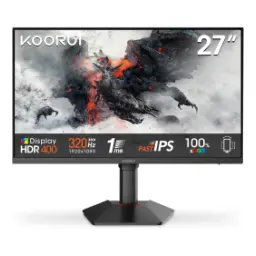
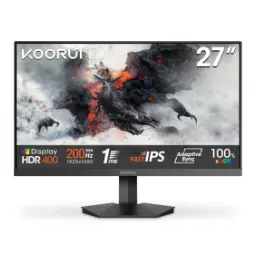
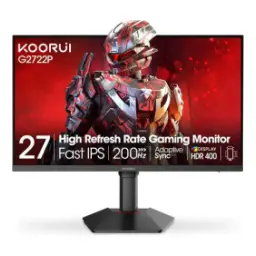
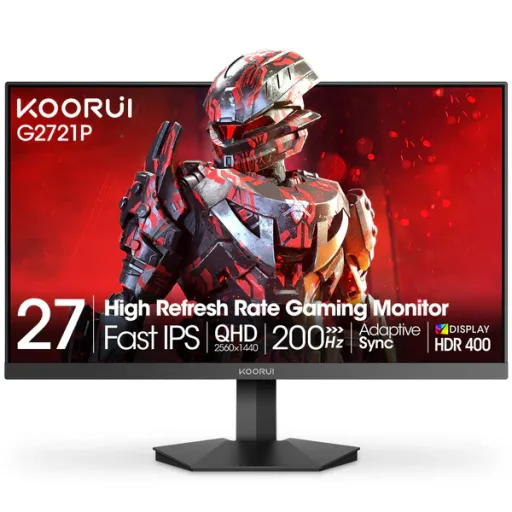
The KOORUI G2721P is built for fast play, jab aapko smooth aim tracking chahiye, while still giving a crisp 27 inch workspace. The 27 inch screen size lands in a sweet spot, desk par comfortable feel deta hai, and you get space for game HUD plus chat. The QHD 2560 x 1440 resolution keeps edges clean, rozana browsing aur editing mein bhi, so text looks tighter than 1080p. The Fast IPS panel choice helps balance speed and color, colors natural rehte hain, and side angles par bhi image stable stays. The 200Hz refresh rate is tuned for high FPS titles, flick shots mein lag kam hota hai, and scrolling feels more immediate. The 1ms class response target supports clearer motion, ghosting ka chance kam hota hai, especially when overdrive style modes are enabled. The HDR400 support adds a wider punch in highlights, movies aur story games mein, while keeping the everyday SDR look familiar. The 350 cd/m2 brightness rating helps visibility in brighter rooms, din ke time par bhi, so the picture stays readable without constantly maxing settings
The 2560 x 1440 layout delivers a dense, practical canvas, jis par UI zyada sharp lagti hai, and you can keep multiple windows open. The official positioning highlights WQHD as sharper than Full HD, rozana ke tasks mein, because the pixel density jump helps small text and thin lines. The 27 inch diagonal avoids the tiny scaling problem, aankhon par strain kam hota hai, and the screen still feels immersive at normal desk distance. The flat panel design keeps geometry predictable, especially for spreadsheets or timelines, bilkul straightforward, so straight lines stay visually straight. The 16:9 aspect ratio fits modern games and streaming, black bars ka issue kam hota hai, and capture cards or consoles behave as expected. The listed dot pitch of 0.233 mm supports that crisp look, choti details zyada clear hoti hain, and icons don’t look fuzzy. The consistent 178 degree viewing angle spec complements shared viewing, side se bhi dekh lo, and the image remains readable for quick collaboration. The end result feels like an upgrade in clarity, rozana ke use mein bhi, while keeping performance headroom for competitive refresh targets
The 200Hz refresh rate raises the motion ceiling noticeably, fast strafes mein blur kam hota hai, and the cursor feels more connected. The QHD plus 200Hz pairing is aimed at competitive balance, meaning detail bhi aur speed bhi, so you don’t feel stuck choosing one. The on screen gaming features include Adaptive Sync, tearing ki tension kam ho jati hai, and frame pacing looks steadier when FPS fluctuates. The FreeSync Premium listing is shown in retail specs, AMD cards ke saath setup asaan hota hai, and many PCs can run variable refresh with minimal tweaking. The G Sync compatible style support is also referenced in product materials, NVIDIA users ke liye bhi, so you can target smoother gameplay without forced V Sync lag. The built in crosshair mention can help in certain games, practice sessions mein, when native crosshair options are limited. The practical takeaway is cleaner target tracking, reaction timing better feel hoti hai, and even everyday web scrolling looks more fluid at high refresh. The higher refresh also reduces visible judder in fast camera pans, cinematic scenes mein bhi, if the content pipeline can output higher frame rates
The Fast IPS panel type targets quick transitions, gaming ke dauran ghost trails kam nazar aate hain, while keeping IPS style color consistency. The monitor is specified with a 1ms response time class, jo competitive play mein helpful hota hai, especially for fast edge changes and sharp flicks. The official spec sheet also references OD accelerated behavior, overdrive settings se, which is commonly used to reach the fastest response modes. The product listing terminology includes DIC 1ms in some specs, marketing mein different measurement names milte hain, so comparing monitors requires checking how response time is measured. The broader industry explanation notes that “1 ms” can be tied to MPRT or GtG methods, specs ko samajhna easy ho jata hai, when you know which metric is being used. The MPRT method is often linked to blur reduction techniques, motion blur kam hota hai, because the backlight is managed during transitions to reduce persistence. The Fast IPS concept itself is positioned as IPS tuned for speed, colors aur angles compromise kiye baghair, which is why it fits both esports and creative viewing. The smart way to use this class is balancing clarity and overshoot, settings ko test kar lo, so you keep motion clean without introducing artifacts
The KOORUI G2721P is tuned for wide gamut color work, jab aap thumbnails ya clips check karte ho, because it lists 100% sRGB coverage. The same spec table notes 95% DCI P3 coverage, more cinematic colors milte hain, which can make games and streaming look richer without over saturation. The 178 degree viewing angle spec helps consistency, side se dekhne par bhi, so teammates or family can watch without color shifting heavily. The monitor supports 16.7 million colors in 8 bit mode, gradients generally smooth rehte hain, and UI elements look natural for daily use. The static contrast ratio is listed as 1000:1, blacks perfect OLED jaisay nahi honge, but shadow detail can still look controlled in SDR. The brightness spec is commonly shown around 350 cd/m2, din mein visibility better hoti hai, so the display holds up near windows or bright lighting. The koorui.net parameter page also references ΔE ≤ 2, color accuracy ka hint milta hai, which matters when “close enough” needs to look consistent across projects. The overall feel is stable color with speed, rozana gaming se le kar office tak, so switching between fun and focus stays seamless
The monitor lists HDR400 support for compatible content, HDR wali games mein highlights zyada pop karte hain, and certain scenes gain extra depth. The Newegg specification page calls out VESA DisplayHDR 400 certification, jo ek defined baseline hota hai, so it’s not just a random HDR label. The VESA performance criteria for DisplayHDR 400 includes reaching 400 cd/m2 in an 8% patch test, numbers ko samajhna asaan ho jata hai, when comparing HDR tiers across monitors. The DisplayHDR 400 tier is widely described as an entry level HDR step, meaning dramatic local dimming style HDR nahi milega, but it can look a bit better than pure SDR in supported scenes. The rated brightness for normal operation is shown as 350 cd/m2, everyday use mein comfortable rehta hai, so you can keep the display bright without feeling washed out. The wide color coverage helps HDR look more engaging, colors zyada lively lagte hain, because HDR content benefits when the panel can render richer tones. The best experience comes from enabling HDR only when needed, warna SDR desktop zyada natural lagta hai, and switching modes keeps text crisp and consistent. The takeaway is practical HDR with strong SDR performance, dono worlds ka balanced approach, which suits mixed gaming and productivity routines
The input selection is designed for multi device desks, PC aur console dono connect ho jate hain, because it includes DisplayPort 1.4 and two HDMI 2.0 ports. The same specifications list a 3.5mm audio output jack, headphones asaani se lag jate hain, which helps when the monitor has no built in speakers. The official spec table confirms DP 1.4 as an included accessory, box mein cable mil jati hai, so the highest refresh goal is easier to reach from day one. The refresh rate is stated as 200Hz at QHD, settings ko OS mein set karna hota hai, and a proper cable plus GPU support are key for full performance. The Adaptive Sync support can be enabled in the OSD and GPU driver, tearing ka issue kam hota hai, which matters when frame rates float between maps or scenes. The multi interface approach also helps clean cable management, rozana laptop dock use karo, and you can keep a second HDMI device ready for quick switching. The power delivery uses an external adapter, setup simple rehta hai, and it can make desk layouts easier when placing the monitor on tighter stands. The final setup feels flexible for mixed routines, kaam aur game dono, so the monitor fits into real life instead of demanding a single purpose build
The included stand supports a tilt range of minus 5 to 20 degrees, posture theek ho jata hai, so long sessions feel more comfortable. The VESA mounting pattern is listed as 75 x 75 mm, arm par mount karna asaan ho jata hai, which is ideal for clean setups and extra desk space. The physical sizing is clearly documented around 613.49 mm wide and 214.96 mm deep with the base, desk par fit check karna easy ho jata hai, especially for compact tables. The weight with stand is shown around 4.1 kg, move karna manageable rehta hai, and most monitor arms rated for typical 27 inch loads can handle it. The power requirement is listed as 19V 3.42A with external power, cable routing simple rehti hai, and it reduces clutter behind the panel. The power consumption is listed up to 65W in normal operation with 0.5W standby, bill par asar controlled rehta hai, which is practical for daily work plus nightly gaming. The koorui.net page also mentions software low blue light, raat ko comfort better hota hai, so extended reading or grinding sessions feel easier on the eyes. The overall ergonomics focus on real usage, choti choti cheezen matter karti hain, and this set of features helps the monitor blend into a busy desk
The KOORUI G2721P makes the most sense for 1440p gamers, jo high refresh chahte hain, because it pairs QHD 2560 x 1440 with 200Hz capability. The Fast IPS approach targets speed without dull colors, competitive feel bhi aur visuals bhi, so the display can handle both ranked matches and content nights. The color coverage specs include 100% sRGB and 95% DCI P3, editing ya thumbnail review bhi theek chal jata hai, while games look richer than narrow gamut panels. The Adaptive Sync support reduces tearing during frame swings, fights mein consistency better lagti hai, and it also improves comfort when FPS is not perfectly locked. The HDR400 support adds extra punch for supported titles, lekin realistic expectation rakhna better hai, because DisplayHDR 400 is an entry tier with defined but limited requirements. The port selection covers typical setups with DP 1.4 plus dual HDMI 2.0, switch karna easy hota hai, so a PC and a console can stay plugged in. The VESA 75 x 75 support keeps upgrade options open, arm mount se posture better ho jata hai, and the tilt range helps fine tune eye level. The final decision comes down to priorities, agar aapko QHD clarity with high refresh smoothness chahiye, this model aligns with that everyday goal
Here's how current offers compare across retailers.
Review current prices and specifications side by side.
 Current
Koorui
KOORUI G2721PRs. 54,400
Local price
Lowest current price8 offers
Updated 2 hours ago