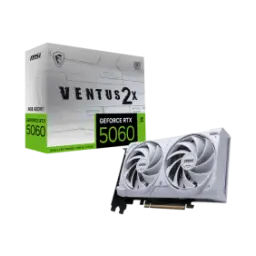
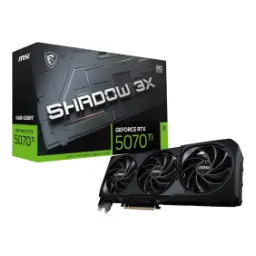
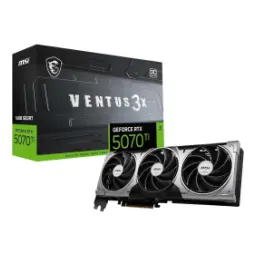
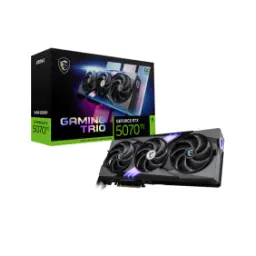
Price Breakdown & Availability
Here's how current offers compare across retailers.

You Might Also Like
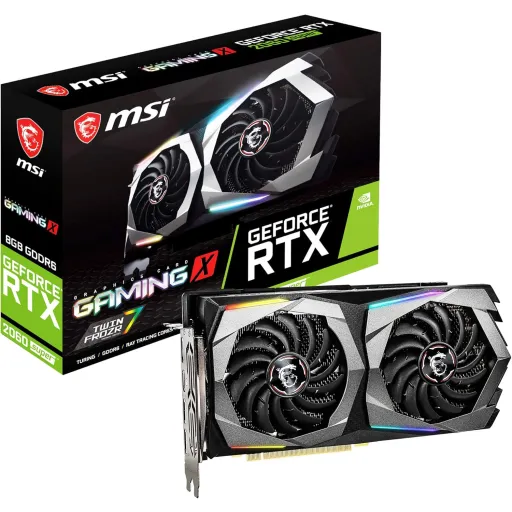
Built for smooth 1440p gaming without going overboard, the MSI GeForce RTX 2060 SUPER Gaming X targets that sweet performance tier, rozana ke sessions mein. This Gaming X edition uses the GeForce RTX 2060 SUPER GPU on a PCIe 3.0 x16 interface, so installation simple rehti hai and platform compatibility stays easy. A factory boost clock up to 1695 MHz helps keep gameplay responsive, thori si extra headroom mil jati hai, especially when scenes get heavy. With 2176 CUDA cores available for shader work, modern engines feel less constrained, aur frame pacing zyada stable lagti hai. Daily competitive titles feel more consistent at high refresh, because micro stutters kam hotay hain and input timing stays predictable. Support for up to four displays fits a multi monitor desk, kaam bhi asaani se hota hai and switching windows feels natural. The card also lists VR Ready support for compatible setups, so lightweight VR experiences remain within reach for many users. Official power specs show 175 W draw with a single 8 pin connector, which keeps upgrade planning clean for mainstream builds
Keeping modern games comfortable at 1440p starts with memory, aur yahan Gaming X ka 8GB buffer real help deta hai. The card carries 8GB of GDDR6 running at 14 Gbps, so texture streaming delays kam hotay hain and large maps feel more consistent. A 256 bit memory bus adds breathing room under load, jis se minimum FPS zyada steady rehta hai in busy scenes. When memory bandwidth climbs to about 448 GB/s, higher resolution assets move faster, aur fast camera pans mein hitching ka chance kam hota hai. Many open world titles benefit from this balance, because background streaming smoother rehti hai and the world feels less “pop in” heavy. The same 14 Gbps GDDR6 design is widely referenced for RTX 2060 SUPER boards, so driver profiles and game optimizations tend to behave predictably over time. Everyday creators also gain practical value, kyun ke GPU memory full hote hi preview stutter start hota hai and 8GB helps delay that point. High resolution texture packs stay more usable, because the 8GB pool reduces aggressive swapping to system RAM in many scenarios. The result feels like “less waiting” in real play, bilkul waisa jaisa smooth upgrade ka matlab hota hai, while your settings remain sensible
Modern visuals feel more cinematic on RTX hardware, aur Turing platform yahan real time ray tracing aur AI features ko practical banata hai. NVIDIA positions Turing as the first GPU architecture capable of real time ray tracing, which helps lighting, reflections, and shadows look more natural in supported games. Tensor Cores enable AI accelerated rendering techniques, jahan DLSS jaisi tech lower internal resolution se upscale karke clarity maintain karti hai and performance ko boost deti hai. Hardware RT Cores speed up ray traversal work, so ray traced effects become more achievable at mainstream resolutions when settings are chosen wisely. With the RTX 2060 SUPER configuration showing 34 RT cores and 272 Tensor cores, the feature set stays fully “RTX class,” bas settings ka balance rakhna hota hai. NVIDIA also describes the SUPER refresh as adding more cores and higher performance headroom versus the original RTX 2060, which helps ray tracing feel less like a compromise in supported titles. In practical gaming terms, ray traced shadows can add depth without changing the art style, aur DLSS enable karke FPS ko stable rakhna easier ho jata hai. Competitive players can still prioritize clean frame pacing, because RTX features are optional and can be tuned per game for latency comfort. The overall experience feels more “future aware,” kyun ke RTX enabled engines ab common ho rahe hain, while this GPU keeps the entry point realistic
Factory tuning matters most during long sessions, kyun ke short benchmarks se zyada important sustained clocks hotay hain. MSI lists a boost clock of 1695 MHz for the GeForce RTX 2060 SUPER GAMING X, giving it a noticeable out of box edge for many games. Bit tech also notes an OC Mode option reaching 1710 MHz via software, which can be useful when extra frames matter in specific titles. MSI’s spec page explicitly flags Afterburner OC support, so simple tuning and monitoring stays part of the intended experience. MSI’s own support guide highlights Afterburner features like one click overclocking, on screen display stats, and custom fan settings, jo daily tweaking ko asaan bana dete hain without complex tools. Smart tuning can be as basic as a gentle power limit adjustment, because stable boost behavior often comes from keeping thermals in check rather than chasing extreme numbers. Game to game consistency improves when clocks stop oscillating, aur wohi cheez aim tracking aur camera movement ko zyada “locked in” feel deti hai. The monitoring overlay also helps troubleshooting, because frametime spikes ka reason quickly samajh aa jata hai in real gameplay. Overall control stays practical, bilkul waisa jaisa a gaming GPU se expect hota hai, while stability remains the priority
Cooling quality shows up as stable performance, kyun ke heat barhta rahe to boost clocks naturally drop hotay hain. MSI promotes Twin Frozr 7 with TORX Fan 3.0 for this Gaming series design, focusing on airflow shaping for stable and quieter operation. Newegg’s listing also describes TORX Fan 3.0 blade design for focused airflow and increased static pressure, jo heatsink ko evenly feed karta hai during long gaming runs. MSI’s Zero Frozr feature stops the fans in low load situations, and MSI notes the fans can stay off when temperatures are below 60°C, so desktop par silence bilkul real benefit ban jata hai. TechPowerUp’s review of the RTX 2060 SUPER Gaming X also highlights idle fan stop behavior and reports lower temperatures than NVIDIA’s Founders Edition cooler, which supports sustained boosts under typical play. Everyday comfort improves when fan ramps feel less aggressive, because sudden noise spikes focus ko break kar dete hain during ranked matches. Long sessions become more predictable, since heat soak builds slowly and the cooling design keeps the GPU from bouncing between thermal limits. The result is better “set and forget” usability, heat kam rehti hai, and gameplay stays consistent in real rooms
Streaming stability often depends on your encoder choice, kyun ke CPU pe heavy encoding load aate hi game FPS dip kar sakta hai. NVIDIA’s NVENC guide explains that NVENC is a hardware based video encoder on supported GPUs, producing H.264/HEVC/AV1 compliant bitstreams through the Video Codec SDK APIs. NVIDIA’s technical blog on Driver 418 discusses Turing improvements for NVENC and NVDEC, including improved H.264/HEVC encoding quality and efficiency, so stream quality better feel hoti hai at similar bitrates. That same post describes HEVC B frame support as part of Turing’s NVENC advancements, which can help compression efficiency for creators who prefer HEVC pipelines. Practical creator workflows benefit when the GPU handles encoding, kyun ke CPU then game logic, chat apps, and browser overlays ko smoothly handle kar leta hai. Jellyfin’s documentation notes AV1 encoding support on NVIDIA arrives with Ada Lovelace and newer GPUs, meaning Turing era cards like RTX 2060 SUPER are typically focused on H.264/HEVC hardware encode rather than AV1 encode. Recording local gameplay becomes easier to manage, because NVENC offload reduces the chance of random stutter during intense fights. Quick edits also feel faster when GPU accelerated effects remain responsive, kaam jaldi nikal jata hai, while the system stays usable
Clean monitor connectivity matters more than people expect, kyun ke cable choice aur port versions your display features ko unlock karte hain. MSI lists three DisplayPort 1.4a outputs plus one HDMI port supporting 4K at 60Hz as specified in HDMI 2.0b, so dual setups and high refresh 1440p builds feel straightforward. Bit tech also confirms the same output layout of 3x DisplayPort and 1x HDMI 2.0b for this Gaming X model, which helps planning for modern monitors. MSI specifies a maximum of four displays, so a creator desk with multiple panels becomes practical without extra adapters, bilkul asaani se. MSI also lists a digital maximum resolution of 7680x4320, which is useful for high resolution workflows even if gaming stays at 1440p for performance balance. HDCP 2.2 support is included in the spec sheet, so protected content playback stays compatible on supported services and displays. GameSpot’s overview of G SYNC describes the goal as eliminating tearing and stutter while reducing lag by syncing refresh to frame output, jo high refresh monitors par gameplay ko more fluid banata hai. The overall I/O layout keeps the setup tidy, because most modern gaming monitors prefer DisplayPort for high refresh and VRR. Daily switching between work and play feels seamless, multi monitor workflow bhi smooth rehta hai, and cables remain standard
A stress free GPU upgrade starts with fit, kyun ke case clearance aur PSU headroom pehle se confirm karna smart hota hai. MSI rates this card at 175 W power consumption with a single 8 pin connector, which keeps cable management simple for most mid tower systems. MSI also recommends a 550 W PSU, so a typical gaming build stays within a common power class without requiring exotic hardware. B&H lists the same 175 W maximum power consumption and a 550 W recommended system power requirement for this model, helping buyers plan the whole rig confidently. MSI’s physical dimensions are shown as 248 x 128 x 52 mm, so the card is a little thicker than a strict two slot design, aur isi liye airflow ka plan zaroori ho jata hai. MSI also lists card weight at 981 g, which makes a solid, premium feeling build, bas mounting screws tight rakhna chahiye for long term stability. Practical airflow improves when front intake is clear, because thicker coolers need fresh air to keep heat kam and boost clocks stable. Simple planning avoids last minute surprises, aur build ka experience zyada refined lagta hai, while the system stays balanced
Choosing the right GPU is about balanced outcomes, kyun ke raw specs tabhi matter karte hain jab real games mein smoothness aaye. TechPowerUp notes MSI’s factory boost of 1695 MHz yields a small performance gain over Founders Edition and positions the card as a solid recommendation for 1440p gaming in its conclusion. TechPowerUp also mentions the Gaming X can match the original RTX 2070 in their testing context, which helps older GTX upgraders land in a comfortably modern performance class. NVIDIA’s SUPER announcement explains that RTX 2060 SUPER adds more VRAM and increases core resources versus the original RTX 2060, which is exactly the kind of uplift that reduces 1440p compromises over time. NVIDIA also frames the SUPER update as delivering higher performance thanks to added CUDA, Tensor, and RT resources, so RTX effects feel more usable when paired with sensible settings. MSI’s own spec sheet confirms the core pillars buyers usually care about, including 8GB GDDR6, 256 bit bus, and the modern DP/HDMI output set for today’s monitors. Everyday value shows up when games feel consistent without constant tweaking, lag nahi hota, and the PC stays quiet enough for long nights. Practical builders can also enjoy NVENC based streaming workflows, kyun ke CPU load control hota hai, while the gaming experience remains stable. The overall fit is clear for players moving to 1440p, creators needing reliable CUDA acceleration, and anyone wanting mature RTX features in a still relevant tier
Here's how current offers compare across retailers.