


Price Breakdown & Availability
Here's how current offers compare across retailers.
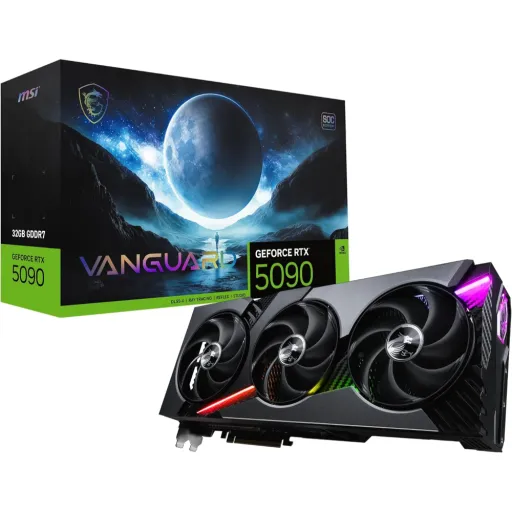
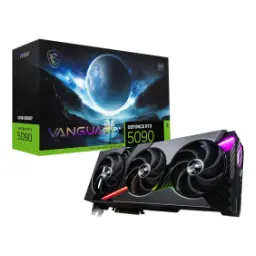
MSI GeForce RTX 5090 Gaming Trio OC

You Might Also Like
The MSI GeForce RTX 5090 Gaming Trio OC is built for buyers who want flagship tier output without turning their setup into a constant tweaking project, kyun ke daily stability bhi utni hi important hoti hai. The core platform is NVIDIA’s GeForce RTX 5090, so you’re starting from the top of the RTX 50 series stack before MSI’s OC focused tuning even comes into play.. The interface uses PCI Express Gen 5, which is designed for modern enthusiast builds where bandwidth headroom stays future conscious.. The standout comfort feature is the 32GB GDDR7 memory pool, jo 4K textures, heavy mods, aur creator timelines mein breathing room deta hai instead of forcing constant compromises.. The Gaming Trio OC positioning matters because MSI publishes dedicated clocks for this card, including an “Extreme Performance” profile via MSI Center and a listed boost clock for Gaming/Silent modes, so the experience feels more “set and go” than experimental.. The overall message is clear: this is a flagship GPU made to run hard, heat kam rakhne ki koshish ke sath, while keeping the ownership experience practical
The RTX 5090 is part of NVIDIA’s Blackwell GeForce generation, which is positioned around neural rendering so performance gains don’t have to come from brute force alone, aur isi wajah se visuals bhi zyada stable nazar aate hain. NVIDIA introduced DLSS 4 with Multi Frame Generation for GeForce RTX 50 Series, describing the capability to generate up to three additional frames per rendered frame when used with the DLSS suite.. NVIDIA also stated DLSS 4 can boost performance “up to 8x” over traditional rendering in supported scenarios, which is exactly the kind of uplift that makes 4K high refresh feel reachable, rozana ke sessions mein bhi.. The practical advantage is smoother frame pacing during fast camera pans, so motion clarity stays strong and gameplay lag nahi feel hota even when effects stack up. The story keeps evolving because NVIDIA announced DLSS 4.5 at CES 2026, highlighting a 2nd generation transformer model for DLSS Super Resolution and new Multi Frame Generation options for RTX 50 series cards.. The benefit for a flagship card is simple: you can push higher settings while keeping image quality disciplined, bilkul washed out ya artifact heavy look se bach ke, and still keep responsiveness in mind
The biggest day to day win on this card is memory headroom, because 32GB GDDR7 lets modern engines hold larger texture sets and heavier scene data without constant shuffling, jo stutter aur sudden dips ka common reason hota hai. MSI lists the card with 32GB of GDDR7 on a 512 bit memory interface, which frames this GPU as a true heavy load solution rather than a “just enough” gaming option.. TechPowerUp’s database also specifies 32GB GDDR7 with a 512 bit bus and 28 Gbps effective memory speed, giving a useful cross check for the core memory platform.. The same TPU entry notes 1.79 TB/s of memory bandwidth, and that kind of throughput helps when scenes become bandwidth heavy, asaani se high resolution assets ko feed karne ke liye.. The benefit is not just higher average FPS, because the “feel” improves when minimums hold up and frametimes look cleaner in real play. The large VRAM pool also supports creator workflows where multiple layers, caches, and high bitrate preview files need space, so timeline scrubbing and viewport work can stay more consistent.. The result is a card that behaves like a flagship should, meaning fewer settings you must turn down, aur zyada time actually enjoying the build
The Gaming Trio OC series leans heavily into thermal stability, because sustained performance depends on keeping GPU and memory heat under control, warna boost clocks jaldi fluctuate karte hain. MSI highlights the TRI FROZR 4 thermal design as an upgraded fan and airflow approach aimed at superior cooling and quieter operation, which directly targets long gaming marathons and heavy renders.. The STORMFORCE Fan design is described with seven blades and claw texturing to enhance air pressure, plus a circular arc that concentrates airflow for cooling efficiency and minimal noise.. MSI also calls out Double Ball Bearings for durability over years of intense sessions, jo long term reliability ko directly support karta hai.. The Zero Frozr behavior is positioned for silence at low temperatures, meaning idle ya light browsing pe fans stop ho jate hain and the PC stays calmer acoustically.. MSI further describes a nickel plated copper baseplate, Core Pipes with a square design for contact, a vented metal backplate, and fin designs like Wave Curved 4.0 and Air Antegrade Fin 2.0 to shape airflow and reduce turbulence.. The real benefit is consistency: clocks stay steadier, heat kam rehti hai, and noise can stay more controlled when you actually push the GPU
The RTX 5090 class demands serious power planning, because this MSI model lists 575W power consumption and that changes how you think about PSU headroom and cable quality, bilkul casual build jaisa nahi. MSI specifies a single 16 pin power connector and explicitly recommends an ATX 3.1 PSU, with a 1000W minimum power supply guidance for the card.. NVIDIA’s RTX 5090 page references a “600 W PCIe Gen 5 cable,” reinforcing that the platform expects a high capacity modern power delivery path.. The practical takeaway is careful cable seating and sensible airflow around the connector area, kyun ke high draw pe small issues can become heat issues over time. MSI lists the physical size as 359 x 149 x 70 mm, so case clearance and front radiator planning should be decided before the purchase, taake installation mein headache na ho.. The same MSI spec page lists the card weight as well, which is a reminder to use solid PCIe slot support and a stable mounting approach.. The outcome of good planning is boring in the best way: stable power delivery, fewer random shutdown worries, aur long sessions mein confidence that the system is built to sustain this tier
The RTX 50 series pitch is not just gaming speed, because NVIDIA positions these GPUs as accelerators for video editing, 3D rendering, and graphic design, jis se productivity workflows bhi uplift hotay hain. MSI’s product page explicitly points to “transformative performance” in creative apps and calls out NVIDIA Studio drivers engineered and continually updated for stability, which matters when deadlines are real and crashes are costly.. NVIDIA’s newsroom announcement ties Blackwell and DLSS 4 to big performance claims and highlights neural rendering improvements, framing RTX 50 series as a new wave of AI computer graphics rather than only higher raster numbers.. The benefit for creators is smoother iteration: heavier timelines, higher res assets, and faster preview cycles mean less waiting, rozana ke kaam mein time save hota hai. The 32GB GDDR7 memory configuration supports larger project footprints with fewer memory pressure moments, especially when multiple apps run side by side and caching grows.. DLSS and neural rendering innovations also matter for creators who test real time lighting and path traced looks, because the tech pushes playable previews closer to final intent.. The experience becomes more “fluid workstation” than “PC that sometimes struggles,” aur yehi refinement high end builds ka real goal hota hai
The visual output side of a flagship GPU matters, because pairing it with the right monitor unlocks the smoothness you’re paying for, warna performance ka fayda half reh jata hai. MSI lists three DisplayPort outputs (v2.1b) and one HDMI (2.1b), making the card friendly for multi monitor desks and modern high refresh displays.. NVIDIA’s RTX 5090 page details high end display capabilities with DP 2.1b/HDMI 2.1b and DSC, including up to 4K 480Hz and 8K modes depending on configuration, which speaks directly to enthusiasts running premium panels.. MSI also lists support for up to 4 displays and a maximum digital resolution of 7680 x 4320, so ultra wide plus side monitors or creator preview layouts remain practical.. VESA’s DisplayPort 2.1 announcement emphasizes backward compatibility and the role of DSC for visually lossless compression, which helps explain how extreme refresh and resolution targets become workable in real builds.. The real world payoff is clarity: fast motion stays readable, text stays sharp, aur high refresh pe scrolling bhi silky feel hoti hai, even when the GPU is driving multiple screens
The best high end GPUs feel simple to live with, because you should be able to choose performance or acoustics quickly, without turning every session into a settings rabbit hole, asaani se. MSI highlights Dual BIOS with GAMING and SILENT modes, so you can prioritize full performance or lower noise depending on your room and workload.. MSI also points to MSI Center for monitoring and tweaking in real time, and the spec page lists an “Extreme Performance” clock mode reachable via MSI Center for this model.. The Afterburner ecosystem is a practical advantage because it gives familiar controls for fan curves, monitoring, and tuning, jo enthusiasts ko confidence deta hai. MSI’s own Afterburner landing page calls it a widely used, free tool that provides complete control and real time monitoring, including use on non‑MSI cards as well.. MSI’s support documentation describes Afterburner as a widely used and free overclocking software with features like one click overclocking, on screen display, and customizable fan settings.. The combined benefit is choice: you can keep things quiet for work, phir gaming ke time performance mode pe switch karke, while still staying within a well known software workflow
The MSI RTX 5090 Gaming Trio OC fits buyers who want top end results across years, because this tier targets both raw raster workload and the modern AI assisted pipeline, jo future games ke sath zyada align hota ja raha hai. NVIDIA’s CES 2025 messaging framed the RTX 5090 around big uplifts versus the prior flagship, including “up to 2x” performance claims in certain contexts, which sets expectations for a true generational step.. The Verge’s coverage of the RTX 5090 announcement also reports 32GB GDDR7, 21,760 CUDA cores, and a 575W power figure, reinforcing that this is not a mild upgrade but a different class of build planning.. MSI’s own specs confirm 32GB GDDR7, PCIe Gen 5, 575W consumption, and the 16 pin power input, so the Gaming Trio OC buyer should already be comfortable with a high capacity PSU and serious airflow.. The card makes the most sense for 4K high refresh users, heavy texture mod players, and creators who need stable acceleration, kyun ke 32GB VRAM “comfort zone” ko widen karta hai in real work. The close is straightforward: this is a flagship that rewards a properly planned build, and once installed it aims to stay smooth, heat kam, and consistent across the toughest sessions
Here's how current offers compare across retailers.
Review current prices and specifications side by side.