Price Breakdown & Availability
Here's how current offers compare across retailers.
You Might Also Like
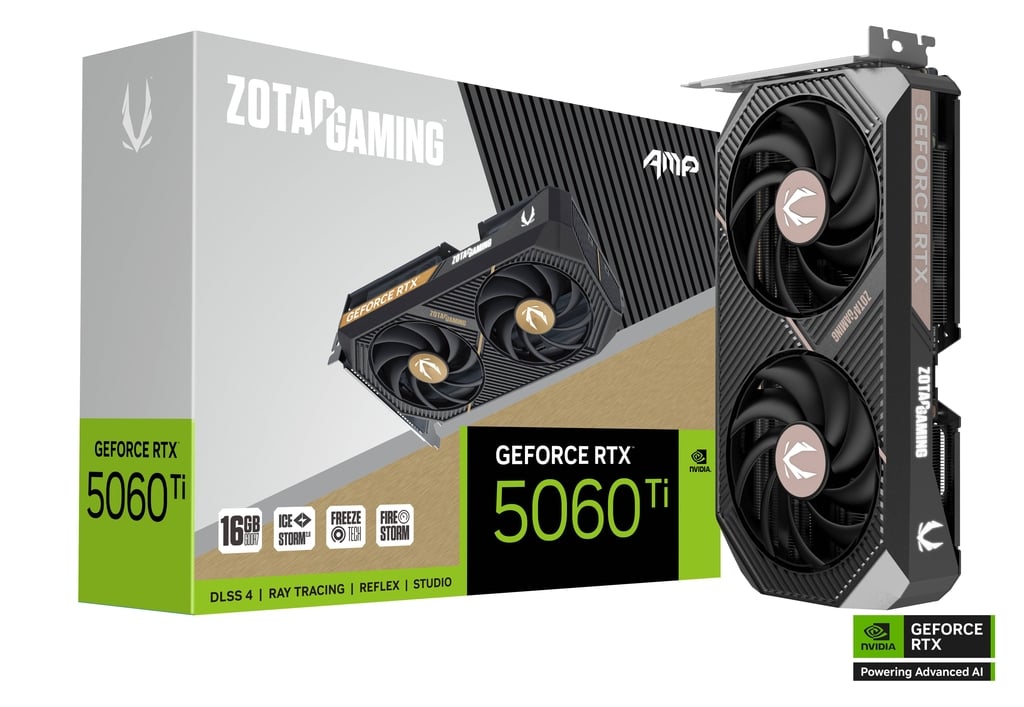
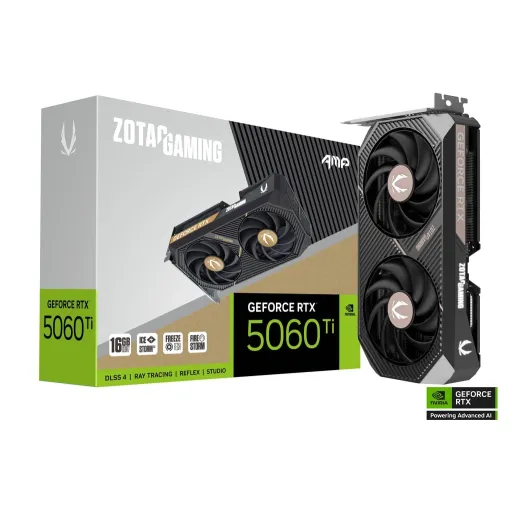
This RTX 5060 Ti AMP is shaped for builders who want clean performance in a compact footprint, aur case ke andar space bachana ho. The AMP naming is tied to an amplified factory tuned approach, jahan stronger factory OC aur focused cooling ko priority milti hai . The core platform is NVIDIA Blackwell on the RTX 5060 Ti family, so modern games and creator apps get the newer AI pipeline without extra complexity . The AMP board design stays upgrade friendly with a standard single 8 pin power input, jo cable management ko asaan rakhta hai . The dual fan, 2 slot style keeps compatibility realistic for most mid towers and many SFF cases, bilkul woh log jo tidy build pasand karte hain . The design language stays minimal with a metal backplate and subtle white LED lighting, taake system look refined rahe without loud styling . The bigger win is how these choices translate into daily stability, kyun ke compact cards tabhi worth it hotay hain jab thermals aur noise control mein compromise na ho
Neural rendering matters most when frame pacing feels consistent in real gameplay, warna FPS number sirf paper par achha lagta hai. NVIDIA positions RTX 5060 Ti as a Blackwell card that supports DLSS 4 features like Super Resolution, Ray Reconstruction, Frame Generation, and Multi Frame Generation, so you can push higher settings while keeping motion clear . The DLSS 4 stack is described by NVIDIA as a suite that can multiply performance using AI, which is especially useful when you want ray tracing on but still need smooth responsiveness . That practical benefit shows up as cleaner fast camera pans and less shimmer in fine edges, rozana ke gameplay mein where quick turns reveal artifacts. NVIDIA also ties DLSS 4 and Reflex to lower perceived latency, so inputs feel tighter for competitive titles, aur aim control zyada predictable rehta hai . The RTX 5060 Ti line additionally lists Reflex 2 support with features like Low Latency Mode and Frame Warp coming soon, which targets that last mile responsiveness in fast shooters . The overall takeaway stays simple: DLSS is not just higher FPS, balkay smoother looking frames with better stability when settings get heavy
Raw raster performance still drives most games at high settings, is liye core configuration ka impact direct hota hai. The RTX 5060 Ti is listed with 4608 NVIDIA CUDA cores, giving it the muscle for high refresh 1080p and confident 1440p profiles when settings are tuned smartly . The GPU is commonly identified as GB206 for the RTX 5060 Ti, which anchors the platform’s compute and feature set in a single mainstream die design . The memory interface width is 128 bit, which makes memory choice and settings discipline important, especially when textures and ray tracing compete for bandwidth, toh smart presets choose karna parta hai . The AMP edition specifically lists an engine clock of 2632 MHz, which hints at a tuned boost target for snappy bursts in games and creative apps . The same AMP listing also notes 28 Gbps memory speed on its GDDR7 configuration, helping keep minimums steadier when scenes get complex . The daily feel becomes noticeably smoother when alt tabbing and swapping workloads stays instant, kyun ke clocks ramp quickly and the platform is tuned for modern driver stacks
Ray tracing only feels premium when it stays playable, warna reflections pretty but pointless lagti hain. The RTX 5060 Ti configuration is widely listed with 36 RT cores and 144 Tensor cores, which creates a clear split between ray tracing acceleration and AI assisted rendering tasks . NVIDIA frames the RTX 50 Series Blackwell generation around neural rendering breakthroughs, including DLSS 4 and neural shaders, which aim to improve realism while managing performance cost . The RTX 5060 family page also calls out DLSS 4 Ray Reconstruction and Multi Frame Generation as supported technologies, which helps stabilize image quality in ray traced scenes, especially in motion . That means you can treat ray tracing as a controllable dial rather than an all or nothing switch, bilkul jahan aap reflections on rakh kar shadows ko balanced karte ho. The Tensor core side also supports broader AI workloads beyond games, jese creator filters, upscaling, and AI accelerated tasks that benefit from the same hardware path . The end result is a more predictable experience: heavy scenes stay controlled, aur frametime spikes ka chance kam hota hai when the rendering stack is leaning on AI
A sensible power target makes upgrades less stressful for most systems, kyun ke PSU aur case airflow dono manageable rehte hain. The RTX 5060 Ti AMP listing shows a 180W power consumption rating, which sits in a sweet spot for strong gaming without extreme heat output . The same AMP configuration uses a single 8 pin power input, so cable routing stays simple and older midrange PSUs often remain usable, bas quality check zaroor kar lo . TechPowerUp also lists a 180W board power and 1x 8 pin power connector for RTX 5060 Ti, reinforcing that this tier aims for practical efficiency rather than brute force wattage . The real benefit shows up during long sessions, jab heat kam rehta hai and boost behavior tends to stay steadier. ZOTAC’s 5060 series page also highlights standard 8 pin power for the lineup and mentions a 650W minimum recommended PSU for these boards, which is useful guidance when pairing with power hungry CPUs . The overall profile feels balanced: less time tuning power limits, aur zyada time actually playing or creating
Interface decisions matter most when they avoid bottlenecks in real builds, warna compatibility ka masla ban jata hai. The RTX 5060 Ti AMP is specified as PCI Express 5.0 x8, which matches how this GPU tier is commonly wired for modern motherboards . The broader RTX 5060 family page confirms PCI Express Gen 5 support for these cards, keeping platform support aligned with current chipsets . The key point is that x8 is not automatically a downgrade, kyun ke the GPU is electrically designed to operate at x8 speeds in this segment. Tom’s Hardware notes that RTX 5060 Ti is electrically designed for x8 operation and that connector changes do not meaningfully affect performance, which should calm buyers worried about the lane count . The x8 layout can also help board partners keep cards shorter and more SFF friendly, jahan cable clearance aur front intake important hota hai. NVIDIA also lists Resizable BAR support on the RTX 5060 family page, which can help certain games and workloads access GPU memory more efficiently
Cooling is where compact GPUs either shine or struggle, is liye AMP edition ka thermal approach central hai. ZOTAC positions the AMP line around IceStorm 2.0 enhanced cooling with BladeLink fans, aiming to keep temps controlled while staying acoustically reasonable . The RTX 5060 Ti AMP store listings also call out IceStorm 2.0, BladeLink fans, and a metal backplate, which helps with rigidity and can reduce vibration feel during sustained fan speeds . The FREEZE fan stop feature is designed to automate fan stop behavior out of the box on supported models, so idle or light desktop work can stay silent, bilkul office kaam ya late night browsing jaisa . ZOTAC also notes that FireStorm can be used to disable fan stop or manage manual and custom fan curves, which helps users tune noise versus temperature based on their case airflow . The practical outcome is more consistent boost behavior during long gaming sessions, aur less random throttling when ambient temperature changes. The experience feels refined when thermals stay predictable, because stable clocks translate into smoother frametimes and fewer micro stutters
Display output flexibility becomes a real advantage once you move to high refresh screens, kyun ke cable standards directly limit refresh and resolution. The RTX 5060 Ti AMP lists three DisplayPort 2.1b outputs with UHBR20 and one HDMI 2.1b output, giving practical support for modern monitor setups . The same listing mentions up to 4K 480Hz or 8K 165Hz with DSC through DisplayPort 2.1b UHBR20, which is especially relevant for esports players chasing clarity and creators previewing high resolution timelines . HDMI 2.1b support is also positioned for 4K 120Hz HDR and 8K 60Hz HDR with VRR, so living room displays and high end TVs can be part of the setup without awkward adapters . Quad display capability and HDCP 2.3 support keep multi monitor productivity smooth, jahan aap streaming, chat, aur game ek sath chala rahe hotay ho . DirectX 12 Ultimate support on the AMP spec sheet also aligns with modern rendering features used by current engines, keeping feature compatibility strong for upcoming titles
Choosing the right memory configuration shapes long term smoothness more than most buyers expect, kyun ke modern games texture aur RT data zyada use karte hain. NVIDIA lists the RTX 5060 Ti with standard memory configurations of 16GB or 8GB on GDDR7, so the same core GPU can be paired to different usage priorities . ZOTAC’s AMP store pages explicitly show both 8GB and 16GB AMP models, making it easier to pick based on whether you prioritize competitive settings or heavier creator and AAA texture loads . The memory bus width remains 128 bit on RTX 5060 Ti, so smarter settings and DLSS use can matter for keeping minimum FPS stable, especially at 1440p . The DLSS 4 feature set is also listed on the RTX 5060 family page, which means image quality scaling remains a core tool for longevity as games get heavier . The 180W and single 8 pin design keeps the upgrade practical across many existing builds, toh full platform rebuild ki zarurat aksar nahi parti . The best fit is straightforward: this AMP card suits users who want modern AI rendering features, compact cooling, and dependable everyday performance, aur jo apni settings ko smartly tune karke smooth results nikalna jaante hain
Here's how current offers compare across retailers.
Review current prices and specifications side by side.
Nvidia
NVIDIA RTX A2000From Rs. 217,000
Local price
Lowest current price2 offers
Updated 2 days ago