Price Breakdown & Availability
Here's how current offers compare across retailers.

Current Price
-
Lowest (30d)
-
Highest (30d)
-
30-Day Change
-
Showing daily prices
You Might Also Like
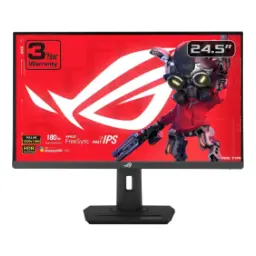
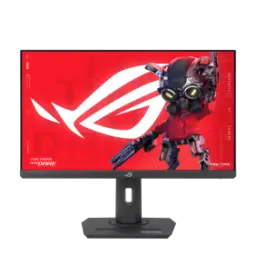
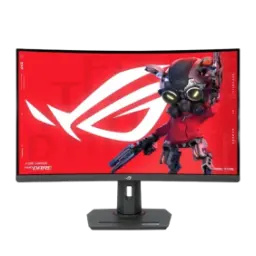
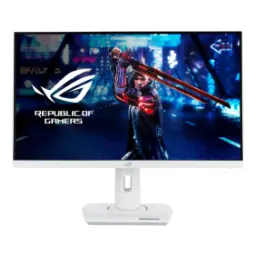
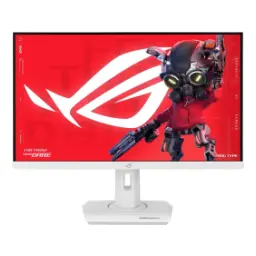
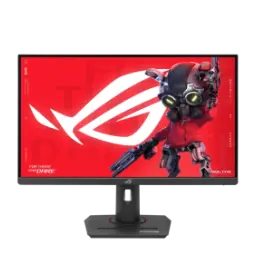
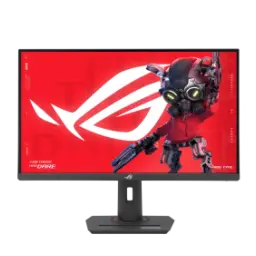
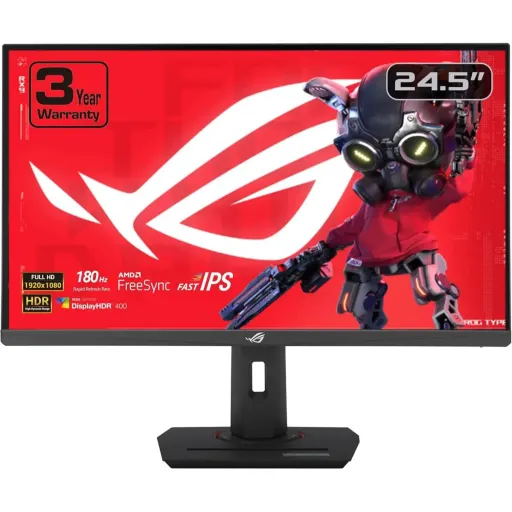
The ASUS ROG Strix XG259CS is built for esports focus, jab aapko clean aim chahiye, with a 24.5 inch Full HD 1920x1080 panel that feels naturally sized. The 180Hz refresh rate keeps every swipe and strafe fluid, so targets stay easier to read during rapid turns. The Fast IPS panel maintains consistent color from angles, side se bhi image stable rehti hai, which helps in team rooms and shared desks. The 1ms GTG response time reduces visible trailing, keeping fast movement sharper when you rely on quick peeks. The feature set stays practical for modern setups, kyun ke USB Type C with DP Alt Mode is included alongside DisplayPort 1.4 and HDMI 2.0. The built in gaming suite adds overlays and tuning tools, so you can adjust visuals and aim aids without extra software. The HDR pipeline supports HDR10 input, thori cinematic depth milti hai, while sticking to the crispness and simplicity of Full HD. The overall identity feels utility first and competitive, rozana ke practice sessions mein, and it still looks clean for content creation
The 24.5 inch 16:9 layout keeps your view concentrated, choti desk par bhi, and it avoids the head turning of larger panels. The Full HD 1920x1080 resolution is easy to drive, making high frame rates more achievable on midrange GPUs. The anti glare surface helps reduce reflections in daylight, dhoop ya bright tube light mein, so contrast stays more stable. The 110% sRGB color space adds vibrancy for games and content, rang thore zinda lagte hain, while still keeping UI colors controlled. The panel supports 16.7 million colors for smooth gradients, so skies and shadow transitions look less patchy in normal scenes. The wide 178 degree viewing angles keep colors from washing out, side se bhi image theek rehti hai, which helps if you shift posture mid game. The factory checking and calibration report idea adds confidence, kaam ke liye colors dependable lagte hain, especially when you edit clips after matches. The pixel pitch is listed at 0.2830mm, is size par text crisp rehta hai, and HUD elements look clean without harsh sharpening
The headline advantage is the 180Hz refresh ceiling, jo mouse movement ko silky banata hai, giving you more visual samples each second. The 1ms GTG response rating keeps transitions tight, so fast camera pans show less smear in crowded fights. The ASUS Fast IPS approach is positioned for quicker pixel switching, conventional IPS ke muqable mein, which helps motion stay cleaner when refresh is pushed high. The result feels especially strong in shooters and racers, because smooth motion plus quick transitions can make timing feel more predictable. The Full HD resolution works in your favor for esports, kyun ke GPU load manageable rehta hai, and stable FPS becomes easier to hold. The signal specs show a 48 to 180Hz vertical range on HDMI, DisplayPort, and USB C, so you can keep high refresh across your preferred connection. The built in GameFast Input technology is meant to sharpen responsiveness, gameplay mein input zyada direct lagta hai, especially when you micro correct your crosshair. The overall balance suits daily ranked practice, aur lag nahi wali feel, while still being comfortable for long sessions
Variable refresh support helps eliminate tearing during swings, jab FPS up down hota hai, by syncing the screen refresh to your GPU output. The monitor lists VRR technology with Adaptive Sync, making it a solid match for modern PC gaming stacks. The page also highlights FreeSync compatibility for tear free play, so motion stays coherent when you jump between settings and maps. The ELMB Sync feature can run blur reduction together with VRR, motion blur kam hota hai, and you do not have to pick only one mode. The ASUS Variable Overdrive concept adjusts overdrive as frame rate shifts, is se overshoot artifacts control rehte hain, which can keep transitions looking more natural. The result is smoother tracking without obvious ghosting, especially at 180Hz where small artifacts become more noticeable. The Shadow Boost feature can lift dark corners, agar aap competitive visibility chahte hain, while keeping bright areas from getting overly blown out. This tuning range gives you a flexible path, so you can set it for esports today and cinematic single player tomorrow
HDR support adds highlight detail for games and media, jab scene mein bright signs ya explosions hon, and this model accepts HDR10 signals. The VESA DisplayHDR 400 certification points to a brighter baseline, so specular highlights can pop more than typical SDR tuning. The typical brightness is rated at 400 cd/m2, which helps visibility in well lit rooms without forcing you into max backlight all day. The native contrast ratio is listed at 1000:1, so blacks stay reasonably anchored for an IPS class panel. The anti glare coating supports daytime comfort, roshni mein reflections kam hoti hain, and that keeps you focused on the action. The wide gamut rating helps HDR feel richer, colors zyada layered lagte hain, especially with the listed 110% sRGB coverage. The certification list also includes TÜV Flicker free and TÜV Low Blue Light, which helps longer sessions feel less harsh on the eyes. This is a practical HDR approach for 1080p gaming, giving extra punch while keeping everyday use simple
Connectivity stays simple for both PC and laptop, kyun ke USB C supports DisplayPort Alt Mode for video through one cable. The same USB C port provides 7.5W power delivery, which is handy for small top ups on a phone or accessories. A dedicated DisplayPort 1.4 input supports high refresh gaming, jab aap 180Hz ka full maza lena chahte ho, while HDMI 2.0 keeps console and media connections straightforward. An earphone jack keeps audio routing easy, so you can plug in a headset without crawling behind your PC. HDCP 2.2 support helps protected streaming content play properly, rozana ke streaming apps mein, when your connected device is compatible. The signal specs list 48 to 180Hz operation on HDMI, DisplayPort, and USB C, so high refresh can stay available across your preferred port. This port mix keeps cable clutter low, desk par setup clean rehta hai, especially for a dual device routine like PC plus work laptop. The overall wiring feels future friendly without being complicated, and it fits into both minimalist and RGB heavy battlestations
The stand focuses on ergonomic adjustment for comfort, rozana ke long sessions mein, with tilt, swivel, pivot, and height movement built in. The height adjustment range is listed as 0 to 120mm, so you can align the panel closer to eye level for a cleaner posture. The tilt range runs from +20 to 5 degrees, helping you reduce neck strain when the monitor sits on a high desk. The swivel reaches +45 to 45 degrees and pivot reaches +90 to 90 degrees, is se portrait orientation bhi asaani se ho jati hai, for chat, code, or long documents. A 100x100mm VESA mount option supports arms and wall mounts, so you can free desk space and dial in your exact distance. A built in 1/4 inch tripod socket adds creator utility, camera ya light mount ka scene ban jata hai, especially for streaming or overhead setups. The feature page also mentions a compact footprint and phone holder, plus charging via the Type C port for easy reach. The monitor lists no built in speakers, to external audio ya headset best rehta hai, and that keeps your sound quality fully in your control
On screen and software controls are made for quick changes, kyun ke DisplayWidget Center is supported for mouse based adjustments. GamePlus and GameVisual features provide practical overlays and presets, so you can tune visibility without digging through deep menus. Shadow Boost is included for dark scene visibility, and it can help reveal movement in corners without ruining brighter areas. The UK page highlights AI powered GamePlus features like Dynamic Crosshair, gameplay mein aim consistency improve hoti hai, by adapting overlays to the scene. The same section calls out Dynamic Shadow Boost, is se low light maps readable rehte hain, without turning the whole image flat. Aspect Control is also listed for scaling preferences, so older content or specific aspect needs can stay properly framed. These tools save time when switching roles, streamer mode se match mode tak, and they reduce reliance on third party overlays. The experience feels cohesive because settings are accessible, and you spend more time playing instead of hunting for buttons
For buyers choosing a fast 1080p monitor, 180Hz sits above the common 144Hz tier and feels like a real step in motion smoothness. The Fast IPS plus 1ms GTG combination targets clarity without narrow viewing limits, colors natural rehte hain, and the listed 178 degree angles help keep the picture consistent. The certification list includes VESA AdaptiveSync Display 180Hz and AMD FreeSync, which supports a tear free baseline across many GPU setups. The same list adds VESA DisplayHDR 400 plus TÜV Low Blue Light and TÜV Flicker free, aankhon par stress kam hota hai, during long ladder climbs. The typical power consumption is listed at 20W, so efficiency stays reasonable even when you keep the refresh rate high. Some enterprise channels list a 3 year limited warranty, jo peace of mind add karta hai, though exact coverage can vary by region and seller. This model makes the most sense for esports and mixed use desks, where USB C convenience and strong ergonomics matter as much as raw refresh. If your goal is clean motion with modern connectivity, decision asaan ho jata hai, because XG259CS packages speed, control, and daily practicality in one screen
Here's how current offers compare across retailers.
Review current prices and specifications side by side.