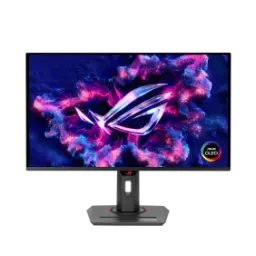
Price Breakdown & Availability
Here's how current offers compare across retailers.
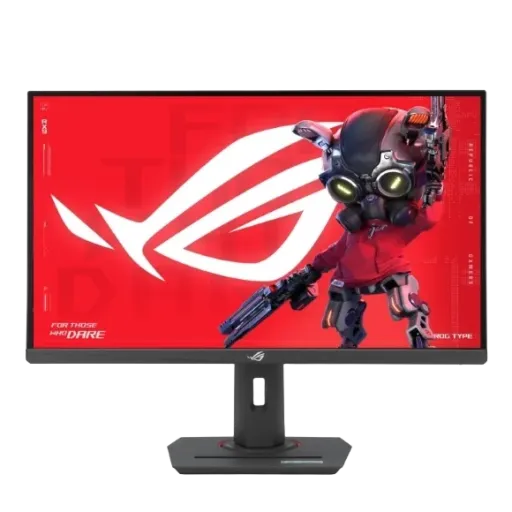

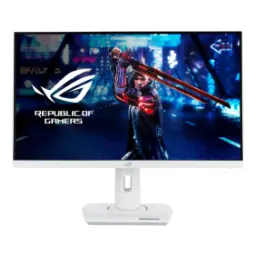
ASUS ROG Strix XG27ACS


You Might Also Like
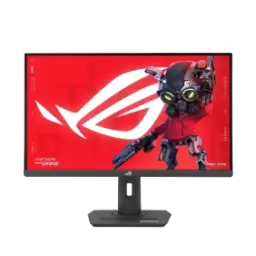
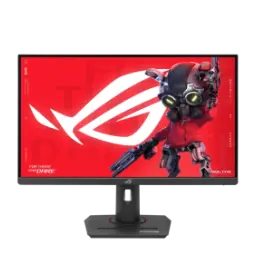
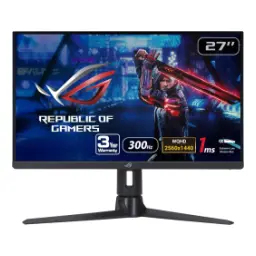
This ASUS ROG Strix XG27ACS targets modern 1440p play, rozana gaming se le kar serious ranked sessions tak, with a 27 inch 2560x1440 panel built for clarity and control. This QHD resolution lands in a sweet spot where HUD text stays crisp and enemies stay readable, so your aim decisions feel cleaner at a glance. This Fast IPS screen runs up to 180Hz, aur fast motion mein bhi tracking zyada stable lagti hai, which helps both esports flicks and smooth open world camera pans. This 1ms gray to gray response time is tuned for reduced blur, meaning crosshair placement becomes less guesswork and more muscle memory. This monitor also supports HDR10 and carries VESA DisplayHDR 400 positioning, so HDR content gets a brighter highlight profile than basic SDR when the game or movie supports it. This anti glare surface keeps reflections controlled, jo desk lamp ya daylight mein distraction kam karta hai, and it stays comfortable for longer sessions. This overall spec mix is designed to feel fast without feeling fragile, bilkul plug in karke noticeable upgrade wali vibe, especially if you are moving up from older 60 75Hz screens
This Fast IPS panel delivers wide viewing angles, toh side se dekhne par bhi colors washout nahi hotay, making it practical for shared setups or dual seat play. This color coverage is a standout for the class, because it is rated at 133% sRGB and 97% DCI P3 for richer gradients in games and more convincing tones in creative previews. This wide gamut helps maps, skins, and UI highlights look more alive, lekin still controllable if you switch to an sRGB leaning workflow for web content. This monitor is also positioned with factory calibration support, and some regions note an accessible calibration report via the on screen display which adds confidence for color sensitive users. This 16.7 million color output keeps banding low in typical 8 bit pipelines, so sky gradients and fog effects feel smoother in motion. This brightness profile is listed around 350 cd/m2 typical with a higher HDR peak mode, aur is se daytime use mein screen zyada readable rehti hai, especially when you are working with bright documents. This overall image style aims for sharpness over gimmicks, bilkul woh look jo QHD par clean lagta hai, and it pairs well with both competitive and cinematic titles
This 180Hz refresh rate reduces frame to frame gaps, is liye flick shots aur fast strafes zyada predictable lagte hain, especially on QHD where detail still stays sharp. This 1ms (GTG) response target is paired with ASUS Fast IPS behavior to keep motion blur controlled, so micro corrections feel less smeary during intense fights. This monitor includes ELMB Sync, jo backlight strobing ko VRR ke saath run karne ka option deta hai, helping reduce perceived blur without fully giving up variable refresh features. This is also where Variable Overdrive matters in real play, because the overdrive behavior can adapt as frame rates move up and down, keeping motion cleaner across different game loads. This monitor supports VRR through Adaptive Sync, and practical branding includes both FreeSync and G SYNC compatibility for tear reduction on common GPU ecosystems. This VRR approach works by syncing display refresh with the GPU output, toh tearing aur stutter ka feel kaafi had tak kam ho jata hai, which is the core promise of AMD FreeSync as an open ecosystem. This kind of speed setup is built for consistency, bilkul match to match same rhythm, and it helps you focus on decision making instead of fighting the panel
This monitor supports HDR10 input, aur HDR enabled games mein highlights zyada bright feel karte hain, especially when the content is mastered to show specular reflections and bright effects. This DisplayHDR 400 tier is defined around minimum luminance targets like 400 cd/m2 in key test patterns, which generally signals entry level HDR brightness rather than cinema grade local dimming impact. This peak HDR brightness for the XG27ACS is listed at 400 cd/m2, so daytime HDR scenes can look more energetic than SDR while keeping the overall image controlled. This contrast approach is still typical IPS, is liye dark room blacks itne deep nahi hotay, and independent testing notes limited HDR pop without a local dimming system. This is where Dynamic Shadow Boost becomes useful, because it can lift darker areas without blowing out bright zones, giving you clearer visibility in shadow heavy maps. This kind of shadow tuning is especially practical in competitive shooters, jahan corner checking aur depth cues important hotay hain, and it can reduce the temptation to over brighten the whole screen. This HDR and visibility mix stays grounded in usable gains, bilkul daily gaming ke liye, while keeping expectations realistic for DisplayHDR 400 class behavior
This monitor keeps inputs practical for PCs and consoles, aur ports ka selection desk setup ko straightforward banata hai, with HDMI 2.0 and DisplayPort 1.4 for common gaming rigs. This USB C port supports DisplayPort Alt Mode, so a compatible laptop can push video through one cable, keeping the workspace clean and quick to dock. This USB C also offers up to 7.5W power delivery, jo phone ya small accessory ko top up karne mein help karta hai, and it is a nice bonus when outlets are limited. This 3.5mm headphone jack gives a clean audio path for late night sessions, toh aap easy switching kar sakte hain without hunting for rear PC ports. This refresh rate handling is also worth planning for, because ASUS lists USB C and DisplayPort signals up to 180Hz while HDMI is shown up to 144Hz, so full speed esports play typically favors DP or USB C. This kind of port strategy supports multi device life, bilkul ek side par PC aur doosri side par laptop, and it keeps your setup flexible without extra adapters
This stand is built for real posture comfort, rozana ke long sessions mein neck strain kam hota hai, with height, tilt, swivel, and pivot adjustment available. This pivot support makes vertical orientation easy, so document reading, Discord sidebars, and coding panels feel more natural in a portrait layout. This 100x100 mm VESA mounting compatibility helps you move to an arm later, aur desk par space zyada open feel hota hai, especially if you like floating monitor setups. This compact footprint stand design is meant to save desk space, and it also includes a convenient phone holder groove concept highlighted in ASUS announcements for this series. This monitor even includes a 1/4 inch tripod socket, jo creators ke liye interesting ho sakta hai for camera, light, or accessory positioning in a small streaming corner. This kind of physical flexibility matters more than people expect, kyun ke jab screen right height par hoti hai, your eyes relax and your focus stays on gameplay. This design also keeps things practical by skipping built in speakers, so buyers can choose proper headphones or desktop audio without paying for weak internal sound
This monitor includes AI powered GamePlus features, jo on screen scene analysis karke crosshair placement ko adjust kar sakte hain, giving a more guided aim aid for certain playstyles. This Dynamic Shadow Boost feature is also part of the ROG gaming toolkit, so dark areas can become more readable without flattening everything into washed out gray. This GamePlus and Shadow Boost stack is meant to reduce in game visibility compromises, bilkul woh moments jahan enemy silhouette just disappear ho jata hai, and it can be toggled based on your preference. This monitor also supports DisplayWidget Center for easier setting changes, so brightness, GameVisual, and related OSD options can be controlled with a mouse instead of physical buttons. This software approach helps when you swap between games and work, kyun ke profiles aur quick adjustments se time bach jata hai, and the UI is designed as a dedicated ASUS monitor control app. This is also useful for multi monitor desks, because consistent tuning becomes faster, asaani se rather than fiddling with each bezel button. This kind of smart tooling adds convenience without forcing you into a complicated ecosystem, bilkul optional layers, and the core display performance remains the main value
This display supports variable refresh rate play, aur VRR ka main faida yeh hai ke tearing aur stutter ka feel low ho jata hai, especially when FPS fluctuates in heavy scenes. This FreeSync approach leverages industry standards like DisplayPort Adaptive Sync and HDMI VRR, so the ecosystem stays open and practical for many GPUs. This monitor is marketed as G SYNC compatible, so GeForce users can typically enable VRR behavior through the NVIDIA Control Panel when the display is connected and configured correctly. This NVIDIA guidance also notes that some VRR displays may not be validated as G SYNC Compatible, but VRR can still be tested and enabled manually in supported setups. This validation idea exists because NVIDIA runs a compatibility program, taki users ko predictable experience mile, and they publish ongoing notes about G SYNC Compatible validation across monitors. This practical result is better frame pacing feel, bilkul smoother camera motion, which matters in fast shooters and also in third person action games where panning reveals blur quickly. This panel’s 180Hz ceiling gives VRR more room to breathe, so when your FPS climbs, the screen can keep up without forcing harsh compromises
This ROG Strix XG27ACS fits gamers who want balance, rozana ke use mein bhi, because QHD at 27 inches is sharp enough for work while 180Hz keeps play feeling modern. This kind of monitor is often highlighted as an ideal 1440p category pick in gaming monitor roundups, which reinforces that it targets a broad audience rather than a single niche. This display is also strong for mixed use, kyun ke RTINGS notes good overall responsiveness and low input lag behavior for a snappy feel during PC gaming. This HDR implementation stays entry level, so expectations should be realistic, aur local dimming na hone ki wajah se deep black cinematic HDR ka impact limited reh sakta hai. This is still a meaningful upgrade from older SDR only screens, because HDR10 input plus DisplayHDR 400 class brightness targets can add highlight intensity in supported content. This ergonomic stand and VESA support also protect the daily experience, kyun ke comfort long term value ban jata hai, and desk setups evolve over time. This product finishes with practical extras like eco friendly packaging notes from ASUS, so the ownership experience feels thoughtful instead of purely spec driven
Here's how current offers compare across retailers.
Review current prices and specifications side by side.