



Price Breakdown & Availability
Here's how current offers compare across retailers.
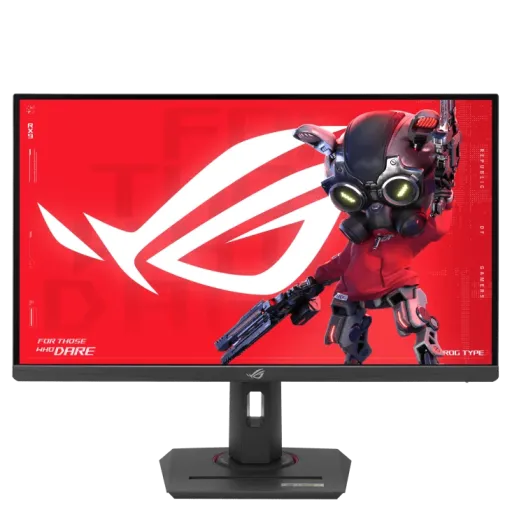

ASUS ROG Strix XG27ACMG


You Might Also Like
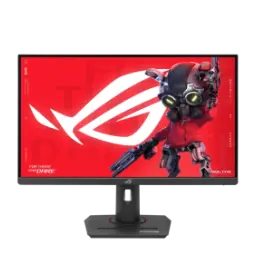
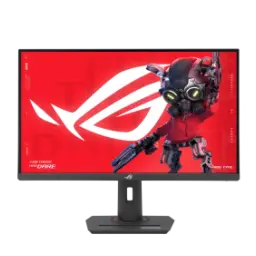
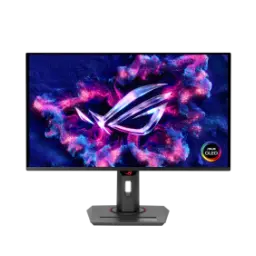
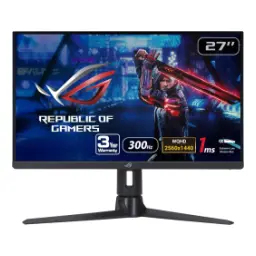
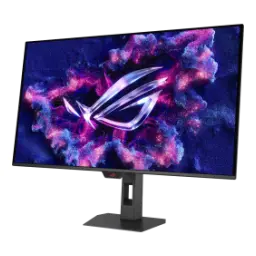
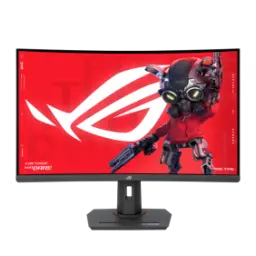
The ASUS ROG Strix XG27ACMG is tuned for fast play, jahan reaction time matter karta hai, and the feature set stays performance led. The 27 inch Fast IPS panel balances clarity and comfort, rozana browsing bhi smooth lagti hai, and the anti glare surface keeps reflections controlled. The QHD 2560x1440 resolution holds detail without feeling heavy, text crisp rehta hai, and it fits the practical high FPS zone for many PCs. The 270Hz maximum refresh pushes motion into esports territory, flicks zyada connected lagte hain, and fast camera pans stay readable. The 1ms GTG response time trims visible trailing, motion blur kam nazar aata hai, and target edges look tighter in quick turns. The ELMB SYNC capability blends blur reduction with VRR, yani tearing ke saath ghosting bhi control, so fast scenes look more composed. The HDR path supports HDR10 and carries a DisplayHDR 400 badge, HDR content mein highlights zyada pop karte hain, while setup remains straightforward. The wide color coverage helps games look lively, colors natural rehte hain, and the panel can still be tuned for cleaner accuracy. The connectivity suite fits modern desks with USB C, HDMI 2.1, and DisplayPort 1.4, ek hi monitor par multiple devices manage ho jate hain, and cable planning becomes easier. The ergonomic extras include a tripod socket and eye care tools, streaming setup asaan hota hai, and long sessions feel less harsh on the eyes
The 27 inch 16:9 canvas fits competitive layouts cleanly, mini map aur HUD dono readable rehte hain, and window tiling feels natural for work. The QHD 2560x1440 resolution sharpens edges and text, rozana documents aur Discord dono clear, and it avoids the scaling compromises some people feel at 4K. The 0.233mm pixel pitch supports fine detail at normal distance, choti text lines bhi stable lagti hain, and UI elements stay crisp during fast movement. The anti glare coating reduces distracting reflections, roshni wali room mein bhi focus rehta hai, and the picture keeps its intended contrast. The Fast IPS viewing angles hold color consistency well, side se dekhne par bhi washout kam hota hai, which helps if your setup is slightly off center. The rated viewing angles reach 178° horizontally and vertically, sharing screen quickly bhi theek rehta hai, and colors don’t collapse when you lean back. The display renders 16.7 million colors for smooth gradients, banding ka risk reduce hota hai, and game skies look more natural. The typical brightness is listed at 400 cd/m2 for indoor strength, brightness tez feel hoti hai, and it helps maintain visibility in brighter rooms. The contrast ratio is specified at 1000:1 for IPS balance, blacks OLED jitne deep nahi, but shadow detail stays readable for competitive spotting. The overall image feels disciplined for daily use, rozana multitasking bhi comfortable, and gaming remains the main focus
The 95% DCI P3 coverage expands cinematic color depth, movies aur story games mein tones zyada layered lagte hain, and highlights separate more cleanly. The 125% sRGB coverage adds headroom for vivid looks, lekin proper profile ke saath colors controlled reh sakte hain, so everyday editing stays more predictable. The ROG tuning emphasizes smoother gradation and uniformity, jahan skies ya fog effects mein banding nazar aati hai, and this approach aims to keep transitions smoother. The Fast IPS panel keeps color stable while staying quick, gaming ke saath content consumption bhi fit, and viewing angles remain consistent. The 16.7M color pipeline supports clean gradients in UI, thumbnails aur timelines clean lagti hain, and casual design tasks feel less guessy. The anti glare surface helps preserve perceived contrast, reflections kam hoti hain, and you spend less time fighting glare during daytime work. The HDR ready signal path pairs with wide gamut well, HDR content mein colors zyada separated lagte hain, and scenes feel less flat when content is mastered properly. The real benefit shows in mixed usage days, rozana gaming plus occasional creative work, and the same panel can keep both sides satisfied
The 270Hz maximum refresh is designed for high FPS gameplay, competitive titles mein tracking zyada tight lagti hai, and input feels more immediate when frames are high. The 1ms GTG response time supports sharper motion clarity, fast strafes mein smear kam hota hai, and quick turns stay readable. The ELMB SYNC feature reduces blur while keeping VRR active, yani tear free feel ke saath blur control bhi, which is useful when FPS fluctuates mid fight. The monitor supports Adaptive Sync with G SYNC compatibility and FreeSync Premium, dono GPU ecosystems ke saath, so upgrades or switching PCs stay simple. The integrated Variable Overdrive adjusts response behavior with frame rate changes, overdrive artifacts kam rehte hain, and motion stays more consistent across the VRR range. The QHD resolution keeps performance targets realistic, settings tune karke high refresh chase karna asaan, and the experience can feel more stable than pushing 4K. The anti glare finish helps reduce distraction during movement, bright room mein bhi focus rehta hai, and it keeps the view cleaner in long sessions. The overall motion profile stays esports first by intent, bilkul practical approach ke saath, and it suits players who value clarity over flashy processing
The HDR10 support enables HDR playback in compatible games, HDR content mein highlights zyada punchy lagte hain, and switching modes can be part of your usual routine. The VESA DisplayHDR 400 badge signals a baseline HDR luminance tier, jo HDR ke entry level experience ko formalize karta hai, and it targets 400 cd/m2 class brightness tests. The monitor lists 400 cd/m2 typical brightness and 400 cd/m2 HDR peak, indoor HDR scenes ke liye enough, and SDR remains strong when you want pure competitive clarity. The IPS contrast is specified at 1000:1 for balanced shadows, dark scenes mein detail usable rehti hai, and bright HUD elements don’t overwhelm as easily. The wide gamut coverage supports richer HDR color volume, colors zyada natural separation ke saath, and sunsets or neon scenes keep more nuance. The DisplayHDR criteria focus on luminance and baseline performance checks, matlab yeh badge local dimming drama promise nahi karta, and it still helps HDR look more intentional than plain SDR. The practical win comes in mixed scenes, jahan bright effects aur darker corners, and you get extra pop without turning the monitor into a calibration project
The I/O layout keeps a multi device desk simple, cable management asaan hota hai, and switching sources feels less annoying. The DisplayPort 1.4 port targets high refresh PC gaming, PC par best performance route milta hai, and it’s listed as DP 1.4 (HBR3) for modern GPUs. The HDMI 2.1 input supports newer consoles and laptops, ek hi monitor par work aur play, and it keeps the setup future friendly. The USB Type C port carries DP Alt Mode video, single cable wali convenience milti hai, and it also provides up to 15W power delivery. The 15W USB C power helps with light charging needs, phone ya small device top up, and it reduces adapter clutter in tight spaces. The 3.5mm earphone jack keeps audio routing easy, raat ko headset plug karna quick, and it avoids messy back panel digging. The monitor is listed without built in speakers, external audio pe rely karna hoga, and many competitive setups already prefer dedicated headsets
The ergonomic stand helps you lock in posture, height set karna asaan, and long sessions feel more sustainable. The height adjustment range reaches 0 to 120mm, desk par fine tuning milti hai, and it keeps your eyes aligned with the top third of the screen. The tilt swivel and pivot support flexible positioning, portrait mode productivity bhi possible, and shared desks become easier to accommodate. The VESA 100x100 mounting option fits arms and wall mounts, clean setup ban jata hai, and you can reclaim desk space for lower sense mouse movement. The anti glare panel surface reduces visual distractions, lights ki reflection kam hoti hai, and focus stays on the crosshair during fast rounds. The integrated 1/4 inch tripod socket supports add on gear, camera ya light mount karna easy, and it helps creators keep a centered, tidy streaming angle. The Aura Sync lighting feature adds a controlled back accent, RGB ecosystem ke saath match ho jata hai, and it can be kept subtle when you want zero distraction. The chassis choices feel like daily tools, rozana use mein convenience, and that matters when the monitor stays on your desk all year
The DisplayWidget Center software simplifies monitor tuning, OSD buttons ka jhanjhat kam hota hai, and key settings can be changed from your desktop. The app is described as controlling brightness contrast and color temperature, quick adjustments asaani se, and it supports a more modern workflow than constant joystick tapping. The monitor lists DisplayWidget Center as a supported feature, model match check ho jata hai, and you can treat profiles like “work” and “game” habits. The Aura Sync ecosystem can synchronize lighting with other ASUS devices, sab gear ek theme mein aa jata hai, and Armory Crate is cited as the control method for Aura Sync lighting effects. The ROG Gaming A.I angle shows up through GamePlus tools, crosshair aur timers jaise assists, and B&H describes AI powered GamePlus adjusting the crosshair to enhance targeting accuracy. The flicker free and low blue light features focus on comfort, aankhon par load kam hota hai, and they can help during late night ranked sessions. The GameVisual and Shadow Boost style modes offer quick genre tuning, dark corners mein visibility better, and switching modes can be part of your match prep. The overall experience stays optional and flexible, asaani se set karo, and then keep the screen focused on performance
The 1440p 270Hz category hits a practical performance zone, high refresh ka thrill bhi, and many GPUs can reach meaningful FPS with smart settings. The Fast IPS panel and 1ms GTG spec prioritize motion clarity, lag nahi wali feel improve hoti hai, and the picture stays clean enough for daily productivity. The wide gamut 95% DCI P3 and 125% sRGB coverage adds visual richness, streaming visuals aur casual editing better, and games avoid that dull, narrow gamut look. The VRR stack with ELMB SYNC targets real frame swings, FPS drop par bhi tearing control rehta hai, and motion stays more usable across different titles. The connectivity mix supports modern habits in one screen, USB C se desk clean, and HDMI 2.1 plus DisplayPort 1.4 keeps compatibility broad. The power consumption is listed under 30W for typical use, heat output kam feel hota hai, and it’s a sensible fit for smaller rooms or compact desks. The ergonomic stand and VESA support protect long term comfort, posture theek rehta hai, and the setup can evolve with arms, mounts, or streaming gear. The right buyer wants speed with control, competitive mindset ke saath, and the ROG Strix XG27ACMG is shaped around that daily rhythm
Here's how current offers compare across retailers.
Review current prices and specifications side by side.