

Price Breakdown & Availability
Here's how current offers compare across retailers.

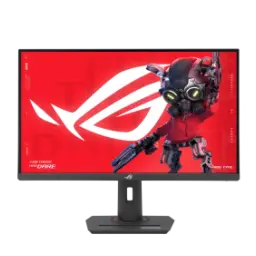
ASUS ROG Strix XG27UCDMG


You Might Also Like
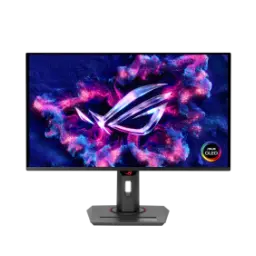
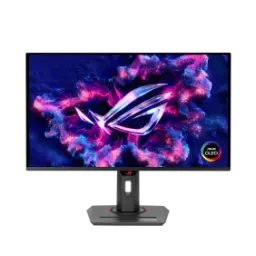
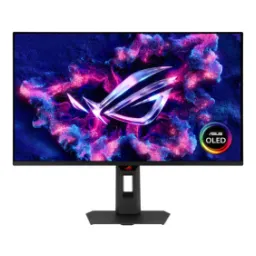
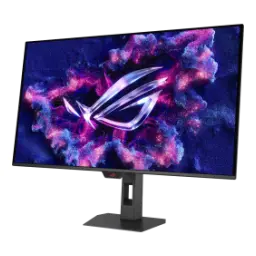
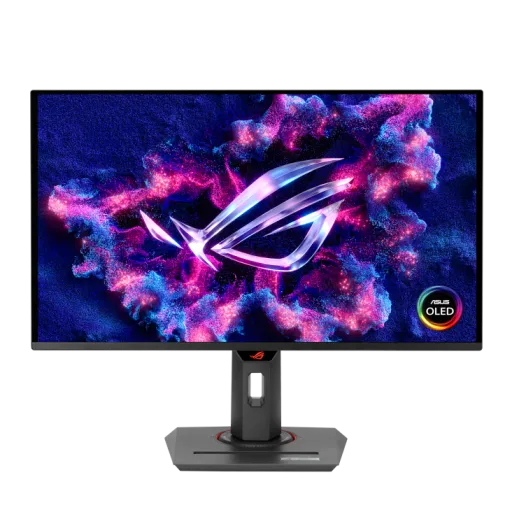
The ROG Strix OLED XG27UCDMG blends 4K clarity with OLED speed, rozana gaming aur kaam dono mein, without feeling oversized. This 26.5 inch viewable QD OLED panel runs at 240Hz, so fast motion looks clean and controlled on a compact desk footprint. The 3840x2160 resolution keeps fine HUD lines and tiny UI elements sharp, bilkul crisp, when you sit close for competitive focus. The 0.03ms GTG response helps rapid transitions stay tight, lag nahi, when flick shots and quick turns push your reflexes. The high pixel density is called out at 166ppi, which makes text and edges look refined for daily browsing and creator tools. The HDR stack supports HDR10 and carries VESA DisplayHDR 400 True Black, meaning dark scenes keep depth while highlights stay punchy. The fourth generation QD OLED positioning focuses on sharper imagery and longer lifespan, heat kam, for people who mix work windows with long gaming nights. The overall identity feels like a premium 27 inch 4K OLED gaming monitor that also respects productivity, asaani se, when you want one display to do it all
This QD OLED approach uses self emissive pixels for per pixel control, is liye blacks truly deep feel hotay hain, and contrast looks effortless in dark games. A blue OLED light source works with a quantum dot layer to form the final RGB output, colors natural, which is a key idea behind QD OLED displays. The 4K 3840x2160 grid on a 26.5 inch viewable panel gives you dense detail, display bohat crisp, for both open world textures and desktop reading. The 166ppi pixel density helps reduce the “fuzzy text” feeling some people fear on OLED, so code, chats, and menus look more settled in daily use. Viewing angle consistency is a known benefit of QD OLED claims around uniform luminance and color, ghar mein co op ho ya side seat watching, so off center viewing stays believable. ASUS markets this model as using 4th gen QD OLED technology for sharper imagery and crystal clear text, bilkul practical, when you are not always in full screen games. The result is a more immersive 4K OLED experience that stays sharp at close range, rozana ke tasks mein, without requiring a huge monitor arm setup
The 240Hz refresh rate is built for smooth tracking, asaani se, when fast strafes and quick camera turns decide the fight. The 0.03ms GTG response time keeps pixel transitions extremely quick, lag nahi hota, so motion looks cleaner and edge trails stay reduced. ASUS also includes Extreme Low Motion Blur to reduce ghosting and motion blur, which can help shooters feel more readable during snap turns. Variable refresh support is positioned around G SYNC compatibility, smooth feel rehta hai, and retailers commonly list FreeSync Premium Pro alongside it for broader GPU pairing. The 4K resolution means your GPU matters more, is liye frame pacing important hai, so the 240Hz headroom turns into real smoothness rather than just a badge. Fast games feel more controlled when minimum FPS stays healthy, aim asaan hota hai, and your eyes can follow micro movements without blur hiding detail. The same speed also makes everyday scrolling look premium, bilkul fluid, which is a small quality win you notice every hour. In practice, this is the kind of 4K 240Hz OLED monitor spec blend that targets both esports clarity and cinematic single player polish
HDR support includes HDR10, which keeps compatibility wide across games and streaming apps, rozana ke use mein bhi, instead of locking you into niche formats. The monitor is listed with VESA DisplayHDR 400 True Black certification, so the HDR label is tied to an emissive display testing program rather than vague marketing language. VESA describes DisplayHDR True Black as optimized for emissive displays and notes extremely low black level targets (down to 0.0005 cd/m2), bilkul inky shadows ke liye, which helps dark scenes keep shape. Bright highlights feel more “spark like” in HDR moments, roshan reflections aur neon signs mein, while the surrounding blacks stay deep instead of washed out gray. VESA publishes performance criteria openly for its tiers, so you can sanity check what the True Black 400 class is meant to hit. ASUS also highlights adjustable HDR and uniform brightness options, which can help keep the picture consistent when you jump between games, desktop, and creator apps. That consistency matters when your eyes adapt to dark rooms, raat ko gaming hoti hai, and you want shadow detail without crushing blacks. The end benefit is simple: HDR looks dramatic but still readable, and the monitor keeps the “True Black” promise in the way an OLED should
OLED gaming can show flicker for some users, especially when frame rates fluctuate, is liye comfort tools matter, and ASUS directly targets that behavior here. ASUS includes ROG OLED Anti Flicker 2.0 and says it can reduce onscreen flicker by up to 20% versus previous generation panels, which is meaningful if you play VRR heavy titles. The luminance compensation algorithm dynamically boosts pixel brightness during refresh rate fluctuations, asaani se, while ASUS claims it avoids added input lag or refresh rate compromise. A Refresh Rate Cap feature offers preset ranges (High/Mid/Off) to limit refresh behavior, aankhon ko aaram milta hai, for people who are more sensitive to flicker. Long sessions feel calmer when the image stays visually stable, rozana practice ho ya weekend marathon, and you are not distracted by subtle brightness pulsing. Better comfort also helps performance because focus stays on the match, bilkul, instead of the display. Practical tuning like this turns a raw 240Hz OLED panel into an easier daily driver for mixed lighting rooms. When these settings are available in the OSD ecosystem, small adjustments become simple and repeatable, asaani se, so comfort is not a one time setup headache
OLED ownership feels better when protection is built in, bilkul, because static UI elements can be part of everyday gaming and work. ASUS includes an OLED Care Pro suite with a Neo Proximity Sensor that detects when you are away and switches to a black screen, reducing burn in risk during idle time. ASUS also highlights a custom heatsink in the design, heat kam rehti hai, which supports steadier long session behavior and can help the panel operate within intended thermal limits. The 4th gen QD OLED positioning includes claims of greater longevity compared to previous OLED technologies, so daily desktop use feels less like a compromise. Short breaks between rounds become genuinely useful, thori der ka break, because the screen can protect itself even when you forget to power it down. Good habits still matter for any OLED, rozana, but having detection based protection makes the monitor friendlier for multitasking routines. The benefit is psychological as much as technical: you can enjoy perfect blacks and fast response, bilkul smooth, without constantly worrying about leaving a scoreboard or taskbar up. ASUS frames these protection features as part of its premium OLED experience package, helping the monitor fit real life rather than only showcase demos
A high end monitor feels complete when ports match the panel, asaani se, and ASUS emphasizes strong connectivity for this model. ASUS lists DisplayPort 1.4 with Display Stream Compression plus HDMI 2.1, giving you practical options for PC rigs and console inputs. A USB Type C port supports DP Alt Mode with up to 90W Power Delivery, laptop ko charge bhi milta hai, so one cable can handle display and power in a clean setup. This single cable workflow reduces desk clutter, rozana, and it makes switching from work laptop to gaming PC feel less like rewiring. ASUS also points to DisplayWidget Center for easier control and added features like firmware notifications plus settings import/export. When you are driving 4K at high refresh, stable connections matter, is liye right cable choice important hai, and having multiple modern inputs keeps future upgrades simpler. Retail listings also reinforce the core performance spec set (4K, 240Hz, 0.03ms) tied to these everyday connectivity choices. Overall, the port mix helps the XG27UCDMG feel like a complete workstation display, bilkul, not just a gaming only screen
A premium OLED panel shines when color stays trustworthy, rozana edits aur thumbnails mein, and ASUS positions this monitor for discerning gamers and creators. ASUS specifies 99% DCI P3 coverage with true 10 bit color, which supports richer gradients and cleaner skies, skin, and shadows in both HDR and SDR workflows. ASUS also cites Delta E < 2 as a color difference target, colors natural lagti hain, which is a practical indicator for people who care about accuracy out of the box. Uniform Brightness is highlighted as a feature, bilkul even feel ke liye, helping reduce the “center bright, edges dim” distraction during long sessions. Adjustable HDR options help you tune the presentation to your content, asaani se, so games can look dramatic while editing previews stay controlled. The high pixel density around 166ppi helps timeline text, UI labels, and fine edges look refined, which matters when you are reading detail rather than just admiring color. DisplayWidget Center support keeps mode switching quicker than deep OSD navigation, kaam tez ho jata hai, which is a real benefit in a mixed game and create routine. This blend makes the XG27UCDMG feel like a single monitor solution, bilkul practical, for people who refuse to choose between speed and fidelity
A monitor you use daily should look and fit right, bilkul, and ASUS calls out several gamer centric design touches for this model. ASUS mentions a super slim, frameless panel with ROG Aura Sync and light projection elements, giving the setup a signature look without needing extra RGB gear. A standard 1/4 inch tripod socket is included for streaming setups, mic aur camera mounts ke liye, which helps creators build a clean capture station. ASUS also describes a compact footprint stand with a built in phone holder, asaani se, so the desk stays organized even when cables, controllers, and chargers pile up. The product positioning emphasizes an ergo stand alongside the 27 inch class size, which supports better posture when you center the screen at eye level. This 26.5 inch viewable 4K QD OLED at 240Hz is a rare combination, is liye yeh model, for many buyers, lands in a true “no compromise” category. High end PCs benefit most when paired with strong frame delivery, warna settings tune karni parti hain, and the display still rewards you with sharp detail and smooth motion. The closing takeaway stays simple: you get a fast 4K OLED gaming monitor with real HDR credentials, rojana reliable, wrapped in a desk friendly design that supports both play and production
Here's how current offers compare across retailers.
Review current prices and specifications side by side.