Price Breakdown & Availability
Here's how current offers compare across retailers.
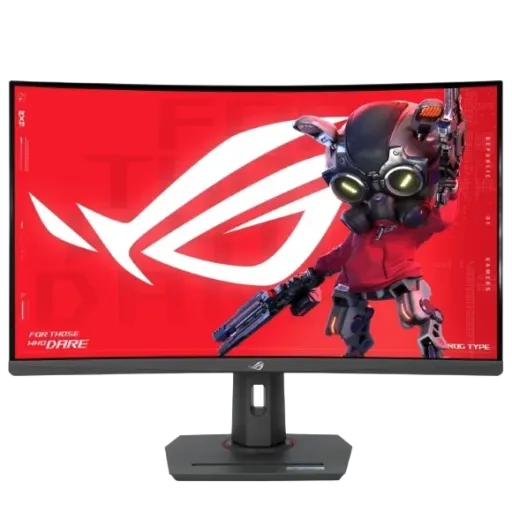

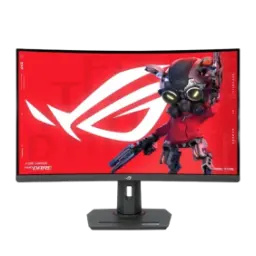
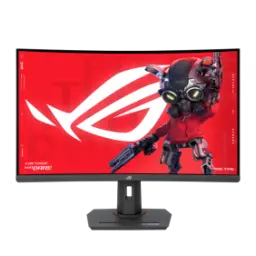
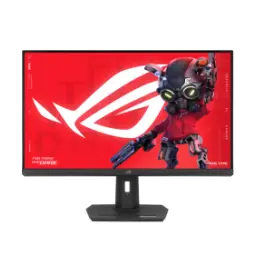
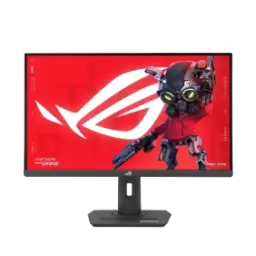
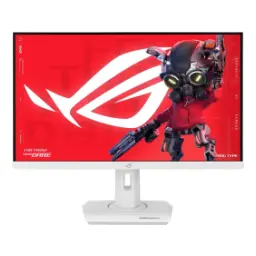
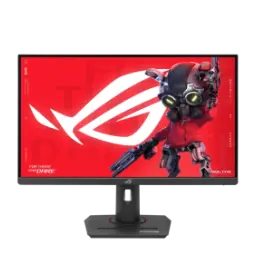
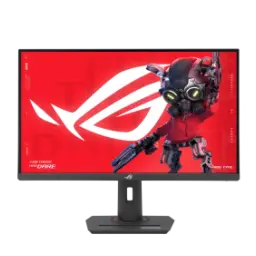
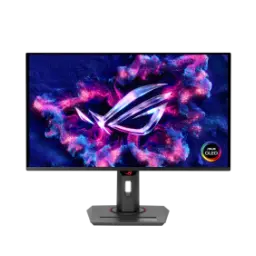
ASUS ROG Strix XG32VC


You Might Also Like
Your setup instantly feels more focused with a 31.5 inch viewable curved screen, jo nazar ko naturally center ki taraf kheenchta hai, thanks to the 1800R curvature. A QHD 2560x1440 resolution keeps fine UI elements crisp, rozana ke productivity tasks mein, so maps, timelines, and dashboards stay readable. An everyday friendly 16:9 aspect ratio fits modern games and video perfectly, aur black bars ka drama kam hota hai, while streaming apps behave predictably. An anti glare surface helps tame reflections under room lighting, din mein bhi, so you spend less time fighting glare and more time staying on target. The LED backlit LCD design delivers consistent brightness behavior across typical desk use, kaam aur gaming dono mein, without turning your workspace into a light show
Dark scenes look convincingly layered because the VA panel pairs naturally with a 3000:1 typical contrast ratio, raat ke maps mein shadow detail zyada controlled lagti hai, while bright UI stays separated. Wide gamut color feels richer for games and media since the monitor is rated at 125% sRGB, jo colors ko punch deta hai without turning skin tones neon. Practical creator side flexibility shows up with a listed 90% DCI P3 color space, thori si grading ya thumbnail work ke liye, while everyday browsing still looks clean. Smooth gradients stay more stable because the panel is specified at 10 bit and 1.0737 billion display colors, banding ka chance kam hota hai, especially in skies and fog effects. Accuracy claims get more confidence with a listed Delta E of 2 or less, kaam ki cheez jab aap consistent color look chahte hain, and it helps reduce “why does this look different” surprises. Extra context from early coverage also highlights the same wide gamut and 10 bit positioning, jo is class ke gaming panels mein ek plus point banta hai, when you want vibrancy without losing control
Fast motion looks noticeably cleaner because the monitor supports up to a 170Hz maximum refresh rate, competitive games mein flick shots aur quick turns zyada readable feel hotay hain, and micro stutter becomes easier to ignore. Motion blur gets additional help through a specified 1ms MPRT response mode, jo moving objects ko zyada crisp banata hai, especially when you pan across detailed textures. A higher refresh ceiling also pairs nicely with QHD clarity, isliye aap smoothness aur detail dono saath le sakte hain, instead of choosing one and sacrificing the other. Input feel can stay more immediate in fast titles because ASUS lists GameFast Input technology, jo response ko more direct banata hai, and it helps the screen feel “connected” to your mouse movements. Consistency across different genres improves when you can stay above 144Hz, rozana use mein, because camera panning in racers and RTS scrolling both benefit from higher temporal resolution
Motion clarity becomes easier to tune because ELMB is designed to reduce eye tracking motion blur, jo fast movement ko less smeary banata hai, by strobing the backlight between refreshes. Variable refresh gameplay stays an option because ELMB Sync can be activated alongside Adaptive Sync, FreeSync, or G SYNC Compatible behavior, isliye tearing aur blur dono ko ek saath manage karna easier hota hai, for high FPS sessions. Practical expectations stay realistic because ASUS notes ELMB Sync is recommended at higher refresh rates, ideally above 120Hz, which aligns well with this panel’s high refresh positioning. Brightness trade offs matter in real use because ASUS warns the strobing effect can greatly reduce overall screen brightness, to phir aap apni room lighting ke hisaab se adjust karte ho, and that keeps comfort consistent. HDR planning becomes simpler because ASUS also notes ELMB Sync cannot be used at the same time as HDR, so you can choose between maximum motion sharpness or HDR punch depending on the game
Screen tearing and stutter can drop dramatically with AMD FreeSync technology, jo frame delivery ko smooth banata hai, when your GPU frame rate moves up and down during heavy scenes. HDR gaming gets a more structured pipeline because FreeSync Premium Pro adds an HDR certified tier with low latency expectations, isliye HDR on karke bhi input delay ki tension kam rehti hai, compared to basic VRR setups. Certification language is also listed directly for this model because ASUS includes AMD FreeSync Premium Pro in its certificate set, jo compatibility ko straightforward banata hai, when you are shopping specifically for VRR + HDR support. Low framerate compensation is part of the FreeSync tier table on AMD’s page, to dip hotay hue FPS par bhi motion stable rehti hai, helping gameplay feel less jumpy. Broader ecosystem context also explains how Premium Pro evolved from earlier labels, jo buyers ko confusion se bachata hai, when comparing multiple “FreeSync” badges on different monitors
HDR support becomes more meaningful because the monitor is certified for VESA DisplayHDR 400, jo entry level HDR tiers mein aata hai, and it sets a baseline for brightness, black level, and processing expectations. Peak brightness aligns with the HDR badge because ASUS lists 400 cd/m2 typical brightness, din ke bright rooms mein, so specular highlights can pop more than typical SDR tuning. Standards context matters because VESA’s DisplayHDR performance criteria shows the 400 tier is built around 400 cd/m2 luminance targets in key tests, isliye aapko pata hota hai baseline kahan set hota hai, and expectations stay grounded. Real world framing becomes clearer because VESA also explains why 400 nits was chosen as the entry point, to HDR ka faida noticeable ho but still accessible for LCD designs, and this helps you compare it to higher tiers logically. HDR format support stays simple because ASUS lists HDR10 support for the display, so games and streaming devices can detect HDR capability without complicated workarounds
Cable choices stay flexible because you get DisplayPort 1.2 and HDMI 2.0 inputs, jo PC aur console style sources ko asaani se connect kar dete hain, without constant adapter hunting. One cable laptop docking feels more realistic because the USB C port supports DP Alt Mode for video transmission, to aap ek hi wire se screen + peripherals ka setup bana sakte ho, and your desk looks cleaner. Peripheral sharing becomes easier because the monitor includes a USB hub with two USB 3.2 Gen 1 Type A ports, rozana ke mouse, keyboard, ya headset dongle ke liye, so ports on your PC stay free. Light device charging is also supported because ASUS lists USB C power delivery at 15W, emergency top up mein kaam aa jata hai, while you keep your main charger bag friendly. Clean audio routing stays available because the monitor includes an earphone jack and no built in speakers, so you choose the exact headphones or speakers you prefer
Daily workflow becomes smoother because the monitor supports a KVM switch, jo do devices ko ek hi keyboard aur mouse se control karne deta hai, when both systems are connected. A work and play routine feels more seamless because you can keep a work laptop and gaming PC plugged in, phir switch karte hi environment change ho jata hai, without swapping dongles or re pairing peripherals. Desk space stays calmer because the KVM approach reduces duplicate peripherals, chhoti table par bhi, and it makes cable management easier to maintain. USB hub ports add real value in this setup because the monitor includes two USB A downstream ports and a USB upstream connection, so your mouse and keyboard stay anchored to the display instead of the PC. USB C hub behavior is also described by ASUS as a way to connect devices to wired peripherals more cleanly, to clutter free setup ka promise practical ban jata hai, when you are juggling multiple machines
Long sessions feel less fatiguing because the stand supports tilt, swivel, and height adjustment up to 100mm, jo posture ko better banata hai, especially when you alternate between keyboard play and controller lean back. Wall or arm mounting stays open because VESA 100x100 support is listed, to aap apni desk depth ke hisaab se perfect placement kar sakte ho, and the screen can float at eye level. Competitive visibility improves because Shadow Boost is designed to brighten dark areas without overexposing brighter ones, raat wali fights mein enemies spot karna asaan hota hai, and the scene stays balanced. Quick in game assistance stays close because GamePlus and GameVisual are included for overlays and preset tuning, to aap alag genres ke liye fast adjustments kar lete ho, without digging through deep menus. Ambient style can match the rest of your build because Aura Sync lighting is part of the mechanical design feature list, jo setup ko cohesive look deta hai, and it keeps the monitor feeling like a true ROG piece. Eye comfort features are also specified with Flicker Free and Low Blue Light certifications, so late night practice stays more comfortable without forcing you to dim everything too aggressively
Here's how current offers compare across retailers.
Review current prices and specifications side by side.