Price Breakdown & Availability
Here's how current offers compare across retailers.
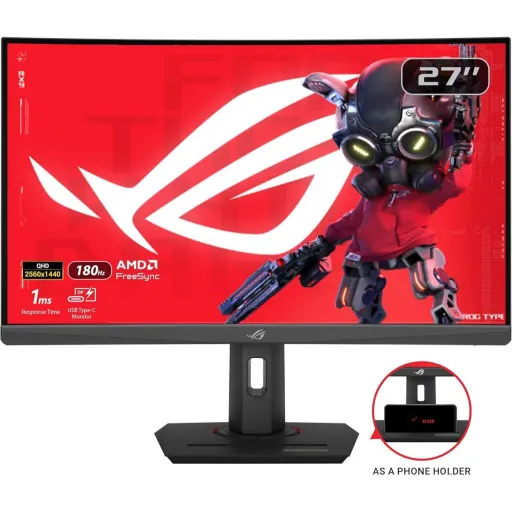

ASUS ROG Strix XG27WCS

You Might Also Like
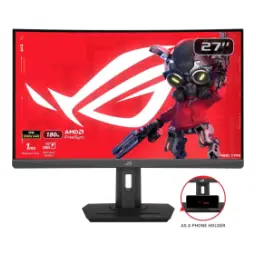
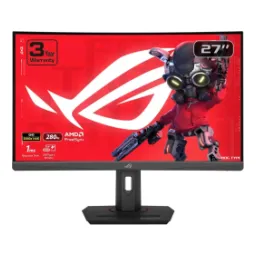
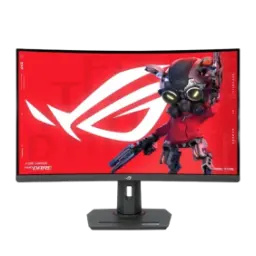
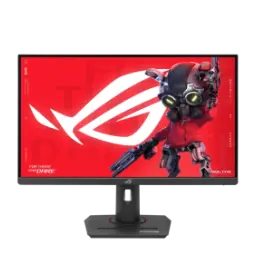
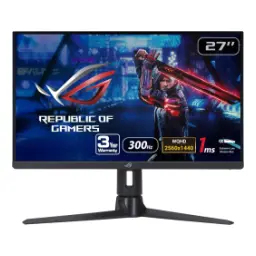
The ASUS ROG Strix XG27WCS targets 1440p gamers who want clarity and speed without a massive desk footprint. The 27 inch curved layout feels naturally immersive, rozana ke sessions mein edges zyada comfortable lagte hain, and the 1500R curve helps keep your view centered. The QHD 2560x1440 resolution makes enemy outlines and UI text easier to read, especially when you sit closer for competitive play. The headline refresh rate pushes up to 180Hz, so fast flicks and rapid strafes feel smoother, bilkul tight control wali feel. The Fast VA panel choice balances contrast and motion, meaning dark scenes look deeper while movement stays more disciplined than older VA generations. The 1ms (GTG) response time is tuned for action heavy gameplay, jahan trailing aur blur ki tension kam chahiye, while still keeping the picture rich. The overall identity lands as a practical esports and story hybrid monitor, kyun ke features seedha experience ko improve karte hain, not just the spec sheet
A Fast VA panel is chosen here for contrast driven immersion, raat ke scenes aur shadow detail zyada satisfying lagti hai, while the picture stays punchy. The native contrast is listed at 3000:1, so blacks look less gray in darker rooms, and highlights hold separation cleanly. The 1500R curvature keeps the edges closer to your eyes, jis se widescreen focus better rehta hai, and it can feel more consistent when sitting centered. The anti glare surface helps reduce distracting reflections, office lights mein bhi screen readable rehti hai, and colors don’t look overly glossy. The 178°/178° viewing angles are rated for the panel, but VA screens generally lose consistency off center, is liye single user seating is the sweet spot. The VA advantage in contrast versus IPS is a known trade off category wide, aur isi wajah se cinematic games mein depth zyada feel hoti hai, even though side viewing is not the priority. The curve can also help the “washed from the sides” VA behavior feel less obvious when you’re front and center, practical setup mein yeh cheez noticeable hoti hai
A 180Hz maximum refresh rate keeps motion updates frequent, so aim corrections and camera pans look smoother during high speed play. The monitor is designed around that fast cadence, competitive titles mein flick shots zyada predictable feel hotay hain, and micro adjustments look less jumpy. The input specific ranges are also clearly defined, which helps you plan your setup without confusion. The USB C and DisplayPort path supports 48 180Hz, so PC gaming can use the full speed if your GPU and settings allow it. The HDMI path is listed as 48 144Hz, console ya secondary devices ke liye still smooth enough, and it remains a solid high refresh lane. The practical win shows up in fast scrolling and fast strafing, rozana browsing mein bhi smoothness obvious rehti hai, while games feel more connected to your inputs. The “above 144Hz” class positioning matters because you get extra headroom for modern GPUs, and you can tune graphics for higher FPS without feeling capped too early. The experience stays familiar but sharper, kyun ke zyada frames ka matlab zyada continuous visual feedback, and that reduces hesitation in clutch moments
A 1ms (GTG) response time is rated for this panel, helping fast moving objects retain cleaner edges when your screen is full of effects. The Fast VA technology is explicitly tied to that 1ms (GTG) claim, so it’s positioned as a VA option that prioritizes motion clarity, bilkul gaming first tuning. The real world benefit shows up during rapid turns, where smear and trailing can distract you from target tracking, and this setup aims to keep visuals sharper. The VA category can suffer from black smearing in some transitions, lekin fast tuned VA panels can mitigate it significantly depending on overdrive and settings. The monitor includes ASUS gaming features that focus on keeping motion readable at high frame rates, which matters when you’re playing long sessions and eyes start noticing artifacts. The key is balancing clarity with comfort, kyun ke too aggressive tuning can look harsh in some scenes, while a stable middle setting keeps gameplay consistent. The 180Hz ceiling pairs naturally with low GTG response, because frequent refresh plus faster pixel transitions reduces perceived blur during continuous motion. The result is a cleaner “snap” in movement, jahan target outline zyada readable rehta hai, and your brain spends less time compensating for motion noise
Built in VRR support is part of the feature set, so fluctuating frame rates feel smoother without constant manual tweaks. The monitor is listed with Adaptive Sync VRR and AMD FreeSync certification, jis se compatible GPUs ke saath tearing aur stutter ka chance kam hota hai, and gameplay pacing stays cleaner. The FreeSync concept is to synchronize display refresh with GPU frame output, reducing artifacts like tearing and stuttering, especially when FPS moves around. ASUS positions this model for tear free gaming with FreeSync compatibility, which is helpful when you’re chasing smoothness without adding extra input lag. The ELMB SYNC feature is called out as working alongside variable refresh, meaning you can aim for sharper motion while keeping VRR benefits, asaani se balance mil jata hai. Integrated ASUS Variable Overdrive is described as dynamically adjusting overdrive as frame rates fluctuate, so motion tuning doesn’t feel “one size fits all” across different games. This combination matters most in real play, kyun ke some games sit at 120 170 FPS and others swing a lot, and you still want consistent clarity. The overall outcome is a calmer visual pipeline, jahan tearing lines aur harsh ghosting distractions kam hoti hain, and you can focus on the match
HDR support is included through HDR10, so compatible games and movies can map highlights and shadows with more nuance than standard SDR. The certifications list VESA DisplayHDR 400 for this monitor, which places it in the entry HDR tier designed around measurable luminance criteria. The typical brightness is specified at 400 cd/㎡ and the HDR peak is also listed at 400 cd/㎡, so bright UI elements and specular highlights can look more present in well mastered scenes. The DisplayHDR 400 tier includes a 400 cd/m² minimum for an 8% center patch luminance test, which helps explain why “HDR400” often feels like brighter highlights rather than extreme cinema grade HDR. A VA style contrast profile can make HDR look more convincing in darker content, kyun ke deeper blacks give highlights a better stage, while the monitor’s 3000:1 contrast rating supports that feel. The goal here is practical HDR for everyday gaming, jahan colors thori zyada vibrant aur scenes thori zyada dimensional lagti hain, without turning setup into a calibration project. The benefit becomes clearer in open world titles, where sun glints, neon signage, and particle effects pop more strongly against dark backgrounds. The experience stays grounded and usable, kyun ke HDR10 support is paired with a measurable brightness target, and that helps consistency across content
Color coverage is a quiet strength on this model, making it useful for both gaming punch and light content work. The spec sheet lists 95% DCI P3 and 125% sRGB, so you get vibrant saturation for games while still keeping enough range for modern web and video color expectations. The monitor supports 16.7 million colors, which helps gradients look smoother when you’re editing thumbnails, watching streams, or browsing high quality media. ASUS also mentions advanced gray scale tracking for smoother color gradation and uniformity, jis se skies aur shadows zyada clean dikhte hain, and banding feels less obvious. The QHD 2560x1440 resolution supports that color work by keeping text and UI crisp, rozana productivity mein readability better hoti hai, and fine edges look tidy. DisplayWidget Center is included for mouse based settings control, so quick tweaks feel simple instead of buried in OSD menus, asaani se adjustments ho jatay hain. The built in gaming visuals and tools are also part of the feature list, which can help you tailor visibility for different genres without changing GPU settings. The end result feels like a “daily driver” monitor, jahan colors lively rehte hain, but controls remain practical for real workflows
Connectivity is designed for modern mixed setups, especially if you switch between a desktop and a laptop during the week. The ports include DisplayPort 1.4 (HBR3), HDMI 2.0, and USB C with DP Alt Mode, so you can choose the cleanest route for your devices. USB C Power Delivery is listed at 7.5W, which is handy for topping up small devices, phone ko thora charge mil jata hai, while the display signal stays on one cable. The DisplayPort 1.4 HBR3 mention matters because HBR3 is associated with higher per lane bandwidth, helping high refresh high resolution links stay stable on capable hardware. A built in earphone jack is included for simple audio routing, jahan aap headset direct monitor se connect kar sakte ho, and it keeps desk wiring tidy. The stand supports tilt (+20° to 5°), swivel (+35° to 35°), and 0 120mm height adjustment, so posture friendly alignment becomes easy. VESA 100x100 mounting is supported for arms and wall mounts, aur agar aap streaming angle set karna chahte ho, the 1/4" tripod socket gives extra flexibility. No built in speakers are listed, which keeps the chassis focused on panel performance, and it encourages a proper headset or external speakers. The setup experience stays clean and intentional, kyun ke USB C DP Alt Mode is highlighted for clutter free connections, and that fits modern desks
This monitor makes the most sense for players who want 1440p sharpness with high refresh, without jumping into OLED pricing or maintenance concerns. The VESA AdaptiveSync Display 180Hz certification is listed in the certificates, which signals a standards based VRR performance focus rather than just a marketing checkbox. VESA describes Adaptive Sync Display CTS as an open standard for front of screen variable refresh performance, aur yeh angle buyers ke liye reassurance ban jata hai, because it emphasizes measurable behavior. The AMD FreeSync certification is also listed, so Radeon users can expect a compatible VRR path that targets tear free playback across a wide ecosystem. The DisplayHDR 400 and HDR10 support gives you a practical HDR layer for games and streaming, jahan highlights thori zyada lively lagti hain, while keeping SDR performance as the daily default. TÜV Flicker free and TÜV Low Blue Light are listed in the certifications, which aligns with common eye comfort goals for long sessions and late night use. TÜV Rheinland also frames eye comfort around reducing flicker and blue light alongside other controls, which connects to the kind of fatigue reduction people seek in daily monitor use. The final takeaway is simple and practical, agar aap competitive smoothness plus VA contrast ki depth chahte ho, the XG27WCS fits that balanced 27 inch 180Hz lane cleanly
Here's how current offers compare across retailers.
Review current prices and specifications side by side.