
Price Breakdown & Availability
Here's how current offers compare across retailers.
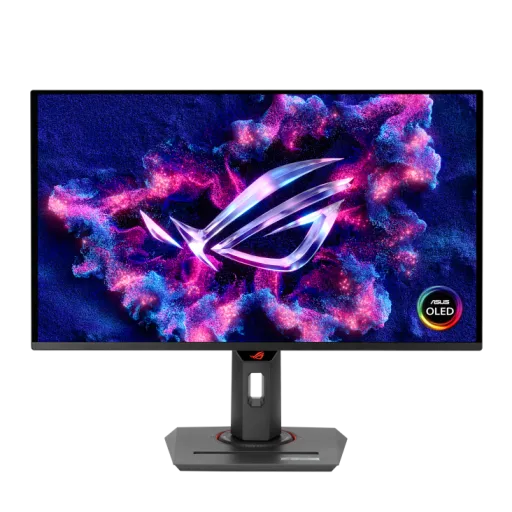

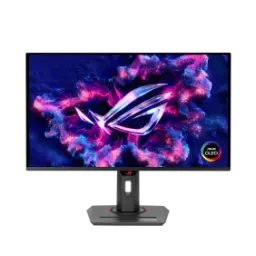
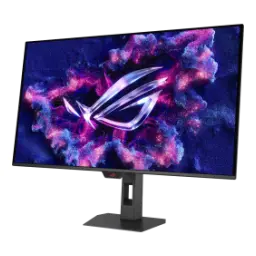
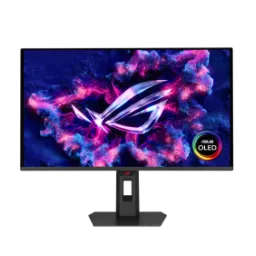
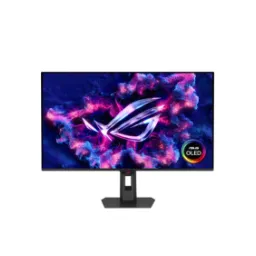
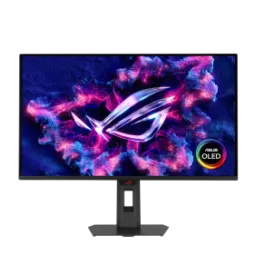
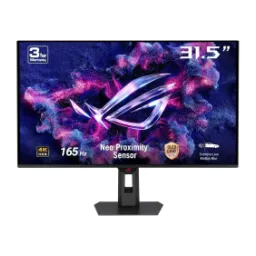
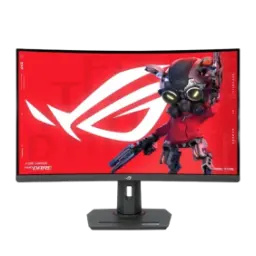
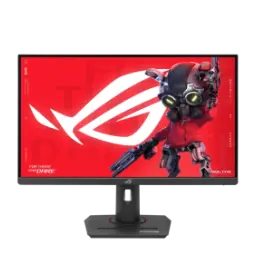
ASUS ROG Strix OLED XG27ACDNG


You Might Also Like
The ASUS ROG Strix OLED XG27ACDNG targets competitive focus first, lekin visuals bhi premium rehte hain, giving you a 27 inch class QD OLED gaming display built for modern esports. The QHD 2560x1440 resolution keeps the screen sharp and readable, so HUD elements and distant silhouettes don’t blur into noise. The 360Hz refresh rate is the headline advantage, aur jab tracking aur flicks quick hon, your eyes get cleaner frame to frame information to react faster. The 0.03ms GTG response time is designed to keep motion crisp, which matters most when you’re scanning corners and micro correcting aim at high FPS. The QD OLED approach also brings a semi glossy anti reflection style coating, jis se colors zyada lively lagte hain, while still aiming to manage everyday room reflections. The wide gamut intent is clear with 99% DCI P3 and true 10 bit color support, so games and media can look rich without looking oversaturated. The factory calibration target of Delta E < 2 helps keep tones disciplined, rozana use mein skin tones aur UI whites zyada natural rehte hain, even when you jump between profiles. The VESA DisplayHDR 400 True Black compliance frames HDR in OLED terms, meaning darker scenes keep depth while highlights can still pop. The overall tuning aims for that rare blend of speed and polish, and it’s positioned as a next gen option for 1440p high refresh play
The 27 inch format feels naturally versatile on a desk, kyun ke viewing distance par immersion strong hoti hai, while windows and timelines still fit without constant zooming. The panel is listed as 27 inch class with a 26.5 inch viewable diagonal at 2560x1440, so you get QHD clarity without pushing your GPU as hard as 4K. The OLED pixel level control delivers deep blacks and high contrast, raat ke scenes mein shadow separation better hoti hai, and ASUS even highlights an ultra high contrast figure as part of the OLED advantage set. The next generation QD OLED sub pixel layout is positioned to improve text clarity, reading aur browsing mein fringing kam hoti hai, which makes long practice sessions and work breaks more comfortable. The coating choice is described as glossy in ASUS’ own positioning, jis ka faida yeh hota hai ke colors zyada lifelike lagte hain, especially in vibrant games and HDR media. The color pipeline includes 99% DCI P3, true 10 bit color, and Delta E < 2, which supports both eye catching gaming and more accurate content work. The HDR positioning stays grounded with VESA DisplayHDR 400 True Black compliance, so dark scenes keep their punch instead of washing out. The reviewer testing narrative also supports the “color done right” direction, jahan Tom’s Hardware specifically calls out wide gamut strength and strong accuracy from the factory. The practical outcome is a screen that looks premium in games, and it also behaves like a serious display for edits, thumbnails, and creative review
The main reason to choose this monitor is speed, kyun ke 360Hz gameplay mein motion zyada readable hoti hai, and you can follow fast strafes with less perceived blur. The 0.03ms GTG response time is a huge part of that feel, so edge trails are minimized and rapid camera turns look cleaner. The QHD resolution keeps the competitive view sharp, aur yeh combo is liye bhi strong hai ke 1440p par high FPS zyada realistic hota hai, which helps you actually approach the panel’s refresh ceiling in esports titles. The Extreme Low Motion Blur (ELMB) feature is built to cut ghosting and motion blur, so fast target edges stay better defined during bursts of action. The VRR stack supports tear free play with low latency, aur ASUS lists NVIDIA G SYNC compatibility plus AMD FreeSync Premium Pro support for smooth syncing across platforms. The end result is a more stable “read and react” loop, jahan aapko micro adjustments ka feedback zyada instant milta hai, which helps consistency rather than just peak moments. The experience also stays flexible for mixed libraries, because you can lean on VRR when frame rates vary and still keep motion controlled. The difference becomes most obvious in close fights, where clear animation and clean transitions reduce decision fatigue over long sessions
The fastest monitors can still feel tiring without comfort controls, is liye ASUS OLED Anti Flicker is included to reduce flicker during refresh rate fluctuations. The OLED Anti Flicker system offers selectable ranges (High, Mid, Off), so you can tune the behavior based on your game and your sensitivity. The Uniform Brightness feature is meant to keep brightness levels consistent, rozana multitasking mein, especially when a bright white window suddenly expands and your eyes would otherwise feel the jump. The TÜV Rheinland certified Flicker Free implementation is also called out, which supports comfort when you’re practicing aim drills or grinding ranked for hours. The hardware based Low Blue Light feature reduces high energy blue light emissions, aur yeh benefit tab zyada feel hota hai jab night sessions ho, while aiming to preserve color quality better than simple software filters. The practical payoff is steadier comfort, so your focus stays on crosshair placement instead of eye strain. The OLED contrast also helps perceived clarity, because you can see separation in dark scenes without cranking brightness aggressively. The combination of comfort and speed makes the panel feel “usable fast,” which matters more than a refresh number alone
The biggest real world OLED concern is panel longevity, is liye XG27ACDNG focuses on heat management and active care features to reduce burn in risk. The custom passive heatsink and vented airflow design are described as core to the approach, so heat dissipates more effectively during long, bright sessions. The graphene film layer is highlighted as a thermal helper, jis ka simple faida yeh hota hai ke operating temperature low rehne ki koshish hoti hai, which supports more consistent performance over time. The ASUS OLED Care+ suite includes Pixel Cleaning that recalibrates the screen after hours of use, aur yeh process auto run hota hai when the monitor is turned off to keep maintenance low friction. The OLED Care+ toolset also lists features like Screen Saver and Screen Move, so static UI elements get less opportunity to sit in one exact spot for too long. The broader ROG positioning repeats the same theme of safeguards, and it emphasizes cooling plus OLED Care optimizations as a long term image quality strategy. The point is not to overthink OLED daily, balkay aap routine ke sath easy habits build kar lein, and let the monitor handle the protective background work. The result feels more “use it confidently” than “baby it constantly,” which matters when this is your main competitive display
The best competitive setup is usually the simplest, is liye XG27ACDNG focuses on practical ports and desk friendly features. The monitor includes DisplayPort 1.4 with DSC plus two HDMI 2.1 ports, so a PC and console can stay connected without constant cable swapping. The USB C port supports 90W Power Delivery, aur yeh laptop users ke liye bohat clean solution ban jata hai, because one cable can carry display signal while charging the device. The official ROG write up also calls out the same wide connectivity story, including USB Type C as a display input alongside DP 1.4 and HDMI 2.1. The built in KVM concept supports multi device control, do systems ke beech keyboard mouse share karna asaan hota hai, which is ideal for a work laptop plus a gaming tower. The USB hub and input layout are also validated in third party specs coverage, with Tom’s listing DisplayPort 1.4, two HDMI 2.1, and USB C among the inputs. The compact base design and small footprint free desk space, aur phone groove jaisi details setup ko tidy banati hain, especially when you keep Discord, stream controls, or music nearby. The connection story is built for real routines, so switching from practice to work to console play stays quick and predictable
Fast hardware feels better when control is effortless, is liye ASUS pushes DisplayWidget Center for mouse based monitor tuning. The DisplayWidget Center concept is described as a way to optimize and personalize settings without diving into the OSD, so you can tweak profiles between games quickly. The ROG article highlights a standout benefit for enthusiasts, kyun ke HDR mode mein bhi certain settings adjustable rehte hain, including color temperature, brightness, saturation, contrast, and 6 axis saturation. The same article introduces Dynamic Brightness Boost as an HDR experience smoother, so perceived brightness stays more consistent across different scene APL levels. The AI Visual feature is positioned to auto detect what’s on screen, aur yeh auto switching se time bacha sakta hai, especially if you bounce between editing, browsing, and gaming modes. The GamePlus and GameVisual toolset provides practical overlays and tuned presets, so you can practice mechanics with timers, crosshairs, and aligned layouts. The OLED Care+ controls also route through the software experience, is liye panel protection settings ko access karna less annoying hota hai, and you’re more likely to keep them enabled. The result is a monitor that’s quick to tune and quick to trust, because the best calibration is the one you actually keep using
The most satisfying esports resolution is often 1440p, kyun ke clarity strong hoti hai but frame rates still climb high on mainstream GPUs. The ROG positioning explicitly frames 2560x1440 as a great fit for 360Hz, so the panel’s speed is something you can realistically take advantage of. The QD OLED choice adds image quality on top of that speed, aur semi glossy anti reflection coating ka angle bhi diya gaya hai, which appeals to players who want vivid color without going back to slow refresh tiers. The broader market trend supports this category, with 1440p 360Hz OLED monitors repeatedly positioned as competitive gaming favorites in recent buying guides. The XG27ACDNG also avoids “spec only” thinking, kyun ke it pairs speed with OLED care and cooling, which helps the purchase feel more complete for daily use. The aspect flexibility adds another competitive layer, because ASUS includes Aspect Control options that can mimic smaller competitive viewing sizes for muscle memory comfort. The overall value is in balance, so you don’t have to choose between blur free speed and premium contrast to get a tournament style experience. The final outcome feels like a modern competitive standard, jo esports aur cinematic games dono ko handle karta hai, without forcing you into a niche workflow
A fast panel performs best when posture is right, is liye the stand offers full ergonomic adjustability to match your chair and desk. The height adjustment range is listed as 0 to 120mm, so you can align the top bezel to eye level and reduce neck fatigue. The swivel range of 45 to +45 degrees helps shared setups, do logon ke desk par angle asaani se set ho jata hai, without dragging the whole base around. The tilt range of 5 to +20 degrees is simple but important, because it lets you reduce glare and keep the viewing angle consistent during long sessions. The pivot range of 90 to +90 degrees supports vertical use, jo coding, chat, ya long docs ke liye kaafi practical hota hai, especially if you run a dual screen setup. The monitor is also VESA wall mount compatible, so you can switch to an arm for cleaner cable routing and more desk space. The OLED Care+ automation keeps maintenance low, aur Pixel Cleaning jaise routines background mein run ho sakti hain, which makes long term ownership feel less stressful. The three year warranty callout adds confidence for everyday heavy use, so you can commit to the monitor as your primary competitive display. The overall package is designed to stay consistent, because the best gaming monitor is the one that feels stable, comfortable, and quick every single day
Here's how current offers compare across retailers.
Review current prices and specifications side by side.