





Price Breakdown & Availability
Here's how current offers compare across retailers.
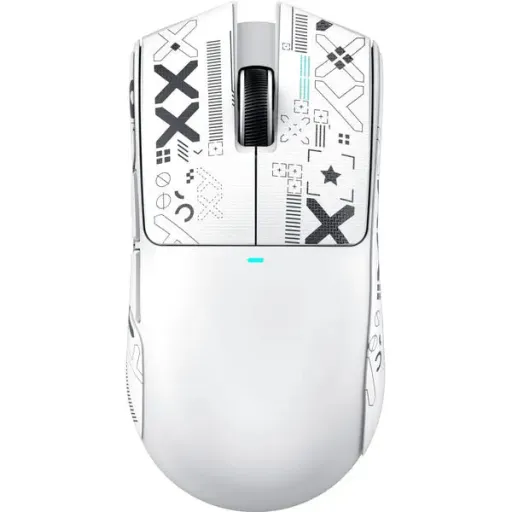
ATTACK SHARK X11 wireless gaming mouse White Tri-Mode

You Might Also Like
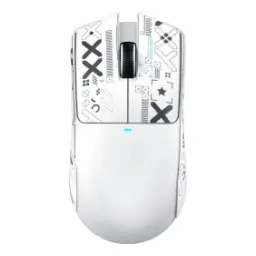
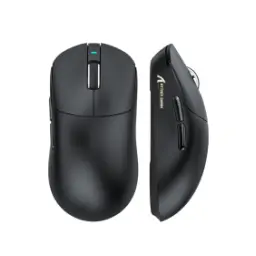
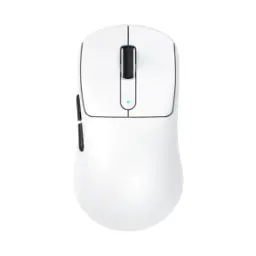
The ATTACK SHARK X11 White combines tri mode connectivity, a 63g body, and an RGB magnetic charging dock, so the mouse feels purpose built for a modern gaming desk from day one. The white shell looks especially refined in minimalist setups, desk ko clean aur premium vibe deta hai, and it avoids the overly loud styling that can age quickly. Its lightweight body keeps the hand moving freely while the solid, no honeycomb shell preserves a more complete feel, jo rozana use aur gaming dono mein zyada reassuring lagta hai. Because the shape is designed for palm, claw, and fingertip grips, different users ko apni natural hold dhoondna asaan hota hai without fighting the shell. This makes the X11 feel less like a flashy accessory and more like a practical upgrade that stays comfortable, capable, and visually polished
The PixArt PAW3311 optical sensor gives the X11 sensitivity up to 22,000 DPI and a 1000Hz polling rate, so quick flicks, micro corrections, and fast cursor travel stay responsive under pressure. That hardware matters in real use, kyun ke sudden aim adjustments ya fast lane switching movements smoother feel hotay hain when the sensor keeps up cleanly. With 6 adjustable DPI levels available, the mouse can move from careful desktop work to aggressive in game speed without forcing awkward software workarounds. The result is a pointer feel that stays composed, jahan random float ya uneven tracking ka impression kam hota hai, especially during repetitive competitive play. For buyers who want one mouse to handle editing, browsing, and ranked matches, this sensor setup feels balanced rather than exaggerated
Tri mode support gives you wired USB C, 2.4GHz wireless, and Bluetooth in one mouse, which makes the X11 easy to shift between a main gaming rig, a work laptop, and a secondary portable device. The 2.4GHz mode is the natural pick when low latency control matters most, jab ke Bluetooth casual pairing aur multi device convenience ke liye bohat practical rehta hai. A rear switching system keeps mode changes straightforward, so you spend less time cable ya dongle manage karne mein and more time actually using the mouse. Even when the battery needs topping up, the wired option keeps the mouse active instead of leaving you stuck on the dock. This flexibility turns the X11 into a more useful everyday peripheral, kyun ke ek hi mouse se multiple spaces aur routines cover ho jati hain
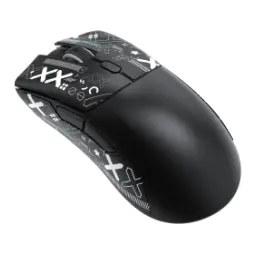
At around 63g, the X11 carries much less drag than heavier wireless mice, so fast swipes start quicker and controlled stops feel cleaner when your timing has to stay sharp. The lightweight build does not rely on a cutout shell, is liye haath ko fuller support milta hai and the structure feels more reassuring during long sessions. Its 128 x 64 x 40 mm footprint gives the mouse a nimble but still usable size, jo small corrections aur broader arm movement dono ko better balance karta hai. PTFE skates on the base help the glide stay smooth across repeated side to side motion, especially when you want clean tracking on lower friction pads. Over time, that lower mass can mean wrist strain kam, and that comfort gain becomes obvious in longer gaming or work heavy days
HUANO switches rated for 20 million clicks give the main buttons a durable core, so rapid taps, burst inputs, and everyday browsing all feel more dependable over time. Attack Shark also describes the click feel as softer and tactile, jo lambi sessions mein fingers ko unnecessarily harsh resistance se bachata hai and keeps the response feeling controlled. A TTC encoder on the scroll wheel adds crisper rebound and clearer step definition, which is useful for weapon swaps, inventory scrolling, tab navigation, and timeline work. That button and wheel balance makes the mouse feel refined, kyun ke real satisfaction sirf sensor numbers se nahi aati. The X11 ends up feeling ready for both competitive inputs and normal daily productivity
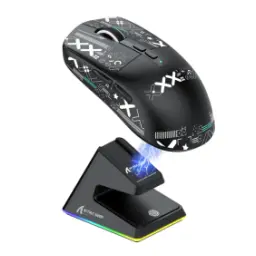
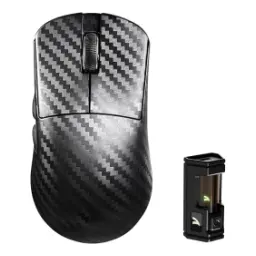
The included RGB magnetic charging dock is one of the X11's most useful upgrades, because dropping the mouse into place is faster and tidier than hunting for a loose cable after every session. Attack Shark lists up to 65 hours of battery life, while retail listings also note roughly 2 to 3 hours for a full charge and a 300mAh battery, giving the mouse a practical endurance profile for daily use. That means rozana gaming, browsing, aur office style work mix mein battery tension kaafi kam rehti hai, especially if you return it to the dock between sessions. A touch switch on the base cycles the lighting effects, so the dock adds personality without becoming visual noise. This charging system feels modern in the best way, bilkul simple, neat, and easy to live with
Attack Shark lists both web based configurator support and PC software for the X11, opening the door to deeper tuning than a fixed out of box mouse can usually offer. The software support lets you adjust DPI, polling rate, and macro behavior, so the mouse can be shaped around your own games, shortcuts, and sensitivity habits. That is especially useful when one setup needs calmer productivity control, jab ke doosra profile faster tracking aur gaming shortcuts ke sath ready rehna chahiye. Macro support can also reduce repetitive clicks in routine workflows, jo small convenience lagti hai lekin daily use mein kaafi time bacha deti hai. Instead of being locked into one behavior, the X11 gives you room to refine the experience as your habits evolve
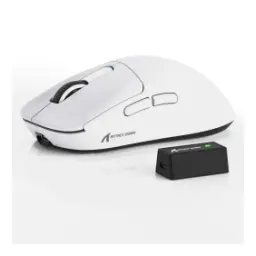
Retail specifications list compatibility across Windows, Mac, Android, and Xbox, which gives the X11 a broader role than a mouse built only for one desktop environment. The official page also notes a nano receiver alongside Bluetooth, 2.4GHz wireless, and wired support, so connecting to different machines stays practical without building a pile of extra accessories. That matters if your day moves from office laptop to gaming PC, kyun ke ek hi mouse multiple situations ko asaani se handle kar leta hai. The white finish helps here too, setup chahe gaming first ho ya work first, because it blends easily with black, silver, and lighter desk themes. For buyers who dislike clutter, this single mouse covers a surprising amount of ground while still looking intentional on the desk
In a competitive lightweight wireless tier, the X11 stands out by combining a PAW3311 sensor, tri mode connectivity, HUANO switches, a TTC encoder, and an RGB magnetic dock instead of leaning on only one headline feature. That package feels well rounded, yani sirf high DPI number nahi balkay comfort, charging ease, and day to day usability bhi sath milti hai. The 63g build and up to 65 hour battery life keep it practical for longer sessions, while the clean white variant adds a brighter aesthetic that stays fresh across changing setups. For anyone moving up from a basic office mouse or an older budget wireless option, the jump in control, convenience, and customization should feel immediate. If your priority is a lightweight tri mode mouse that looks crisp, charges neatly, and remains versatile through gaming and everyday tasks, the ATTACK SHARK X11 White makes a very convincing choice
Here's how current offers compare across retailers.
Review current prices and specifications side by side.
Attack Shark
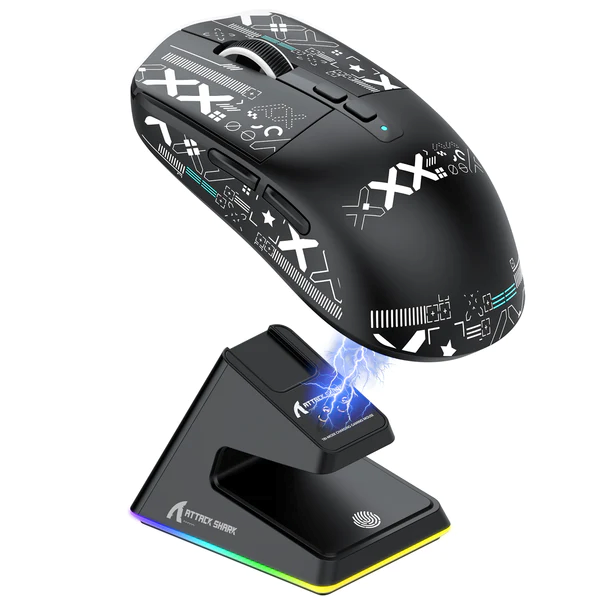
Attack Shark X6 Gaming MouseFrom Rs. 10,450
Local price
10 offers
Updated 21 hours ago
Attack Shark
Attack Shark X3 Max PAW3950From Rs. 9,999
Local price
5 offers
Updated 20 hours ago