






Price Breakdown & Availability
Here's how current offers compare across retailers.
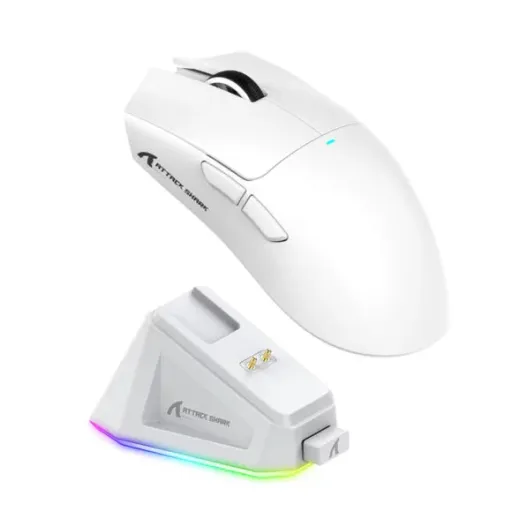

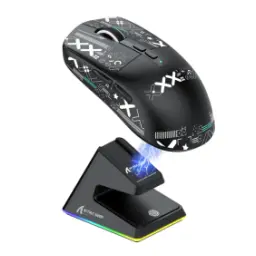
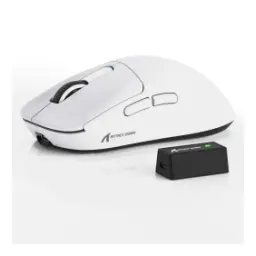
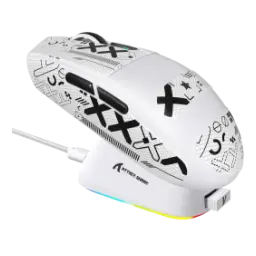
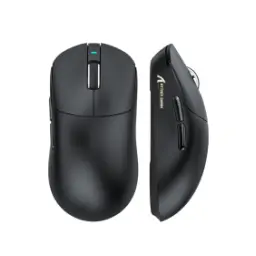
ATTACK SHARK X11 Wireless Gaming Mouse with Charging Dock - White
Seller: TechArc
Updated 21 hours ago
ATTACK SHARK X11 Wireless Gaming Mouse with Charging Dock - White
Seller: TechArc
Updated 21 hours ago
Rs. 6,450
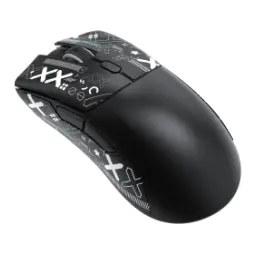
ATTACK SHARK X11 Wireless Gaming Mouse with Charging Dock - Black
Seller: TechArc
Updated 21 hours ago
ATTACK SHARK X11 Wireless Gaming Mouse with Charging Dock - Black
Seller: TechArc
Updated 21 hours ago
Rs. 6,450

ATTACK SHARK X11 Pro V2 Wireless Gaming Mouse with TFT Display Charging Dock - PAW3315, 30K DPI, Tri-Mode, 1000Hz & 66g Lightweight Ergonomic Design - White
Seller: Vortex Gears
Updated 20 hours ago
ATTACK SHARK X11 Pro V2 Wireless Gaming Mouse with TFT Display Charging Dock - PAW3315, 30K DPI, Tri-Mode, 1000Hz & 66g Lightweight Ergonomic Design - White
Seller: Vortex Gears
Updated 20 hours ago
Rs. 9,999
ATTACK SHARK X11 Pro V2 Wireless Gaming Mouse with TFT Display Charging Dock - PAW3315, 30K DPI, Tri-Mode, 1000Hz & 66g Lightweight Ergonomic Design - Black
Seller: Vortex Gears
Updated 20 hours ago
ATTACK SHARK X11 Pro V2 Wireless Gaming Mouse with TFT Display Charging Dock - PAW3315, 30K DPI, Tri-Mode, 1000Hz & 66g Lightweight Ergonomic Design - Black
Seller: Vortex Gears
Updated 20 hours ago
Rs. 9,999

Attack Shark X11 Pro V2 Wireless Gaming Mouse with TFT Display Charging Dock - White
Seller: Galaxy.pk
Updated 20 hours ago
Attack Shark X11 Pro V2 Wireless Gaming Mouse with TFT Display Charging Dock - White
Seller: Galaxy.pk
Updated 20 hours ago
Rs. 10,000
Attack Shark X11 Pro V2 Wireless Gaming Mouse with TFT Display Charging Dock - Black + White
Seller: Galaxy.pk
Updated 20 hours ago
Attack Shark X11 Pro V2 Wireless Gaming Mouse with TFT Display Charging Dock - Black + White
Seller: Galaxy.pk
Updated 20 hours ago
Rs. 10,000

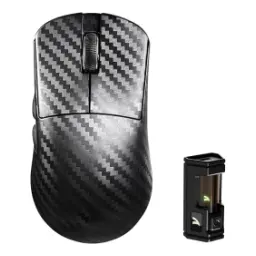
Attack Shark X11 Ultra 8K Carbon Fiber Wireless Gaming Mouse, PAW3950MAX Sensor, 42000 DPI, Dual 8000Hz Polling Rate, Tri-Mode BT/2.4GHz/Wired, 100 Million Clicks, Purple
Seller: CZone
Updated 20 hours ago
Attack Shark X11 Ultra 8K Carbon Fiber Wireless Gaming Mouse, PAW3950MAX Sensor, 42000 DPI, Dual 8000Hz Polling Rate, Tri-Mode BT/2.4GHz/Wired, 100 Million Clicks, Purple
Seller: CZone
Updated 20 hours ago
Rs. 19,500
Attack Shark X11 Ultra 8K Carbon Fiber Wireless Gaming Mouse, Nordic 54L15 MCU, PAW3950MAX Sensor, 42000 DPI, Tri-Mode BT/2.4Ghz/Wired, Dual 8000Hz Polling Rate, 63g Superlight, Red
Seller: CZone
Updated 20 hours ago
Attack Shark X11 Ultra 8K Carbon Fiber Wireless Gaming Mouse, Nordic 54L15 MCU, PAW3950MAX Sensor, 42000 DPI, Tri-Mode BT/2.4Ghz/Wired, Dual 8000Hz Polling Rate, 63g Superlight, Red
Seller: CZone
Updated 20 hours ago
Rs. 19,500

ATTACK SHARK X11 ULTRA Carbon Fiber Wireless 8K PAW3950MAX Gaming Mouse - Purple
Seller: ZAHComputers
Updated 3 days ago
ATTACK SHARK X11 ULTRA Carbon Fiber Wireless 8K PAW3950MAX Gaming Mouse - Purple
Seller: ZAHComputers
Updated 3 days ago
Rs. 20,999
ATTACK SHARK X11 ULTRA Carbon Fiber Wireless 8K PAW3950MAX Gaming Mouse - Black
Seller: ZAHComputers
Updated 3 days ago
ATTACK SHARK X11 ULTRA Carbon Fiber Wireless 8K PAW3950MAX Gaming Mouse - Black
Seller: ZAHComputers
Updated 3 days ago
Rs. 20,999

ATTACK SHARK X11 Ultra 8K Carbon Fiber Wireless Gaming Mouse, Nordic 54L15 MCU, PAW3950MAX Sensor, 59g Superlight, 42000 DPI, BT/2.4Ghz/Wired Mouse with 100 Million Clicks, Programmable for Pc/Mac - Red
Seller: eezepc
Updated 21 hours ago
ATTACK SHARK X11 Ultra 8K Carbon Fiber Wireless Gaming Mouse, Nordic 54L15 MCU, PAW3950MAX Sensor, 59g Superlight, 42000 DPI, BT/2.4Ghz/Wired Mouse with 100 Million Clicks, Programmable for Pc/Mac - Red
Seller: eezepc
Updated 21 hours ago
Rs. 25,990
ATTACK SHARK X11 Ultra 8K Carbon Fiber Wireless Gaming Mouse, Nordic 54L15 MCU, PAW3950MAX Sensor, 59g Superlight, 42000 DPI, BT/2.4Ghz/Wired Mouse with 100 Million Clicks, Programmable for Pc/Mac - Purple
Seller: eezepc
Updated 21 hours ago
ATTACK SHARK X11 Ultra 8K Carbon Fiber Wireless Gaming Mouse, Nordic 54L15 MCU, PAW3950MAX Sensor, 59g Superlight, 42000 DPI, BT/2.4Ghz/Wired Mouse with 100 Million Clicks, Programmable for Pc/Mac - Purple
Seller: eezepc
Updated 21 hours ago
Rs. 25,990
Attack Shark X11 Ultra Wireless Gaming Mouse - Purple
Seller: Galaxy.pk
Updated 20 hours ago
Attack Shark X11 Ultra Wireless Gaming Mouse - Purple
Seller: Galaxy.pk
Updated 20 hours ago
Rs. 26,000
Attack Shark X11 Ultra Wireless Gaming Mouse - Red
Seller: Galaxy.pk
Updated 20 hours ago
Attack Shark X11 Ultra Wireless Gaming Mouse - Red
Seller: Galaxy.pk
Updated 20 hours ago
Rs. 26,000
ATTACK SHARK X11 wireless gaming mouse


You Might Also Like
The ATTACK SHARK X11 steps in as a lightweight wireless gaming mouse for users who want fast response, a neater desk, aur daily comfort without carrying extra bulk in the hand. Its core package combines a PixArt PAW3311 sensor, up to 22,000 DPI, a 63g body, HUANO switches rated for 20 million clicks, and an RGB magnetic charging dock, so feature set random nahi lagta and the priorities feel focused. The official listing also positions battery life at up to 65 hours, which means weekend sessions, office work, aur casual browsing ke darmiyan charging breaks stay low. That balance is what makes the X11 attractive, kyun ke yeh sirf flashy RGB piece nahi balkay a mouse hai built around speed, lower fatigue, and repeatable control. Instead of forcing an aggressive gamer look over everything, the design keeps performance first while the dock helps the whole setup look clean, seedha, and organized. For buyers moving from heavier budget mice, the first noticeable change is usually how quickly the hand settles into motion, haath ko kam fight karna padta hai, and every swipe needs less effort
The PixArt PAW3311 sensor gives the X11 its competitive foundation, aur yahan sab se important baat yeh hai ke tracking controlled rehti hai instead of feeling vague. The mouse supports 800 to 22,000 DPI across six adjustable levels, so low sens aim, fast wrist flicks, aur mixed sensitivity setups sab asaani se tune ho jate hain without guesswork. Official specs also list up to 400 IPS tracking speed, 40G acceleration, and a polling rate range of 125 to 1000Hz, which means sudden directional changes stay readable when the match gets messy. In practical use, that translates into cleaner micro corrections for FPS play, smooth cursor travel for editing, aur fast flicks mein sensor par bharosa zyada rehta hai. Because the sensor ceiling is far above what most players use daily, asli fayda sirf bragging rights nahi balkay extra adjustment room hai that helps the mouse adapt to your style. Even outside ranked play, that flexibility keeps the X11 feeling deliberate on spreadsheets, timelines, aur web sessions that demand steady control
The 63g weight target matters more than it sounds, kyun ke lighter shells wrist ko kam drag deti hain and long scrims ya late night editing sessions feel less tiring. Official dimensions of 128 x 64 x 40 mm pair that low weight with a familiar gaming shape, giving the X11 enough palm support while still leaving claw and fingertip users room to adjust naturally. The shell stays solid instead of going full honeycomb, aur is se grip zyada planted mehsoos hoti hai while dust entry worries also stay lower over time. That combination helps when quick lift offs, desk resets, aur diagonal swipes repeatedly happen in shooters, because the mouse never feels chunky or awkward in transition. Even during non gaming tasks, the lighter body keeps cursor movement effortless, haath par bojh kam rehta hai, and the overall posture feels more relaxed. If your current mouse feels slow to reposition, the X11's lighter frame can make speed gains feel immediate without asking you to relearn everything
The X11 does more than simple wireless duty, kyun ke official documentation lists wired USB C, 2.4GHz wireless, and Bluetooth connectivity for different setups. That tri mode approach makes it easy to keep low latency 2.4GHz for gaming, switch to Bluetooth for a laptop ya tablet, and plug in by cable when you want uninterrupted play or direct charging. A rear mode button handles the swap, is liye desk par extra hassle kam hota hai and device hopping feels straightforward. Wide compatibility across Windows, Mac, Android, and Xbox is also called out on product listings, which gives the mouse more everyday usefulness than a single purpose competitive accessory. For users with mixed work and play routines, that flexibility means one mouse can cover the office corner, bedroom setup, aur travel bag without drama. Instead of locking you into one environment, the X11 adapts to whichever screen is active, aur routine surprisingly simple rehti hai
The charging setup is one of the X11's smartest conveniences, because the mouse ships with an RGB magnetic dock that lets you drop it in place instead of hunting for a cable every time. Official and retailer specs pair that dock with a 300mAh battery, a 2 to 3 hour full charge time, and up to 65 hours of use, so battery anxiety rozana ka masla nahi banta. The base also includes touch controlled lighting effects, which adds desk character without turning the product into a distraction first and a tool second. In real routines, this matters because quick docking after a match ya before sleep becomes automatic, and the mouse is usually ready before you notice the battery percentage. The result is a cleaner workflow, fewer loose cables, aur woh easy charging habit jo wireless gear ko actually practical banati hai. For anyone who likes a tidy setup, the dock does double duty by keeping the mouse powered and visually anchored in one spot
The click system is tuned for repeat use, aur yahan HUANO white spot switches matter because they are rated for 20 million clicks and marketed for a softer, tactile response. That kind of durability is valuable in shooters, MOBAs, and daily productivity, jahan main buttons sab se zyada abuse dekhte hain and consistency matters more than a spec sheet flex. The scroll wheel uses a TTC encoder, with official descriptions emphasizing crisp rebound and a defined step feel that suits fast weapon changes and deliberate web navigation alike. Together, the switch and encoder combo gives the X11 a control style that feels more intentional, matlab spam clicking, tab switching, aur scroll heavy sessions mein feedback loose nahi lagta. Because dependable buttons shape confidence over time, the mouse stays comfortable for both clutch moments and boring office repetition. That reliability is especially useful for buyers replacing low cost mice that already show mushy clicks or inconsistent scroll response
The X11 keeps customization practical, kyun ke ATTACK SHARK lists both driver software and web based configurator support for tuning the mouse around your own routine. Official specs also note an adjustable polling rate from 125 to 1000Hz, while product pages mention DPI control, macro programming, and other fine settings that let different genres feel more natural. That means you can set a lower sensitivity profile for precision aim, a faster desktop profile for browsing, aur custom button behavior for repeated in game actions without making the mouse feel complicated. The benefit is not just gamer flair; it is smoother day to day interaction because the pointer, click timing, and shortcuts can be shaped around your habits. Manual documentation also confirms operational guidance for DPI and button configurations, which supports the idea that setup flexibility is part of the product rather than an afterthought. For users who hate one size fits all peripherals, this kind of tuning headroom helps the X11 feel more personal on day one
The ATTACK SHARK X11 lands in a very appealing zone for buyers who want lightweight speed, wireless convenience, aur useful extras instead of empty branding. A 63g frame, PAW3311 sensor, up to 22,000 DPI, tri mode connectivity, HUANO 20 million click switches, and an RGB magnetic dock create a package that feels unusually rounded for a competitive lightweight design. Up to 65 hours of battery life and support for Windows, Mac, Android, and Xbox further widen its appeal, is liye yeh sirf one game mouse nahi rehta and the purchase stays relevant across more setups. The overall experience suits FPS players, general gamers, students, aur remote workers who want a mouse that moves quickly, charges neatly, and stays comfortable through long use. If the goal is faster hand feel without giving up convenience, the X11 makes a strong case through practical details rather than marketing noise. That is why it reads as a smart upgrade for anyone ready to leave behind heavy, cable led, or low end wireless mice and step into something more refined
Here's how current offers compare across retailers.
Review current prices and specifications side by side.
 Current
Attack Shark
ATTACK SHARK X11 wireless gaming mouseFrom Rs. 5,999
Local price
Lowest current price47 offers
Updated 20 hours ago
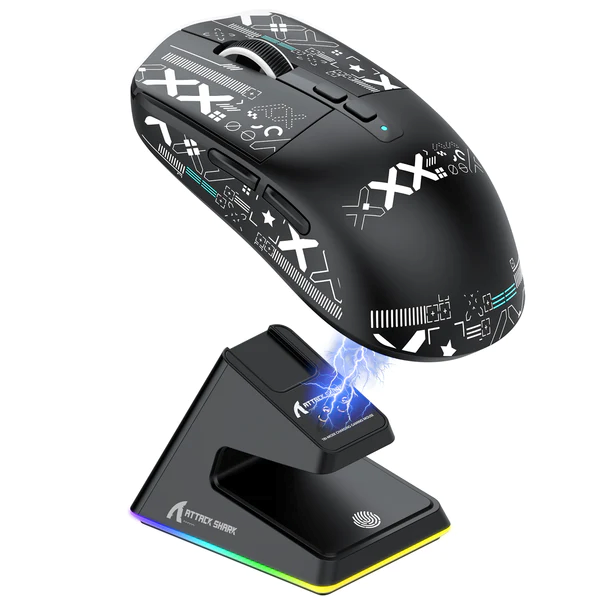
Attack Shark
Attack Shark X6 Gaming MouseFrom Rs. 10,450
Local price
10 offers
Updated 21 hours ago
Attack Shark
Attack Shark X3 Max PAW3950From Rs. 9,999
Local price
5 offers
Updated 20 hours ago