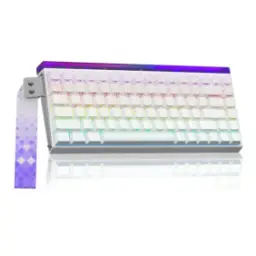
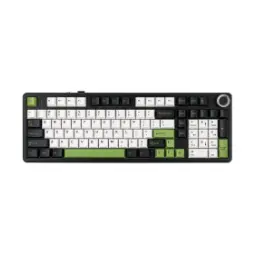
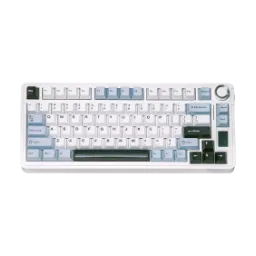
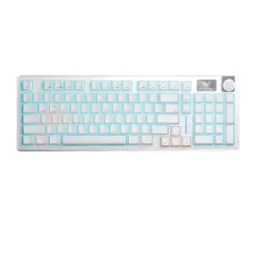
Price Breakdown & Availability
Here's how current offers compare across retailers.
You Might Also Like
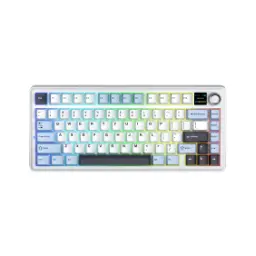
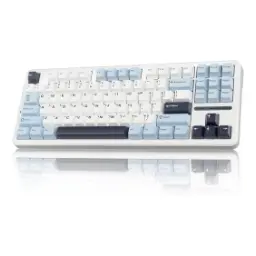
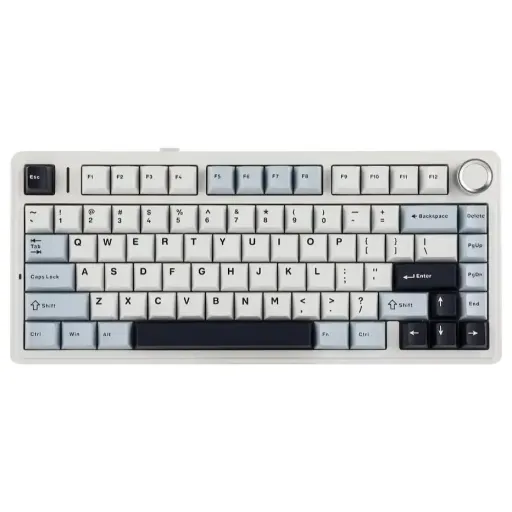
The AULA F75 Light Blue gives compact setups a cleaner, brighter identity, aur iska soft blue theme desk ko fresh aur modern feel deta hai without looking overly loud. Its 75% layout keeps the board efficient, so arrows and essential navigation stay close while the number pad disappears to free valuable desk space. The 80 key arrangement feels practical in daily work, kyun ke compact size ke bawajood routine shortcuts aur movement keys haath ke qareeb rehte hain for faster flow. The 322.7 x 143.2 x 43.1 mm frame reduces wasted width, is liye smaller desks, laptop side placements, aur tighter study tables par positioning bohat asaan ho jati hai. The approximate 1023g weight keeps the board grounded, so keystrokes feel less flimsy and the keyboard stays planted during faster typing. This balance of compactness and substance suits buyers who want a smaller keyboard, lekin bilkul stripped down feel ke baghair, in a refined everyday form
The gasket mounted structure softens impact at the fingers, jisse bottom out feel thori muted aur zyada premium lagti hai during longer writing or gaming sessions. The internal sound treatment is more serious than basic budget boards, because EPOMAKER describes a five layer design using two Poron foam layers, an IXPE switch pad, a PET sound pad, and a bottom silicone pad. The AULA listing also reinforces that layered construction with silicone, IXPE, Poron, and PET foam, which helps explain why the board aims for a more damped, less hollow typing character. The official listings further describe factory lubricated or pre lubed switches, to out of box keystrokes smoother feel karte hain aur scratchiness comparatively kam mehsoos hoti hai without immediate modding. That combination matters in everyday use, kyun ke sound sirf loud ya quiet ka issue nahi hota; tone, softness, aur rebound bhi overall satisfaction ko shape karte hain. This is the kind of build buyers notice daily, especially jab aap membrane board se shift kar rahe hon aur sound plus feel dono mein ek cleaner step up chahte hon
The tri mode connection system adapts to changing desks, because the F75 supports Bluetooth 5.0, 2.4G wireless, and wired USB C in one board. The included 2.4G dongle and wired Type C option make switching simple, to kabhi low latency gaming aur kabhi clean cable free work setup asaani se manage ho jata hai. The manual specifically describes wired USB and 2.4G receiver support as plug and play, which keeps setup friction lower when you just want the keyboard working fast. The hardware compatibility spans Windows, macOS, iOS, and Android, so ek hi keyboard laptop, tablet, aur phone workflow mein zyada naturally fit ho jata hai. That flexibility is especially useful for shared rooms, study setups, aur hybrid work routines where one keyboard often has to serve more than one screen. Instead of forcing a single usage style, the F75 leaves room for cleaner desks, faster reconnects, and easier movement between devices
The full key hot swappable socket design opens the door to personalization, kyun ke official documentation says switches can be changed without soldering. The board supports both 3 pin and 5 pin mechanical switches, is liye future experiments with lighter, deeper, ya firmer switch feels zyada flexible ho jate hain. The package also includes a 2 in 1 keycap and switch puller, to basic swapping aur cleaning ka routine buyer ke liye kaafi approachable rehta hai. The official manual walks through removing the keycap, lifting the switch, and pressing in a replacement, which makes the board feel less locked and more owner friendly. That matters if one user wants faster gaming response, jabke doosra thora softer ya thockier typing profile prefer karta ho, and the chassis can adapt over time. That upgrade path gives the keyboard longer relevance, because instead of replacing the entire board, you can keep tuning the feel as your taste changes
The RGB system adds real desk presence, because official listings describe 16.8 million color illumination on the F75. The lighting variety also stays broad, with AULA listing 26 effects while the same product page further breaks that into 16 preset and 10 dynamic effects. The manual confirms onboard brightness, color, speed, and reset shortcuts, to lighting ko software khole baghair bhi quickly adjust karna possible rehta hai. The integrated knob is also listed for media and lighting control, jo quick desk side adjustments ko more natural banata hai when your room brightness or mood changes. Because the chassis is already compact and the Light Blue finish is visually soft, the RGB feels expressive rather than messy, aur setup bohat zyada busy nazar nahi aata on a neat workspace. This works well for buyers who want personality, lekin unko aisa board nahi chahiye jo desk ko toy like bana de, and the overall presentation stays balanced
The 4000mAh battery gives the F75 credible wireless practicality, so daily typing, browsing, aur casual gaming ke darmiyan charging tension kaafi kam rehti hai. The same battery sits inside a tri mode keyboard, jiska matlab hai cable sirf zarurat par use hota hai rather than becoming a permanent desk obligation. Charging happens through a Type C port, which keeps top ups easy with modern accessories and avoids awkward proprietary charging habits. The manual also points to FN+B battery checking, to aap ko andaza mil jata hai ke recharge kab behtar rahega before the keyboard interrupts your flow. That matters more than it seems, kyun ke wireless peripherals tabhi enjoyable lagte hain jab unka battery routine predictable aur low drama ho in everyday use. For buyers who want a cleaner desk line and fewer cables around the mouse area, this battery size supports a genuinely easier setup
The typing surface feels more considered than basic office keyboards, because the F75 is listed with Cherry profile double shot PBT keycaps in the manual and PBT keycaps on AULA’s own page. PBT helps the board feel more durable in regular use, is liye surface slip aur worn looking shine ka issue usually kam pareshan karta hai over time. The metal knob does more than add style, since the official manual says it handles volume up, volume down, play or pause, and a long press switch between Game and Office modes. The feature list also includes N key rollover, anti ghosting, and Win key lock, jo rapid multi key inputs ko cleaner banate hain during shortcuts, gaming, ya fast repetitive actions. The bottom design adds dual kickstands as well, to typing angle ko apni aadat aur wrist comfort ke mutabiq set karna simpler ho jata hai. The practical result is a keyboard that feels easier to trust, whether the task is document work, chat, editing, or quick in game movement
The software side extends the keyboard beyond stock behavior, because the official manual says key remapping, macro creation, and advanced lighting control are supported. The hardware remains useful across Windows, macOS, iOS, and Android, lekin the same manual clearly notes that the dedicated customization software is compatible with Windows rather than Mac OS. The manual also explains that Mac users can still rely on onboard key combinations for basic functions, to essential control bilkul rukta nahi if software access is not available. That split is actually practical for many buyers, kyun ke daily typing, wireless use, aur lighting adjustment phir bhi multiple devices par manageable rehte hain. The layout therefore suits hybrid users well, especially jo office laptop, personal desktop, aur tablet ke darmiyan regularly shift karte hain without wanting separate keyboards everywhere. Instead of pushing unnecessary complexity, the F75 gives useful customization where it counts and keeps the core experience straightforward
The AULA F75 Light Blue lands in a very balanced enthusiast style zone, kyun ke is mein 75% 80 key layout, gasket mount, hot swap support, tri mode connectivity, RGB lighting, and a 4000mAh battery ek hi package mein milte hain. It avoids the cramped feeling some compact boards create, while still shrinking the footprint enough to make desks look cleaner and feel more usable. The Light Blue variant adds personality without becoming aggressive, is liye setup cute se zyada composed aur modern nazar aata hai in shared rooms, study corners, or workstations. The switch friendly sockets and layered acoustic design keep it relevant longer, to pehle day se le kar future mods tak board ka ownership value zyada strong rehta hai. For buyers moving up from basic membrane or no name mechanical options, this keyboard offers a more refined entry into the custom feel side of typing. For anyone chasing a smaller wireless board with real room to personalize, the F75 Light Blue feels like a confident, sensible upgrade
Here's how current offers compare across retailers.
Review current prices and specifications side by side.