Price Breakdown & Availability
Here's how current offers compare across retailers.
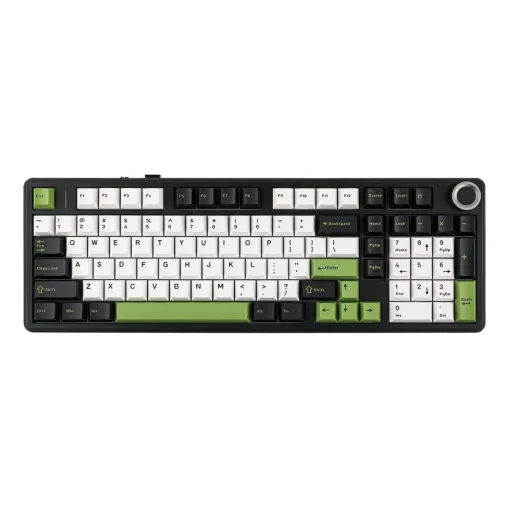

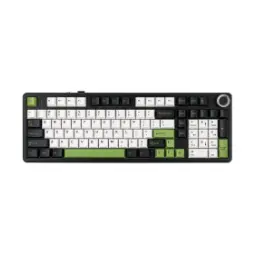
Aula F99 Pro Mechanical Keyboard, 96% Layout, GrayWood Switch, RGB, Black Gray Green
Seller: CZone
Updated 2 days ago
Aula F99 Pro Mechanical Keyboard, 96% Layout, GrayWood Switch, RGB, Black Gray Green
Seller: CZone
Updated 2 days ago
Rs. 13,900
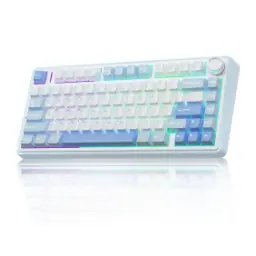
AULA F99 Pro Mechanical Keyboard With Knob, 96% 100 Keys 1800 Layout, Gasket-Mounted Flex-Cut Hot Swappable PCB, Bluetooth 5.0 Wireless and Wired 8000mAh Battery, South-Facing RGB Backlight, Silent Cotton Candy Switch, White
Seller: CZone
Updated 2 days ago
AULA F99 Pro Mechanical Keyboard With Knob, 96% 100 Keys 1800 Layout, Gasket-Mounted Flex-Cut Hot Swappable PCB, Bluetooth 5.0 Wireless and Wired 8000mAh Battery, South-Facing RGB Backlight, Silent Cotton Candy Switch, White
Seller: CZone
Updated 2 days ago
Rs. 13,900

AULA F99 Pro Wireless Mechanical Keyboard, 96% Gasket Hot Swappable Custom Keyboard - Retro Grey - Star Vector Switch (Seiya)
Seller: TechArc
Updated 26 minutes ago
AULA F99 Pro Wireless Mechanical Keyboard, 96% Gasket Hot Swappable Custom Keyboard - Retro Grey - Star Vector Switch (Seiya)
Seller: TechArc
Updated 26 minutes ago
Rs. 15,400
AULA F99 Pro Wireless Mechanical Keyboard, 96% Gasket Hot Swappable Custom Keyboard - White - Cotton Candy Switch
Seller: TechArc
Updated 26 minutes ago
AULA F99 Pro Wireless Mechanical Keyboard, 96% Gasket Hot Swappable Custom Keyboard - White - Cotton Candy Switch
Seller: TechArc
Updated 26 minutes ago
Rs. 15,400

Aula F99 PRO Wireless Gaming Keyboard with 8000mAh Battery, Hot Swappable Creamy Switch Keyboard, 2.4GHz/Type-C/BT5.0, NKRO, RGB Backlit for Win/Mac/Gaming (White Black Grey)
Seller: JunaidTech
Updated 2 days ago
Aula F99 PRO Wireless Gaming Keyboard with 8000mAh Battery, Hot Swappable Creamy Switch Keyboard, 2.4GHz/Type-C/BT5.0, NKRO, RGB Backlit for Win/Mac/Gaming (White Black Grey)
Seller: JunaidTech
Updated 2 days ago
Rs. 15,499
Aula F99 Pro Wireless Mechanical Keyboard - Silent Version, BT5.0/2.4GHz/USB-C Hot Swappable Custom Keyboard, Gasket Structure, Pre-Lubed Linear Switches RGB Backlit Computer Gaming Keyboards (White - Side Engraved)
Seller: JunaidTech
Updated 2 days ago
Aula F99 Pro Wireless Mechanical Keyboard - Silent Version, BT5.0/2.4GHz/USB-C Hot Swappable Custom Keyboard, Gasket Structure, Pre-Lubed Linear Switches RGB Backlit Computer Gaming Keyboards (White - Side Engraved)
Seller: JunaidTech
Updated 2 days ago
Rs. 15,499

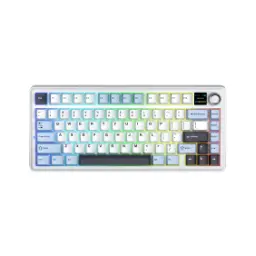
Aula F99 Pro Wireless RGB Mechanical Gaming Keyboard - Blue White Black/White Black Grey/Black Green/Light Blue White Dark Purple/Comic/Blue (Side - Printed)/Black (Side - Printed)/Thunder Black [Gray Wood/Star Vector/Seiya/Cotton Candy Switches] | Black
Seller: RBTech
Updated 11 minutes ago
Aula F99 Pro Wireless RGB Mechanical Gaming Keyboard - Blue White Black/White Black Grey/Black Green/Light Blue White Dark Purple/Comic/Blue (Side - Printed)/Black (Side - Printed)/Thunder Black [Gray Wood/Star Vector/Seiya/Cotton Candy Switches] | Black
Seller: RBTech
Updated 11 minutes ago
Rs. 15,499
Aula F99 Pro Wireless RGB Mechanical Gaming Keyboard - Blue White Black/White Black Grey/Black Green/Light Blue White Dark Purple/Comic/Blue (Side - Printed)/Black (Side - Printed)/Thunder Black [Gray Wood/Star Vector/Seiya/Cotton Candy Switches] | White
Seller: RBTech
Updated 11 minutes ago
Aula F99 Pro Wireless RGB Mechanical Gaming Keyboard - Blue White Black/White Black Grey/Black Green/Light Blue White Dark Purple/Comic/Blue (Side - Printed)/Black (Side - Printed)/Thunder Black [Gray Wood/Star Vector/Seiya/Cotton Candy Switches] | White
Seller: RBTech
Updated 11 minutes ago
Rs. 15,499
AULA F99 Pro


You Might Also Like
The AULA F99 Pro is built for users who want near full keyboard coverage in a cleaner, more manageable footprint, is liye setup compact lagta hai without feeling compromised. Official listings place it in the compact 96% category and pair that layout with a rotary knob, so daily shortcuts, number input, aur media adjustment ek hi board par convenient ho jata hai. That smaller footprint matters on crowded desks, kyun ke mouse movement ke liye zyada jagah milti hai and the workstation looks less cluttered. AULA also presents the keyboard as suitable for office work and esports style gaming, which makes it a strong fit for buyers who shift from spreadsheets to late night matches in one sitting. The wireless design keeps cable drag out of the way, jab ke USB Type C wired mode zarurat par direct connection de deta hai for a more anchored feel. This board focuses on the features most users actually touch every day, instead of chasing gimmicks, aur isi wajah se iska character zyada practical feel hota hai. That combination gives the F99 Pro a more mature identity, bilkul un logon ke liye jo ek hi keyboard se work station aur gaming desk dono handle karna chahte hain
The gasket mounted structure is the main reason this keyboard feels more cushioned under the fingers, aur harsh bottom out sensation kaafi tame ho jati hai during longer typing sessions. AULA and the manual both describe a five layer internal stack, including Poron foam, IXPE switch pad, PET sound pad, bottom foam, and silicone padding, which is designed to soften acoustics and improve typing elasticity. EPOMAKER also notes a flex cut hot swappable PCB with a PC plate, aur yeh combo stiffer feel ke muqable mein zyada give provide karta hai when you type quickly. That layered build means less hollow ping in daily use, less sharp vibration, and a smoother, deeper sound profile. The benefit is not just about sound, balkay finger fatigue bhi thori controlled rehti hai because the press feels less abrupt. If you spend hours on documents, chats, or game queues, this layered construction makes the board feel intentionally refined rather than merely loud. That softer character is exactly why gasket mounted boards feel more premium, aur F99 Pro bhi ussi direction mein smart impression deta hai
Three connection modes make the F99 Pro genuinely adaptable, kyun ke aap Bluetooth 5.0, 2.4GHz wireless, ya USB Type C wired mode mein switch kar sakte hain depending on the task. The physical side switch keeps mode changes straightforward, so you spend less time digging through menus and more time staying in flow. The manual states that Bluetooth pairing can span up to five devices, which is especially useful agar aap work laptop, tablet, aur phone ke darmiyan bar bar jump karte hain. EPOMAKER also lists wireless operation up to 10 meters, so casual living room use ya meeting room movement ke liye range kaafi practical rehti hai. That flexibility is a real quality of life upgrade, because one keyboard can cover desk duty, couch use, and travel setups without extra hassle. The 2.4GHz dongle gives a cleaner wireless path for fast response sessions, jab ke Bluetooth quick convenience offer karta hai for lighter multi device routines. The result feels less like a single purpose peripheral and more like a typing hub for your whole digital routine
The 8000mAh battery is one of the F99 Pro's biggest everyday advantages, kyun ke larger capacity ka seedha matlab hota hai fewer charging interruptions across wireless use. AULA highlights extended battery life on its product page, and the manual confirms the battery can be checked quickly with FN + B instead of making you guess. The same indicator system uses green for full charge, yellow around 60%, and red at 30% or below, so status ko samajhna bilkul easy rehta hai even mid session. That kind of glanceable feedback matters more than people expect, because low battery surprises usually show up at the worst possible time. This larger battery means you can keep lighting, pairing, and movement freedom through mixed workdays, rozana ke use mein without treating charging as a daily chore. When you do need a cable, the USB Type C wired mode lets the board stay active and productive, is liye routine break nahi hota. Bigger battery capacity plus clear indicators gives this keyboard a calmer ownership experience, aur yeh cheez bohat jaldi appreciate hoti hai
Hot swappable support makes the F99 Pro more future proof, kyun ke 3 pin aur 5 pin mechanical switches bina soldering ke replace kiye ja sakte hain whenever your preference changes. AULA's official pages also describe the keyboard as fully hot swappable and mention smooth, quiet pre lubed switches, so stock feel already refined hota hai before any mods. That balance is useful for new enthusiasts, kyun ke pehle din board enjoyable lagta hai and later customization bhi open rehti hai. The board lets your taste evolve over time, whether you prefer lighter linears, quieter office friendly options, ya zyada tactile feedback. The included puller tools and extra switches in the package reduce the barrier to experimentation, so small upgrades feel easy rather than intimidating. This kind of flexibility usually matters most after a few months, jab aapko exact feel samajh aani shuru hoti hai and you want the keyboard to match it better. For buyers who like smart long term purchases, hot swap support turns the F99 Pro into a platform instead of a dead end product
South facing RGB gives the F99 Pro a cleaner lighting approach, aur official listings mention 16+ effects plus music sync so the board can look lively without becoming visually messy. The manual shows dedicated shortcuts for changing backlight patterns, side lighting, brightness, and speed, which means quick tuning stays on board and easy. The metal knob adds practical control on top, letting you rotate for volume, press to mute, and hold for five seconds to switch between volume and brightness modes. That knob control sounds minor on paper, lekin real use mein bohat fast feel hota hai when a call starts, a video gets loud, or the room lighting changes. EPOMAKER also points to AULA Driver support for remapping, macros, and RGB customization, while its download section notes Windows support for the driver. For users who enjoy deeper personalization, this means the keyboard can stay simple on day one and become more tailored as your setup matures. The overall experience feels polished because visual style, quick control, aur software depth ek dusre ko support karte hain instead of competing for attention
Durable PBT keycaps matter in daily typing, kyun ke official listings specifically call out PBT keycaps and a Cherry profile, giving the board a more wear conscious foundation. AULA's listings also mention side printed styling on some variants, a sturdy case, and a metal control knob, so the keyboard looks intentional rather than plain. The official store also highlights a two stage adjustable kickstand, so typing angle ko apni desk height ke mutabiq set karna asaan rehta hai. These touches matter because comfort is usually built from small decisions, not from one flashy headline feature. When keycaps feel dry and stable under the fingers, haath mein confidence zyada rehta hai and long writing sessions feel less fussy. The chassis choices also help the board look neater in shared spaces, whether you want a playful setup, a cleaner office desk, or something in between. Taken together, the materials give the F99 Pro a more considered finish than many boards that focus only on specs
Broad device support makes the F99 Pro easier to justify, kyun ke AULA lists Windows, macOS, Android, and iOS support while the manual extends compatibility across PC, laptop, tablet, and smartphone use. The manual also shows layout switching for Windows/Android and Mac/iOS behavior, so mixed device households ko alag keyboard rakhne ki zarurat kam padti hai. AULA further notes N key rollover, anti ghosting, and Win key lock, which are the small but useful details that help during fast games and multi key shortcuts. That means the keyboard is not only for aesthetic desk setups, balkay practical command input bhi bohat dependable feel hota hai. Stable multi key registration helps across office shortcuts and game inputs, is liye fast tapping ya layered commands zyada controlled lagte hain. This cross platform versatility is where the F99 Pro feels especially smart, because one board can move from desktop grinding to tablet messaging without losing familiarity. That long term convenience builds over time, aur wahi ease aksar upgrade ko genuinely worth it banati hai
The AULA F99 Pro makes a strong case for buyers who want modern wireless convenience without giving up typing feel, aur yehi mix isko first impression ke baad bhi relevant rakhta hai. Official package details include the keyboard, USB C cable, 2.4GHz dongle, puller tools, extra switches, and a manual, so you can start using and tweaking it right away. AULA and partner product pages consistently center the same strengths: gasket mounting, hot swap support, tri mode connectivity, PBT keycaps, RGB, a metal knob, and the 8000mAh battery. That blend lands in a very practical sweet spot, kyun ke you are not depending on one flashy spec while the rest of the board feels ordinary. Instead you get a keyboard that can sound softer, switch devices quickly, stay wireless longer, and adapt as your preferences change. For users building a cleaner desk or upgrading from basic rubber dome gear, yeh model noticeable step up deta hai in feel, control, and everyday satisfaction. The final appeal stays simple and convincing: the F99 Pro gives you room to type, game, customize, aur settle in for the long run without outgrowing the board too soon
Here's how current offers compare across retailers.
Review current prices and specifications side by side.