Price Breakdown & Availability
Here's how current offers compare across retailers.
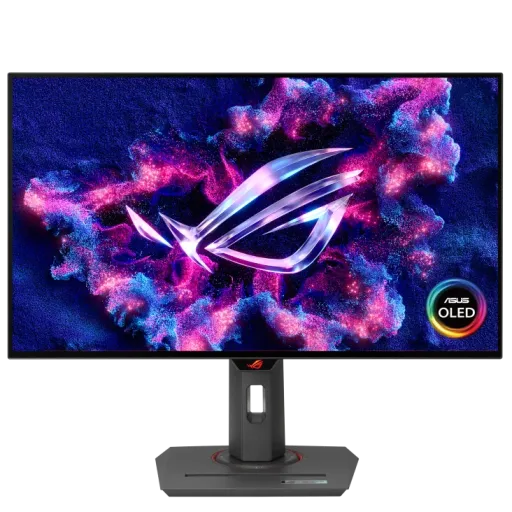
Asus ROG Strix OLED XG27AQDMG


You Might Also Like
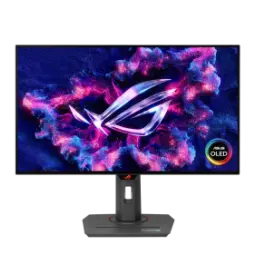
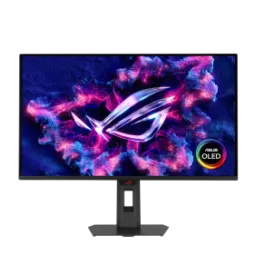
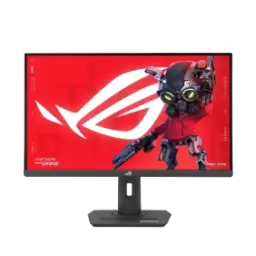
The ASUS ROG Strix OLED XG27AQDMG is built for speed, rozana ke matches mein, with a 26.5 inch QHD (2560x1440) glossy WOLED panel. The 240Hz refresh rate keeps aim tracking crisp, bilkul smooth feel deta hai, so fast turns stay readable in busy fights. The 0.03ms GTG response time reduces trailing, lag nahi hota, and it helps the panel look instant during high contrast motion. The 99% DCI P3 gamut brings wider color than sRGB, colors natural rehte hain, and that matters for both games and content. HDR10 support adds highlight depth in compatible titles, thori si cinematic pop milti hai, without pushing the picture into weird tones. The VRR feature set stays broadly compatible, NVIDIA par G SYNC Compatible chalega, and AMD users get FreeSync Premium support too. Third generation WOLED technology in this monitor aims for clearer text, reading bhi better lagti hai, and improved motion clarity across everyday use. The glossy surface choice makes the image feel direct, bas reflections ka dhyan rakhna hota hai, which is the tradeoff for that glass like clarity. The overall tuning feels purpose built for play and productivity, kaam aur gaming dono, with software tools that keep ownership stress low
OLED contrast becomes obvious when dark scenes load, bilkul inky blacks nazar aate hain, and ASUS lists a 1,500,000:1 typical contrast ratio for this panel. The glossy display surface keeps textures looking crisp, thora sa reflection appear hota hai, but it can make fine detail feel less hazy than matte finishes. The 178 degree viewing angles help group viewing feel consistent, side se bhi colors stable rehte hain, so you can lean back without the image washing out. The Clear Pixel Edge feature is designed to reduce color fringing, text par red green outline kam hoti hai, which helps reading and UI work feel less distracting. The QHD resolution on a 26.5 inch view keeps density practical, windows asaani se manage hotay hain, and icons stay sharp without forcing heavy scaling. The wide gamut tuning supports vibrant color work, editing ke time shades zyada nuanced lagte hain, while the monitor also targets Delta E < 2 color accuracy. The glossy approach rewards smart placement in your room, roshni ka angle set kar lo, because reflections can look more noticeable on bright backgrounds. The result is a picture that feels clean and premium, without needing aggressive sharpening tricks, and that helps both gaming and daily browsing
Fast paced shooters feel easier when motion stays clean, competitive play mein, and this display runs up to 240Hz at its native QHD resolution. The 0.03ms GTG response time targets near instant pixel transitions, ghosting bilkul minimal hota hai, so crosshair movement remains readable during quick strafes. Variable refresh support helps reduce tearing in real gameplay, frame dips mein bhi, because ASUS lists FreeSync Premium plus G SYNC Compatible VRR. The OLED Anti flicker feature is built for VRR fluctuations, jab fps up down hota hai, and RTINGS notes it can eliminate most VRR flicker in many situations. The same Anti flicker approach may add some stutter, thora sa tradeoff hai, so it works best when your frame rate is reasonably stable. The ELMB feature gives another motion tool for specific tastes, blur control chahiye ho to, and TFTCentral reports it operates at 120Hz using a black frame insertion approach. The overall motion profile suits high refresh esports, reaction time wali games mein, while still staying comfortable for slower single player titles. The end benefit is confidence in quick tracking, because the panel is tuned to keep blur and latency distractions low
HDR content looks more dramatic when highlights lift, scene mein depth barhta hai, and this monitor supports HDR10 for compatible games and videos. Peak HDR brightness is rated up to 1,300 cd/m2, choti highlights mein zing aa jati hai, which helps sparks, neon signs, and UI effects stand out. Color coverage reaches 99% DCI P3 on the spec sheet, wide cinema range milti hai, making gradients and game art look more saturated without crushing mid tones. The panel runs true 10 bit color with 1,073.7 million colors, banding kam hoti hai, so skies and fog effects appear smoother. Factory tuning targets Delta E < 2 color accuracy, editing ke liye reliable base milta hai, and that matters when you want consistent skin tones. The certification list includes VESA DisplayHDR 400 True Black, HDR ka baseline clearer hota hai, which signals OLED appropriate contrast handling. Review testing also highlights strong HDR punch, especially in small bright elements, which aligns with the design goal of a brighter WOLED stack. The main benefit is controlled vividness, because you get bright accents and deep blacks while keeping the overall picture believable
Long OLED sessions feel safer with protection features, burn in ki tension kam hoti hai, and ASUS builds in a highly efficient custom heatsink with an advanced airflow design. The ASUS OLED Care suite adds panel friendly behaviors, static HUDs ke against, so the screen is not left fighting the same UI elements endlessly. The DisplayWidget Center software makes those care settings accessible, mouse se asaani se control ho jata hai, which reduces the chance you ignore protection because menus are annoying. The warranty coverage is listed as three years including panel burn in, peace of mind milta hai, especially if you work with static toolbars or play HUD heavy games. The custom heatsink approach avoids relying on active fan noise, shor wali cooling nahi chahiye, and TFTCentral notes the heatsink design means no active cooling fans are needed. Daily habits still matter for OLED longevity, taskbar ko auto hide kar lo, but these built in tools make responsible usage far more practical. The real benefit is consistency over time, because performance stays strong while protection runs quietly in the background
Desktop work often uses bright white backgrounds, aankhon par load barhta hai, so ASUS includes an optional Uniform Brightness setting for consistent luminance. That uniform behavior helps documents look steadier, rozana email aur sheets mein, because the panel is not constantly changing perceived brightness as content shifts. Review calibration data also references Uniform Brightness usage, color work mein consistency aati hai, as RTINGS shows post calibration results with Uniform Brightness turned on. The practical result is a calmer workspace feel, long sessions mein, especially when you alternate between dark games and bright productivity apps. The glossy surface can make white screens look extra clean, lekin reflections ko manage karna parta hai, so pairing it with controlled room lighting is a smart move. The QHD resolution keeps text comfortably sized, zoom ki zarurat kam hoti hai, while still leaving space for side by side windows. The end benefit is fewer brightness surprises, because the display behaves more predictably across mixed content throughout the day
A fast monitor still needs great positioning, posture theek rehti hai, and the stand supports tilt, swivel, pivot, and height adjustment up to 120 mm. The pivot function helps vertical workflows feel natural, coding aur chat panels ke liye, and it also makes portrait browsing less cramped. VESA wall mounting is supported in the common 100x100 mm pattern, arm mount asaani se lag jata hai, which is ideal for clean cable routing and better posture. A built in tripod socket adds flexibility for creators, camera gear jaisa setup ban jata hai, if you want unusual mounting angles for streaming or filming. The glossy panel benefits from angle control, light sources ko avoid karo, because reflections look more defined than on matte OLED coatings. The compact stand design is also highlighted in launch coverage, desk space bacha leta hai, while still keeping full ergonomics available. The overall benefit is easy comfort tuning, because you can lock in the angle and height that makes long sessions feel effortless
Modern setups need simple, reliable connections, wiring ka jhanjhat kam hota hai, and ASUS includes DisplayPort 1.4 with DSC plus two HDMI 2.0 ports. The maximum refresh rate is 240Hz through the panel’s spec, full speed DP par milti hai, while the HDMI signal frequency listing shows up to 144Hz over HDMI. A built in USB hub adds two USB 3.2 Gen 1 Type A ports, peripherals asaani se connect hotay hain, which helps when your PC is tucked under the desk. A headphone jack keeps audio routing straightforward, late night gaming mein, and it reduces cable runs to your tower. The DisplayWidget Center app makes monitor tuning faster, OSD ke chakkar nahi, by letting you change settings with a mouse and access OLED Care features easily. Launch reporting also confirms the same core port layout, compatibility clear rehti hai, including 1x DP 1.4, 2x HDMI 2.0, and USB data ports. The end benefit is smoother daily ownership, because control feels immediate and connectivity covers the common PC and console mix
Choosing this monitor makes sense when clarity matters, glossy look pasand ho, and you want QHD at 240Hz with OLED level response. Review comparisons note the glossy coating can look clearer than matte, image zyada clean feel hoti hai, but reflections can be distracting in bright rooms. Competitive gamers get the obvious wins in motion, aim tracking smooth hoti hai, because the combination of 240Hz and 0.03ms GTG targets sharp moving detail. Creators benefit from wide gamut and calibration targets, color grading mein confidence rehta hai, thanks to 99% DCI P3 coverage and Delta E < 2 specification. Console focused buyers should notice the bandwidth reality, HDMI 2.1 nahi hai, and RTINGS also flags that limitation for getting the most from current consoles. OLED ownership becomes more comfortable with protection tools, burn in wali tension kam, because ASUS includes OLED Care, a custom heatsink, and a three year warranty that includes burn in. The final takeaway is balanced and practical, because you get glossy OLED punch and high refresh performance while accepting the reflection and HDMI limits
Here's how current offers compare across retailers.
Review current prices and specifications side by side.