








Price Breakdown & Availability
Here's how current offers compare across retailers.
Lexar DDR4



You Might Also Like
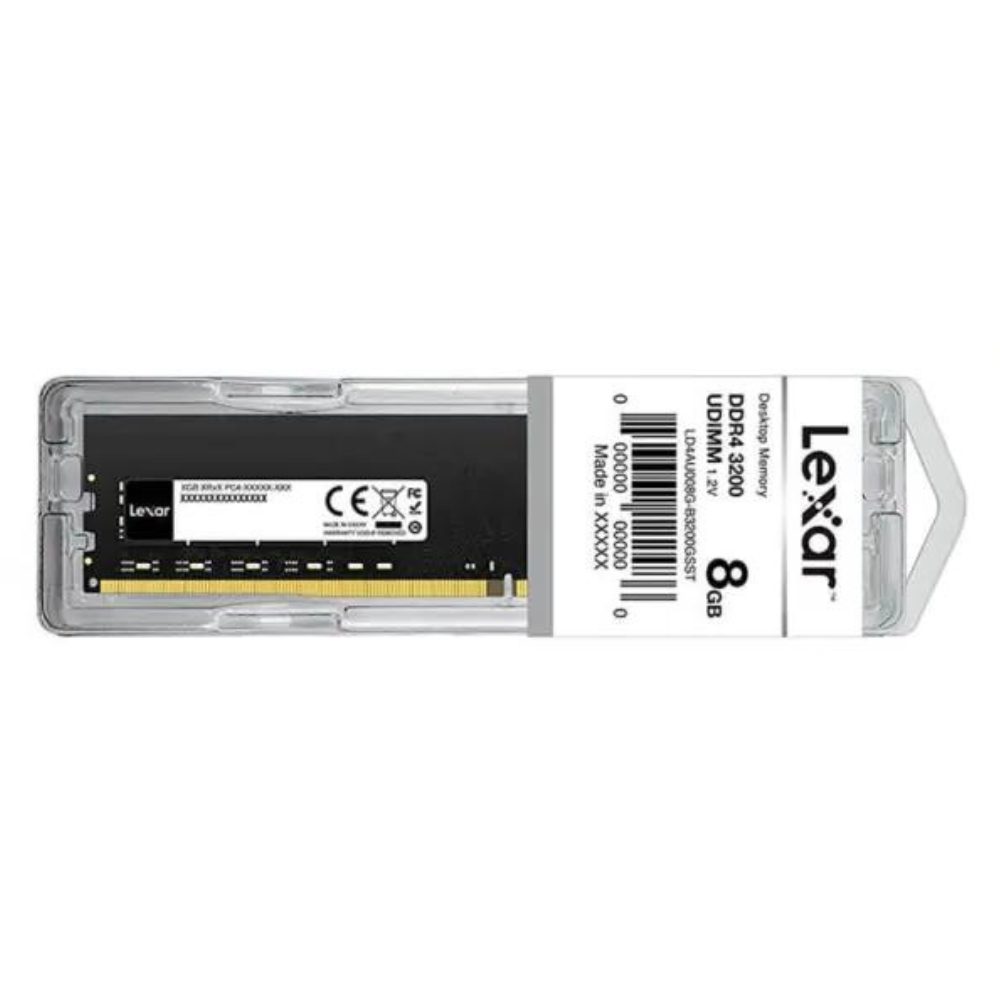
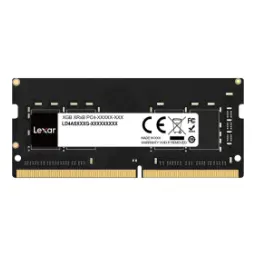
A faster feeling desktop often starts with better memory flow, aur jab RAM stable ho to system ka response bilkul different lagta hai. This Lexar DDR4 module is built for desktop use in a UDIMM form, so your tower or full size workstation gets a direct, practical upgrade. The operating voltage is listed at 1.2V, which helps keep power draw controlled during long browsing, spreadsheets, and day to day workloads. The module follows the JEDEC standard, meaning it targets broad baseline compatibility rather than relying on niche tuning, jo rozana ke use mein confidence deta hai. Better RAM doesn’t just boost numbers on paper, balkay app switching, tab reloads, and background tasks ko smoother banata hai. A simple memory upgrade can reduce those “system is thinking” pauses, especially when multiple apps are open at once. JEDEC is the industry body focused on developing open standards for microelectronics, so JEDEC aligned parts usually fit into mainstream expectations. This is the kind of upgrade that supports a cleaner daily rhythm, kaam bhi smooth aur downtime bhi kam, while keeping the experience grounded in standard desktop design
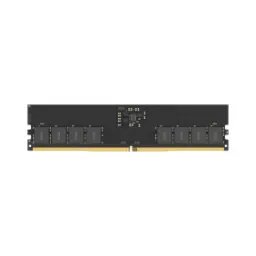
Physical compatibility matters before anything else in RAM, kyun ke wrong form factor fit hi nahi hota. This Lexar DDR4 stick uses a 288 Pin UDIMM interface, which is the standard full size desktop module layout. DDR4 desktop memory is commonly supplied as 288 pin DIMMs, so most DDR4 motherboards are built around this slot design. The UDIMM label indicates an unbuffered DIMM style, which aligns with what typical desktop boards are designed to accept. Notch placement is a real world safety feature, aur isi wajah se wrong generation RAM force nahi hoti. DDR4 and DDR5 DIMMs can both have 288 pins, but the notch is offset differently to prevent cross installation into the wrong slot. Laptop memory follows a different shape entirely, so mixing up SO DIMMs and desktop DIMMs becomes an easy mistake during upgrades. DDR4 SO DIMMs are a different module type and are commonly referenced as 260 pin modules, which is why they don’t belong in desktop DIMM slots. A quick motherboard manual check keeps the upgrade tension free, aur aap asaani se confirm kar lete ho ke DDR4 UDIMM hi required hai. This fit first approach makes the upgrade feel straightforward, because you’re aligning the module, the socket, and the platform in one clean decision
A reliable PC upgrade should behave predictably every day, warna random crashes aur boot issues bohat frustrating hotay hain. This Lexar DDR4 module lists JEDEC as its standard, which signals alignment with widely used baseline specifications. JEDEC has been a global leader in developing open standards for the microelectronics industry, and that standards first mindset is exactly what compatibility depends on. Many desktop DIMMs are designed to adhere to JEDEC specifications for broad platform compatibility, so the goal stays “works across systems” rather than “works only with special tuning.” The DDR4 SDRAM standard itself is documented under JEDEC’s JESD79 4 series, which defines the broader DDR4 SDRAM specification family. In practical terms, JEDEC behavior helps a system settle into stable training and consistent performance, aur aapko har restart par settings ki tension nahi rehti. This becomes especially useful in office machines, home PCs, and family desktops where the priority is “it just runs” in a predictable way. A standards based module also simplifies future upgrades, because the platform assumptions stay familiar when adding more RAM later. The result is less tinkering and more output, jo time save karta hai, while the system remains grounded in mainstream DDR4 expectations
Daily performance often collapses when memory gets tight, aur phir tabs reload hotay hain, apps hang hoti hain, aur flow toot jata hai. Lexar positions this DDR4 UDIMM as an upgrade aimed at continuing multitasking without unnecessary slowdowns, which directly maps to real desktop frustration points. UDIMM memory modules connect directly to the memory controller without an intermediary buffer or register, which is why they are commonly used for most desktop computers and workstations. Unbuffered modules are also described as lacking a buffer or register between the memory controller and chips, keeping the path straightforward for mainstream systems. In real usage, that direct design supports snappy task switching, kyun ke system ko data jaldi milta hai when multiple apps compete at once. Web browsing feels steadier with many tabs open, and spreadsheets or dashboards stay responsive even when background apps keep running. Creative tools also benefit from smoother preview and fewer stalls, especially when files, layers, or assets push memory usage upward. The desktop focus matters here, because UDIMMs are the common match for consumer and prosumer boards instead of server only memory types. A clean RAM upgrade is not just for gaming, balkay rozana ke kaam mein smoothness ka fark instantly nazar aata hai, and your system keeps pace with how you actually work
Lower voltage can make a desktop feel more composed, kyun ke heat aur fan noise ka overall impact reduce ho sakta hai. This Lexar DDR4 UDIMM is specified at 1.2V, which aligns with common DDR4 operating expectations in mainstream systems. DDR4 is widely referenced as operating at 1.2 V, a shift that supports efficiency compared to older generations in general discussion of DDR evolution. When RAM runs efficiently, system thermals stay easier to manage, aur CPU cooler ko unnecessary heat load handle nahi karna parta during long working hours. Stable thermals help performance remain consistent, because the whole case airflow stays balanced instead of spiking under heavy multitasking. The benefit becomes clearer in small offices and home setups, jahan PC hours lambi hoti hain and comfort matters as much as raw speed. A 1.2V spec is also easy to plan around, because it matches the common DDR4 power profile described in standard references and vendor listings. This makes the upgrade feel modern and practical, bilkul especially when the goal is steady daily output rather than constant tweaking. The end result is a cooler running, calmer system experience, and the stability angle stays rooted in DDR4’s well known operating profile
A good RAM upgrade should be simple to execute, warna choti si cheez bhi headache ban jati hai. Lexar highlights limited steps for installation and frames the upgrade as a quick path to a computing boost, which suits typical desktop users who just want results. The 288 Pin UDIMM interface is a straightforward desktop fit, so insertion aligns with how most full size DIMM slots are designed. One compatibility rule matters more than most people expect, aur woh yeh hai ke memory type mix karna usually recommended nahi hota. Dell notes it is not recommended to mix UDIMM memory with other types such as RDIMM or LRDIMM in the same system, because most motherboards support only one memory type at a time. Corsair similarly explains UDIMMs as the most common type used in modern PCs, which is why most mainstream desktop builds are designed around them. Practical setup becomes easier when you confirm your motherboard is DDR4 and UDIMM compatible, phir correct slots choose karo, and the system boots into a stable daily routine. The upgrade payoff is strongest when the install stays clean and standard, because you avoid troubleshooting loops that waste time. This is the kind of component change that fits real life, asaani se weekend upgrade ban jata hai, and your PC comes back feeling more responsive for everyday work
Choosing RAM is really about headroom for your habits, kyun ke har user ka workload different hota hai. Lexar lists this DDR4 UDIMM desktop memory in multiple capacities, so you can select a variant that matches how many apps, tabs, and files you keep active. Dual channel performance is not a “special RAM type,” balkay it’s a platform feature that can improve transfer speed by adding more channels of communication between the memory and memory controller. Crucial explains that dual channel architecture requires the processor and motherboard to support it, and it typically needs matched pairs to take proper advantage of the configuration. Lexar also describes dual channel configurations as a way two modules work together to improve data transfer speeds, which helps frame why pairing sticks can feel smoother in real workloads. In practical terms, matched modules can keep multitasking more stable, aur heavy browser sessions ya light editing mein stutter kam mehsoos hota hai. A balanced capacity choice reduces swap to disk behavior, so your SSD isn’t forced to act like “temporary RAM” during busy moments. Dual channel slot placement matters too, because most boards label the recommended pairs, aur aap asaani se right slots choose kar sakte ho with the manual. This planning approach keeps the upgrade efficient, because you’re buying for both today’s tasks and near future software growth. The result is a desktop that stays responsive under pressure, and the upgrade feels intentional rather than random
Long term satisfaction comes from stability, warna performance ka thrill kuch din mein fade ho jata hai. Lexar states its products undergo extensive testing in Lexar Quality Labs to ensure performance, quality, compatibility, and reliability across many devices. That testing narrative matters for desktop RAM, because the module has to behave consistently across different motherboards and CPU memory controllers. A JEDEC standard approach supports that consistency, kyun ke standard alignment makes it easier for systems to recognize and run the memory predictably. Corsair notes that DIMMs generally adhere to JEDEC specifications for compatibility reasons, and that compatibility first design is what most mainstream users want. DDR4 modules are also widely referenced as 288 pin desktop DIMMs, which reinforces that the physical standard is established and not experimental. In real desktop life, reliability looks like fewer app crashes, fewer random restarts, aur kaam ka flow stable rehna during long sessions. A stable memory foundation also helps other upgrades shine, because your CPU and SSD can perform without waiting on memory bottlenecks. This is especially useful for shared PCs, home office machines, and student desktops where troubleshooting time is limited. The upgrade stays grounded in proven DDR4 norms, and that predictability is a real feature when the goal is stress free computing
A targeted RAM upgrade can refresh an entire system, aur yeh woh change hai jo daily feel mein directly translate hota hai. Lexar frames this DDR4 memory as an easy upgrade that improves performance without buying a new system, which is exactly why desktop RAM upgrades remain popular. The key is matching the fundamentals: DDR4 generation, 288 pin UDIMM form factor, and the desktop application fit. UDIMM modules are commonly positioned as ideal for most desktop computers and workstations, because they connect directly to the memory controller without a buffer and keep latency low in mainstream setups. DDR4 is also referenced as operating at 1.2 V, so the efficiency profile stays sensible for long daily usage. Compatibility discipline is the final step, kyun ke mixing UDIMM with RDIMM or other types is not recommended on most motherboards. When these basics line up, the upgrade tends to feel clean: faster app switching, smoother multitasking, and fewer slowdowns during busy moments. A practical DDR4 choice keeps the platform relevant, especially for users who want stable performance in the “competitive mainstream desktop” tier. The buying decision becomes simpler when you treat specs as fit and function, bilkul like choosing the right socket and standard first, and letting the experience benefits follow naturally
Here's how current offers compare across retailers.
Review current prices and specifications side by side.