Price Breakdown & Availability
Here's how current offers compare across retailers.
Lexar DDR5 SODIMM



You Might Also Like
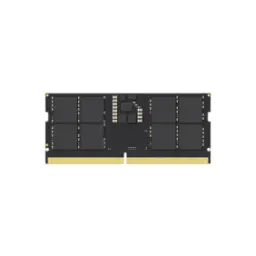
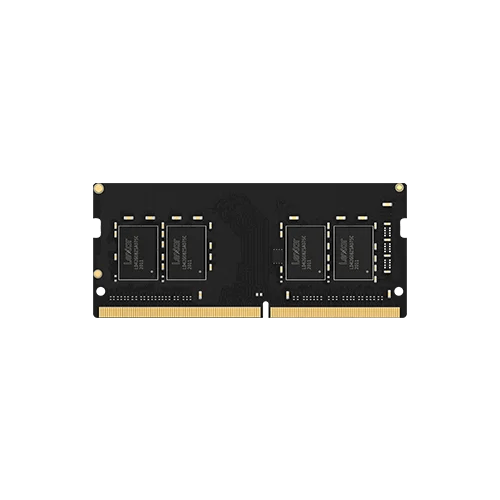
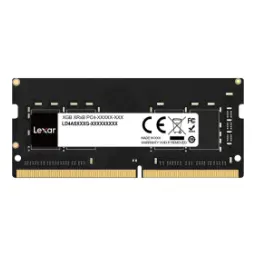
This Lexar DDR5 SODIMM is built for modern laptops, rozana ke heavy tabs aur demanding apps handle karne ke liye, without turning the system sluggish. The official positioning covers laptops, all in ones, and Intel NUC mini computers, is liye form factor bilkul practical rehta hai, and upgrades stay straightforward. The module follows the JEDEC JESD79 5A DDR5 standard, matlab behavior ecosystem ke saath aligned rehta hai, which helps keep compatibility expectations realistic. The DDR5 generation improves how data moves with two independent 32 bit channels per module, jo multitasking ko zyada smooth banata hai, especially under mixed workloads. The real benefit shows up in daily flow, app switching asaani se hoti hai, and background tasks feel less disruptive. The Lexar range is listed with performance up to 5600MT/s, so supported platforms can tap into higher bandwidth without exotic tuning. That identity fits students, creators, and office users who want a clean speed lift, bina show off looks ke, in a compact upgrade
Choosing the correct SODIMM type protects you from fit issues, kyun ke laptop memory slots bilkul specific hotay hain, and this module uses a 262 Pin SODIMM interface. The 262 pin DDR5 SODIMM format is widely used across compact systems, is liye mini PCs aur slim notebooks mein match chances strong rehte hain. The DDR5 notch and keying are designed to prevent wrong installs, yani DDR4 slot mein ghalat fitment ka risk kam hota hai, which reduces accidental damage. Installation is designed to stay simple and quick, bas cover open karo aur module seat kar do, then the laptop can boot normally. System compatibility still depends on having a DDR5 SODIMM slot, so device specifications are the first checkpoint before buying. Physical sizing is slim and laptop friendly at 69.6 mm x 30 mm x 1.2 mm, is liye tight chassis mein clearance drama usually nahi hota, and seating feels clean. Once the module is properly inserted, everyday stability matters more than tweaking, aur aap ka focus kaam par rehta hai instead of constant settings changes
Higher bandwidth matters most when your workload is layered, jahan browser, calls, docs, aur creative tools saath saath chal rahe hotay hain, and DDR5 is built for that reality. The DDR5 module design uses two independent 32 bit channels, jo data ko parallel lanes mein move karta hai, so responsiveness improves under multitasking pressure. The Lexar DDR5 SODIMM line is specified up to 5600MT/s, which can translate into quicker loading and less waiting on memory heavy tasks when the platform supports it. JEDEC’s JESD79 5A update also defined higher DDR5 speed points up to 6400 MT/s at the standard level, showing how the ecosystem is designed to scale over time. Practical gains show up as cleaner frame pacing in light creative previews, aur spreadsheet ya IDE ke saath multi tab browsing bhi zyada stable feel hoti hai, even without chasing extreme settings. The performance story remains balanced and standards driven, matlab aapko daily reliability milti hai, and the upgrade feels consistent rather than random. When the system is memory starved, adding DDR5 headroom reduces reloads and stalls, jis se workflow ka rhythm better rehta hai, and your laptop feels more capable
Lower voltage is a quiet advantage for laptops, kyun ke heat aur battery dono par direct asar hota hai, and this module is rated at 1.1V. DDR5 is designed around improved power efficiency, including a 1.1V operating voltage compared to DDR4’s 1.2V, which supports cooler and more efficient behavior in everyday use. Some DDR5 SODIMM listings explicitly highlight 1.1V as a battery friendly move, rozana ke mobile use mein, which helps reduce the feeling that the laptop is always running hot. Lexar also emphasizes that lower power consumption helps keep the system cool, so sustained work sessions feel more comfortable on your lap or desk. Better efficiency does not mean sacrificing modern performance headroom, balkay aap ko smoothness milti hai with less thermal stress, and that balance matters for thin machines. For users who move between classes, meetings, or travel work, the efficiency profile reduces anxiety, battery backup aram se nikal jati hai, and charging pauses feel less frequent. The overall experience becomes more refined because the memory upgrade supports both speed and thermals, is liye laptop ka behavior zyada predictable rehta hai, in daily routines
Stability becomes important when your laptop is doing real work, jahan crash ya random errors bilkul acceptable nahi hotay, and DDR5 introduces on die ECC at the chip level. Lexar highlights on die ECC as a stability feature for its DDR5 SODIMM lineup, so everyday computing feels more composed under sustained load. On die ECC is designed to correct certain bit errors within the DRAM chip itself, jo reliability ko improve karta hai, but it is not the same as full system level ECC that also covers the external data path. Micron also describes DDR5 reliability features including on die ECC, reinforcing that ODECC is part of how modern DDR5 is engineered for robust operation. For daily users, this translates into fewer weird hiccups, performance bohat stable rehta hai, and long sessions of browsing, editing, and meetings feel less fragile. The stability benefit pairs nicely with standards compliance, kyun ke JEDEC aligned behavior keeps interoperability more predictable across platforms, and that matters when you just want it to work. When you value consistency over flashy tuning, on die ECC supports a calmer experience, asaani se daily workload run hota hai, and your upgrade feels dependable
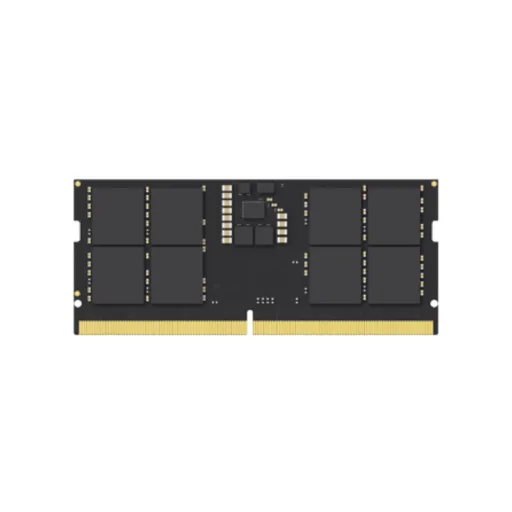
A laptop memory upgrade should respect space limits, kyun ke slim notebooks mein height aur clearance dono sensitive hotay hain, and this module is a compact DDR5 SODIMM. The module size is listed as 69.6 mm x 30 mm x 1.2 mm, so it stays low profile and suited to dense internal layouts. This product specification also notes no cooling fin, jo practical hai because many laptops cannot accommodate tall heat spreaders, and it keeps installation simple. Lower power consumption supports cooler operation in general, is liye aapko extra metal fins ki dependency feel nahi hoti, especially for everyday productivity and creator workflows. The clean, fin less approach also reduces weight and clearance drama, haath se install karte waqt grip aur alignment easier lagta hai, and maintenance stays straightforward. For long sessions, stable thermals help sustain consistent performance, heat kam rehti hai compared to older setups, and fan noise can feel less aggressive depending on your laptop design. When your goal is a reliable internal upgrade rather than a showpiece, this slim build keeps the focus on compatibility, aur system ke andar sab kuch neatly fit rehta hai, in real world use
More memory capacity changes how your laptop feels, kyun ke apps background mein zinda rehtay hain, and switching becomes smoother instead of constantly reloading pages. Lexar lists multiple capacity options for its DDR5 SODIMM lineup, including 16GB and 32GB configurations, so you can choose the headroom that matches your workload. The same product family is positioned as an easy upgrade for multitasking, which is exactly where extra RAM makes the biggest visible difference. DDR5 improvements are also framed around more responsive multitasking and better real world behavior under load, rozana ke use mein, especially when you keep many apps open together. For creators, extra RAM helps with larger timelines and heavier assets, aur students ke liye research tabs aur meetings saath chalna asaan ho jata hai, while the system stays responsive. The 262 Pin SODIMM interface keeps the upgrade in the laptop friendly category, so you get capacity benefits without moving to desktop only parts. When you combine higher DDR5 bandwidth with sensible capacity, multitasking friction kam hoti hai, and the laptop feels more “ready” the moment you open a busy project. This is the kind of upgrade that supports productivity quietly, bina flashy claims ke, and the improvement stays noticeable day to day
A DDR5 SODIMM upgrade is also a platform decision, kyun ke DDR5 and DDR4 are not interchangeable in the same slot, and compatibility must come first. DDR5 brings concrete engineering shifts like dual independent channels and on die ECC, jo reliability aur data movement ko improve karta hai, rather than only chasing higher numbers. DDR5 also improves power behavior with a 1.1V operating voltage compared to DDR4’s 1.2V, which supports efficiency in thinner laptops where heat and battery matter. JEDEC’s DDR5 standard family continues to evolve through updates like JESD79 5A, showing ongoing tuning for performance and reliability expectations across the ecosystem. Intel also frames DDR5 under the JESD79 5 specification with improvements in speed and voltage, jo broadly validate karta hai ke DDR5 is meant to scale forward, not just replace DDR4. The practical takeaway is simple, agar aapka laptop DDR5 ready hai to this upgrade feels like the right generation match, and you avoid buying memory that the system cannot use. When you want a more future friendly baseline for new laptops, DDR5 SODIMM upgrades keep the experience efficient, stable, and modern
A good RAM upgrade should feel predictable and standards driven, kyun ke laptop reliability daily life ka part hoti hai, and this module is specified against JESD79 5A. JEDEC has publicly announced the publication of the JESD79 5A DDR5 SDRAM standard, which reinforces that this naming is tied to an industry spec and not just branding. Lexar states its products undergo extensive testing in Lexar Quality Labs, is liye compatibility aur reliability ka angle strong rehta hai, especially for users who prefer set and forget upgrades. The core electrical profile includes a 1.1V rating and on die ECC support, jo efficiency aur stability ko reinforce karta hai, in a way that suits slim systems. A simple buyer checklist keeps decisions clean, pehle confirm karo ke device mein DDR5 SODIMM slot hai, then choose the capacity that matches your real workload. The 262 Pin SODIMM interface keeps installation in the laptop friendly lane, so upgrades stay practical instead of becoming a full rebuild. When you want smoother multitasking, cooler behavior, and a cleaner modern baseline, yeh Lexar DDR5 SODIMM upgrade bilkul sensible lagta hai, and the benefits show up every day
Here's how current offers compare across retailers.
Review current prices and specifications side by side.