Price Breakdown & Availability
Here's how current offers compare across retailers.
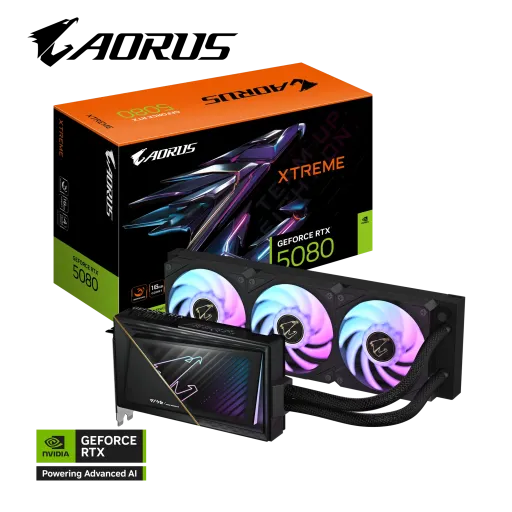
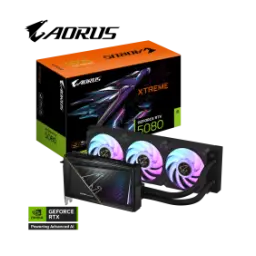
Gigabyte GeForce RTX 5080 Aorus Xtreme Waterforce

You Might Also Like
Built for enthusiasts who hate thermal compromise, yeh Gigabyte GeForce RTX 5080 AORUS XTREME WATERFORCE ek clear message deta hai: sustained performance matters. The official model name targets the RTX 5080 class, while the AORUS XTREME WATERFORCE edition adds an all‑in‑one liquid cooling approach for clean builds. The NVIDIA Blackwell platform underneath is designed for modern rendering and AI features, so daily gaming aur creator workflows dono mein uplift ka intent built in rehta hai. The factory tuned core clock reaches 2805 MHz, jo boost headroom ko practical banata hai when you want high refresh gameplay without random dips. The reference comparison on Gigabyte’s spec sheet lists 2617 MHz, which helps you understand why this variant aims at “plug in and push harder” behavior. A liquid cooled GPU makes sense when long sessions are normal, kyun ke heat stable rahe to boost clocks zyada der sustain hotay hain, and your system feels consistent. The card’s 16GB GDDR7 memory positioning also signals a serious 4K ready mindset, without forcing you into extreme VRAM tiers
Modern monitor setups demand flexible ports, aur yeh card isi point par strong feel deta hai for both gaming and productivity. The output layout includes three DisplayPort 2.1b ports plus one HDMI 2.1b, which keeps high refresh and high resolution options widely compatible with new displays. The same 1x HDMI and 3x DP arrangement is also documented across GPU databases, so planning cables and monitor routing becomes straightforward. The maximum digital resolution is listed as 7680 x 4320, jo 8K workflows ya ultra high desktop real estate ko possible banata hai when you need it. The multi view support is specified at up to four displays, so streaming, Discord, dashboards, aur gameplay ko separate screens par manage karna becomes much easier. Practical daily use benefits show up quickly, because window snapping, timeline preview, and multi app multitasking feel less cramped on a wider layout. A clean port selection also reduces adapter drama, bilkul especially when you are mixing a TV on HDMI with high refresh monitors on DisplayPort. The real win is simple: fewer compromises during setup, and a smoother “it just works” desk experience
Raw GPU throughput matters most under real load, aur RTX 5080 ka baseline itself sits in a serious performance tier. The RTX 5080 is listed with 10,752 NVIDIA CUDA cores, which helps explain why high FPS raster and heavy shader scenes can stay responsive. The NVIDIA page highlights Blackwell architecture plus 5th‑gen Tensor Cores and 4th‑gen Ray Tracing Cores, jo AI aur RT workloads ko balanced tarike se push karte hain. The same spec summary calls out DLSS 4 support, meaning modern upscaling and frame generation tools can reduce the cost of visual ambition. The RTX 5080 boost clock is presented at 2.62 GHz on NVIDIA’s own listing, so you get a reference point when comparing partner OC behavior and thermal designs. This AORUS XTREME WATERFORCE variant aims to keep clocks stable, kyun ke liquid cooling generally helps reduce temperature swings that can trigger boost fluctuation. The felt difference is smoother frametime delivery, especially when scenes get complex and your session is already one hour deep. The overall experience becomes more “console like steady,” lekin with PC level tuning and multi monitor flexibility
Memory behavior often decides real smoothness, aur yahan par the 16GB GDDR7 setup is designed for modern asset loads. The official RTX 5080 spec lists 16 GB of GDDR7 on a 256 bit interface, which keeps texture streaming and large frame buffers more comfortable at higher resolutions. Gigabyte also specifies 16GB GDDR7 with a 256 bit memory bus for this exact AORUS model, so buyers can validate that the premium cooling doesn’t change the core memory configuration. The listed memory clock is shown as 30 Gbps, jo bandwidth ko meaningful uplift deta hai for modern games that love big texture packs and high quality effects. Independent database listings also describe 16GB GDDR7 at 30 Gbps effective on a 256 bit bus, so the bandwidth story stays consistent across sources. In daily gameplay, that translates into fewer “micro pauses” when turning quickly in dense worlds, kyun ke assets can stream with less pressure and less sudden stutter. In creator use, that same headroom makes larger compositions feel less cramped, especially when multiple layers and previews are open at once. The goal is simple: keep quality settings enjoyable, without the constant fear of VRAM spikes
Cooling design becomes the whole personality here, aur WATERFORCE ka point yahi hai ke load par temps tameez se controlled rahen. Gigabyte describes a WATERFORCE all‑in‑one cooling system paired with a 360mm radiator, so heat dissipation gets a bigger surface area than typical air coolers. The radiator is specified as a 360mm aluminum unit with three 120mm ARGB fans, jo airflow ko evenly spread karke long gaming marathons mein stability help karta hai. The tube length is listed at 460mm, which helps with case routing so you can place the radiator top or front depending on your build layout. Gigabyte also mentions liquid metal thermal grease for the GPU, which is typically chosen to improve heat transfer at the contact point when you want lower peak temperatures. In real usage terms, this design supports the “less ramping drama” goal, kyun ke fans can spin more smoothly when the loop absorbs short spikes. The benefit is comfort, because performance bohat stable feel hoti hai when the card isn’t bouncing between temperature thresholds. The visual side also stays premium, since ARGB fans and RGB lighting let the cooling hardware look intentional rather than hidden
System compatibility should feel predictable, aur RTX 5080 ka ecosystem ab PCIe 5.0 x16 ki taraf clearly move kar chuka hai. The card bus is listed as PCI‑E 5.0 on Gigabyte’s specification page, which keeps the interface modern for current gen motherboards and forward looking builds. GPU databases also describe the RTX 5080 using a PCI Express 5.0 x16 interface, so the platform assumption stays consistent across reference listings. Power delivery is handled through a single 16‑pin connector on the AORUS card, which reduces cable clutter compared to older multi‑plug designs, bas routing thori planning mangta hai. Gigabyte lists an included 12V‑2x6 to 3x PCIe 8‑pin adapter, so existing PSU owners can transition without immediate cable replacements. The recommended PSU is stated as 850W, which is the kind of number you want to respect if you plan to pair a high end CPU and keep spikes under control. Physical sizing is also compact for a liquid model at 220mm length on the card body, so case clearance pressure often shifts more toward radiator mounting than GPU length
High refresh gaming needs more than raw power, aur Blackwell ka advantage yahi hai ke software stack bhi equally serious hai. NVIDIA lists DLSS 4 support with Super Resolution, DLAA, Ray Reconstruction, Frame Generation, and Multi Frame Generation, which can help you chase higher FPS while keeping image quality crisp. Competitive feel improves when latency stays controlled, and NVIDIA specifically calls out Reflex 2 support for the RTX 5080 family. For everyday players, yeh features ka matlab often “same settings, smoother outcome” hota hai, especially when you jump into demanding scenes with heavy effects. For single player visuals, Ray Reconstruction can keep RT scenes cleaner, so reflections aur lighting zyada natural lagti hai without forcing harsh denoise artifacts. The water cooled AORUS approach supports this software story, kyun ke stable temps help maintain consistent clocks during extended gameplay, and the experience feels less spiky. A balanced result matters most: better motion clarity, less stutter tension, and fewer reasons to drop settings aggressively
Content creation increasingly leans on AI, aur RTX 5080 ka platform is reality ko directly address karta hai. NVIDIA lists fifth‑generation Tensor Cores with an AI performance figure of 1801 AI TOPS, which signals strong acceleration potential for AI assisted tasks inside modern apps. NVIDIA also lists fourth‑generation Ray Tracing Cores with a 171 TFLOPS figure, jo real time preview aur RT heavy workflows ko support kar sakta hai when you want lighting fidelity. The 16GB GDDR7 memory configuration gives breathing room for heavier timelines and layered projects, so caching aur previews zyada smoothly behave karte hain at higher resolutions. Multi monitor support up to four displays is practical for creators, because you can keep a full screen preview, a timeline, tool panels, and reference material open without constant alt tabbing. A liquid cooled GPU also helps in studios, kyun ke heat kam rahe to fan noise profile often feels less distracting during recording or focused editing. The overall vibe becomes “work longer with less friction,” while still enjoying flagship tier gaming after hours
Premium variants must justify their existence, aur AORUS XTREME WATERFORCE ka core argument stability plus headroom hai. Gigabyte lists a 2805 MHz core clock for this model against a 2617 MHz reference figure, which frames the edition as a factory boosted option intended to run hard without constant manual tuning. Gigabyte positions this card with a WATERFORCE AIO solution and a 360mm radiator, so the extra clock intent is paired with cooling capacity rather than being just a number on a box. The protective metal back plate adds rigidity and peace of mind, especially when you are moving the PC or managing heavier tubing and radiator routing. Warranty expectations matter at this tier, and Gigabyte states a 4 years warranty with online registration required, which adds confidence for long term ownership planning. PSU planning stays straightforward with an 850W recommendation, so builders can spec a stable system and avoid random shutdown anxiety under load. The best buyer fit is clear: yeh card un logon ke liye hai jo high end performance ko long sessions mein bhi smooth rakhna chahte hain, and who prefer a clean AIO look over a massive air cooler
Here's how current offers compare across retailers.
Review current prices and specifications side by side.
Gigabyte
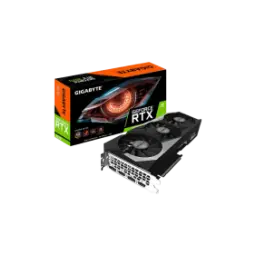
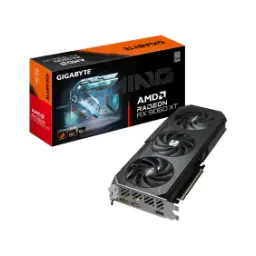
Gigabyte GeForce RTX 5060From Rs. 124,990
Local price
Lowest current price22 offers
Updated 21 hours ago
Gigabyte
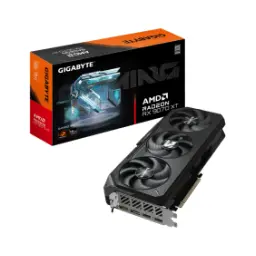
Gigabyte GeForce RTX 5070 TiFrom Rs. 340,000
Local price
10 offers
Updated 21 hours ago