

Price Breakdown & Availability
Here's how current offers compare across retailers.

MSI GeForce RTX 5060 Ti Gaming Trio OC 8GB Graphics Card
Seller: TechMatched
Updated 5 hours ago
MSI GeForce RTX 5060 Ti Gaming Trio OC 8GB Graphics Card
Seller: TechMatched
Updated 5 hours ago
Rs. 161,999
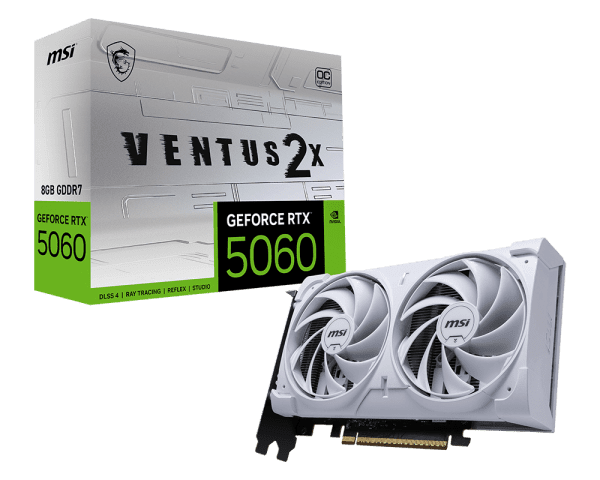
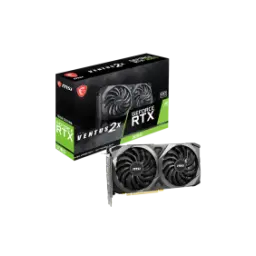
MSI GeForce RTX 5060 Ti VENTUS 2X OC PLUS 8GB GDDR7 Graphics Card
Seller: TechMatched
Updated 5 hours ago
MSI GeForce RTX 5060 Ti VENTUS 2X OC PLUS 8GB GDDR7 Graphics Card
Seller: TechMatched
Updated 5 hours ago
Rs. 161,999
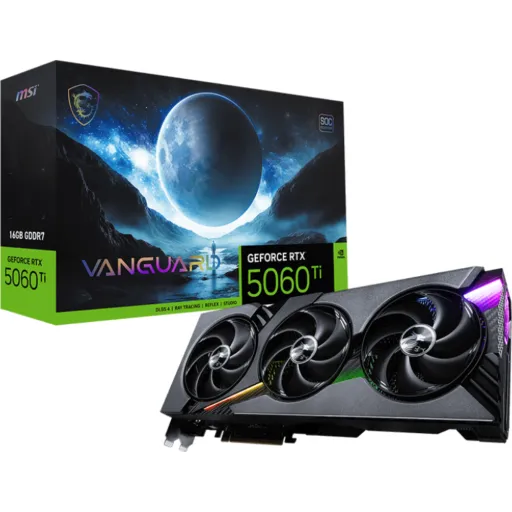
MSI GeForce RTX 5060 Ti


You Might Also Like
This MSI GeForce RTX 5060 Ti is built for modern balance. It targets the sweet spot where 1080p and 1440p feel smooth, rozana gaming aur creative kaam dono asaani se ho jate hain, without turning your PC into a noisy heater. The core platform is NVIDIA’s Blackwell based GeForce RTX 50 Series, which is designed around neural rendering and newer AI assisted graphics features. The MSI lineup also markets this card as powered by Blackwell and DLSS 4, so you get a clear path to newer upscaling and frame generation workflows in supported games. The experience feels more consistent in real play because motion stays cleaner, aur micro stutter wali tension kam hoti hai, especially when you pair it with a high refresh monitor. The board’s positioning matters for builders because it aims for practical efficiency, heat kam aur performance stable, rather than chasing extreme power draw. The MSI spec pages show it as a PCIe Gen 5 design with a physical x16 connector, which keeps compatibility straightforward for most mainstream motherboards. The end result is a card that fits daily life: quick launches, steady frame pacing, aur setup ka overall feel refined, without requiring a complete platform overhaul
This generation’s biggest win is AI driven rendering headroom. NVIDIA positions Blackwell RTX as an architecture built to accelerate neural shaders, ray tracing, and DLSS workflows, which directly translates into higher perceived smoothness when settings climb. The DLSS 4 stack adds Multi Frame Generation and updated AI models, so supported games can feel dramatically faster without you dropping texture detail every time. NVIDIA also states DLSS 4 Multi Frame Generation can generate up to three additional frames per traditionally rendered frame and, in select showcased scenarios, multiply frame rates by up to 8X; real world gains vary, lekin uplift ka direction bilkul clear hota hai. This matters in practical play because the GPU can hold a steadier feel in heavy scenes, jahan pehle sudden dips aa jate thay, while you keep lighting and effects looking richer. The transformer based DLSS upgrades are positioned around better stability and reduced artifacts, so motion clarity improves and shimmering kam nazar aata hai during fast camera pans. The value here is not just “more FPS,” but cleaner frames that look consistent, aur gameplay ka response zyada predictable, which is exactly what competitive and casual players both want
This card installs like a standard modern GPU. MSI lists the interface as PCI Express Gen 5 x16, and it explicitly notes the card uses x8 lanes electrically, so it fits x16 slots while running at an x8 link. That detail sounds scary on paper, lekin real world impact often stays small because the RTX 5060 Ti is designed around that lane configuration and board partners ship it that way. Industry reporting also highlights how some partner cards moved between x8 and x16 connectors, while noting the GPU itself is electrically intended for x8 speeds, so performance doesn’t suddenly collapse. The practical benefit is simple: compatibility stays easy, aur aapko motherboard selection mein zyada tension nahi hoti, because any decent x16 PCIe slot will physically accept it. The Gen 5 signaling gives additional headroom versus older platforms, so even if your board is Gen 4, the card remains backward compatible by design and still runs smoothly. This makes the upgrade feel “drop in,” where the build process stays clean and predictable, aur setup ka hassle kam, especially for first time builders who just want stable gaming without a week of troubleshooting
This GPU’s memory setup is tuned for efficiency. MSI lists GDDR7 memory on a 128 bit interface with a 28 Gbps memory speed, which is a key reason the card can stay responsive even with a narrower bus. TechPowerUp’s database also shows the RTX 5060 Ti using GDDR7 on a 128 bit bus and notes an effective 28 Gbps memory data rate, which translates into substantial bandwidth for the class. The same listing calculates bandwidth at 448 GB/s, and that number matters because it feeds textures and frame buffers with less bottleneck risk, rozana ke titles mein hitching ka chance kam hota hai. The card family also ships in both 8GB and 16GB variants, so buyers can choose based on how heavy their game libraries and creator workloads are. MSI’s own SKUs include 8GB and 16GB GDDR7 models, which makes that choice concrete instead of theoretical. The practical takeaway is clear: memory feels quicker, loading and swapping feel smoother, aur texture pop in wali irritation kam, especially when you keep settings sensible for 1080p and 1440p play
This GPU is positioned for mainstream gaming resolutions. TechPowerUp lists the RTX 5060 Ti’s recommended gaming resolutions across 1080p, 1440p, and even 4K depending on settings, which aligns with a “tuned high quality” approach rather than max everything always. The same database entry states DirectX 12 Ultimate support, which is relevant because modern titles increasingly lean on DX12 features and ray tracing pipelines for lighting and shading. MSI’s specification pages also list DirectX 12 Ultimate support, keeping the feature stack consistent for upcoming games. The real benefit shows up in daily play: menus feel snappy, camera pans feel controlled, aur fast fights mein input ka response stable rehta hai, because the platform is built for newer AI rendering methods. NVIDIA’s GeForce posts describe neural rendering and DLSS 4 as a core direction for Blackwell, so the card is meant to scale with more games adopting these features. This is exactly the kind of GPU that makes a high refresh monitor feel “worth it,” kyun ke frames consistent aate hain, while you keep the visual vibe modern and clean
This MSI design emphasizes long session stability. The MSI store listing highlights TORX Fan 5.0, a nickel plated baseplate, and Core Pipes aimed at efficient heat transfer, which helps keep boost behavior more consistent during extended gaming. The same page also calls out build conveniences like a metal magnetic backplate and a “Zero Trace Power Path” concept for cleaner cable presentation, jo clean build lovers ke liye genuinely useful hai. MSI Center modes are also promoted for switching between performance and low noise behavior, so you can dial noise down when you just want quiet browsing and streaming. The practical outcome is less thermal drama: fans don’t need to spike aggressively, heat kam rehti hai, and clock stability feels steadier when the room gets warm. The MSI spec sheet lists the card as a dual slot class design, which typically keeps installation simple in mid towers without fighting adjacent slots. This kind of cooling and build balance is what makes the upgrade feel premium day to day, because stability is something you notice constantly, not just in benchmark screenshots
This card is ready for high refresh connectivity. MSI lists three DisplayPort 2.1b outputs and one HDMI 2.1b output on the RTX 5060 Ti GAMING models, which is ideal for multi monitor desks and modern 1440p high Hz panels. The same MSI page notes HDMI 2.1b capability up to 4K 480Hz or 8K 120Hz with DSC, which gives a clear upgrade path for next gen TVs and ultra high refresh setups. MSI also lists support for up to four displays and a maximum digital resolution of 7680 x 4320, so productivity plus entertainment feels seamless on a single GPU. The everyday advantage is comfort: window snapping, dual screen workflows, aur gaming ke saath Discord/stream controls sab asaani se handle ho jate hain, without port limitations forcing adapters. The DisplayPort 2.1b inclusion is especially relevant for high bandwidth monitors, because it reduces the need for compromises when you push refresh rate and resolution together. This makes the setup feel future leaning without being experimental, kyun ke ports practical bhi hain aur forward looking bhi
This GPU aims for sensible power behavior. MSI lists a 180W power consumption figure and a 600W recommended PSU on multiple RTX 5060 Ti SKUs, which helps buyers plan upgrades without guessing. The connector choice can vary by model, where some MSI cards list a 16 pin connector with an ATX 3.1 PSU recommendation, while other compact variants may use an 8 pin; yeh difference purchase se pehle check karna smart rehta hai. The MSI store listing for the GAMING OC variant also repeats the 180W and 600W guidance alongside the 16 pin header detail, making the build requirements very explicit. The real benefit is lower friction: cable management stays cleaner, upgrade ka budget predictable rehta hai, and you can focus on airflow and acoustics instead of emergency PSU shopping. Efficient power also supports quieter fan profiles, kyun ke heat output controlled hota hai, which keeps the whole system feeling more refined. This kind of planning friendly design is exactly why midrange builds often feel the most satisfying, because they stay fast without demanding constant compromises
This product family gives you a clear choice. NVIDIA announced the RTX 5060 Ti in both 8GB and 16GB configurations, which matters because VRAM needs change drastically between esports style play and heavier texture rich titles. MSI’s own catalog confirms both 8GB GDDR7 and 16GB GDDR7 variants on a 128 bit bus, so you can pick based on your real usage instead of marketing guesswork. The practical rule is simple: smaller competitive titles run great either way, lekin heavy mods, higher textures, aur creator timelines zyada comfortable feel karte hain with extra VRAM. The underlying platform still brings Blackwell + DLSS 4 positioning, so even the 8GB model benefits from AI assisted performance scaling in supported games. MSI’s interface notes also keep install compatibility straightforward with PCIe Gen 5 x16 slot fitment while using x8 lanes, so the buying decision stays focused on capacity and cooling style. The best outcome comes from matching the card to your habits, kyun ke sahi variant lene se “upgrade regret” bilkul kam hota hai, and the system stays smooth for years of daily use
Here's how current offers compare across retailers.
Review current prices and specifications side by side.