Price Breakdown & Availability
Here's how current offers compare across retailers.
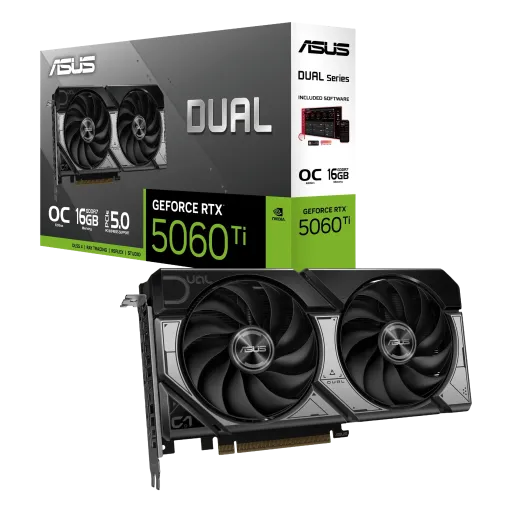
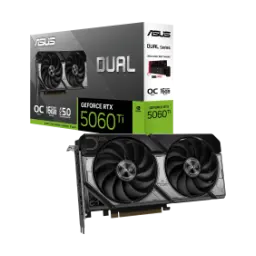
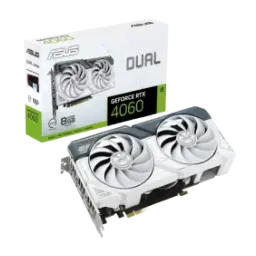
ASUS GeForce RTX 5060 Ti Dual


You Might Also Like
ASUS GeForce RTX 5060 Ti Dual is designed for performance focused builds where space and airflow both matter, so aapko heavyweight gaming vibe milti hai without committing to an oversized triple fan card. The Dual lineup pairs two Axial tech fans with a compact 2.5 slot form factor, which helps you keep clearance manageable in mid towers and many tighter cases. NVIDIA positions the RTX 50 Series as a Blackwell powered platform that blends neural rendering, ray tracing, and AI acceleration for both gamers and creators, meaning yeh sirf FPS ka game nahi, overall experience ka upgrade bhi banta hai. The RTX 5060 Ti sits in the RTX 5060 family with Blackwell architecture and modern feature support, so you can target smooth 1440p play while keeping settings practical. ASUS also keeps the setup ecosystem simple with GPU Tweak III support and driver options (Game Ready and Studio), which helps you tune fans and clocks asaani se without living inside complicated overclock menus. For buyers who want a clean, compatible upgrade path, the Dual edition’s “fits most builds” approach is the real hook, bilkul practical and future aware
NVIDIA frames the RTX 5060 Ti as a 1440p ready option, and that target makes sense when you want clarity plus responsiveness rather than chasing noisy, unstable ultra presets. NVIDIA’s RTX 5060 family specs highlight Blackwell plus 5th Gen Tensor Cores and 4th Gen RT Cores, so ray traced lighting looks richer while AI assisted rendering keeps motion smooth. DLSS 4 brings Multi Frame Generation that can generate up to three additional frames per traditionally rendered frame, which is exactly the kind of uplift that makes high refresh gameplay feel “lag nahi” during heavy scenes. NVIDIA also ties the RTX 50 Series story to “massive AI horsepower” and neural rendering, meaning the card’s value is not only raw raster muscle but smarter frame delivery too. In real games, DLSS 4 plus Reflex often becomes the difference between a playable high quality experience and a stuttery compromise, especially when you prefer crisp motion and quick aim correction. The practical win is consistency: you get smoother frame pacing, cleaner motion, and fewer “why did it dip?” moments, rozana ke sessions mein, while still keeping image quality disciplined
The heart of this ASUS Dual card is NVIDIA’s Blackwell based RTX 5060 Ti configuration with 4,608 CUDA cores, which gives you a strong base for modern engines and creator pipelines alike. ASUS lists the same 4,608 CUDA core count on its Dual RTX 5060 Ti tech specs, so you’re not guessing the core configuration when you pick a Dual SKU. TechPowerUp identifies the graphics processor as GB206 on ASUS Dual RTX 5060 Ti models, which matters because it signals the exact silicon family you’re buying, bilkul clear and traceable. TechPowerUp also shows 144 Tensor Cores (5th Gen) on this configuration, so AI driven features and DLSS workloads have dedicated hardware rather than stealing cycles from general shading. The reported process size is 5 nm on GB206, and that efficiency angle usually translates into better sustained behavior under long sessions, heat kam and clocks zyada stable. When your goal is consistent 1% lows and smooth frame delivery, this “balanced compute + AI hardware” approach feels more practical than chasing brute force alone
ASUS positions the Dual RTX 5060 Ti as an easy fit upgrade, and power planning is a big part of that comfort when you don’t want surprises during installation. ASUS lists PCI Express 5.0 support and a single 8 pin power connector on Dual RTX 5060 Ti tech specs, which keeps cable routing straightforward, asaani se manage ho jata hai. TechPowerUp reports a 180W TDP for RTX 5060 Ti class boards and shows PCIe 5.0 x8 connectivity in the reference level data, which helps set realistic expectations for thermals and platform pairing. ASUS recommends a 550W PSU for its Dual RTX 5060 Ti OC model, which is a sensible planning target when your CPU and the rest of the system also draw power under load. NVIDIA’s RTX 5060 desktop family announcement also emphasizes modern Blackwell efficiency plus software side gains, which is why many users see smoother performance without needing a massive PSU jump. The real benefit is build peace of mind: fewer cables, predictable draw, and less tuning drama when you just want the system to behave
Modern GPUs are judged by more than gaming now, and the RTX 5060 Ti Dual fits nicely when you mix streaming, editing, and daily multitasking in one machine. TechPowerUp notes the GB206 feature stack includes newer generation encode and decode blocks (NVENC/NVDEC generations listed for GB206), which supports smoother capture and export workflows, kaam tez hota hai in real sessions. ASUS explicitly points users to both GeForce Game Ready Driver and Studio Driver options in the Dual RTX 5060 Ti software list, which is useful when you want stability in creative apps rather than chasing the newest day one game profile. NVIDIA’s RTX 50 Series messaging highlights NVIDIA Studio alongside gaming, reinforcing that Blackwell is meant to accelerate creator workloads and AI assisted tools, not just push frames. DLSS 4’s transformer model updates also tie into improved image reconstruction and temporal stability, which matters when you value cleaner motion and fewer artifacts in captured clips. The outcome is a more “all rounder” GPU feel: streaming stable, timelines smoother, and games still deliver, bilkul without forcing you into a workstation only card choice
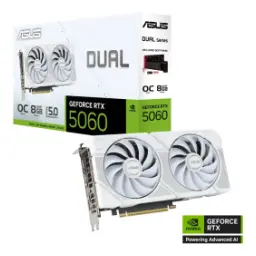
Thermals decide whether performance stays stable, and ASUS leans on flagship inspired cooling ideas even in the Dual series to keep long sessions reliable. ASUS describes the Dual RTX 5060 Ti as using two Axial tech fans optimized to feed the heatsink, which helps control heat buildup so boost behavior feels steady, heat kam and fan response more predictable. ASUS lists physical dimensions for the Dual RTX 5060 Ti OC 8GB model as 229 x 120 x 50 mm, giving you a concrete fit check for tight cases and front radiator clearance. For an alternate Dual SKU, ASUS lists the Dual RTX 5060 Ti EVO 16GB dimensions as 225 x 120 x 42 mm and calls it a 2.1 slot card, which can matter if your build is SFF focused. Tom’s Hardware also discusses ASUS shifting certain Dual RTX 5060 Ti variants to PCIe x8 and tweaking the EVO design to be more compact, which supports the idea that “fit” is a real design priority here. The everyday benefit is simple: clocks hold better, noise stays more controlled, aur gaming sessions zyada enjoyable lagte hain
Memory behavior shows up as stutter or smoothness, and the RTX 5060 Ti family’s move to GDDR7 is meant to keep modern textures and shaders moving efficiently. NVIDIA lists the RTX 5060 Ti in 16GB and 8GB GDDR7 standard configurations, so you can pick the VRAM tier that matches your game library and creator needs, bilkul apne use ke hisaab se. ASUS specifies 28 Gbps memory speed and a 128 bit interface on Dual RTX 5060 Ti models, which is the kind of spec that translates into fewer “texture pop in” annoyances when settings are tuned reasonably. TechPowerUp reports a 128 bit bus with 28 Gbps effective memory and calculates 448 GB/s bandwidth for the RTX 5060 Ti 8GB spec entry, reinforcing that this card is tuned for high throughput 1440p workloads rather than wide bus brute force. When you’re juggling big game installs, capture buffers, and background apps, that bandwidth headroom helps keep frame pacing smooth, multitasking asaan hoti hai. The practical approach is to pair VRAM choice with your habits: esports and balanced 1440p can live happily on 8GB, while heavier creation and texture hungry titles feel safer on 16GB
Raw FPS is only one piece of modern gaming, and RTX features are where the RTX 5060 Ti Dual can feel like a generation step rather than a minor refresh. NVIDIA lists 4th Gen Ray Tracing Cores and 5th Gen Tensor Cores for the RTX 5060 Ti in the RTX 5060 family table, which supports higher quality lighting while AI hardware keeps performance steady, lag nahi hota as often in complex scenes. NVIDIA’s DLSS 4 announcement explains Multi Frame Generation can generate up to three additional frames per traditionally rendered frame and can multiply frame rates dramatically when paired with other DLSS techniques, which is why DLSS becomes a practical default rather than a “maybe” toggle. NVIDIA’s game feature posts also connect DLSS 4 and Reflex for responsiveness, and one example cites Reflex reducing PC latency by up to 60% in supported titles, which helps aim feel tighter, response time bilkul better lagti hai. Tom’s Guide highlights that NVIDIA’s own target for RTX 5060 Ti is 1440p and discusses uplift versus the prior generation, so the card’s sweet spot is clear if your goal is crisp motion and controlled settings. The end result is a “smart performance” profile: you lean on DLSS and Reflex to stay smooth, and you turn ray tracing on selectively where it looks best
A graphics card has to integrate cleanly, and the ASUS Dual RTX 5060 Ti keeps the fundamentals modern so your monitor setup feels future safe. ASUS lists native outputs as 1x HDMI 2.1b plus 3x DisplayPort 2.1b on Dual RTX 5060 Ti models, which is ideal when you want high refresh on a primary display and extra screens for chat, edit tools, ya productivity. ASUS also specifies a maximum digital resolution of 7680 x 4320 and support for up to four displays, so multi monitor workflows stay straightforward without adapters, asaani se set ho jata hai. TechPowerUp’s RTX 5060 Ti entry aligns with the idea of HDMI 2.1b and DisplayPort 2.1b outputs, reinforcing that the platform is set up for modern display standards rather than older port limitations. NVIDIA’s RTX 5060 desktop family announcement even calls out DisplayPort 2.1 UHBR20 support in the broader context of the lineup, underscoring the “new display ready” direction. For a buyer choosing the ASUS Dual edition, the closing logic is simple: it fits, it connects, and it delivers smooth, modern features without unnecessary complexity, bilkul a clean upgrade path
Here's how current offers compare across retailers.
Review current prices and specifications side by side.