
Price Breakdown & Availability
Here's how current offers compare across retailers.
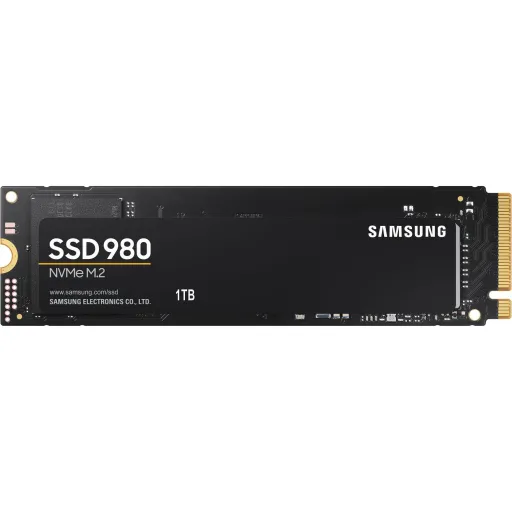
Samsung 980 NVMe M.2 SSD 1TB

You Might Also Like
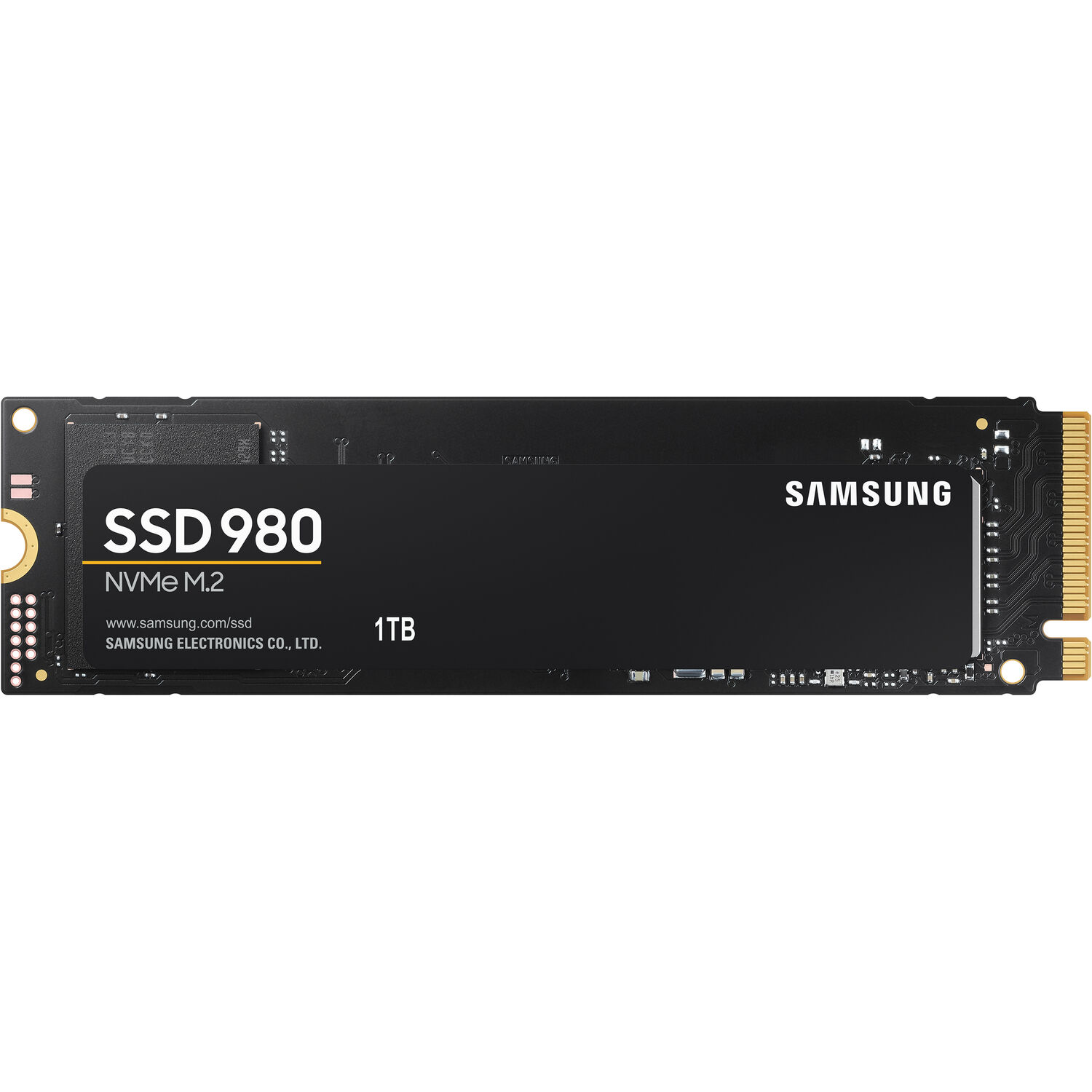
The Samsung 980 1TB NVMe SSD targets fast everyday builds. With PCIe Gen 3.0 x4 bandwidth available, rozana ke boots and app launches feel noticeably quicker. This NVMe 1.4 interface keeps command handling efficient, so the system feels responsive under mixed use. The M.2 2280 form factor saves space, case ke andar wiring aur airflow manage karna easy hota hai. Samsung rates sequential reads up to 3,500 MB/s for the 1TB model. Samsung rates sequential writes up to 3,000 MB/s, so game installs and project exports move along faster. An in house controller and Samsung V NAND help keep the platform tightly integrated, performance bohat stable rehti hai in normal workloads. This 1TB capacity fits modern libraries and work folders, storage anxiety kam hoti hai without constant cleanup. The overall experience stays simple: modern NVMe speed in a compact, practical drive
Fast sequential throughput makes big transfers finish sooner. With up to 3,500 MB/s sequential reads listed, large game loads and heavy assets open faster. With up to 3,000 MB/s sequential writes claimed, rozana ka footage import and backup routine feels less tiring. Random 4KB reads reach up to 500,000 IOPS at QD32, which helps when many small files are in play. Random 4KB writes reach up to 480,000 IOPS at QD32, multitasking asaan hoti hai when updates and installs overlap. Lower queue performance still matters for desktops, and Samsung lists up to 17,000 IOPS random read at QD1. Lower queue random writes can reach up to 54,000 IOPS, so small saves and cache writes stay smooth. Samsung uses Intelligent TurboWrite for bursty writes, which keeps short transfers feeling fast in daily use. Samsung notes post TurboWrite sequential writes up to 900 MB/s for the 1TB model, isliye very long copy jobs can slow down
A DRAM less SSD can sound like a compromise. This drive uses Host Memory Buffer support, jahan host system ki DRAM se caching aur buffering manage hoti hai. Samsung describes HMB as using host DRAM for read and write caching, which helps efficiency without on drive DRAM. This approach keeps the hardware leaner, aur cost bracket mein strong NVMe experience mil jata hai. Review coverage notes the 980 lacks a DRAM buffer, while explaining how HMB helps avoid the usual DRAM less performance drag. Day to day transfers can still feel competitive, rozana ke installs and app updates mein noticeable smoothness rehti hai. Samsung Magician also adds a Full Power Mode option, jo lower power states ko minimize karke wake latency reduce karta hai. Reviews similarly describe Full Power Mode as keeping the drive from sleeping, which can help instant returns to heavy files. This combination works best for mixed workloads, so everyday responsiveness stays consistent. Sustained heavy writes can still taper, isliye long continuous ingest workflows should be planned with realistic expectations
Long term reliability matters more than headline bursts. Samsung rates the 1TB model for up to 600 TBW, which supports years of installs, updates, and creative exports. A five year limited warranty backs the drive, jo daily use mein confidence aur peace of mind deta hai. Samsung lists an MTBF figure of 1.5 million hours, which is a reassuring reliability marker for client PCs. Shock resistance is listed at 1,500 G for 0.5 ms, travel rigs aur portable builds ke liye helpful safety margin ban jata hai. Support for TRIM and S.M.A.R.T. is included, so health monitoring and maintenance stay practical. Samsung also lists automatic garbage collection, which helps keep performance behavior more predictable over time. These reliability signals suit a primary OS drive role, where stability matters more than flashy graphs. The result feels dependable in real use, bilkul tension free for routine workloads and gaming libraries
Sustained performance depends on steady temperatures. Samsung uses a nickel coating to help manage controller heat, heat kam rehta hai during longer sessions. Samsung also mentions a heat spreader label for effective NAND thermal control, which helps avoid sharp performance swings. Samsung describes Dynamic Thermal Guard as part of its thermal approach, aiming to keep temperatures at optimal levels over long usage. Independent review coverage also calls the drive fairly cool running, with testing reporting a peak around 62°C. Cooler operation can reduce throttle events, isliye long gaming sessions aur big file queues feel steadier. The slim M.2 footprint fits many desktops and laptops, so space constraints are usually manageable. A motherboard M.2 heatsink can still help, especially for extended writes and busy workstation tasks. This thermal discipline supports stable daily speed, which matters more than brief benchmark spikes
Fast storage feels better when it stays secure. Samsung lists AES 256 bit full disk encryption support, which can help protect data at rest on compatible setups. Samsung also lists TCG Opal and IEEE1667 encrypted drive support, office aur managed laptop environments mein yeh kaafi relevant hota hai. Retail specification pages similarly cite AES 256 bit and TCG/Opal support, reinforcing the security feature set. Security support matters more on portable devices, kyun ke lost laptop ka risk real hota hai. S.M.A.R.T. support adds practical monitoring, because you can track health indicators before issues become urgent. Samsung Magician is listed as the management software, so firmware updates and health checks stay organized. This mix of speed and protection suits both personal and business storage needs, without adding complexity. The outcome feels refined in daily use, asaani se manageable for long term ownership
A real 1TB tier changes daily habits. Samsung rates the drive at 1,000GB using IDEMA definitions, so usable space can be slightly less after formatting. This capacity helps keep multiple modern games installed, rozana ke updates ke saath delete install cycle kam hota hai. This capacity also fits creative folders and scratch outputs, keeping active work local for faster access. The standard M.2 2280 size measures 80.15 x 22.15 x 2.38 mm, which fits most NVMe ready laptop and desktop slots. A max 8.0 g weight keeps ultrabook builds light, bilkul extra burden feel nahi hota. The compact board shape also supports clean cable free builds, which helps airflow and serviceability. When storage stays local, project browsing and asset search feel faster, workflow bohat smooth lagta hai. This is the kind of capacity that reduces friction, so your PC feels ready instead of constantly managed
Power efficiency shows up as cooler everyday operation. Samsung lists average power consumption at 4.6 W, which supports stable thermals under typical client workloads. Samsung lists idle power up to 45 mW, so background standby stays light for always on systems. Device Sleep Mode support is listed as available, battery backup aram se nikal jati when the laptop is mostly idle. The PCIe Gen 3.0 x4 interface fits a huge range of mainstream motherboards, so upgrades usually stay straightforward. NVMe 1.4 support keeps the protocol modern, improving how the drive handles concurrent requests. TRIM support and automatic garbage collection are listed, which helps keep long term behavior more consistent. This combination suits office systems and gaming rigs alike, jahan reliable speed and low fuss both matter. The practical benefit is fewer slowdowns under normal mixed use, while still feeling fast where it counts
The best SSD choice matches your platform tier. Samsung positions the 980 around PCIe 3.0 NVMe speed with HMB efficiency, which targets balanced builds without jumping into hotter flagship classes. Samsung also claims over 6.2x the speed of its SATA SSDs, which highlights the real world upgrade jump from older storage. If your motherboard is PCIe 3.0 only, yeh 3,500/3,000 MB/s class is already close to the interface ceiling. If your system supports PCIe 4.0, faster drives like Samsung 980 PRO list up to 7,000/5,000 MB/s for higher headline throughput. This makes the 980 a strong pick for mainstream gaming and productivity, jab aapko stable performance chahiye without chasing max numbers. Samsung Magician support adds practical control like Full Power Mode and health management, which keeps ownership simple over time. The final outcome is fast storage that feels modern, rozana ke kaam mein bilkul straightforward and reliable
Here's how current offers compare across retailers.
Review current prices and specifications side by side.
 Current
Samsung
Samsung 980 NVMe M.2 SSD 1TBRs. 44,999
Local price
Lowest current price2 offers
Updated 14 hours ago