
Price Breakdown & Availability
Here's how current offers compare across retailers.

You Might Also Like
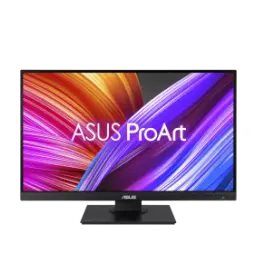
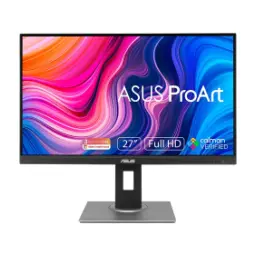
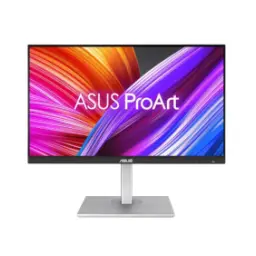
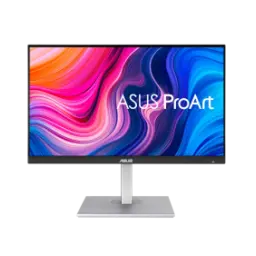
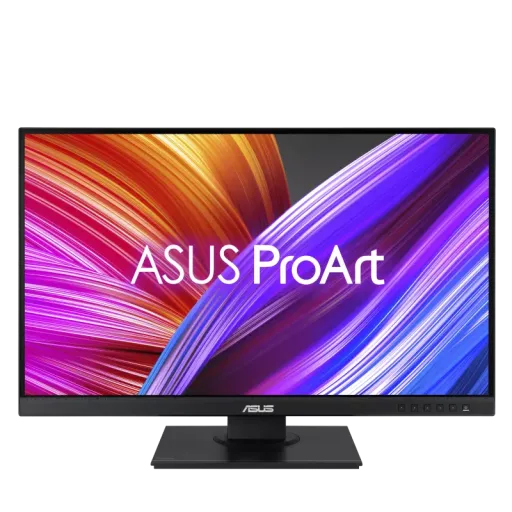
This ASUS ProArt Display PA278QEV feels built for creators, jinko color par real kaam karna hota hai. A frameless 27 inch screen keeps your workspace modern and focused. With WQHD 2560 x 1440 resolution, your timelines and layers stay crisp. An IPS panel maintains consistent tones at wide angles, side se dekhne par bhi. With 100% sRGB and 100% Rec.709 coverage, your edits translate cleanly across devices. Factory calibration targets Delta E < 2, jis se skin tones aur gradients stable rehte hain. A 75Hz refresh rate keeps daily motion smoother than standard office panels. Adaptive Sync support helps reduce tearing in fast pans, preview scrubbing, aur smooth feel. This monitor fits design, photo, and video routines with minimal fuss
A spacious 27 inch panel gives layouts room to breathe, rozana ka kaam less cramped lagta hai. The QHD 2560x1440 resolution keeps text and UI elements sharp without constant scaling tweaks. A 109 PPI density lands in a practical clarity zone for creative apps. An anti glare surface cuts harsh reflections, is liye overhead lights se distraction kam hota hai. The IPS viewing angles reach 178 degrees both ways, so collaboration feels natural. With 350 cd/m2 typical brightness, content stays readable in bright rooms. A 1000:1 typical contrast helps separation in UI panels, blacks IPS style rahein ge but controlled. The 16.7M color support delivers smooth gradients for everyday work. A 5ms GTG response keeps motion clean for general editing and browsing
With calibrated color accuracy in mind, this display targets dependable output for creative workflows. The stated Delta E < 2 goal supports tighter color confidence, color mismatch ki tension kam hoti hai. With Calman verification and factory calibration mentioned, the out of box baseline becomes more predictable. With 100% sRGB and 100% Rec.709 coverage stated, web, video, and broadcast friendly work stays consistent. The ProArt Preset modes include sRGB, Rec.709, and DCI P3 options for quick context switching. The ProArt Palette tools enable deep tuning, asaani se aap apni preference lock kar sakte ho. With 6 axis color adjustment available, fine hue corrections feel more controlled than basic sliders. With gamma choices from 1.8 to 2.6, grading and UI contrast can be matched to your target. This approach supports repeatable results across projects, especially jab deadlines tight hon
A 75Hz refresh rate makes scrolling and playbacks feel more fluid during long sessions. With Adaptive Sync listed at 48 75Hz, you get fewer tears in animated previews and fast UI moves. The VRR support helps keep frames aligned, gaming style hardcore nahi but smoothness noticeable hoti hai. With Motion Sync available, motion handling is tuned to reduce visual mismatch during movement. A 5ms GTG response supports clean transitions for common creator needs. The vertical signal frequency reaches up to 75 Hz, so your system can actually drive that refresh. This balance works well for timeline scrubbing and light gaming, dono ka mix asaani se. The result feels calmer on the eyes compared to jittery 60Hz workflows
This monitor supports flexible hookups across different machines, especially jab workstation mix ho. The inputs include DisplayPort 1.2, Mini DisplayPort, HDMI 1.4, and Dual Link DVI for broad compatibility. A built in USB hub provides four USB 3.2 Gen 1 Type A ports for accessories. With PC audio input and a headphone jack, audio routing stays straightforward for desk setups. The HDCP 1.4 support helps with protected playback on supported sources. With multiple ports available, you can keep a laptop and a desktop connected without daily cable swapping. This layout feels practical for creators, kyun ke dongles ki dependency kam hoti hai. The end result is a cleaner workstation that stays ready for work
A fully adjustable stand helps you dial in posture, rozana ke kaam mein comfort bohat matter karta hai. The height adjustment range reaches 0 to 150 mm for better eye level alignment. The screen tilt spans +35 degrees to 5 degrees, which supports upright or relaxed seating. The swivel range goes +90 to 90 degrees, so sharing your screen feels natural. The pivot function rotates +90 to 90 degrees, portrait mode mein coding aur long posters easy ho jatay hain. With VESA 100x100 mounting support, you can move to an arm later without replacing the display. The chassis dimensions with stand are listed as 61.50 x 53.20 x 22.60 cm, so desk planning stays predictable. The net weight is listed at 6.9 kg, which feels solid but manageable during setup
With long edits and reviews in mind, the panel includes Flicker free support for steadier viewing. A Low Blue Light mode helps reduce harshness at night, raat ko kaam karte hue strain kam hota hai. The certifications list includes TUV Flicker Free and TUV Low Blue Light, which adds third party reassurance. The typical power consumption is listed as under 18.6W, so all day use stays efficient. The power saving mode is listed under 0.5W, which suits studio sleep cycles. A hard switch power off mode is listed as 0W, bilkul clean shutdown milta hai. This combination supports healthier daily habits without overcomplicating settings. The experience stays comfortable when your workday stretches
With creator focused overlays available, QuickFit helps you preview alignment and sizing on screen. The ProArt Preset modes speed up switching between task profiles, asaani se aap sRGB ya Rec.709 choose kar sakte ho. The ProArt Palette suite supports deeper adjustments like 6 axis color control and gamma tuning. With ProArt Chroma Tune listed, you get additional color behavior tuning for different viewing needs. The tech specs also list ProArt Widget support, which can simplify on screen control workflows. ASUS also offers ProArt Calibration software for ProArt displays, letting you calibrate with major external calibrators on Windows and macOS. This toolkit feels practical when you need repeatability, warna har project mein color drift ka risk hota hai. The outcome is a workflow that stays consistent across revisions
A frameless design supports cleaner multi monitor lines, jahan bezels kam hon to focus barhta hai. The QHD resolution keeps two window layouts readable, so you can edit and reference side by side. The portrait pivot range reaches +90 to 90 degrees, which suits vertical timelines and long web pages. With four USB Type A hub ports, a keyboard, mouse, and card reader can live on the monitor. The input mix includes DisplayPort, HDMI, and Dual Link DVI, so older rigs can still stay in service. The audio section lists no built in speaker, is liye headphones ya external speakers plan karna behtar hota hai. This setup encourages a tidy desk where tools stay connected. The overall feel becomes more professional when your workflow stays one step ahead
This monitor hits a balanced creator tier for everyday production work, na zyada complicated aur na underpowered. A 27 inch QHD IPS panel provides a sharp, comfortable canvas for editing and office tasks. With 100% sRGB and 100% Rec.709 coverage stated, it aligns well with common web and video standards. With Calman certification and Delta E < 2 targeting, the display aims for color trust right out of the box. A 75Hz refresh plus Adaptive Sync support keeps motion smoother for previews and general use. With strong ergonomics and VESA 100x100 mounting, comfort and flexibility stay built in for future desk upgrades. With under 18.6W listed typical power use, long workdays feel efficient and heat kam rehti hai. This combination suits designers, editors, and students who want reliable color without jumping to extreme specs. The final decision becomes simple when your priority is consistent output and a clean workflow
Here's how current offers compare across retailers.
Review current prices and specifications side by side.