
Price Breakdown & Availability
Here's how current offers compare across retailers.
You Might Also Like
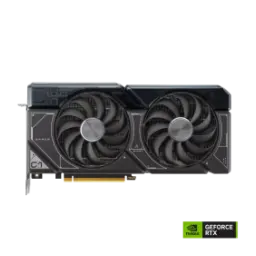
This ProArt OC edition is built for creators. It keeps the aesthetic clean, kaam wali vibe strong rehti hai, and the card looks professional in open panel cases. This model is officially SFF Ready and sized for compatibility. The 2.5 slot form factor with 300 x 120 x 50 mm dimensions makes placement easier in tighter layouts, especially when airflow planning is tight. This GPU uses the GeForce RTX 4070 Ti SUPER engine. That means you get the 4070 Ti SUPER class core configuration, jo gaming aur creation dono mein stable base deta hai. This platform connects over PCI Express 4.0 for modern builds. The interface stays widely compatible, asaani se current gen motherboards ke sath sync ho jata hai. This card targets a balanced work and play routine. You can render by day, phir raat ko smooth gaming without feeling like the system is “too loud to focus” again. This ProArt lineup is marketed around creator PC builds. The official positioning highlights NVIDIA Studio support and driver options for reliability, jo long sessions mein confidence deta hai. This output layout supports up to four displays. The maximum digital resolution is listed as 7680 x 4320, so high res workflows remain practical
This RTX 4070 Ti SUPER variant ships with 16GB. That VRAM capacity matters when projects get layered, jab multiple assets ek sath memory mein rehna chahte hon, and you want fewer compromises. This card uses GDDR6X memory at 21 Gbps. The speed and responsiveness help texture heavy games and editing caches feel snappier. This configuration runs a 256 bit memory interface. That bus width supports strong throughput for 1440p high refresh and tuned 4K, bilkul jab aap ultra textures ko stable rakhna chahte ho. This GPU’s memory bandwidth is often quoted around 672 GB/s. That figure comes from the 21 Gbps GDDR6X on a 256 bit bus, which helps reduce “asset pop in” style stutters in complex scenes. This capacity also improves creative comfort in practice. You can keep bigger project files open, rozana ke revisions mein fewer reloads, and the workflow feels less interrupted. This memory headroom is valuable for long captures. When you stack high bitrate clips or apply effects, stability zyada consistent rehti hai, and preview playback can hold up better with fewer dropped frames. This is also a smarter cushion for modern games. Many newer titles ship with larger texture packs, to 16GB ka buffer future friendly lagta hai without forcing immediate setting cuts. This card stays in a competitive flagship tier. You get premium memory behavior without needing an oversized cooler class, which keeps the overall build more manageable
This GPU carries 8448 CUDA cores for compute. That core count is the backbone for high FPS raster performance and faster GPU accelerated tasks, bilkul jab aap timeline scrub ya 3D viewport ko smooth chahte ho. This ProArt OC model boosts beyond reference behavior. The ASUS spec lists 2670 MHz in OC mode and 2640 MHz in default boost, giving you extra headroom without manual tuning. This architecture is part of NVIDIA’s Ada Lovelace generation. The platform is designed to deliver efficiency gains alongside performance, jis se long sessions mein heat aur noise ko manage karna easier hota hai. This compute profile supports mixed workloads naturally. You can game at night, phir next morning export or render, and the same GPU still feels balanced. This PCIe connection stays straightforward for modern systems. The card is listed as PCI Express 4.0, so you avoid awkward compatibility surprises. This generation also supports features like Resizable BAR. That PCIe feature can improve performance in many games by letting the CPU access the full frame buffer at once. This overall platform feels “set and stable” in daily use. You get strong baseline horsepower, kaam bhi ho jata hai, and you spend less time babysitting settings
This RTX generation centers on neural rendering upgrades. DLSS 3 introduces AI powered frame generation that can boost performance significantly, especially when games become CPU limited. This approach does more than upscale pixels. The official description explains that DLSS 3 can generate entirely new frames using AI, jo heavy scenes mein FPS ko zyada stable feel deta hai. This card also benefits from Ada’s Optical Flow Accelerator. NVIDIA explains that frame generation uses optical flow data plus game engine inputs to reconstruct motion details like reflections and particles. This matters when you enable ray tracing. NVIDIA notes that third generation RT Cores improve ray triangle intersection throughput, which helps ray traced lighting become more usable at higher settings. This also helps creators preview lighting realistically. When you toggle RT heavy previews, quality zyada “true to scene” lagti hai, and you can decide faster without constant proxy modes. This ProArt lineup explicitly highlights DLSS 3 and ray tracing capabilities. The product positioning calls out 4th gen Tensor Cores and 3rd gen RT Cores as the key pillars for this performance tier. This experience becomes more consistent with Reflex in supported games. NVIDIA describes Reflex as a suite that reduces system latency, which keeps actions feeling quicker in competitive play
This ProArt cooler focuses on controlled airflow. ASUS states the Axial tech fans are scaled to push 21% more air, which supports lower temperatures with less noise. This fan system uses dual ball bearings for durability. The same ASUS description notes these upgraded fans spin on dual ball bearings, jo long run mein reliability ka plus point hota hai. This cooling behavior is also tuned for low load. ASUS specifies that all three fans stop below 50C and restart above 55C, so light work can run in near silence. This matters for creator workflows and quiet rooms. Jab aap editing, browsing, ya music ke sath kaam kar rahe ho, fan noise ka sudden ramp up kam hota hai. This fan layout reduces turbulence by design. ASUS notes the two side fans spin counterclockwise to minimize turbulence and improve air dispersion. This heatsink is built for the 2.5 slot envelope. ASUS describes a custom heatsink with heatpipes feeding a fin stack optimized for Axial tech airflow. This is where ProArt feels different day to day. You get performance that stays steady, heat kam rehti hai, and acoustics feel professional rather than flashy
This card is designed for broad chassis fit. ASUS lists it as a 2.5 slot card with a 300 x 120 x 50 mm footprint, which simplifies clearance checks in compact builds. This model is also labeled SFF Ready. That tag supports small form factor planning, choti case mein bhi neat assembly ka chance barhta hai. This GPU uses a single 16 pin power connector. ASUS lists one 16 pin connector and recommends a 750W PSU, so power budgeting stays predictable. This package includes practical build accessories too. ASUS notes an adapter cable and a ProArt graphics card holder in the box, jo sag aur cable routing dono mein help kar sakta hai. This interface runs on PCI Express 4.0. That keeps it compatible with most modern platforms, without requiring any special lane gymnastics. This is the kind of GPU you plan once. You check clearance, PSU, aur front to back airflow, and then the build behaves consistently instead of feeling “temperamental” later
This RTX 40 Series generation improves video workflows. NVIDIA states the eighth generation NVENC adds AV1 support in GeForce RTX 40 Series, which helps streaming and encoding efficiency. This AV1 support can raise perceived quality. NVIDIA notes AV1 can deliver about 40% better efficiency for livestreaming, meaning streams can look like higher bitrate output without actually using it. This Ada platform also emphasizes video and vision acceleration. NVIDIA describes an optimized AV1 stack as part of Ada Lovelace’s advanced video and vision AI acceleration, jo conferencing aur content workflows ko modern banata hai. This ProArt model is positioned as a creator first card. The official page highlights NVIDIA Studio and points to Studio Drivers as a stability and performance pathway. This is a practical advantage for editing rigs. When you switch between apps, rozana ka workflow less messy lagta hai, because drivers and encode features are built into the platform’s identity. This also helps hybrid users who game too. You can keep Game Ready drivers for day one titles or shift to Studio drivers, and the same hardware remains consistent
This ProArt OC profile comes pre defined. ASUS lists 2670 MHz boost in OC mode and 2640 MHz in default mode, giving you a factory tuned performance lift. This tuning is easier to manage with software. ASUS includes GPU Tweak III support in the package, so you can adjust power, clocks, and fan behavior as needed. This tool supports per application linking features. ASUS documentation describes linking a specific profile or mode to a chosen application, jo creator workflows ke liye practical automation ban jati hai. This utility also includes automated OC scanning. ASUS documents an OC Scanner feature that detects an optimal overclocking range, helping reduce manual trial and error. This same panel supports fan curve control. ASUS describes edit controls for fan temperature and speed settings, so acoustics can be tuned for quiet rooms. This is where ProArt feels like a workstation tool. Aap ek mode editing ke liye quiet rakh sakte ho, then swap to a gaming profile without digging through settings every time
This GPU supports modern display connectivity out of box. ASUS lists one HDMI 2.1a and three DisplayPort 1.4a outputs, enabling multi monitor setups without adapters. This card also supports up to four displays. That makes it suitable for creator desks with a reference monitor plus side panels, bilkul jab timeline, scopes, aur browser sab sath chahiye. This model is rated for 7680 x 4320 max resolution. High resolution output is helpful for 8K capture review or large screen presentations where sharpness matters. This performance tier is grounded in 8448 CUDA cores. NVIDIA lists 8448 CUDA cores for the RTX 4070 Ti SUPER family, supporting strong 1440p and capable 4K performance tuning. This ProArt configuration pairs that with 16GB GDDR6X. ASUS lists 16GB GDDR6X at 21 Gbps on a 256 bit bus, giving you memory headroom that ages better. This is a smart pick for balanced buyers. You get compact pro styling, heat kam aur noise controlled, and feature depth that supports both gaming and production without turning the PC into a loud appliance
Here's how current offers compare across retailers.