
Price Breakdown & Availability
Here's how current offers compare across retailers.
You Might Also Like
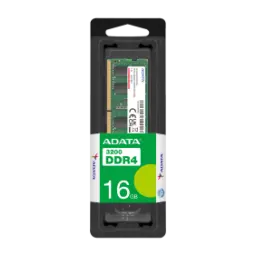
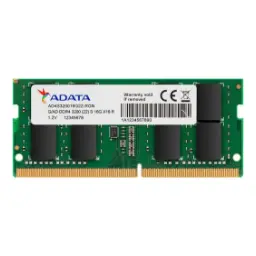
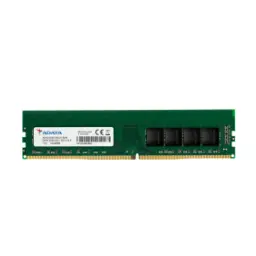
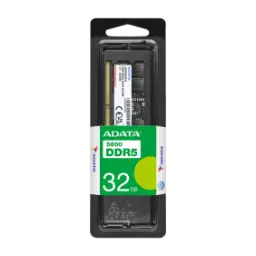
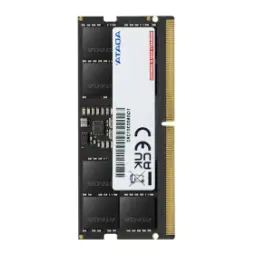
Designed for everyday notebook upgrades and smoother workflows, the ADATA Premier DDR4 SO DIMM helps your laptop feel responsive again. Built around DDR4 laptop memory for modern systems, yeh module 16GB capacity deti hai so heavy browsing, Office work, and study sessions stay calm.. Tuned to a 2666MHz performance class, it sits in a practical range many compatible laptops can actually run without special tweaking.. Running at a low 1.2V operating voltage, power draw kam rehta hai and long sessions feel cooler on your lap.. Using the compact 260 pin SO DIMM form factor, installation fits the notebook slot that full size desktop DIMMs cannot.. Sticking with Non ECC and unbuffered behavior, compatibility simple rehti hai for mainstream consumer laptops and small PCs.. Following JEDEC aligned design expectations, stability zyada predictable hoti hai when the system stays on for hours.. When your current RAM is bottlenecking launches, yeh upgrade background tasks ko breathing room deta hai without changing anything else. Choosing a single 16GB stick also keeps future expansion easy, so you can add a second module later for dual channel on supported laptops
Focused on real world responsiveness instead of gimmicks, the 2666MHz rating helps reduce the small waits that stack up all day. Built for DDR4 2666 operation, yeh speed class aksar PC4 21300 labeling ke sath aati hai, so you can match listings more confidently.. Supporting standardized DDR4 data rates that include 2666, the platform can deliver more fluid app switching when the CPU is not starved for memory access.. Keeping the OS cache healthier, rozana ke use mein you often notice fewer stutters when jumping between a browser, meetings, and a spreadsheet. Explaining the naming clearly, DDR4 2666 is also referenced among DDR4 standards alongside the PC4 21300 class in common documentation.. Managing expectations matters on laptops, kyun ke final speed aapke CPU aur BIOS rules pe depend karta hai, and it may run lower if the system limits it.. Mixing memory sticks can also affect the outcome, aur agar speeds different hon to system usually lowest supported speed par settle karta hai for stability.. Choosing 2666MHz still makes sense for many upgrades, because you get a balanced bandwidth tier without chasing profiles your laptop may never use. Working with everyday apps and light creative tools, the perceived win is smoother flow rather than a single benchmark number
Built to relieve memory pressure quickly, 16GB capacity is where many laptops stop feeling cramped in 2026 era workloads. Using a single 16GB SO DIMM stick, aapko zyada headroom milta hai for Chrome tabs, Teams calls, and background sync, while the system stays responsive.. Keeping more data available in RAM, switching between documents and media feels smoother because fewer tasks are forced to wait on slower storage paging. Explaining multitasking plainly, modern guidance often highlights that more memory helps when many apps compete for a limited pool at the same time.. Supporting study and office routines, rozana ke kaam mein you can keep a browser, PDF notes, and a spreadsheet open with less slowdown. Helping light creators too, yeh capacity editing apps ko smoother timeline scrubbing deti hai, and batch exports feel less disruptive. Improving system feel in a direct way, RAM upgrades are commonly positioned as a practical route to better responsiveness and smoother multitasking.. Keeping upgrade planning flexible, one 16GB module lets you add another matching stick later if your laptop has a second slot. Delivering a calmer experience overall, the real benefit is fewer interruptions when your workload spikes unexpectedly
Engineered around DDR4 power behavior, the 1.2V operating voltage supports efficient performance in compact laptops. Running at 1.2V by design, heat kam banti hai and fan noise can stay more controlled during long browsing or study sessions.. Comparing generations in plain terms, DDR4 commonly operates at 1.2V versus 1.5V for standard DDR3, which reduces voltage demand.. Translating that into daily comfort, lap par use karte hue chassis warm up typically feels more manageable when the platform is not wasting power in memory. Highlighting ADATA's own positioning, the Premier DDR4 notebook modules emphasize lower energy consumption that reduces heat and can help extend battery life patterns.. Keeping performance stable over hours, kam voltage ka matlab yeh bhi hota hai ke sustained loads mein throttling pressure reduce ho sakta hai, depending on your laptop cooling. Avoiding unnecessary complexity, this module stays within mainstream DDR4 expectations rather than relying on higher voltage overclock profiles. Supporting everyday portability, the efficiency angle matters most when you are working unplugged and multitasking for long stretches
Designed for broad consumer compatibility, this ADATA Premier SO DIMM is specified as Non ECC memory for typical notebook platforms. Keeping it Non ECC and unbuffered, installation asaan rehti hai for everyday laptops where ECC support is not part of the system design.. Clarifying the choice simply, ECC memory requires platform support and is treated as a different compatibility path than standard non ECC modules. Showing that separation clearly, some ECC SO DIMM listings explicitly note they are not compatible with non ECC configurations.. Matching what most users actually need, non ECC RAM targets smooth daily operation rather than specialized error correction requirements. Keeping performance consistent, yeh setup casual gaming, coding, and productivity workflows mein stable feel deta hai, as long as your laptop supports DDR4 SO DIMM. Maintaining power efficiency alongside compatibility, the module stays within the standard DDR4 voltage class used across SO DIMM implementations.. Avoiding upgrade mistakes, ECC vs non ECC confusion is one of the common reasons RAM upgrades fail to boot. Building confidence for buyers, this variant aligns with the mainstream memory category most notebooks are built around
Built for space constrained devices, the SO DIMM shape is the compact RAM format used by most laptops and many mini PCs. Using the DDR4 SO DIMM standard, yeh module 260 pin connector ke sath aata hai, which is physically different from older DDR3 SO DIMMs.. Confirming the module style in listings, this Premier stick is described as a 260 pin SO DIMM for notebook class upgrades.. Keeping installation expectations realistic, you should still verify your laptop supports DDR4 and has an accessible RAM slot before buying. Planning an easy install, rozana users aksar screwdriver se back cover khol kar module seat kar lete hain, and the angled slot design guides alignment. Supporting correct seating, DDR4 SO DIMM insertion uses the key notch position so you do not force the wrong generation in.. Reducing frustration during upgrades, the biggest win is picking the right form factor first, then matching capacity and speed second. Keeping your system tidy, this low profile module fits cleanly without bulky heat spreaders that can interfere in tight chassis. Making the upgrade feel straightforward, once the laptop detects the RAM, the everyday smoothness is usually immediate
Positioned as a stable mainstream upgrade, the ADATA Premier DDR4 notebook line emphasizes compliance rather than risky tuning. Meeting JEDEC standards by design, yeh approach compatibility ko improve karta hai because the module follows common DDR4 operating rules.. Highlighting responsible manufacturing, the Premier DDR4 SO DIMM page also notes RoHS compliance for reduced hazardous substance concerns.. Reinforcing those expectations in channel listings, some sellers describe the Premier 16GB DDR4 SO DIMM as JEDEC and RoHS compliant alongside its core specs.. Translating standards into daily benefit, stable timings and predictable behavior matter more than flashy marketing when your laptop is used for work. Keeping long sessions dependable, rozana ke tasks like meetings, research tabs, and file transfers feel less random when memory training is straightforward at boot. Staying aligned with modern Intel era notebook targets, ADATA also references support positioning for platforms like Skylake and Coffee Lake in its Premier DDR4 2666 SO DIMM description.. Avoiding unnecessary troubleshooting, standards focused RAM is often the safest route for users who want plug and play stability. Delivering confidence over time, the goal is fewer crashes and less “why did it freeze” moments during important work
Planned the right way from day one, a RAM upgrade can scale with your laptop instead of locking you in. Choosing one 16GB stick first, aap later mein matching module add karke dual channel enable kar sakte hain if your system supports it. Explaining why pairs matter, dual channel configurations are commonly described as a way to increase memory bandwidth when two similar modules are installed.. Setting expectations properly, dual channel depends on your CPU, motherboard, and slot layout, so it is a bonus rather than a guarantee. Handling mixed upgrades realistically, agar aap purani RAM ke sath new stick mix karte hain to overall speed usually lowest populated speed ya system limit par run hoti hai for stability.. Keeping compatibility simple, sticking to DDR4 SO DIMM 260 pin, non ECC, and the same general speed class reduces surprise boot issues. Aligning with common listings, the Premier 16GB SO DIMM variant is typically presented as a standard, unbuffered, non ECC notebook module.. Avoiding performance left on the table, a matched pair can help integrated graphics and multitasking feel smoother in daily use. Building a cleaner plan, buy for your system limits first, then optimize pairing if you have the second slot available
Built as a sensible performance lift, extra RAM is one of the most direct ways to make an older laptop feel usable again. Comparing upgrade paths honestly, yeh change usually less disruptive hota hai than reinstalling everything on a new machine, while still improving responsiveness. Framing the idea clearly, major OEM guidance often describes adding memory as a cost effective way to improve a computer’s performance.. Reinforcing the same upgrade logic, mainstream memory brands also highlight that a memory upgrade can maximize the value of your current system.. Choosing this ADATA Premier DDR4 SO DIMM, aap 16GB capacity aur 2666MHz class speed ko combine karte hain for balanced everyday performance.. Keeping power behavior modern, the Premier DDR4 SO DIMM design emphasizes low voltage DDR4 operation for efficiency and reduced heat.. Matching the right buyer profile, this module suits students, office users, and creators who need smoother multitasking more than extreme tuning. Ending with a clean decision rule, if your laptop supports DDR4 260 pin SO DIMM and you feel slowdowns under multitasking, this 16GB 2666MHz upgrade is a strong, practical step forward
Here's how current offers compare across retailers.