


Price Breakdown & Availability
Here's how current offers compare across retailers.
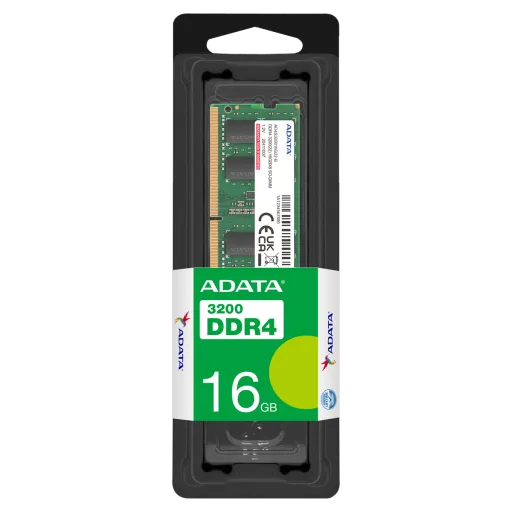
ADATA Premier DDR4 SODIMM


You Might Also Like
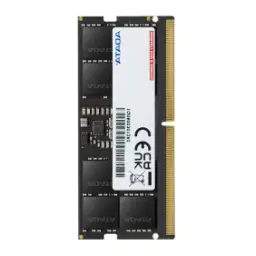
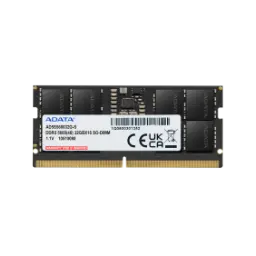
A practical laptop upgrade starts with trusted memory. The ADATA Premier DDR4 SODIMM is positioned as a notebook focused module, rozana ke workflows mein, so the system feels quicker where you actually notice it. The compact SO DIMM form factor is built for portable machines and small systems, keeping the module size right for tight chassis. The SO DIMM meaning is small outline dual in line memory module, jo clearly batata hai ke yeh laptop RAM category hai. The DDR4 generation brings higher performance than older DDR3 while operating at a lower 1.2V, which supports efficiency during long sessions. That efficiency matters when you work unplugged, heat kam rehti hai, and the laptop stays comfortable on the desk. ADATA also describes its Premier DDR4 SO DIMM modules as delivering faster data transfers than DDR3 with lower energy consumption, which frames the upgrade benefit in plain terms. More usable memory helps applications stay open and ready, multitasking asaan hoti hai, and switching between tasks feels smoother. Faster responsiveness shows up in small moments like app launching, tab switching, and fewer annoying pauses during routine work. This is the kind of upgrade that fits real life, from Chrome heavy research to office suites, without changing your storage or reinstalling anything. A DDR4 SO DIMM upgrade keeps the platform modern, bilkul straightforward, and it targets the daily speed that makes a laptop feel renewed
Correct physical fit prevents most upgrade headaches. This ADATA Premier DDR4 SODIMM uses the DDR4 SO DIMM layout with 260 pins, so it matches modern notebook slots rather than desktop sized DIMMs. The 260 pin standard is also commonly specified across DDR4 SO DIMM listings, jis se alignment clear hoti hai and installation feels predictable. This module is Non ECC, which suits typical consumer laptops and keeps the upgrade path simple for everyday users. A 1.2V operating profile aligns with standard DDR4 expectations, so stability stays easy to achieve when the device supports DDR4. The safest first step is checking your laptop’s DDR generation, kyun ke DDR4 slots key based hotay hain and the notch must line up properly. A typical SO DIMM install uses an angled insertion and a click down lock, asaani se seat ho jata hai when handled correctly. The compact format is strongly associated with laptops and small PCs, so it stays ideal for devices where space is limited. This kind of standardized fit reduces trial and error, especially when upgrading a thin notebook that cannot accept full size desktop modules
Everyday performance feels faster when RAM keeps up. ADATA highlights that its Premier DDR4 notebook modules deliver faster data transfers than DDR3, jo heavy multitasking ko smoother banata hai in real use. ADATA also describes DDR4 for notebooks as reaching frequencies up to 2666MHz on the Premier DDR4 2666 SO DIMM line, so matching your laptop’s supported spec becomes the smart move. Some Premier DDR4 SO DIMM variants are listed with speeds up to 3200MHz depending on the exact module, which shows the range across the Premier notebook lineup. Higher supported memory speeds can reduce those micro pauses, jab browser tabs refresh hotay hain, and the cursor stays responsive. When video calls, notes, and cloud storage run together, RAM helps the system juggle them without constantly pushing work onto slower storage. This is where a DDR4 SO DIMM upgrade feels immediately practical, asaani se windows switch hoti hain, while background apps remain ready. A lower voltage DDR4 profile keeps efficiency in check, so a faster feeling system does not automatically become a hotter system. ADATA further frames these modules as instant upgrades for compatible notebooks, which aligns with users who want visible improvement without complex tuning. The outcome is smoother day to day computing, performance bohat stable, when your routine gets busy
Lower power draw becomes obvious in daily use. ADATA states its DDR4 notebook modules operate at 1.2V and use about 20% less energy than DDR3, jo heat ko reduce karta hai for more comfortable sessions. ADATA also emphasizes reduced heat and extended battery life as practical benefits of its Premier DDR4 SO DIMM notebook modules, rozana commute aur classes mein kaafi helpful. DDR4’s standard operating voltage is widely described as 1.2V, so the efficiency gain is built into the platform rather than being a niche feature. When the laptop runs cooler, sustained typing and browsing feel steadier, heat kam rehti hai, and fans can ramp less aggressively. Longer unplugged comfort also means fewer interruptions, kyun ke charger dhoondna kam padta hai, and meetings stay calmer. A 1.2V DDR4 SO DIMM upgrade helps improve daily efficiency without changing your CPU or storage, so the improvement feels targeted and clean. This efficiency first behavior supports laptops that already run warm, and it keeps performance improvements grounded in practical thermals. The overall experience is smoother use with less warmth, bilkul natural feel, while the system keeps its mobility advantage
Consistent stability matters more than peak benchmarks. ADATA highlights a high quality PCB for improved signal transfer and system stability in its Premier DDR4 SO DIMM notebook modules, which supports dependable everyday operation. ADATA also describes the Premier DDR4 SO DIMM family as compliant with JEDEC standards and RoHS, jo compatibility aur reliability ko strengthen karta hai across supported platforms. A standardized DDR4 1.2V supply keeps voltage behavior predictable, is liye boot aur daily stability usually smooth rehti hai when the laptop supports DDR4. Many Premier DDR4 SO DIMM listings also reference a limited lifetime warranty, which adds confidence for long term upgrade planning. For office laptops, this can mean fewer hiccups during presentations, aur auto save wali apps zyada reliably run karti rehti hain while you multitask. For home systems, it supports smoother streaming, cleaner browsing, and fewer annoying app restarts. Stability is not just about avoiding crashes, it is also about keeping your pace steady when workloads spike. A reliable RAM module keeps the whole system feeling composed, bilkul tension free, during long study or work days
Understanding Non ECC helps you buy correctly. This ADATA Premier DDR4 SODIMM is specified as Non ECC, meaning it does not include the extra error correcting capability used in certain workstation and server environments. Tom’s Hardware explains ECC differs physically and functionally, with an extra chip dedicated to error detection and correction compared with typical consumer RAM modules. Many consumer focused guides note most day to day laptops use Non ECC memory, is liye mainstream compatibility usually simple and straightforward. Platform requirements matter because ECC needs support from the CPU and motherboard, so choosing Non ECC avoids mismatch issues on standard notebooks. For general browsing, office work, and casual creative tasks, Non ECC keeps the configuration simpler, performance stable, and upgrades hassle free. Some explanations also note Non ECC can be slightly faster due to skipping error check overhead, lekin real world focus usually stability aur compatibility par hota hai for everyday users. For mission critical data workflows, ECC may be the right direction, but consumer laptops mein Non ECC zyada common hota hai. The practical win stays clear: correct fit, reliable boot, and consistent daily speed
More RAM creates breathing room for modern apps. ADATA’s DDR4 SO DIMM modules are offered in capacities up to 32GB on certain lines, so upgrades can scale with your workload when the laptop supports it. ADATA’s Premier notebook SO DIMM listings also show options spanning common upgrade sizes up to 32GB, jo heavy users ko meaningful headroom deta hai. Extra capacity helps browsers keep more tabs active, rozana research mein, so pages stop reloading when you bounce between tasks. More headroom can also support light editing and productivity, where apps hold more data in memory and the system feels less interrupted. The SO DIMM format is closely associated with laptops and compact PCs, so this upgrade stays perfect for devices that cannot accept full length desktop DIMMs. When chat apps, meetings, and documents run together, memory capacity becomes the limiter, is liye upgrade ka impact quickly noticeable hota hai. Better headroom reduces how often the system leans on storage swapping, so the overall feel stays responsive under load. This kind of upgrade supports smoother daily momentum, bilkul steady, when your digital routine keeps expanding
A careful install keeps the upgrade stress free. Kingston’s laptop memory installation guide recommends powering down, disconnecting power, and working in a static safe way before handling a SO DIMM module. The same guide describes inserting the module at about a 30 degree angle and rotating it down until the side clips engage, asaani se click ho jata hai when aligned properly. Matching the basics is the real success formula, so confirm DDR4 generation, 260 pin SO DIMM form factor, and the expected 1.2V operating profile before purchase. Choosing Non ECC aligns with what most consumer laptops expect, is liye compatibility zyada straightforward rehti hai compared to ECC specific platforms. Handling the module by the edges helps protect contacts, aur install ke time patience rakhna better hota hai for a clean seat. After installation, checking the total memory inside your operating system confirms detection, and then daily use will show the real improvement. A simple checklist turns a hardware upgrade into a confident, repeatable process, and it keeps the outcome reliable over time
Extending a laptop’s life can be a smarter move. A DDR4 SO DIMM upgrade like ADATA Premier improves responsiveness without forcing a jump to a different memory generation that would require different platform hardware. Tom’s Hardware describes DDR5 as a different direction with architectural changes, so sticking with DDR4 can remain a practical choice for many everyday workloads. ADATA frames its Premier DDR4 notebook modules as instant upgrades for compatible notebooks, jis se upgrade decision simple aur sensible lagta hai. DDR4’s 1.2V operating level supports efficiency and helps control heat, so a faster feeling system does not have to become a louder system. The Non ECC configuration matches what most consumer laptops use, bilkul plug and play wali feel, as long as the device supports DDR4 SO DIMM. A limited lifetime warranty is commonly listed for Premier DDR4 SO DIMM SKUs, which supports longer term confidence in the upgrade decision. The final experience is smoother workflow, less waiting, and more control over your daily computing rhythm. A focused memory upgrade delivers improvement that feels real, rozana har click par, and it keeps your setup ready for the next season of work
Here's how current offers compare across retailers.