Price Breakdown & Availability
Here's how current offers compare across retailers.
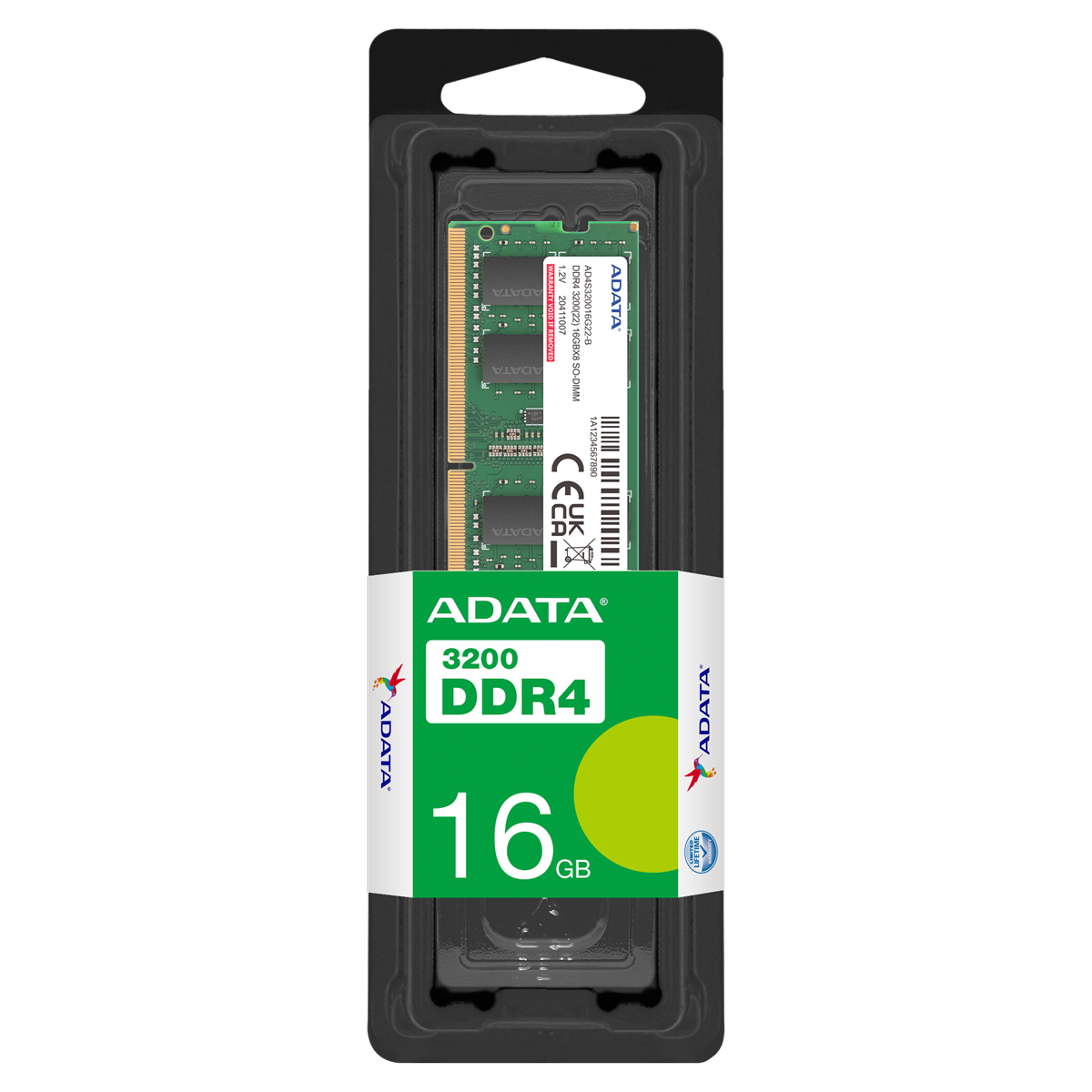
ADATA Premier DDR4 SODIMM 16GB 3200MHz


You Might Also Like
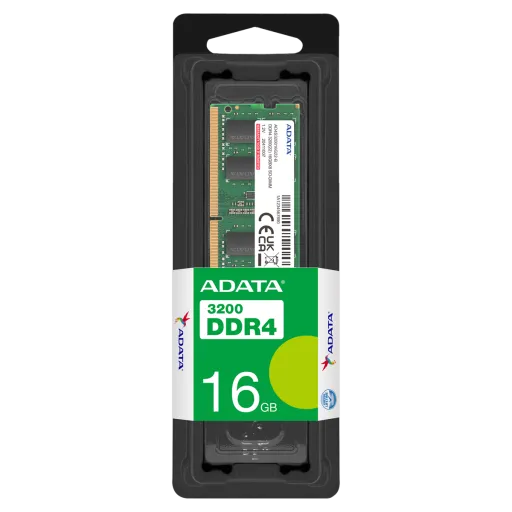
A smart memory upgrade can make your laptop feel newer, rozana ke use mein jab apps jaldi open hoti hain. The ADATA Premier DDR4 SO DIMM brings a balanced 16GB capacity with DDR4 3200 (3200MHz) speed, so everyday load times and tab switching feel far more controlled. The SO DIMM format is designed for notebooks, aur 260 pin layout ki wajah se fitment typical laptop slots ke saath match hota hai without awkward adapters. The non ECC, unbuffered design keeps the module aligned with mainstream laptop memory requirements, bilkul simple and compatible for most consumer platforms. The 1.2V operating profile supports efficient DDR4 behavior, jis se heat output generally low rehta hai during long browsing and office sessions. A single 16GB stick also gives a clean upgrade path, kyun ke aap baad mein second module add karke dual channel ka benefit le sakte ho. The result is a laptop that responds faster under pressure, without changing your CPU or storage. When your workflow is browser heavy or multitasking based, yeh upgrade lag ko noticeably kam karta hai and keeps the system feeling smoother
Choosing the right form factor avoids wasted time, kyun ke laptop RAM size bilkul specific hota hai. This module uses the DDR4 SO DIMM 260 pin format, which is the common notebook footprint, so installation stays straightforward on compatible laptops and mini PCs. The non ECC approach is typical for mainstream systems, aur is ka faida yeh hai ke compatibility headaches usually kam hotay hain. Unbuffered memory is the most commonly used type in desktop and notebook computers, is liye aapka platform generally isi category ko expect karta hai for everyday computing. Dual channel support depends on your laptop’s memory controller and slot layout, lekin matching modules lagane se bandwidth boost mil sakta hai for smoother overall responsiveness. Before buying, a quick check of your system’s supported DDR generation saves trouble, kyun ke DDR3 aur DDR4 slots physically different hote hain. When the platform supports DDR4 3200, this stick can act like a clean, stable upgrade baseline, aur aap future mein second stick add karke performance ko aur refine kar sakte ho. The goal is simple: correct fit, correct generation, and consistent everyday speed
Higher memory speed matters most when multitasking stacks up, jab browser tabs, apps, aur background services saath chal rahe hotay hain. This ADATA Premier module runs at DDR4 3200 / 3200 MT/s and aligns with PC4 25600, which is the bandwidth class many modern DDR4 laptops target. Bandwidth at this tier helps reduce those small pauses, jahan switching ke waqt system thora sa hesitate karta hai. The CL22 timing shown for this DDR4 3200 class reflects a mainstream JEDEC style profile, so behavior stays predictable rather than “tuning dependent.” ADATA also describes DDR4 3200 as delivering transfer bandwidth up to 25.6GB/s, which connects directly to the PC4 25600 naming you see in listings. In practical terms, yeh speed aapko smoother scrolling, faster spreadsheet recalcs, and cleaner app switching feel karwati hai, especially when storage is already an SSD. A single module still improves baseline responsiveness, aur agar aap later dual channel enable karte ho then the platform can push memory throughput even further. The experience stays balanced rather than flashy, because RAM upgrades improve the moments you repeat all day
Efficient voltage matters more in laptops than desktops, kyun ke compact chassis mein heat buildup jaldi hota hai. DDR4 standard voltage is 1.2V, and ADATA highlights the shift from DDR3’s 1.5V down to 1.2V for power savings, which can help reduce heat and support longer battery friendly behavior. This Premier SO DIMM family lists a 1.2V power supply specification, so it stays within the low power DDR4 envelope that most notebook platforms are designed around. ADATA also claims up to 20% power draw savings compared to DDR3, aur yeh point especially relevant hota hai jab laptop unplugged use ho. Lower voltage does not magically double battery life, lekin it helps keep thermals controlled so the system feels calmer under sustained browsing, video calls, and light creative work. When temperatures stay in check, fans ramp less aggressively, aur overall experience refined lagta hai even if you are just doing office work. The win here is consistency: stable performance, heat kam, and less “battery anxiety” during routine tasks
Reliable RAM is the kind you forget about, kyun ke it simply works day after day. Listings for this ADATA Premier SO DIMM emphasize JEDEC compliance, which signals alignment with industry standards rather than unusual overclock only profiles. ADATA also states its Premier DDR4 line meets strict JEDEC and RoHS standards, which supports a compatibility first approach for everyday laptops and business machines. The same Premier DDR4 3200 SO DIMM family is specified for typical operating temperatures from 0°C to 85°C, which matters when your laptop lives in backpacks, warm rooms, and long meetings. This module class is also described as non ECC and unbuffered, jo consumer notebooks ke liye standard expectation hoti hai. The practical benefit is fewer random hiccups, better long session stability, aur woh confidence ke system heavy browser loads par bhi composed rehta hai. Instead of chasing extreme tuning, this memory targets a clean upgrade experience, where stability and predictability come first
A bigger RAM pool reduces slowdowns caused by swapping, jab system storage ko temporary memory ki tarah use karta hai. This module gives you 16GB in a single stick, which is a common step up that helps laptops stay responsive when multiple apps remain open. Crucial’s guidance frames 16GB as a recommended level for “intermediate” users who multitask with office apps, spreadsheets, and multiple programs at once, which matches real world student and work from home behavior. With 16GB available, rozana ka workflow like Chrome tabs, Teams/Zoom, PDFs, and light photo edits feels less cramped and more stable. A single 16GB module is also a flexible path, kyun ke some laptops have one slot free alongside soldered RAM, and this stick can add headroom without forcing a full replacement set. The benefit is not just “more numbers,” balkay smoother context switching and fewer reloads when you bounce between tasks. When the machine stops closing apps in the background, you save time quietly, and the laptop feels more cooperative
Performance gains often come from balance, jab CPU aur RAM ek rhythm mein kaam karte hain. ADATA positions its Premier DDR4 3200 as an upgrade solution supporting newer Intel and AMD platforms for faster transfers and power efficiency, which matches the idea of modern notebooks leaning on DDR4 3200 profiles. Dual channel memory can improve overall responsiveness by allowing parallel access across two channels, aur yeh memory bandwidth ko effectively boost karta hai in supported systems. If your laptop has two RAM slots, pairing this 16GB stick with another matching module can be a strong move, especially when integrated graphics shares system memory and bandwidth becomes more noticeable. The single stick setup still gives capacity headroom, lekin dual channel pairing can add that “smoothness under load” feel when multitasking plus light gaming happen together. This is why DDR4 3200 in SO DIMM form remains a practical sweet spot, kyun ke it aligns with common laptop controller support while staying efficient. The experience becomes less about chasing peak numbers, aur zyada about maintaining consistent frame pacing, faster app alt tabbing, and fewer stutters in everyday workflows
A clean upgrade plan prevents compatibility surprises later, warna system downclock ya weird instability de sakta hai. Dual channel performance depends on using two modules in the right slots, and most guidance stresses that matching capacity, speed, and latency helps the system run optimally. This ADATA Premier stick is listed as DDR4 3200 (PC4 25600) with a mainstream non ECC, unbuffered profile, so it’s naturally aligned with the typical laptop memory ecosystem. Unbuffered memory is the common standard for notebooks, aur registered/fully buffered types are not meant to be mixed into systems expecting unbuffered modules. ECC is also a separate compatibility lane, kyun ke ECC functionality requires platform support and is usually aimed at servers/workstations rather than everyday notebooks. The practical buying tip is simple: match DDR generation first, then match speed and capacity where possible, aur bas phir system ko run stable mode mein let it do its job. When your upgrade is consistent, you avoid hidden performance drops and get the smooth experience you expected
Value in laptop RAM comes from fewer daily slowdowns, jab aapka time save ho and the machine feels responsive again. This ADATA Premier module gives you a focused mix of 16GB capacity, DDR4 3200 speed, and notebook friendly SO DIMM design, which is exactly the kind of upgrade most aging laptops need. The listed 260 pin SO DIMM format, 1.2V operation, and non ECC, unbuffered profile keep it squarely in mainstream compatibility territory, is liye upgrade process usually drama free hota hai. JEDEC alignment is repeatedly highlighted in listings for this Premier family, which supports predictable behavior across a wide range of laptop chipsets. When you want smoother multitasking today and a simple path to dual channel later, yeh 16GB stick ek sensible foundation ban jata hai without forcing a full system rebuild. The end result is a laptop that handles modern browsing, office work, and light creative tasks with less friction, aur aapko woh “lag nahi” feeling milti hai where it matters most. If the goal is stable performance in a competitive everyday tier, this module stays focused on the basics that actually improve the experience
Here's how current offers compare across retailers.
Review current prices and specifications side by side.