



Price Breakdown & Availability
Here's how current offers compare across retailers.
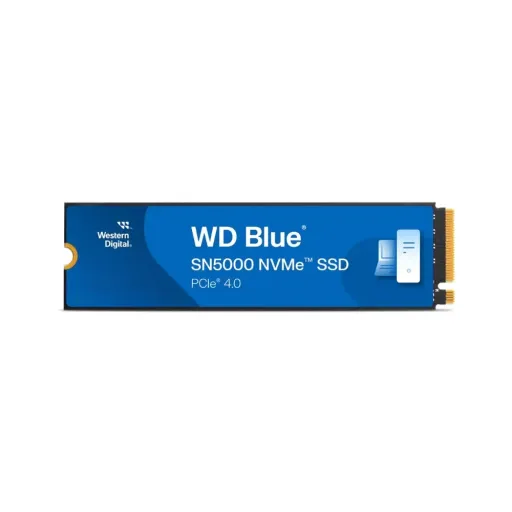
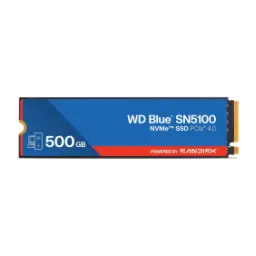
WD Blue SN5000 NVMe SSD 500GB


You Might Also Like
Bring creative projects to life with storage that responds fast, rozana ke kaam mein jo choti delays hoti hain woh noticeable tor par kam hoti hain. Make the WD Blue SN5000 NVMe SSD 500GB your upgrade point when your laptop or desktop feels “fine” but timelines, exports, and large folders keep interrupting flow. Keep your work moving smoothly with a drive positioned for creators and professionals, jahan AI enabled apps aur heavy assets ek saath chal rahe hotay hain. Feel the difference when your system stops “thinking” between actions, kyun ke NVMe storage ka low latency behavior everyday clicks ko bhi snappier banata hai. Build a cleaner workspace mentality with 500GB that’s easy to dedicate to OS, apps, and active projects, aur phir archive ya bulk media ko secondary drive par shift karke system hamesha fresh rehta hai. Choose this drive for practical speed without jumping into hot, power hungry tiers, bilkul balanced approach for modern Gen4 platforms
Unlock a faster data path with PCIe Gen4 bandwidth, jo aapke CPU aur SSD ke darmiyan bottlenecks ko naturally reduce karta hai. Rely on a Gen4 interface rated at up to 4 lanes, so large reads stay quick and consistent under normal creative workloads. Keep platform compatibility straightforward with an M.2 2280 NVMe design, jahan cable clutter nahi hota aur build clean rehti hai. Expect modern protocol support in the WD Blue SN5000 line, with channel specifications listing PCIe 4.0 x4 paired with NVMe 2.0 for this family. Make everyday actions feel lighter with NVMe’s queue handling, because parallel I/O means multitasking asaan hoti hai instead of one task blocking another. Choose Gen4 today for stronger headroom on new motherboards and laptops, aur agar aap Gen3 system par ho to upgrade planning bhi easy rehti hai. Confirming compatibility stays simple because the drive is part of a widely supported WD Blue internal SSD lineup, jisko retailers and integrators consistently document for M.2 2280 PCIe 4.0 use
Experience quick launches with up to 5,000MB/s sequential reads, jo OS boot, app open, aur project load times ko noticeably reduce kar sakte hain. Maintain solid write behavior with up to 4,000MB/s sequential writes on the 500GB model, so exports and file moves feel more direct in day to day work. Handle small file workloads confidently with up to 460K random read IOPS, jahan software libraries, thumbnails, aur cache lookups fast feel hotay hain. Push steady creation tasks with up to 770K random write IOPS, which helps when apps are constantly writing temp files and scratch data. Translate those numbers into real comfort during multitasking, kyun ke browser tabs, design tools, aur communication apps saath saath chalne par “lag nahi” wali feeling aati hai. Confirm these headline figures across major retail spec sheets too, so you can shop with clarity instead of guessing performance tiers. Keep expectations realistic by remembering that peak benchmarks vary by system and workload, lekin Gen4 NVMe ka uplift generally daily responsiveness mein nazar aata hai
Speed up common file operations with Western Digital nCache 4.0 support, jo especially bursts mein fast file copies ko help karta hai. Keep everyday creativity smoother when you’re moving assets between folders, because caching can make short writes feel instant and workflow bilkul smooth rehta hai. Lean into this benefit when you import photo batches or download project packs, kyun ke short, frequent writes are exactly where good caching feels “zabardast” without needing flagship pricing. Understand the underlying idea as dynamic SLC style caching behavior, where fast writes land in a quicker region before being consolidated later in the background for efficiency. Keep long sessions predictable by planning storage like a pro, matlab active project folders + scratch stay on the SN5000 while deep archives shift elsewhere. Use nCache as a practical accelerator rather than a miracle fix, because extremely long, sustained writes can still behave differently depending on capacity and how full the drive is. Stay focused on the real win: quicker bursts keep you in the creative zone, aur aapka flow bar bar break nahi hota
Choose the 500GB tier for disciplined project management, kyun ke OS, apps, aur current work ke liye yeh capacity focused aur efficient feel hoti hai. Rely on TLC NAND for the 500GB model in this lineup, which is positioned as WD 3D NAND TLC for capacities up to 2TB. Plan writes with confidence thanks to 300TBW endurance on the 500GB version, so daily edits, exports, and cache churn feel manageable for years of normal use. Anchor reliability expectations with a 1.75 million hour MTTF rating, jo long term stability ka ek useful indicator hai even though it’s not a guarantee for any single drive. Build peace of mind into your workflow with a 5 year limited warranty, so you can create without constantly worrying about storage failure. Confirm the same endurance and warranty positioning on mainstream retail listings, jo aapko purchase decision ko validate karne mein help karta hai. Keep your drive healthier by leaving some free space, because SSDs generally perform and manage caching better when they’re not packed to the brim
Run modern speed without turning your system into a heater, kyun ke efficiency matters when you edit, game, or compile for hours. Use the published average active power figure of about 75mW as a reference point, especially for laptop users who care about battery backup and cooler operation. Keep idle behavior lightweight with a listed sleep power of 5mW, so background downtime doesn’t quietly drain energy in everyday routines. Trust the practical thermal envelope for typical builds, because operating temperatures are specified from 0°C to 85°C for this drive family. Reduce clutter and airflow blockage with an M.2 stick format, jahan cable routing ka jhanjhat nahi hota and your case stays tidy. Match the compact physical footprint to slim laptops and small desktops, since the datasheet lists 80mm length, 22mm width, and 2.38mm height with about 5.7g weight. Keep expectations balanced by noting that real thermals depend on chassis airflow, lekin efficient Gen4 drives usually remain more manageable than extreme tier models
Install the drive quickly in most modern systems, kyun ke M.2 2280 is the common internal SSD slot for laptops and desktops. Confirm the exact M.2 2280 form factor for the WD Blue SN5000 family, so you can measure your slot and screw position with confidence. Keep upgrade planning flexible because the interface is documented as PCIe Gen4 up to 4 lanes, which aligns with the “PCIe Gen 4 x4” expectation people shop for today. Benefit from backward compatibility notes in the datasheet, so the drive can work in older PCIe generations with appropriate lane configurations and realistic speed expectations. Avoid bulky heatsink concerns for tight builds, kyun ke many listings specify no included heatsink and the slim profile stays easy to fit under laptop covers. Keep your upgrade clean by pairing it with a fresh OS install or a proper clone, warna old system clutter sometimes makes new hardware feel less impressive. Plan your storage layout like a workstation user: keep active projects on NVMe, aur bulk backups ko external ya SATA drive par push karke NVMe space free rakhein
Move your system over with less friction using Acronis True Image, jo cloning aur data migration ko beginner friendly banata hai when you’re upgrading storage. Keep downtime low by cloning your old drive to the SN5000, because it lets you resume work fast without reinstalling every app and plugin. Confirm that the SN5000 marketing materials highlight a free Acronis True Image download for migration, so you can plan your upgrade path before opening the laptop. Monitor performance and available space with the Dashboard style tooling mentioned in the datasheet, kyun ke health checks and firmware awareness help long term stability. Stay current on software naming changes as WD evolves tooling, because Western Digital has posted that WD Dashboard support ended and users should use alternatives like SanDisk Dashboard for SSD products. Keep a simple maintenance habit after installation: check health, confirm capacity usage, aur agar update available ho to schedule it when you’re not mid project. Validate that major retailers also reference migration and monitoring tools in the purchase bundle, which makes the overall upgrade feel more complete
Choose performance per day over peak bragging rights, kyun ke most users feel responsiveness gains more than they measure synthetic benchmarks. Anchor your expectations on the 500GB model’s up to 5,000MB/s read and up to 4,000MB/s write ratings, which place it solidly in the practical Gen4 NVMe category for OS and active work. Keep future scaling in mind because the SN5000 family stretches up to 4TB and up to 5,500MB/s reads on higher capacities, showing a clear ladder if you later need more space. Benefit from a DRAM less, HMB style approach discussed in independent reviews, jo cost ko sensible rakhta hai while keeping everyday performance strong in common workloads. Protect your upgrade choice with the 5 year limited warranty framing, so the drive feels like a long term tool rather than a short term experiment. Keep the decision simple if you want a dedicated, fast workspace drive: 500GB is enough for core apps and current projects, aur storage discipline se performance hamesha stable rehti hai. Close the loop with one practical rule: keep 15 20% free space when possible, so caching and maintenance stay smooth over time
Here's how current offers compare across retailers.
Review current prices and specifications side by side.
 Current
Western Digital
WD Blue SN5000 NVMe SSD 500GBOut of stock
0 offers
Updated 1 day ago
Western Digital
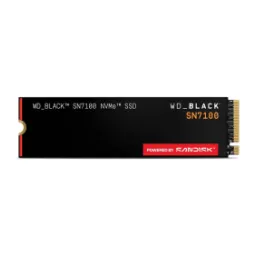
WD Black SN7100 NVMe SSD 2TBRs. 76,500
Local price
1 offer
Updated 1 day ago
Western Digital
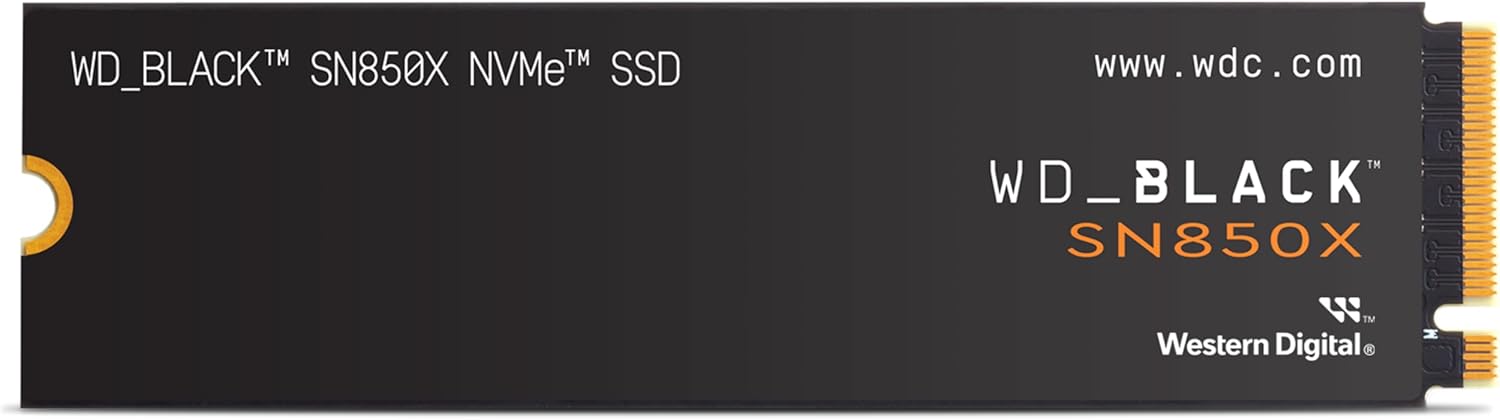
WD Black SN850X NVMe SSD 1TBRs. 53,990
Local price
5 offers
Updated 1 day ago