







Price Breakdown & Availability
Here's how current offers compare across retailers.
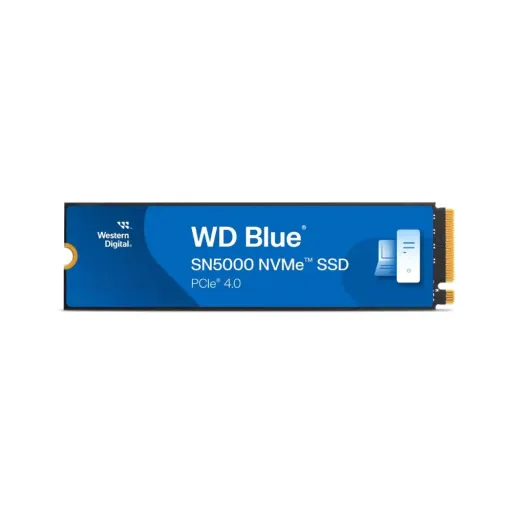
WD Blue SN5000 NVMe SSD


You Might Also Like
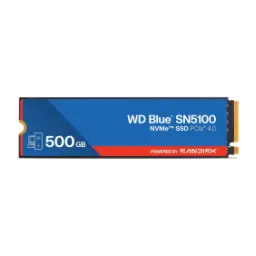
Meet the WD Blue SN5000 NVMe SSD, built for creators and professionals who want dependable speed in a compact M.2 format. This next generation internal drive keeps projects moving, rozana ke edits aur exports mein, so your workstation feels responsive even under pressure. That confidence matters when deadlines are real, aur aapko bar bar saving ya re render ka wait nahi chahiye, because storage should stay quietly reliable. The lineup scales across 500GB to 4TB options, which helps you match capacity to your workload without overbuying today. This kind of range supports clean organization, files idhar udhar scattered nahi rehte, and your fastest drive doesn’t need constant babysitting. A PCIe Gen4 platform underneath delivers modern bandwidth, which is the backbone behind quick boots and snappy creative apps. Western Digital nCache 4.0 is positioned to speed up file copies, so big folders move with less hesitation in real workflows. That practical balance places the SN5000 in a mainstream Gen4 tier, jahan performance stable rehti hai and everyday responsiveness stays the priority
Start with the PCIe Gen4 x4 interface, because that connection decides how quickly data can move between your CPU and storage. The SN5000 is specified as PCIe Gen4 at 16GT/s with up to four lanes, which supports strong throughput for modern desktops and laptops. This kind of pipeline helps large app libraries open faster, aur heavy project assets jaldi load hotay hain, so your creative momentum doesn’t break. The better your platform support is, the more you feel smoother installs, faster updates, and less waiting on huge downloads in daily use. Backward compatibility is also listed for older PCIe generations, so you can upgrade now and still carry the drive into a future motherboard later. That flexibility makes planning easier, especially if a full PC rebuild is not happening today, bilkul tension free. Real world wins show up as shorter load screens, quicker file searches, and smoother multitasking when multiple tools are pulling data at once. The interface detail also keeps installation straightforward, because Gen4 x4 is a widely supported M.2 standard in current systems. When your workflow is a mix of browsing, editing, and exporting, yeh wide lane setup bottlenecks ko kam karta hai without forcing advanced tweaking
Choose NVMe when latency matters, because the protocol is built to keep queue handling efficient under real multitasking. The WD Blue SN5000 is listed with a PCIe 4.0 x4 interface and an NVMe 2.0 protocol pairing, which signals a modern storage stack for current platforms. This protocol direction helps keep storage interactions quick, lag nahi hota, when your system is juggling many small requests in the background. The broader NVMe 2.0 family introduces features such as Zoned Namespaces, Key Value command sets, and endurance group management, which show how the standard has expanded over time. Those additions are not a promise of what every consumer drive exposes, lekin direction clear hoti hai that NVMe keeps evolving for performance and efficiency. Practical benefits still show up in daily feel, because NVMe storage is designed for fast switching between applications and projects without the sluggish pauses older storage can create. This matters for content creators who open large folders repeatedly, rozana ke routine mein, and want repeatable responsiveness. The result is a workflow that feels more predictable, because storage stops being the “maybe it will hang” component during heavy sessions. When your system is tuned for NVMe, yeh phone wali snappiness jaisa feel nahi but a clear desktop uplift zaroor deta hai
Expect fast sequential behavior when moving big data, because the SN5000 is rated up to 5,500MB/s sequential read on the 4TB model. Keep the writing side in perspective too, since sequential write is listed up to 5,000MB/s on the 4TB model for large transfers. Those numbers translate into faster imports, quicker cache builds, aur project folders ki copy asaani se ho jati hai, when your work is file heavy. Performance remains strong across capacities, with 1TB and 2TB models listed up to 5,150MB/s read and up to 4,900MB/s write in the datasheet. Daily responsiveness also depends on random IO, and the spec shows up to 730K 4KB random read IOPS (1TB) and up to 900K 4KB random write IOPS (4TB). For a concrete entry point, the 500GB listing shows up to 5,000MB/s max read and 4,000MB/s max write, which is already a big jump from SATA in most real tasks. These gains feel like faster boot cycles, smoother game installs, aur less time staring at progress bars, especially when your system is doing multiple disk tasks at once. The overall effect is a snappier PC that keeps pace with modern apps without needing a premium heatsink first setup
Focus on cache behavior for real productivity, because storage speed is not only about peak read numbers on a chart. The SN5000 highlights Western Digital nCache 4.0 alongside PCIe Gen4, positioning it for streamlined workflows and faster movement between projects. This matters when you are copying large assets, rozana ka content dump, because bursts and folder level transfers are where many users feel slowdowns first. A related SanDisk explanation describes nCache 4.0 as a dynamic SLC management approach that writes quickly before folding data back during idle periods, which is the kind of behavior that helps maintain perceived speed. This caching style supports smoother creation loops, kyun ke repeated saves aur exports mein speed ka graph stable feel hota hai, even if the workload changes hour to hour. The end goal is simple, and it is practical rather than flashy: reduce “copy anxiety” when you are moving big project folders or shifting game libraries. Marketing language also emphasizes switching smoothly between applications and projects, which matches how most people actually use an internal SSD today. This is especially useful for hybrid users, jahan tabs, editors, and asset tools sab saath chal rahe hotay hain, and storage needs to stay out of your way. When your storage can handle bursts cleanly, you spend more time creating and less time managing files
Rely on the warranty when choosing storage, because an SSD is often the one part that holds your whole digital life together. The WD Blue SN5000 includes a 5 year limited warranty, giving you coverage aligned with long upgrade cycles. This warranty is tied to an endurance limit as well, because the terms note 5 years or the max TBW limit, whichever occurs first. Endurance scales by capacity in the datasheet, with TBW listed as 300 (500GB), 600 (1TB), 900 (2TB), and 1,200 (4TB). Those figures help you match the drive to your write habits, rozana ke exports ya scratch usage ke hisaab se, instead of guessing. Reliability is also supported by a listed 1.75 million hours MTTF, which signals the product is designed for sustained normal use over time. Operational temperature ranges are clearly specified, which is helpful for compact builds where airflow can be limited. The same product messaging reinforces peace of mind with a 5 year limited warranty, which fits buyers who want stability over constant upgrades. When endurance and warranty both align, aap ka decision zyada confident ho jata hai and long term ownership feels easier
Prioritize efficiency if you use a laptop, because fast storage is only truly convenient when it does not drain battery or add heat. The datasheet lists an average active power figure of 75mW, which supports efficient everyday usage profiles. Sleep power is also listed at 5mW, helping idle periods stay low impact when your system is resting between tasks. Low power behavior matters during real life, kyun ke system kabhi kabhi background mein hota hai, and you still want quick wake and go responsiveness. Thermal comfort also benefits from modest power draw, because heat kam rehta hai and sustained performance can feel steadier in small chassis builds. Third party listings mirror the low power figures and overall reliability focus, which adds reassurance that the efficiency story is consistent across channels. This approach suits mixed workloads, where you might jump from browsing to editing to light gaming without wanting fan noise to spike every time storage is touched. In day to day use the win feels subtle but constant, because fewer thermal spikes means fewer moments where the system suddenly feels “heavy.” When performance and power are balanced, aap ko smooth experience milta hai without chasing extreme tuning or extra cooling accessories
Plan the install with confidence, because the WD Blue SN5000 uses the widely supported M.2 2280 form factor for simple internal upgrades. The physical size is specified at roughly 80mm by 22mm with a 2.38mm height, which fits most modern motherboards and many laptops without drama. The product listing also notes you need an M.2 2280 port, so compatibility checks stay straightforward before you buy. Weight is listed at about 5.7g, which is useful for compact systems where every component is meant to be light and tidy. Migration support is included through an Acronis True Image download, making it easier to move your OS and files without redoing everything from scratch. Drive health monitoring also gets attention via the Western Digital Dashboard application, so performance tracking and updates feel manageable. These tools reduce setup friction, pehli dafa upgrade karne walon ke liye, and keep ownership simpler over the long run. When installation and migration are easy, you spend less time troubleshooting and more time actually using the speed
Match the capacity to your workload style, because the SN5000 line behaves differently depending on how much storage you choose. The reviewed specs show TLC flash on 500GB to 2TB models and QLC flash on the 4TB model, which is a common strategy to deliver higher capacity while keeping the product in a mainstream segment. This distinction helps you decide intentionally, kyun ke TLC models generally suit heavier consistent workloads, while the 4TB option prioritizes space and strong burst performance. Sequential read targets remain high across the stack, with the 4TB model listed up to 5,500MB/s read and the 1TB/2TB models listed up to 5,150MB/s read in the same spec family. Security support is also mentioned with TCG Pyrite 2.01 in the spec table, which matters for users who prefer recognized storage security frameworks in business or personal setups. The official datasheet keeps the promise practical with a 5 year limited warranty and capacity options up to 4TB, so you can scale without leaving the same ecosystem. This is the kind of SSD that fits many builds, from a clean boot drive to a creative scratch and library combo, without demanding premium tier compromises. For everyday buyers the real value is consistency, performance bohat stable rehti hai, and the upgrade feels obvious the moment apps start opening faster. Choose it when you want Gen4 speed, NVMe efficiency, and long term coverage in one simple internal SSD package
Here's how current offers compare across retailers.
Review current prices and specifications side by side.
 Current
Western Digital
WD Blue SN5000 NVMe SSDFrom Rs. 40,000
Local price
Lowest current price6 offers
Updated 6 hours ago
Western Digital
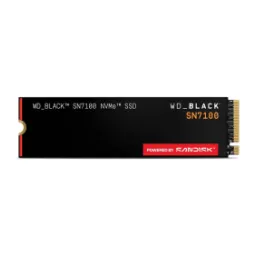
WD Black SN7100 NVMe SSD 2TBRs. 76,500
Local price
1 offer
Updated 5 hours ago
Western Digital
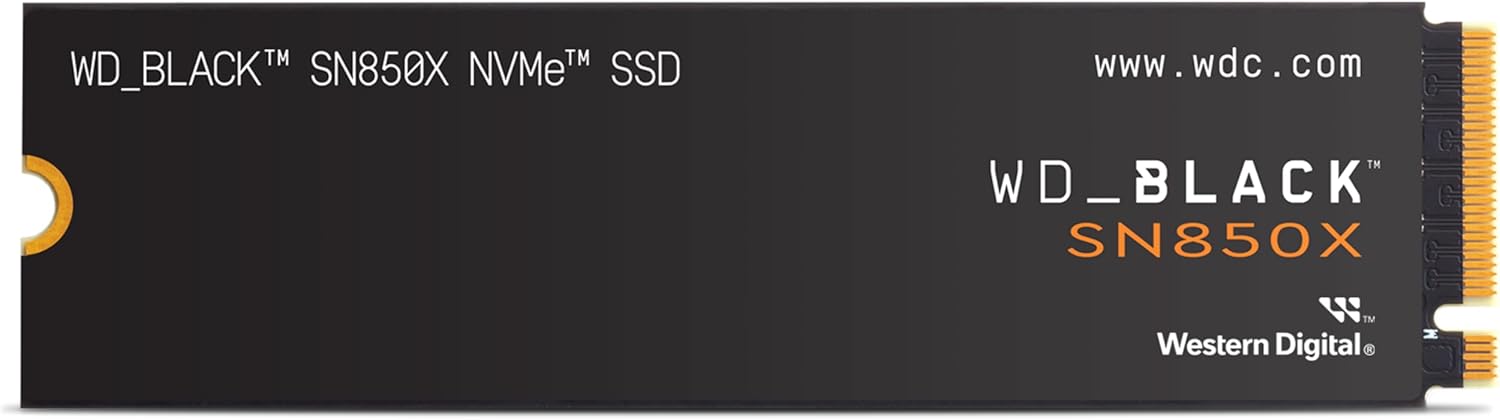
WD Black SN850X NVMe SSD 1TBRs. 53,990
Local price
5 offers
Updated 6 hours ago