Price Breakdown & Availability
Here's how current offers compare across retailers.
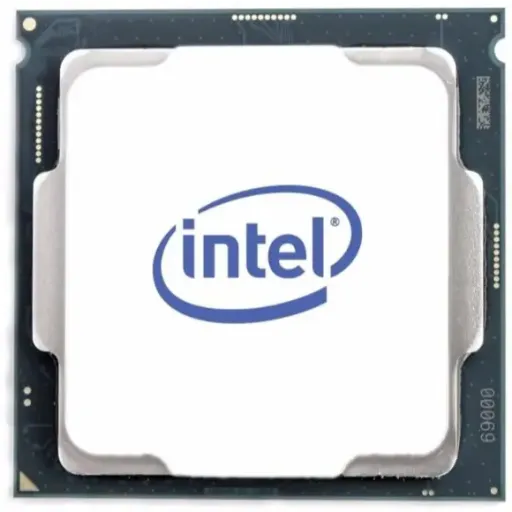
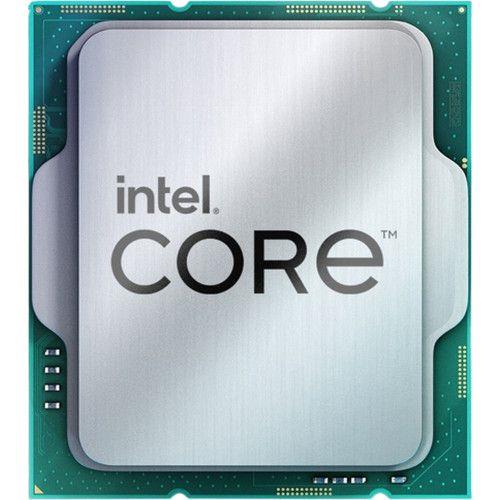
Intel Core i7-12700K Tray

You Might Also Like
Built for demanding desktop rigs and creator PCs, the Intel Core i7 12700K delivers a hybrid 12 core, 20 thread layout that stays responsive under pressure. Designed on Intel 7 with the Alder Lake code name, yeh CPU modern workload mix ko samajhta hai and keeps daily performance consistent. At the core of real responsiveness, the 8 Performance cores handle heavy foreground bursts while 4 Efficient cores background load ko quietly manage karte hain. Max Turbo Frequency reaches up to 5.00 GHz for snappy launches and fast single thread moments. With a shared 25 MB Intel Smart Cache available, switching between apps feels smooth, bilkul aise jaise system ko saans lene ki space mil gayi ho. As a K suffix desktop processor, the chip is unlocked, so tuning headroom open rehta hai when paired with the right board and cooling. The integrated Intel UHD Graphics 770 adds practical flexibility for display out and troubleshooting, kaam chal jata hai without instantly needing a discrete GPU. Processor Base Power is rated at 125 W, so airflow and cooler selection matter for stable daily output. With tray packaging specifically, the silicon is functionally the same as boxed units, bas warranty and bundle expectations change. Daily multitasking feels lighter when background threads behave, rozana ke calls, tabs, and tools ke sath, and the desktop stays calm. The result is a CPU identity that fits gaming plus production, performance bohat stable rehti hai when the rest of the platform is chosen wisely
Built around Intel's Alder Lake hybrid approach, the i7 12700K combines 8 P cores and 4 E cores for smarter thread placement. For heavy foreground tasks like rendering or exports, the P cores can boost up to 4.90 GHz, so peak responsiveness stays high. For background jobs and lighter services, the E cores boost up to 3.80 GHz, jis se idle time mein bhi system sluggish nahi hota. Intel lists Intel Thread Director support as enabled, which helps the OS understand which threads deserve fast cores versus efficient cores. For real world scheduling context, Thread Director is commonly described as giving the OS richer hardware hints, taake game ya editor ko priority milay and background apps ko side par rakha jaye. A practical way to visualize this behavior exists through Intel's Thread Director Visualizer, so enthusiasts dekh sakte hain threads P cores par ja rahe hain ya E cores par. The total thread count lands at 20 threads, which keeps parallel work moving when projects get busy. For multitasking routines that never stop, yeh setup Slack, browser, launcher, and encoding ko ek sath sambhal leta hai without constant hitching. The biggest daily benefit is smoother foreground focus, kyun ke background tasks ko alag lane mil jati hai and responsiveness stays intact. For builders who hate wasted power, E cores help keep lighter tasks efficient, battery wala concept desktop mein nahi hota but heat kam feel hoti hai. The overall experience feels refined when the scheduler behaves, and that is exactly what this hybrid layout is built to deliver
Built to feel quick in short bursts, the i7 12700K reaches up to 5.00 GHz Max Turbo Frequency for those instant spikes in demand. For sustained interactive work, the P core base frequency is 3.60 GHz, so everyday responsiveness stays predictable. For efficiency side stability, the E core base frequency is 2.70 GHz, jo background load ko quietly run karne ke liye kaafi hoti hai. With 25 MB Intel Smart Cache available, repeated assets and common data reuse stay closer, jis se micro stutter kam hota hai and navigation feels consistent. For content creators moving between tools, yeh cache + threads ka combo timeline scrubbing aur previewing ko smoother banata hai without constant pauses. For threaded work comparisons, Tom's Hardware noted strong threaded results and framed the 12 core, 20 thread i7 12700K as competitive against Ryzen 9 5900X in its test selection. That kind of cross platform competitiveness matters when projects stack up, kyun ke export times aur compile loops mein direct time savings milti hai. Short tasks still benefit too, because boost behavior keeps UI actions crisp in daily apps. The key advantage is balanced acceleration, rozana ke mixed workload mein, so the system does not feel tuned for only one job. For builders who value consistency over gimmicks, yeh processor background chaos ko tame karta hai and keeps focus on the task at hand. The overall output is a desktop that stays fast under real pressure, while still feeling smooth in lighter moments
Built for players who also create, the i7 12700K often lands close to top tier chips in practical performance narratives. For a clear positioning example, TechPowerUp framed it as almost as fast as the i9 12900K in its review context, which signals strong headroom for mixed workloads. For gaming behavior specifically, yeh hybrid design usually benefits when scheduling is smart, because priority threads can sit on P cores while background tools move away. A deeper architecture discussion from TechSpot highlights how core configuration changes performance, reinforcing that the P core and E core mix matters in how the platform behaves. For modern Windows setups, Intel Thread Director is frequently described as a key piece to make hybrid scheduling effective, taake games ko priority aur background apps ko efficiency milay. The total resources still remain substantial, because the CPU provides 12 total cores and 20 threads for parallel workloads. In creator pipelines like encoding or rendering, threads ka fayda yeh hota hai ke long tasks smooth throughput maintain karte hain, and the machine stays usable. In gaming plus streaming scenarios, the hybrid split helps keep background capture and chat tools from stealing the spotlight. The unlocked K positioning also keeps tuning options open, matlab enthusiast builders apni cooling aur board ke hisaab se behavior shape kar sakte hain. The practical outcome is balanced frame delivery, smooth UI, and stable productivity in one build. For buyers who want one PC to do everything, yeh CPU ek reliable middle ground create karta hai between peak performance and everyday discipline
Built for the LGA1700 desktop ecosystem, the processor uses the FCLGA1700 socket for modern motherboard compatibility. For memory planning freedom, Intel lists support up to DDR5 4800 MT/s and up to DDR4 3200 MT/s, so budget aur upgrade strategy dono align ho sakte hain. For capacity headroom, max memory size is rated up to 128 GB, jo creator workflows aur heavy multitasking ke liye solid cushion deta hai. For mainstream board layouts, the CPU supports two memory channels with up to 76.8 GB/s maximum memory bandwidth. For GPU and storage connectivity, PCI Express revision is listed as 5.0 and 4.0, which keeps the build modern for current and next gen parts. For lane budgeting, the CPU provides up to 20 PCIe lanes, and typical configurations include up to 1x16+4 or 2x8+4 depending on board routing. For chipset uplink behavior, Intel lists DMI revision 4.0 with up to 8 DMI lanes, jo platform I/O ko stable feed deta hai in real usage. This kind of flexibility reduces forced spending, kyun ke DDR4 reuse bhi possible hota hai and DDR5 path bhi open rehta hai. The build experience feels simpler when fewer parts get locked in, and upgrades can happen in phases. For multitasking and storage heavy work, the platform choices let the rest of the rig keep up with the CPU. The end result is a configuration friendly processor that fits both fresh builds and smart upgrades
Built with integrated graphics onboard, the i7 12700K includes Intel UHD Graphics 770 for practical everyday coverage. For basic display and setup needs, yeh iGPU BIOS updates, troubleshooting, aur first boot ke time kaafi kaam aata hai without relying on a discrete card. With 32 execution units available, the iGPU has enough blocks for smooth desktop visuals and simple media workflows. For clock behavior, Intel lists a 300 MHz graphics base frequency and up to 1.50 GHz max dynamic frequency, so basic acceleration stays responsive. For monitor connectivity planning, supported outputs include eDP 1.4b, DisplayPort 1.4a, and HDMI 2.1 depending on motherboard ports. For high resolution displays, max resolution is listed up to 4096x2160 at 60Hz over HDMI and up to 7680x4320 at 60Hz over DisplayPort, jo multi monitor productivity ko realistic banata hai. For laptop panel style routes, eDP max resolution is listed up to 5120x3200 at 120Hz, showing the display engine is not a basic afterthought. For multi screen setups, the platform supports up to four displays, which is handy for dashboards, editing, and streaming layouts. Intel also lists Quick Sync Video support, so media encoding tasks can offload, render ka pressure CPU cores se thora kam ho jata hai. The biggest win is flexibility, because even gaming PCs benefit from a backup display path when diagnosing issues. The overall experience feels more complete when integrated graphics are present, and that safety net matters in real builds
Built with performance headroom in mind, Intel rates Processor Base Power at 125 W for the i7 12700K. For turbo behavior planning, Maximum Turbo Power is listed at 190 W, so cooler choice directly affects sustained clocks. For thermal limits awareness, Intel lists Tjunction at 100 C, which means long sessions need airflow sahi and a cooler that can hold temperatures steady. TechPowerUp also highlights the same base and turbo power framing for Alder Lake, reinforcing that real performance depends on how power limits are configured. For daily stability goals, yeh idea simple hai: better cooling keeps boost clocks stable and reduces random dips during heavy loads. The unlocked K suffix keeps tuning available, lekin sensible tuning ka matlab yeh bhi hai ke voltage aur temps ko control mein rakha jaye. Short bursts still feel fast even on modest cooling, because the CPU can briefly ramp and then settle. Longer exports and gaming marathons feel cleaner, jab heat kam hoti hai and fans do not need to spike constantly. For quiet builds, a stronger cooler can reduce noise, kyun ke same workload lower RPM par chal jata hai. For workstation like uptime, thermal monitoring features are listed as supported, which helps keep the chip protected under sustained use. The practical buying takeaway is simple, because pairing this CPU with capable cooling is not optional for best results. The reward is consistent performance, heat kam, and smoother long session behavior
Built as the same processor number, Intel states there are no functional differences between boxed and tray CPUs when the processor number matches. For buyers choosing the i7 12700K Tray specifically, yeh reassurance important hai because performance, features, and specs remain the same. Intel explains tray processors are sold in bulk to high volume manufacturers and system builders, which is why packaging expectations are simpler. For warranty handling, Intel notes tray processor warranty is provided at the place of purchase, so support ka path seller ya OEM ke through hota hai. For boxed units as a reference point, Intel also notes boxed processors ship with an Intel thermal solution except for models with letters like K, KF, KS, XE, or X, which means cooler planning is typically on the buyer anyway. Tray purchases therefore work best when the build is planned, kyun ke CPU only expectation zyada common hoti hai and accessories are selected separately. For installation readiness, the socket is FCLGA1700, so the right motherboard and mounting hardware should be verified before opening the build session. The main advantage is straightforward sourcing for builders, jahan retail box ki zarurat nahi hoti and the focus stays on the chip. The main responsibility is documentation and seller warranty clarity, taake later RMA confusion na ho. For system integrators and advanced users, tray packaging often feels more practical because it cuts the fluff. The overall message stays simple: same CPU performance, different support route, and clearer DIY expectations. Choosing tray makes sense when the build plan is already solid, and the parts list is ready
Built for desktop and workstation use conditions, Intel positions the i7 12700K for PC/client and workstation scenarios. For buyers upgrading older systems, the LGA1700 requirement is the key checkpoint, kyun ke motherboard swap is usually part of the move. For memory budgeting, support for both DDR4 3200 and DDR5 4800 means parts strategy flexible rehta hai without locking you into one path. For performance stability, the 125 W base power and 190 W maximum turbo power suggest pairing with a capable cooler, taake heat kam rahe and clocks drop na hon. For creators who encode frequently, Intel Quick Sync Video support adds workflow convenience, because some transcodes can offload without hammering CPU cores. For gamers who also multitask, yeh 12 cores aur 20 threads ka combo background apps ko space deta hai while the game stays prioritized. The tray format works best for planned builds, kyun ke Intel explains tray support and warranty are handled through the seller or OEM route. TechPowerUp's review framing reinforces the idea that this CPU can feel near flagship in many scenarios, which makes it a strong all rounder choice for one PC households. The closing decision becomes simple when the goal is balanced speed, because this chip blends high clocks, hybrid cores, and modern platform I/O. Choosing the Intel Core i7 12700K Tray makes sense when the build needs performance now, upgrade flexibility later, and no unnecessary retail extras
Here's how current offers compare across retailers.
Review current prices and specifications side by side.