




Price Breakdown & Availability
Here's how current offers compare across retailers.

You Might Also Like
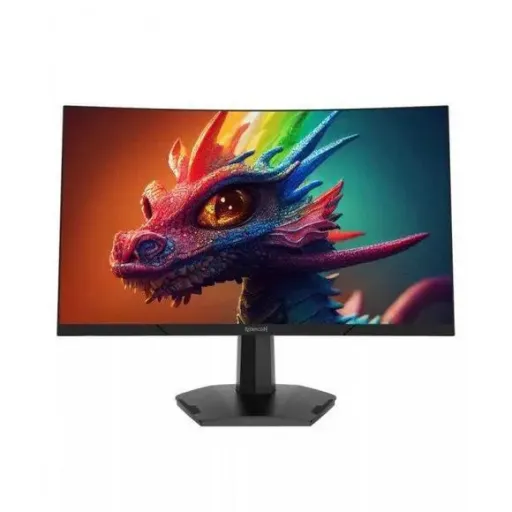
Meet the Redragon Amber GM27H10C and upgrade your setup with a monitor built for fast play and clean everyday visuals. The 27 inch curved screen creates a more focused field of view, jahan center pe attention naturally lock hoti hai, especially in long sessions. The Full HD 1920x1080 resolution keeps menus, HUD elements, and streams easy to read without heavy GPU load, which makes day to day performance feel consistent. With a VA panel underneath, blacks look deeper and contrast feels stronger, so late night scenes ka mood zyada cinematic lagta hai. The 165Hz refresh rate is the headline for competitive movement, because fast turns and quick flicks look more continuous and less jumpy in motion. The monitor also lists AMD FreeSync support, which helps reduce tearing when frame rates fluctuate, game ke during woh annoying cuts kam ho jate hain. The overall design targets a practical sweet spot for esports, story games, and mixed work, jahan smooth scrolling aur stable picture dono matter karte hain
Enjoy a comfortable 27 inch workspace that makes games, timelines, and browser tabs feel less cramped during real multi window use. The screen is specified at 27 inches with a 16:9 Full HD 1920x1080 resolution, so it matches the most common PC and console output formats without strange scaling. The curved design adds wrap around presence, rozana ke use mein edges zyada “far away” feel nahi hotay, especially when you sit centered. The FHD target also keeps it easier to drive high frame rates, meaning older GPUs can still push smooth gameplay in popular titles. For streaming and YouTube viewing, the resolution stays sharp enough for subtitles and UI, aur text readability normal desk distance par manageable rehti hai. The 165Hz capability pairs well with fast desktop scrolling, because trackpad swipes aur mouse wheel movement zyada fluid nazar aata hai. This sizing is also friendly for hybrid desks where you switch between gaming and spreadsheets, kaam bhi hota rehta hai and entertainment also looks clean
Get deeper looking blacks with a VA panel that is naturally tuned for higher contrast than typical IPS LCD behavior. The Amber GM27H10C is listed as a VA panel monitor, and it also specifies a 3000:1 contrast ratio, which supports stronger separation between shadows and highlights. The practical benefit shows up in night maps and dark UI themes, jahan grayish blacks ki complaint usually hoti hai, but VA can keep the scene more grounded. Independent panel explanations also note that VA panels generally hold a contrast advantage over IPS, helping dark room viewing look less washed out. Display comparisons similarly describe how VA can reach higher static contrast figures than IPS, which is why movies and single player atmospheres often feel more “deep.” The monitor’s typical brightness is listed at 250 cd/m2, which is a sensible level for indoor setups where harsh glare can be distracting. For late sessions, brightness ko thora lower karke, contrast ka benefit zyada nazar aata hai while eyes feel less strained
Feel smoother camera movement with a 165Hz refresh rate that reduces the time between frames and makes motion look more continuous. The Redragon Amber GM27H10C lists a refresh rate up to 165Hz, which is a strong tier for competitive shooters and fast racing titles. Motion testing education from RTINGS explains that higher refresh rates produce smoother motion, and they also connect higher refresh to the potential for a more responsive feel. Practical numbers also show why this matters, because RTINGS lists 165Hz with a shorter frame time and a lower minimum input lag figure compared to 60Hz, giving fast inputs ko zyada direct feel milti hai. The real win shows up when your PC can output high FPS, since matching frame rate to refresh rate keeps motion consistent in aim tracking. For everyday use, the jump from 60Hz to high refresh makes scrolling and window dragging look less “steppy,” bilkul smooth scrolling wali feel aati hai. When you combine high refresh with the right cable and settings, the monitor becomes a clean foundation for both gaming and productivity
Sharpen fast movement with a quoted 1ms response time that targets motion clarity rather than just static image quality. Regional listings for the Amber GM27H10C specify response time as MPRT 1ms, which is commonly tied to blur reduction methods like backlight strobing in many monitor explanations. Technical guidance from MSI explains that response time can be measured as MPRT and GtG, and it notes that MPRT is used to reduce perceived ghosting and blurring during gaming. Practical monitor education also highlights that MPRT is about perceived motion blur and can behave differently than grey to grey specs, is liye numbers ko context mein samajhna important hota hai. Tech explanations further warn that MPRT style modes can come with trade offs and may not always combine perfectly with variable refresh behavior, so settings ko apne game ke hisaab se tune karna best rehta hai. In real play, the benefit is easier target tracking, because edges look cleaner as you pan quickly across the map
Keep gameplay looking stable with adaptive sync support that reduces tearing when your frame rate rises and falls in real time. The Redragon Amber product page highlights AMD FreeSync support, which is designed to improve smoothness and reduce artifacts during variable frame delivery. AMD’s own FreeSync overview describes the goal as ending choppy gameplay and broken frames with fluid visuals across a wide ecosystem, jo practical taur par tearing aur stutter ko reduce karta hai. The big advantage appears in heavier scenes where FPS dips, because VRR helps keep motion consistent instead of forcing visible jumps between frames. For competitive games, the smoother presentation can make micro corrections feel more natural, aim assist jaisa nahi but control ka feel better hota hai. For single player titles, FreeSync support helps cinematic panning stay cleaner without distracting horizontal tears, especially on a 27 inch canvas. The end result is a monitor that supports both high FPS bursts and imperfect frame pacing, real world PCs mein jo common hota hai
Connect your gear quickly with ports that cover common PC and console setups without adapters. The Redragon Amber page lists one DisplayPort input and two HDMI inputs, plus DC power input, which gives simple flexibility for a PC plus a second device. For mixed households, yeh arrangement convenient hota hai because you can keep a console on HDMI and your PC on DisplayPort, phir bas input switch karna hota hai. Bandwidth guidance from RTINGS also explains that reaching a monitor’s maximum refresh rate can depend on the bandwidth of HDMI or DisplayPort, so choosing the right port and settings matters for 165Hz use. Regional spec tables for this model also repeat the HDMI x2 and DP x1 layout, which supports the same practical switching idea. When the connection is right, high refresh feels consistent, aur random “why is it stuck at 60Hz” wali tension kam ho jati hai. This makes the Amber GM27H10C a straightforward upgrade path for people who want plug in simplicity with high refresh results
Stay focused longer with a screen surface designed to reduce distracting reflections in bright rooms. Multiple listings for the GM27H10C describe an anti glare panel surface, which helps keep overhead lights and window reflections less visible during play and work. The monitor’s typical brightness is listed at 250 cd/m2, which aligns with comfortable indoor viewing when you tune it to your room lighting. For late night gaming, brightness ko balanced rakhna helpful hota hai because VA contrast shines when the room is dim and reflections are controlled. Guidance on motion handling also notes that refresh rate and response behavior both affect perceived clarity, so comfort settings should pair with the performance settings you actually use. The curved format can also reduce the need for constant head turning, because edges feel slightly closer, desk par posture zyada natural rehti hai. With a bit of setup time in the OSD, the screen can feel calm and readable for long browsing, study, and gaming blocks
Choose this monitor if you want a high refresh gaming feel without giving up strong contrast for movies and darker games. The Redragon Amber GM27H10C combines a 27 inch curved VA panel with 1920x1080 resolution and up to 165Hz refresh rate, which is a practical blend for esports plus daily use. Panel comparisons explain that VA typically wins on contrast while IPS often wins on viewing angles, so your decision should match your room setup and seating position, bilkul realistic expectations ke saath. RTINGS also highlights that VA monitors tend to have much higher native contrast ratios than IPS on average, which supports that “richer blacks” priority in real rooms. If your priority is competitive smoothness, the 165Hz tier gives motion and responsiveness improvements that are meaningful when your FPS is high. If your priority is cinematic immersion, the VA contrast advantage and curved presentation help create depth, scene ka impact zyada strong lagta hai. With balanced specs and straightforward connectivity, the Amber GM27H10C fits buyers who want one monitor for gaming, streaming, and regular desktop work
Here's how current offers compare across retailers.
Review current prices and specifications side by side.
 Current
Redragon
Redragon Amber GM27H10CRs. 39,490
Local price
6 offers
Updated 1 hour ago
Redragon
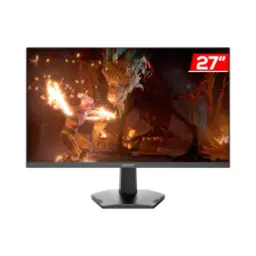
Redragon GM27X5IPSRs. 38,900
Local price
Lowest current price7 offers
Updated 2 hours ago
Redragon
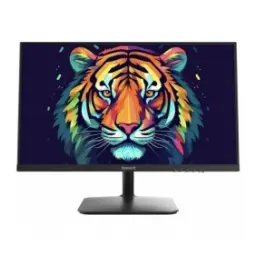
Redragon Vaga BM24V9 23.8"Rs. 42,499
Local price
1 offer
Updated 53 minutes ago