







Price Breakdown & Availability
Here's how current offers compare across retailers.

Philips 5000 Series 27E1N5800E


You Might Also Like
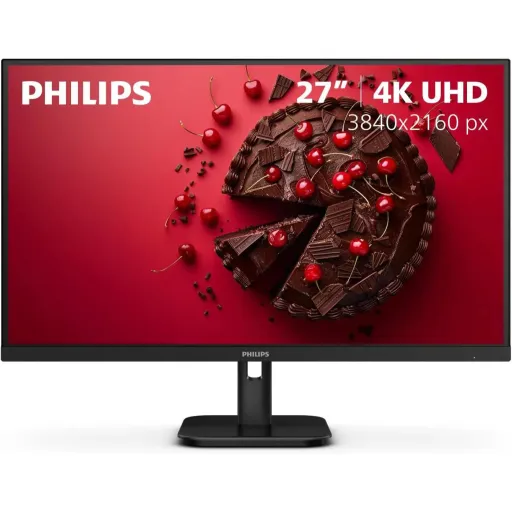
This Philips 5000 Series monitor targets clear, practical productivity. The 27 inch IPS panel delivers 3840×2160 resolution at up to 60 Hz, so text looks sharp and windows feel spacious, rozana ka kaam zyada comfortable hota hai. The IPS technology keeps colors consistent from wide viewing angles, meaning team reviews and shared screens stay readable in real rooms. The W LED backlight design supports bright, clean visuals without adding complexity, and everyday brightness is rated at 350 cd/m² for better daytime visibility. The connectivity feels immediately usable for most setups, with two HDMI 2.0 ports plus one DisplayPort 1.2 for flexible pairing, kaam bhi aur entertainment bhi. The Compact Ergo Base adds height, pivot, and tilt adjustments, so posture stays controlled during long sessions, bilkul asaani se. The MultiView feature supports PIP/PBP style workflows when two sources matter, which helps if a PC and laptop need to share one screen. The LowBlue Mode and Flicker free features aim to reduce eye fatigue during extended use, especially when your day involves constant reading and editing
This 27 inch 4K canvas makes small details easier to trust. The monitor’s pixel density is listed around 163.18 PPI, so icons, code, and spreadsheets look tighter without zooming, rozana scrolling bhi kam hoti hai. The anti glare coating with 3H and haze specification helps cut distracting reflections, which keeps attention on the work rather than the room lighting. The wide 178°/178° viewing angles typical of IPS reduce color shift, so side viewing during collaboration stays usable, meeting mein bhi. The 1000:1 contrast rating supports readable dark UI elements and clearer separation in charts, making dashboards feel more legible in mixed lighting. The 350 cd/m² brightness spec gives extra headroom for brighter rooms, so content stays visible without pushing settings to extremes. The 60 Hz 4K maximum mode stays stable for daily motion like document scrolling and timeline scrubbing, jab aap focus mode mein hotay ho. The W LED backlight system keeps the design efficient and common for reliable everyday operation. The overall screen sizing hits a sweet spot for desks, because 27 inches fits close viewing while still benefiting from 4K crispness
This display targets color consistency without turning complicated. The panel supports 1.07 billion colors, which helps gradients look smoother in modern UI and media, banding wali feel kam hoti hai. The listed color gamut includes NTSC 106.4% and sRGB 125.7%, giving extra vibrancy for content while still offering an sRGB mode for more controlled work. The Delta E specification is shown as < 2 in sRGB, which signals a focus on keeping common color errors low for typical web and office visuals. The SmartUniformity range is listed as 97 102%, helping brightness and tone feel more even across the panel, jo editing ke waqt bohat kaam aata hai. The IPS structure keeps the look consistent when you shift posture or rotate the screen, so colors don’t “wash out” during real desk movement. The anti glare surface helps maintain perceived contrast under office lights, making skin tones and product shots easier to judge. The EasyRead feature is also listed for more paper like readability, which supports long documents and research sessions without harshness. The result feels balanced for mixed use, because creative bursts and serious admin work can live on one screen with fewer compromises
This monitor keeps gaming settings simple and accessible. The response time is rated at 4 ms (gray to gray), which helps reduce obvious motion blur during fast camera pans, casual gaming mein smooth feel aati hai. The SmartImage game picture enhancement is included, giving quick preset style tuning for different game moods without deep menu digging. Philips also describes SmartImage game modes like FPS and Racing as quick access OSD options for visibility and response focused adjustments, which can help you fine tune dark scenes faster. The 4K resolution at 60 Hz pairs naturally with many consoles and media boxes, so plug and play setups feel straightforward on HDMI 2.0. The IPS panel keeps colors stable in split screen couch gaming, jab dost side par bhi betha ho. The monitor includes separate sync input support in the spec sheet, which reflects standard signal handling for broad device compatibility. The anti glare coating helps reduce distracting reflections in bright rooms, so darker game scenes stay more readable without constantly adjusting curtains. The overall experience suits “after work” sessions well, because it prioritizes clarity and comfort over extreme esports only tuning
This stand design focuses on comfort during long hours. The Compact Ergo Base supports height adjustment up to 130 mm, so the screen can sit closer to eye level, gardan ka strain kam hota hai. The pivot function is listed as /+ 90 degrees, which helps when reading long documents, coding vertically, or reviewing portrait photography. The tilt range is shown as 5/20 degrees, making it easier to match your chair height and desk angle without awkward stacking. The ergonomic flexibility matters more on a 27 inch 4K display, because you tend to sit closer and small angle changes affect perceived sharpness. The IPS panel maintains viewing stability during movement, so rotating or adjusting doesn’t ruin the look, bilkul practical feel deta hai. The VESA mount option (100×100 mm) is also listed, letting you switch to an arm later for more desk space. The cable management feature supports cleaner routing around the stand area, which makes repositioning less annoying over time. The end result is a setup that adapts to you, not the other way around
This monitor includes comfort features meant for daily use. LowBlue Mode is built in, and it is designed to reduce eye strain often linked with long hours in front of a display, rozana late night work mein helpful lagta hai. Flicker free technology is also included, which Philips positions as helping reduce viewing fatigue during extended sessions. Philips explains that LowBlue and Flicker free were developed to reduce eye strain and fatigue from long hours on screen, giving a clear rationale for why these modes exist. The anti glare screen coating further supports comfort by reducing harsh reflections, especially under overhead office lights. The 4K pixel density helps too, because crisp text reduces the urge to squint, aur focus zyada stable rehta hai. The EasyRead mode is listed as an additional reading oriented option, which can be useful for long PDFs, reports, and research tabs. The brightness rating of 350 cd/m² gives room to avoid maxing out the backlight in bright spaces, which can feel less harsh over long stretches. The comfort story stays practical because it is built into the monitor, not dependent on third party software tweaks
This feature set supports multitasking without extra monitors. The Philips MultiView capability is listed with PIP/PBP modes for two devices, so a laptop and desktop can share the panel, kaam ka flow break nahi hota. Philips describes MultiView as enabling active dual connect and view, helping users work with multiple devices simultaneously for more complex multitasking. The 27 inch 4K workspace makes MultiView more usable, because each source can remain readable even when split, especially for email, chat, and dashboards. The two HDMI 2.0 ports plus DisplayPort 1.2 help keep both systems wired and ready, switch karna asaan ho jata hai. The IPS viewing angles keep side by side content looking consistent, which matters when one source is color sensitive and the other is reference material. The on screen menu includes an EasySelect toggle key mentioned by Philips, making quick changes less fiddly during busy tasks. The audio out connection is listed for simple headphone or speaker routing, which keeps conferencing setups cleaner on shared desks. The overall workflow feels efficient because one panel can cover two roles, instead of managing two separate displays
This port selection covers the devices most people actually use. The monitor provides two HDMI 2.0 inputs and one DisplayPort 1.2 input, making it easy to keep a PC plus a console or laptop connected, bina adapters ki tension. The maximum resolution is specified as 3840×2160 at 60 Hz, which aligns well with common 4K playback and console output expectations. The MultiView PIP/PBP support becomes more practical with multiple inputs, because switching sources does not require constant cable swapping. The audio out port is included in the connectivity list, helping route sound to external speakers or headphones when your source device is inconveniently placed. The separate sync input is listed in the technical details, reflecting standard compatibility considerations across different sources. The cable management feature helps keep these connections neat, which matters when multiple HDMI cables are involved, desk bilkul clean lagta hai. The monitor’s 27 inch size makes 4K feel usable at normal desk distance, so scaling can remain comfortable while still benefiting from extra workspace. The result is a setup that feels “ready” for daily switching without adding new complexity
This monitor fits users who want clear everyday upgrades. The 27 inch 4K IPS panel targets sharp text, stable viewing, and broad use cases, kaam bhi aur Netflix bhi smooth lagta hai. The 4 ms gray to gray response time and SmartImage game enhancement support casual gaming and responsive desktop motion without turning the monitor into an esports only product. The LowBlue Mode and Flicker free features add a comfort layer for long workdays, which matters when screen time is non stop. The Compact Ergo Base adds height adjustment, pivot, and tilt, helping you set a healthier posture without buying extra accessories. The MultiView PIP/PBP option supports dual device workflows, so one screen can handle a work laptop and a personal PC, multitasking asaan ho jati hai. The dual HDMI 2.0 plus DisplayPort 1.2 layout keeps connectivity simple for mixed setups, including desktops, docking less laptops, and consoles. The 350 cd/m² brightness spec adds practical headroom for brighter rooms, while anti glare coating helps keep reflections under control. The overall package feels like a clean, competitive 4K productivity tier choice for people who value clarity, comfort, and a tidy desk
Here's how current offers compare across retailers.
Review current prices and specifications side by side.
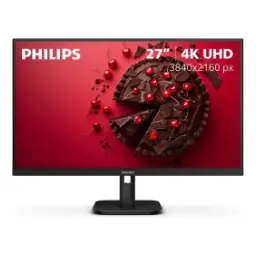 Current
Philips
Philips 5000 Series 27E1N5800ERs. 58,500
Local price
Lowest current price14 offers
Updated 20 hours ago
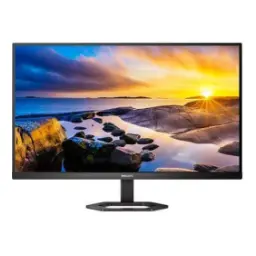
Philips
Philips 5000 Series 27E1N5500ERs. 64,899
Local price
2 offers
Updated 20 hours ago
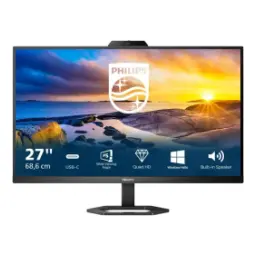
Philips
Philips 5000 Series 27E1N5600HERs. 91,990
Local price
12 offers
Updated 21 hours ago