Price Breakdown & Availability
Here's how current offers compare across retailers.

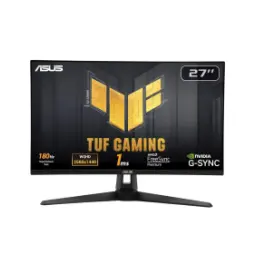
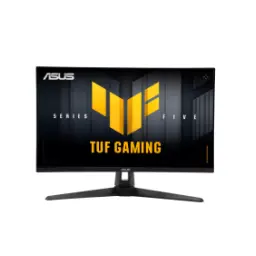
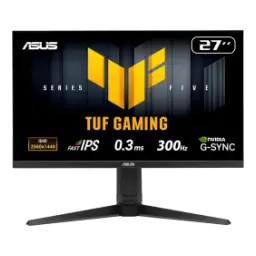
Asus TUF Gaming VG27AQ


You Might Also Like
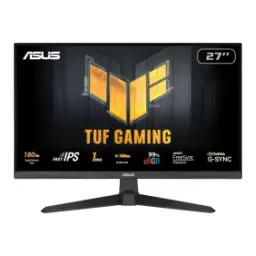
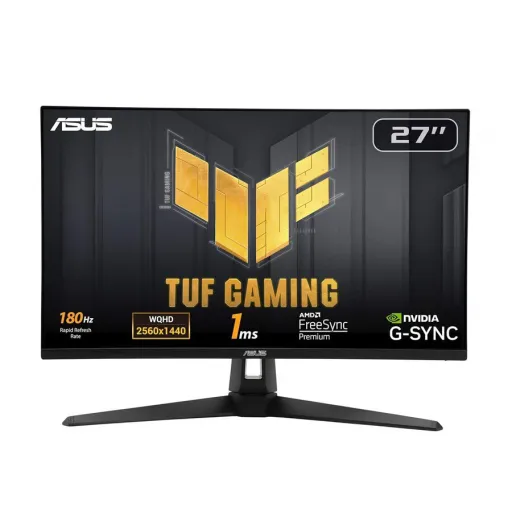
This monitor targets the true everyday gaming sweet spot, where sharp detail meets fast motion, aur setup bilkul balanced lagta hai for work plus play. The 27 inch IPS panel runs at 2560x1440 for crisp UI and cleaner textures, so you get that “2K clarity” without pushing 4K level GPU load, rozana ke use mein bhi. The ultrafast refresh can reach 165Hz, which keeps camera turns and fast peeks feeling controlled, bilkul jitter kam hota hai in shooters. The screen stays in the standard 16:9 aspect ratio, so games, streaming, and console dashboards fit naturally with no weird scaling, asaani se. The panel also accepts HDR10 signals for modern content workflows, which can help tone mapping behave more predictably compared to SDR only displays. The overall result feels like a practical performance upgrade, jahan daily comfort aur competitive smoothness dono ek saath miltay hain, without turning the monitor into a “one use” gadget
This 27 inch WQHD screen looks sharp at typical desk distance, so text edges and minimaps stay clear, rozana reading aur browsing mein bhi. The IPS panel technology keeps colors and brightness more consistent across angles, side se dekho to bhi image stable rehti hai for co op or multi seat viewing. The wide 178 degree viewing angles reduce the “washed corners” feeling when you lean back, which makes long sessions feel less fussy. The anti glare surface helps tame reflections in bright rooms, so daylight gaming ya office lighting ke neeche bhi screen readable stays. The native contrast is listed at 1000:1, which is typical for IPS and keeps shadows clean, lekin deep blacks VA jaisi nahi hoti in dark rooms. The sRGB coverage is listed as 100%, so everyday content, thumbnails, and game palettes look well filled without aggressive oversaturation, bilkul natural feel. The overall panel choice suits mixed use well, jahan gaming ke saath documents, editing, aur multitasking bhi smooth lagta hai
This high refresh pipeline makes motion feel immediate, so cursor movement and camera pans look cleaner, aur tracking easy hoti hai. The maximum refresh is rated up to 165Hz, giving competitive titles the headroom they need for fast flicks and low latency feel. The monitor supports VRR through Adaptive Sync, so frame rate dips look less jarring, lag spikes ka impact kam hota hai when your GPU is working hard. The product positioning includes NVIDIA G SYNC Compatible support, which helps PC gamers keep tearing down without locking into fixed refresh, asaani se. The low input lag performance is highlighted in independent testing, which is important when you want inputs to feel direct in shooters and rhythm games. The experience stays consistent across genres, chahe esports ho ya open world exploration, because smooth frame delivery reduces visual fatigue over time. The real benefit shows up in long sessions, jahan micro stutter kam hota hai and aiming feels more predictable
This monitor includes ASUS Extreme Low Motion Blur features, which are designed to reduce perceived blur in fast scenes, bilkul competitive edge wali feel. The advertised 1ms response figure is specified as MPRT, meaning it’s tied to blur reduction behavior rather than a simple gray to gray number, so expectations clear rehti hain. The standout idea is ELMB Sync, which allows motion blur reduction and Adaptive Sync to run together, taake tearing bhi kam ho aur blur bhi controlled rahe. The practical win appears in rapid strafes and quick turns, jahan moving edges cleaner lagti hain and target outlines stay easier to read. The panel response behavior is also discussed in reviews, where motion can still look blurrier than some competitors depending on settings, is liye tuning important ho jati hai. The good news is that the feature set gives choices, so you can prioritize VRR smoothness or blur reduction based on game type, asaani se. The end result feels more customizable than a basic high refresh panel, jahan aap apni preference ke hisaab se clarity dial in kar sakte hain
This display supports HDR10 input, which helps modern consoles and streaming apps send HDR metadata properly, aur content switching easy rehta hai. The monitor also offers multiple HDR modes in the on screen menu, so you can match the HDR behavior to games versus movies, asaani se. The important reality is that HDR impact depends on panel capabilities, and reviews note the HDR picture quality is limited compared to true high end HDR displays, bilkul “subtle HDR” wali vibe. The brightness is listed around 350 cd per square meter typical, which is helpful for daytime visibility but won’t always make highlights pop dramatically in HDR scenes. The contrast is specified at 1000:1 typical, so dark room HDR depth stays constrained, lekin normal room lighting mein images still look clean. The real benefit is compatibility and smoother tone mapping, jahan HDR games run without weird clipping, even if the “wow” level is not OLED like. The monitor therefore suits gamers who want HDR support available, lekin priority still fast SDR gameplay and daily clarity
This stand supports height, tilt, swivel, and pivot adjustments, so posture and viewing angle stay comfortable, rozana ke long hours mein bhi. The height adjustment range is listed up to 130 mm, which makes it easier to align the top bezel with eye level, bilkul neck strain kam hota hai. The monitor also supports VESA mounting with a 100 x 100 mm pattern, so arms and wall mounts fit without adapter drama, asaani se. The pivot feature is especially useful for vertical layouts, jahan coding, chat, ya document review ek side par clean lagta hai. The ergonomic flexibility matters for console desks too, because the screen angle can be tuned quickly when you switch chairs or seating distance, bilkul practical. The overall setup looks cleaner when cables route neatly, aur VESA arm use karke desk space bhi open ho jata hai for mouse movement. The result feels like a monitor that adapts to your room, rather than forcing you to adapt to it
This monitor keeps connections simple for multi device desks, so PC plus console switching feels straightforward, aur rozana hassle kam hota hai. The input lineup includes one DisplayPort 1.2 and two HDMI 2.0 ports, which covers modern GPUs and common consoles without needing adapters. The DisplayPort path supports the full up to 165Hz refresh behavior, while HDMI is listed up to 144Hz, so you can plan your cable choice with clarity, bilkul. The headphone jack helps with late night sessions, jahan speakers off rakh ke aap direct headset audio route kar sakte hain for clean desk sound. The built in speakers are rated at 2W x 2, which can handle casual videos or system sounds when you don’t want external speakers, asaani se. The lack of a USB hub keeps the design focused, so buyers who already use a dock or KVM can keep their existing workflow clean. The overall connectivity matches a practical gaming station, jahan switching sources and keeping cables tidy becomes easy
This panel aims for a balanced, usable brightness profile, so daytime play and productivity stay comfortable, rozana ke environment mein. The typical brightness is listed at 350 cd per square meter, which helps fight glare in many rooms, bilkul window light ke saath bhi workable rehta hai. The monitor includes Flicker Free and Low Blue Light features, which can make extended reading and late night sessions feel less harsh, aankhon pe stress kam hota hai. The sRGB color space is listed as 100%, giving everyday visuals a filled, accurate look for web content, thumbnails, and general creative previews. The IPS viewing stability helps when you share the screen, jahan colors shift kam hotay hain even if someone stands slightly off center. The independent testing notes it is bright enough for many well lit rooms, which supports the “daily driver” feel for mixed gaming and work. The overall comfort toolkit feels practical rather than flashy, jahan aap apni routine ke hisaab se screen ko tune kar sakte hain
This monitor fits gamers who want 1440p detail with high refresh smoothness, aur jin ko 1080p se upgrade ka clear benefit chahiye. The 165Hz ceiling plus VRR support makes competitive play feel more stable, so quick reactions and tracking stay consistent in motion heavy titles. The IPS panel benefits players who also do daily tasks, jahan wide angles and clean text rendering matter for work and study. The HDR10 capability adds modern signal compatibility, lekin reviews suggest HDR impact is limited, so SDR performance should remain your main purchase driver. The VESA 100 x 100 mounting makes sense for clean desk builds, jahan monitor arm ke saath posture aur space dono improve hotay hain. The port mix supports multi device setups easily, so one PC and one console can live together without constant cable swapping. The overall package lands as a practical, performance first display, jahan features ka focus real gameplay aur daily comfort par rehta hai
Here's how current offers compare across retailers.
Review current prices and specifications side by side.