














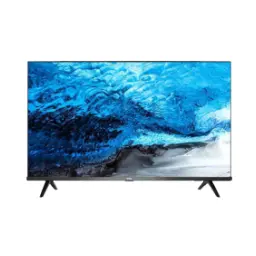
Price Breakdown & Availability
Here's how current offers compare across retailers.
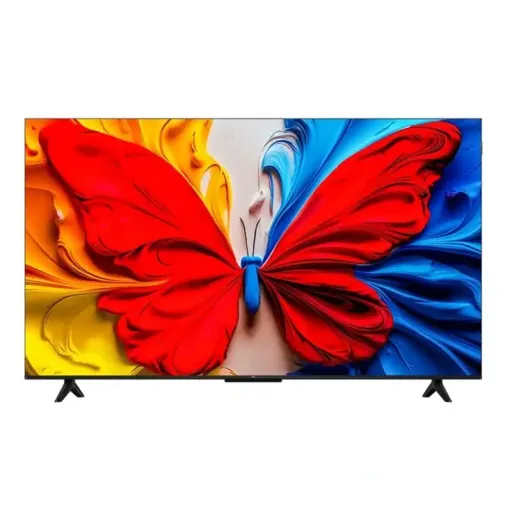

TCL 50 inches QLED TV | 50S51K | Urban Hub
Seller: Urban Hub
Updated 1 day ago
TCL 50 inches QLED TV | 50S51K | Urban Hub
Seller: Urban Hub
Updated 1 day ago
Rs. 94,500
TCL - Smart Google TV QLED 50 inch - S51K - 50S51K - (NS2)
Seller: Nasim & Sons
Updated 1 day ago
TCL - Smart Google TV QLED 50 inch - S51K - 50S51K - (NS2)
Seller: Nasim & Sons
Updated 1 day ago
Rs. 94,999
TCL 50S51K 50 Inch QLED (2025) Full HD Android Smart TV On Installments By Connect Mall
Seller: Connect Mall
Updated 1 day ago
TCL 50S51K 50 Inch QLED (2025) Full HD Android Smart TV On Installments By Connect Mall
Seller: Connect Mall
Updated 1 day ago
Rs. 96,899
TCL 50" S51K 2K QLED TV On Installment With Nationwide Delivery
Seller: Sarwar Enterprises
Updated 1 day ago
TCL 50" S51K 2K QLED TV On Installment With Nationwide Delivery
Seller: Sarwar Enterprises
Updated 1 day ago
Rs. 101,750
TCL QLED TV 50Inch Android Google TV (50S51K) - Best Price - With FREE SURPRISE GIFT - HomeCart
Seller: Home Cart
Updated 1 day ago
TCL QLED TV 50Inch Android Google TV (50S51K) - Best Price - With FREE SURPRISE GIFT - HomeCart
Seller: Home Cart
Updated 1 day ago
Rs. 107,699
TCL | 50 Inch | 50S51K | QLED TV | Android | Google TV - On Installment Upto 36 Months - ElectroEase
Seller: Electro Ease
Updated 1 day ago
TCL | 50 Inch | 50S51K | QLED TV | Android | Google TV - On Installment Upto 36 Months - ElectroEase
Seller: Electro Ease
Updated 1 day ago
Rs. 109,249
TCL | 50 Inch | 50S51K | QLED TV | Android | Google TV - On Installment Upto 36 Months - ElectroEase
Seller: Electro Ease
Updated 1 day ago
TCL | 50 Inch | 50S51K | QLED TV | Android | Google TV - On Installment Upto 36 Months - ElectroEase
Seller: Electro Ease
Updated 1 day ago
Rs. 109,249
TCL | 50 Inch | 50S51K | QLED TV | Android | Google TV - On Installment Upto 36 Months - ElectroEase
Seller: Electro Ease
Updated 1 day ago
TCL | 50 Inch | 50S51K | QLED TV | Android | Google TV - On Installment Upto 36 Months - ElectroEase
Seller: Electro Ease
Updated 1 day ago
Rs. 109,249
TCL S51K FHD QLED Google TV 50 inches

You Might Also Like
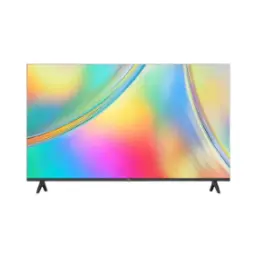
Bring cinema scale viewing into everyday spaces with the TCL S51K 50 inch QLED Google TV, a size that feels immersive without taking over your lounge. The 50 inch screen option sits in the S5K/S51K family lineup, so wall mount ya tabletop setup dono mein balance aata hai. Choose this model when you want a modern QLED panel with TCL’s S51K series positioning, because color aur clarity ka combo daily watching ko instantly cleaner banata hai. The official S51K listing highlights a QLED display type plus a slim design theme, making it easy to build a neat, minimal look around the TV. Keep the experience simple with Google TV on top, so family members can jump in quickly without complicated menus, bilkul asaani se. The same S51K page also calls out Google TV and Google Assistant support as core highlights, which matters when you want voice first navigation in a shared living room. Enjoy the feeling of a “new TV day” upgrade through cleaner colors, smoother browsing, and a more organized home screen that looks premium. The overall intent here is practical: a 50 inch QLED FHD TV that fits real homes, rozana ke use mein bhi, and still feels like a step up
See your favorite content with clean Full HD detail, because the S51K spec sheet lists a 1920×1080 (2K/FHD) resolution that keeps text, faces, and subtitles sharp. Enjoy richer color on a QLED panel, where quantum dot style color layers are designed to widen and stabilize color performance, colors zyada lively lagte hain without looking neon. Watch everyday streaming and cable style content with less visual noise, kyun ke FHD content ko naturally match milta hai and you avoid unnecessary processing for lower resolution sources. Keep the living room vibe more “real” with balanced tones, because QLED is positioned by TCL as a vivid color solution focused on lifelike viewing rather than only peak brightness chasing. Notice the upgrade most during bright scenes like sports kits and animated content, jahan color separation clean rehti hai and edges look tidy. Read on screen UI elements more comfortably from the sofa, because a 50 inch FHD panel can stay very legible at typical distances, rozana ke browsing mein. The result is a practical clarity and color mix that feels refined for daily watching, without turning your setup into a complicated “calibration project.”
Unlock more scene depth with HDR10 support, because the S51K listing specifically calls out HDR10 as the supported HDR format. Get punchier highlights and clearer separation in mixed lighting scenes, jahan sky bright ho aur buildings dark hon, so you can follow details without squinting. TCL’s S5K family explains HDR10 decoding as a way to analyze scenes and adjust the image signal for enhanced contrast, which helps even when content quality varies across apps. Keep expectations realistic in very sunny rooms, because the same S51K spec page lists brightness up to 280 nits, which suits typical indoor evening viewing best. Enjoy a cleaner “movie mode” feel at night, jab lights dim hoti hain, and blacks appear more controlled for casual film sessions. Avoid losing shadow detail in darker scenes by fine tuning picture presets, because HDR performance is as much about correct settings as it is about format support. The HDR10 foundation makes this TV a solid everyday performer for streaming libraries, helping scenes look more dimensional while staying comfortable to watch
Stay comfortable during long viewing sessions with a 60Hz refresh rate, which is explicitly listed for the S51K display. Keep motion looking controlled for everyday use, kyun ke 60Hz is the mainstream standard for TV shows, YouTube, and most casual console viewing in this category. Use TCL’s built in viewing modes for quick tuning, because the S5K family highlights multiple viewing modes like Game, Sports, and Movie for different scenes. Reduce the “why does this look weird” moments by selecting the right preset for the content, jab match chal raha ho or you’re watching fast pans in a documentary. Make menu navigation feel clean and predictable, because consistent 60Hz UI behavior helps scrolling and app switching stay smooth for most daily workflows. Keep the experience stable across family members, asaani se, by saving your preferred settings once and letting the TV handle the routine. This approach focuses on real life motion comfort rather than chasing extreme gaming specs, so the TV stays dependable for the way most households actually watch
Find what to watch faster with Google TV, because TCL’s S51K page lists Google TV as a key platform feature. Explore personalized suggestions across services, kyun ke TCL’s S5K Google TV section describes discovering movies and shows from across subscriptions with recommendations based on your interests and watch history. Keep recommendations more relevant by rating and managing content preferences, because TCL’s Google TV support guidance explains how likes/dislikes and watched status influence what gets recommended. Save time in a shared home by using watchlists and profiles, jahan har banda apni preferences set kar leta hai, and the TV feels less “one size fits all.” Maintain a cleaner routine for daily TV time, because a centralized home screen reduces constant app switching and makes it easier to continue what you started. The overall benefit is simple: more watching, less searching, and a smarter front page that keeps up with busy schedules
Personalize the experience for multiple viewers by adding user profiles, because TCL support explains that you can add more than one user profile on a TCL Google TV and sign in with multiple accounts. Keep each person’s suggestions cleaner, kyun ke alag profile se recommendations mix nahi hoti and your home screen feels more “yours.” Set up a kid’s profile when needed, because TCL’s S5K family highlights a Kid’s Profile concept for kid friendly content and safer browsing. Add practical controls like app access and screen time limits, because Google’s official help page explains kids profiles and parental controls options on Google TV, including limits and locks. Make switching easier for guests and family with QR based sign in flows, asaani se, because TCL’s profile guide includes steps for adding an account via QR code or remote entry. This profile first setup turns the TV into a shared hub that still respects individual taste, so nightly viewing arguments heat kam hotay hain and recommendations stay useful
Share videos, photos, and streams quickly with casting, because TCL’s S5K family page calls out Google Cast as a way to stream from your phone to the TV. Understand the benefit clearly because Google Cast is defined by Google as technology that lets you stream entertainment from a phone, tablet, or laptop to your TV or speakers. Keep the experience smooth in real homes, kyun ke casting generally works best when your devices are on the same Wi‑Fi network, and Google’s help guidance outlines this requirement for casting from Cast enabled apps. Turn quick “look at this” moments into room wide viewing, jab family saath ho, without passing a phone around. Save battery and keep playback stable by letting the TV handle the stream, because casting typically shifts the heavy lifting to the receiver device once connected. Enjoy a more flexible living room routine where your phone becomes the remote when you want it, but the TV stays the main screen for comfort
Upgrade your setup’s look with a slim design focus, because TCL’s S51K feature list includes “Slim Design” as a highlighted attribute. Get more consistent seating comfort with an HVA panel, kyun ke the S51K listing explicitly mentions “HVA Panel” as part of the product identity. Understand what HVA means in TCL’s ecosystem, because TCL describes HVA (High Vertical Alignment) panels as aiming for high native contrast and ultra wide viewing angles in its panel technology messaging. Enjoy family seating flexibility in wider rooms, kyun ke TCL has also referenced HVA panels supporting very wide viewing angles (up to 178° in some ranges), which aligns with the idea of clearer off center viewing. Keep your living room looking tidy with a more modern screen first aesthetic, jab wires manage ho jayein, and the TV blends into contemporary décor better. This combination of slim styling and panel comfort is made for real seating plans, so everyone can see well without fighting for the “perfect spot.”
Choose the TCL S51K when you want a balanced upgrade, because QLED plus FHD plus Google TV focuses on the things you feel daily, not just spec sheet flex. Confirm the core display fundamentals easily, because TCL lists QLED, 1920×1080 FHD resolution, HDR10, and 60Hz refresh rate directly on the S51K product specification page. Plan your smart features realistically, kyun ke TCL’s Google TV messaging notes that accounts and a reliable broadband internet connection are required to enjoy all smart features and services. Treat this model as a “daily driver” TV for streaming, YouTube, and family viewing, rozana ke routine mein, where consistent usability matters more than chasing extreme gaming refresh rates. Feel confident about long term ownership considerations, because the S51K listing in Pakistan mentions a 2 year TV parts warranty in its warranty section, while regional terms can vary. Keep your decision simple by matching it to your room and habits, because a 50 inch screen is large enough to feel cinematic yet practical for apartments and mid size lounges. End the search with a TV that looks modern, runs a familiar smart platform, and delivers color forward QLED viewing that stays comfortable day after day
Here's how current offers compare across retailers.
Review current prices and specifications side by side.