Price Breakdown & Availability
Here's how current offers compare across retailers.
You Might Also Like
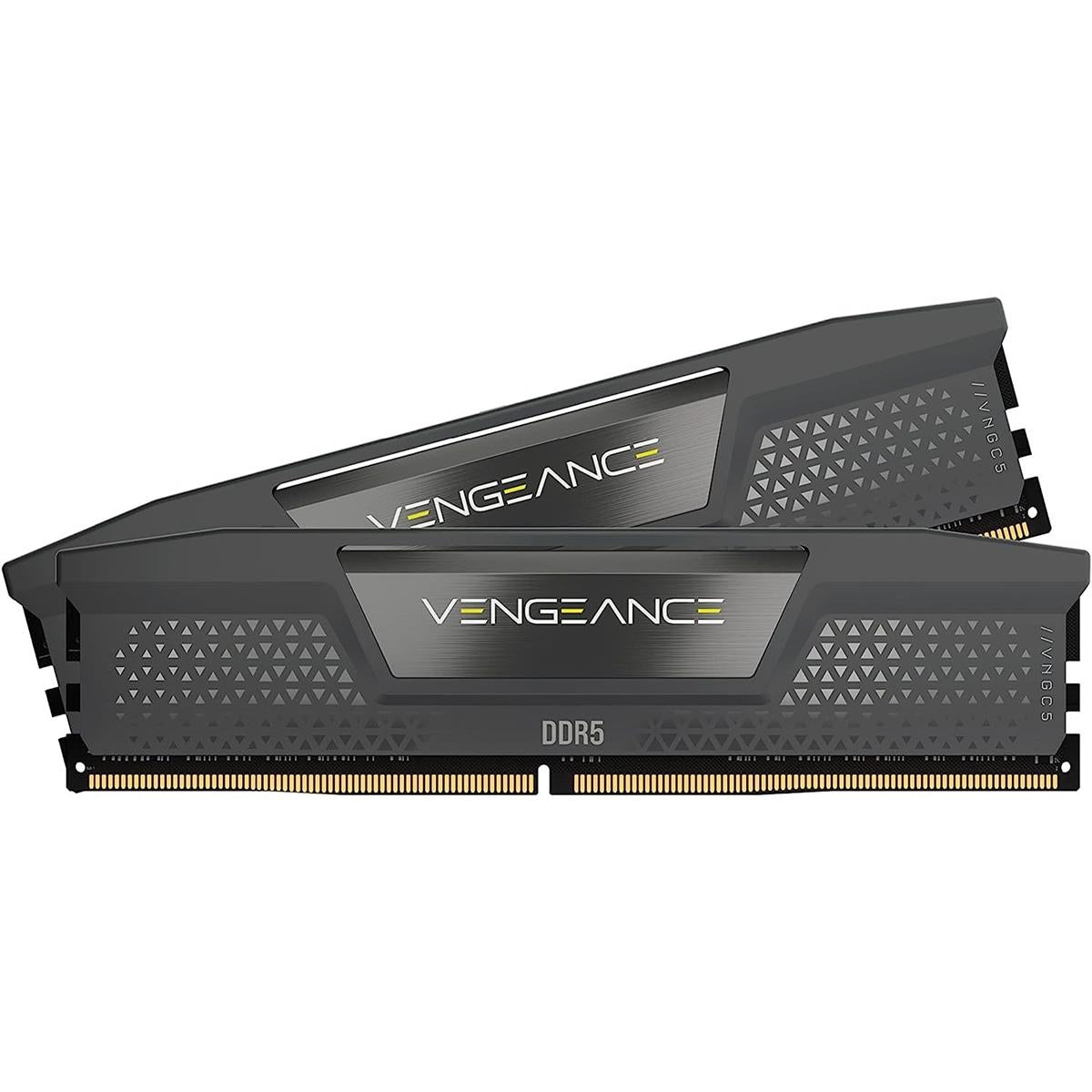
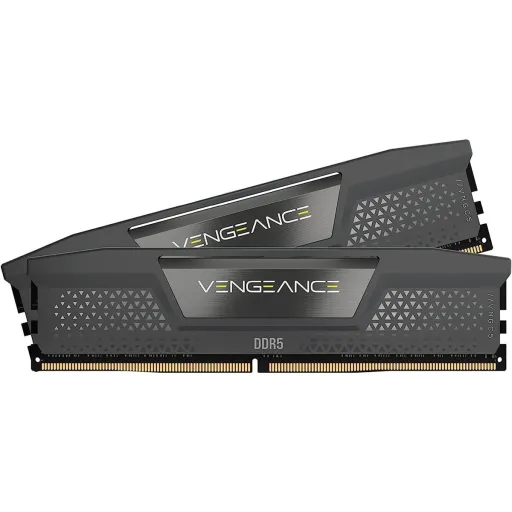
This Corsair Vengeance DDR5 module is designed for clean upgrades, jab aap chahte ho ke build modern bhi ho aur simple bhi. The kit is a 16GB single stick (1x16GB), so it’s a straightforward drop in for a new DDR5 platform or a staged upgrade path. The compact, low clearance module styling keeps physical compatibility wide, meaning coolers aur tight cases mein bhi fit asaani se ho jata hai. The rated overclock profile is Intel XMP 3.0, which helps you reach the advertised tuned settings without manual trial and error, bilkul convenient for first time builders. The aluminum heatspreader is built to move heat away quickly, so long sessions stay more stable and heat kam rehta hai. The official positioning highlights DDR5’s role in feeding many core CPUs faster, jis se multitasking aur heavy workloads mein smoothness improve hoti hai. The module is backed by a limited lifetime warranty, which supports long term confidence for a PC you plan to keep upgrading. The result is a memory choice that feels modern and practical, jahan aesthetics bhi clean hoti hain aur daily performance bhi stable
This 5600MT/s rating targets a noticeably quicker feel, especially when many apps are active and the system needs fast data delivery. The tested latency is listed as 40 40 40 77, so you get a known tuning point for responsiveness without guessing, jo build planning ko easy banata hai. The module’s tested voltage is 1.25V at the rated profile, which frames what “5600” typically means in practice on compatible platforms. The default JEDEC baseline is also shown with SPD speed 4800MHz and SPD voltage 1.1V, so out of box behavior is clear and expectations remain realistic. The DDR5 architecture improves efficiency through changes like two independent 32 bit channels per module, jis se concurrent operations zyada asaani se handle hoti hain. The end benefit is smoother multitasking under load, like multiple browser tabs, streaming, and creative apps running together without that “system feels stuck” moment. The platform reality still matters because maximum speed depends on CPU and motherboard, so BIOS settings and compatibility decide whether the tuned profile runs perfectly, bilkul same as most DDR5 kits. The overall experience feels more “ready for modern workloads,” with less waiting and smoother switching between tasks. The practical win is consistent system pacing, rozana ke use mein bhi, where small stalls reduce and the PC stays responsive in real time
This memory is built around Intel XMP 3.0 support, which is the DDR5 focused version of XMP designed to streamline memory tuning. The simplest workflow is enabling XMP in BIOS and letting the platform apply the rated speed, timings, and voltage automatically, jis se manual tweaking ki tension kam ho jati hai. The XMP 3.0 standard can support up to five profiles, including vendor profiles and rewritable user profiles, so the concept is more flexible than older generations. The Corsair guidance also notes DDR5 modules can include preconfigured profiles and allow saving custom profiles, which helps if you want different behavior for gaming versus creator workloads, bilkul practical approach. The important reality is that XMP is overclocking, so stability depends on the CPU’s memory controller, motherboard BIOS maturity, and correct slot installation. The product listing clearly states that achieving tested speed can require BIOS adjustments and that results vary by system components, so the expectation is transparent. The best part is the time you save during setup, kyun ke you avoid trial and error timing tables and jump straight to a known good target. The payoff is a cleaner build experience where performance tuning feels controlled and repeatable, not experimental. The final feeling is simple confidence, jab system boot hota hai aur memory profile stable run karta hai
This Vengeance DDR5 module includes onboard voltage regulation messaging, which matters because DDR5 power management behavior is a key part of stability at higher data rates. The Corsair feature description ties built in voltage regulation with iCUE software control, meaning fine tuned output can be managed with a more guided interface on supported setups. The broader DDR5 platform shift moves power management (PMIC) from the motherboard to the memory module, jis se power delivery more granular aur controlled ho sakti hai. The practical benefit is fewer “random” instability moments when you push rated profiles, because clean power and signal consistency support the memory controller under stress. The Corsair positioning specifically frames voltage regulation as improving stable overclocking compared to older approaches, which aligns with how DDR5 is engineered for efficiency and stability. The iCUE setup documentation also emphasizes that XMP tuning can introduce instability, so controlled adjustments and monitoring become part of a smarter routine, bilkul safe approach. The real life scenario is long gaming sessions or heavy exports where sustained load exposes weak settings, aur yahan stable power behavior difference bana deta hai. The end result is steadier performance rather than peak only bursts, so your PC feels consistent across hours. The overall experience stays calmer, rozana ke work aur play dono mein, because the platform is tuned to behave predictably
This module uses hand sorted, tightly screened memory chips, which is meant to reduce variability and keep high frequency behavior more consistent across real use. The same positioning appears in Corsair’s DDR5 announcements, tying screened ICs to stable high frequency performance and aggressive timing options, jo enthusiasts ke liye meaningful point hai. The benefit is not just “benchmarks,” but smoother real sessions where heavy multitasking doesn’t suddenly trigger app crashes or memory errors. The product page also calls out a high performance PCB for signal quality and stability, which supports the idea of keeping performance stable instead of spiky. The DDR5 generation is designed for better efficiency and stability features overall, including architectural changes and reliability improvements, is liye quality components ka effect aur bhi visible hota hai. The most noticeable “quality feel” shows up when the PC is under load, like streaming while gaming or running many Chrome tabs with background tools. The Corsair guidance around XMP also reinforces that stability is part of responsible tuning, so consistent IC behavior helps you stay closer to set and forget settings. The outcome is less troubleshooting time, kyun ke stable memory reduces those hard to diagnose issues that feel like random system moods. The final advantage is confidence to grow the build later, because a reliable first stick sets a strong baseline for expansion
This compact form factor is built for wide compatibility, so cooler clearance and crowded motherboard layouts don’t force compromises during installation. The product description highlights low clearance as a core feature, which matters for air coolers and tight builds where RAM height can become a real issue, bilkul common problem. The solid aluminum heatspreader is positioned to conduct heat away quickly, helping long gaming sessions maintain stability and keeping heat kam during extended loads. The real world impact is sustained behavior, because memory that stays thermally comfortable is less likely to be the weak link when the PC is running hard. The understated black styling also fits modern builds without demanding attention, so you can keep a clean theme while focusing budget on other parts. The Corsair DDR5 messaging emphasizes DDR5’s role in faster data feed for high end CPUs, and a stable thermal design supports that promise in daily use. The best part is build simplicity, kyun ke low profile RAM reduces the need to rotate fans, shift coolers, or re route cables. The overall look stays refined and functional, and your airflow plan remains intact. The final feel is a tidy, no drama installation that supports a stable system from day one
This 16GB (1x16GB) capacity targets a practical baseline, giving you breathing room for modern Windows usage, gaming, and productivity without immediate slot saturation. The advantage of a single module is flexibility, kyun ke you can add a second stick later for more total memory and broader bandwidth behavior on many platforms. The module format is UDIMM with 288 pins, which aligns with standard desktop DDR5 motherboards rather than laptop SODIMM layouts. The compatibility callout mentions Intel 600 Series, Intel 700 Series, and Intel 800 Series DDR5 motherboards, so it’s clearly aimed at current Intel desktop platforms. The DDR5 design itself includes two independent 32 bit channels per module, which improves concurrency even within a single stick, is liye single DIMM setups can still feel responsive in everyday work. The smarter upgrade behavior comes from installing modules in the correct recommended slots, because platform slot order can affect stability and performance. The most convenient path is starting with one stick today, then matching it later for a balanced configuration when workload grows, bilkul budget friendly planning. The result is less upfront complexity and more control over future expansion. The final takeaway is simple scalability, where today’s 16GB feels clean and tomorrow’s upgrade stays painless
This Vengeance DDR5 module is positioned as iCUE enabled, which matters if you like one dashboard for monitoring and control rather than scattered utilities. The Corsair support guide states iCUE needs version 4.17 or newer for DDR5 memory support, so updating software is a real setup step and not just a suggestion. The same guide explains you can monitor temperature and voltage readings per module and add sensors to the iCUE dashboard, jis se stability pe nazar rakhna asaan ho jata hai. The iCUE ecosystem concept is also described as a unified interface for many Corsair products, so your setup can feel cohesive when fans, coolers, and peripherals live in one place. The DDR5 setup guidance notes that custom XMP profile features can vary by motherboard and may require BIOS steps like enabling SPD Write, so the experience stays realistic and platform aware. The product page even references iCUE downloads that include an “XMP Manager feature preview,” which signals active software tooling around DDR5 tuning for supported boards. The practical benefit is faster troubleshooting, kyun ke you can watch temps and voltages instead of guessing why a system feels unstable. The overall experience becomes more refined, especially for builders who want monitoring without clutter. The end result is smoother ownership, where performance tuning and health checks stay organized in one routine
This DDR5 5600 Vengeance stick fits best in modern builds, especially when you want current gen platform features without jumping into extreme enthusiast tuning tiers. The bigger DDR5 story includes higher bandwidth potential, architectural efficiency improvements, and platform changes like on module power management, jo long term platform direction ko clear karta hai. The DDR5 baseline operating voltage is commonly described as 1.1V, and the Crucial overview explicitly calls out that DDR5 reduces voltage compared to DDR4 while moving PMIC to the module. The reliability discussion around DDR5 also includes on die ECC at the component level, which is framed as part of DDR5’s stability engineering. The real performance takeaway is that DDR5 gains can be workload dependent, and broader reviews note that gaming differences can be modest while bandwidth heavy tasks show clearer benefits, so expectations stay balanced. The Corsair listing also reminds that rated speeds require BIOS adjustments and depend on CPU and motherboard, is liye pairing the right board and updating BIOS stays important. The best buyer profile is someone building an Intel DDR5 system who wants a compact, quality focused 16GB start with a clear upgrade path. The closing advantage is control, because you can run SPD defaults first and then enable XMP 3.0 when the system is ready, bilkul step by step. The final decision feels practical and future aware, with a simple configuration that supports growth without forcing complexity on day one
Here's how current offers compare across retailers.
Review current prices and specifications side by side.