


Price Breakdown & Availability
Here's how current offers compare across retailers.
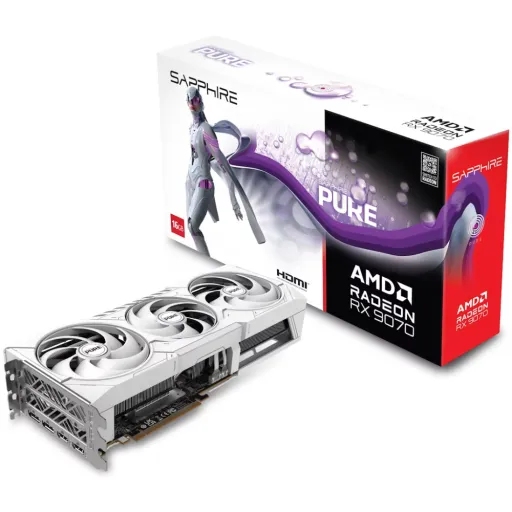
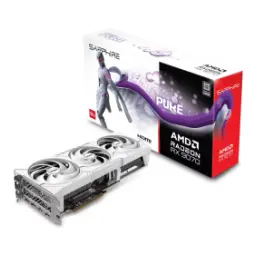
Sapphire AMD Radeon RX 9070 Nitro+

You Might Also Like
Sapphire’s NITRO+ RX 9070 is built for enthusiasts who want a cleaner, cooler, more confident daily setup, aur jo long sessions mein stability ko value karte hain. The foundation starts with AMD’s RDNA 4 architecture, which targets modern gaming pipelines while keeping efficiency practical for real world rigs. The Nitro+ edition adds a performance forward OC profile, so boost behavior feels zyada consistent when you’re switching between esports, AAA campaigns, and creator tasks. The core configuration brings 3,584 stream processors, which helps deliver the kind of throughput that keeps frametimes controlled, bilkul “random stutter” wali feeling kam hoti hai. AMD positions the RX 9070 series as a new RDNA 4 generation built around stronger AI and ray tracing blocks, so the card feels more future aligned for upcoming engines. The practical benefit shows up in day to day play, kyunke aap settings ko “panic tweak” ki jagah calmly tune karte ho for smoothness. This is the kind of GPU tier that’s meant to feel premium in use, not just impressive on a spec page
Modern setups demand flexible ports, and this card delivers with 2x HDMI plus 2x DisplayPort 2.1a for clean multi device switching. High resolution headroom stays serious because HDMI and DisplayPort can both output up to 7680×4320, so 8K workflows feel possible even if you game at 1440p today. AMD’s RDNA 4 platform also highlights the Radiance Display Engine with DisplayPort 2.1a and HDMI 2.1b support, which matters when you’re planning for higher refresh panels and richer HDR pipelines, warna upgrade baad mein awkward ho jata hai. Practical cable management gets easier because you can keep a main monitor on DisplayPort and reserve HDMI for a TV or capture path, asaani se daily routine set ho jati hai. The card supports up to four displays, which is ideal for stream overlays, productivity layouts, or a dual monitor plus side vertical workflow that stays comfortable. For creators and multitaskers, this port mix avoids the “dongle life” and keeps your setup clean, bilkul professional feel. Strong display I/O is one of those upgrades you notice slowly, because everything just connects the first time
Game engines today lean heavily on modern APIs, and the RX 9070 platform supports DirectX 12 Ultimate for next generation feature paths. AMD frames DX12 Ultimate around technologies like ray tracing, variable rate shading, mesh shaders, and sampler feedback, which helps games scale visuals without always brute forcing raw power, rozana ke gameplay mein yeh difference subtle but real hota hai. Microsoft also explains how Direct3D 12 reduces CPU overhead and improves efficiency through lower level control, meaning smoother frame delivery can be easier for well optimized titles to achieve. When the API path is right, your GPU spends more time rendering and less time waiting, is liye input response bhi zyada tight feel hoti hai in fast shooters. The Nitro+ edition pairs that modern API support with Sapphire’s tuned clocks, so you get a platform that feels ready for heavy scenes and new rendering tricks. DirectX 12 Ultimate support also helps with longevity, kyunke upcoming titles often target these feature sets for their “high” and “ultra” modes. The end result is confidence in compatibility, which matters as much as peak FPS for a stress free build
Smooth gameplay is not just about averages, because consistent motion matters when the screen gets busy, aur jab camera fast pan karta hai. AMD FSR 4 is designed to improve detail and temporal stability compared with FSR 3.1, which helps reduce flicker on fine objects and keeps the image cleaner during movement. AMD notes that FSR 4 requires RDNA 4 hardware on Windows using DirectX 12, so the RX 9070’s RDNA 4 platform lines up with the intended path for best results. Driver side adoption has also expanded over time, and coverage discussions highlight that RDNA 4 GPUs are the requirement for this feature set in the current implementation. AMD HYPR RX bundles performance oriented toggles, and AFMF (Fluid Motion Frames) is positioned as an in driver frame generation approach for higher FPS and smoothness, matlab aapko har game ke menu mein deep setting hunt nahi karni padti. AMD explicitly lists API coverage for AFMF across DirectX 11, DirectX 12, Vulkan, and OpenGL games, which is useful when your library is mixed and you want one consistent control center. The practical win is better perceived fluidity at the same hardware load, so heat and fan noise can stay more manageable in long sessions. This stack is about smart scaling, not magical numbers, and it’s most valuable when you want smoother motion while keeping settings sensible
VRAM behavior affects the feel of modern games, especially when textures, shaders, and streaming assets are all competing in the background. The Sapphire NITRO+ RX 9070 ships with 16GB of GDDR6 on a 256 bit memory interface, which supports higher quality textures and reduces the chance of “sudden hitch” moments, bilkul jab open world areas load hotay hain. TechPowerUp lists the same 256 bit bus for the RX 9070 family, making this a consistent platform trait rather than a one off board choice. Sapphire also specifies 20 Gbps effective memory speed on this Nitro+ model, which helps feed the GPU when you push higher resolutions or heavier texture packs. Infinity Cache is listed at 64MB on the Nitro+ entry, and that cache layer can help keep frequently used data closer to the GPU for snappier access patterns, asaani se stability improve hoti hai. The real benefit is fewer compromises, because you can prioritize visual clarity without instantly running into memory pressure. This memory configuration is aimed at the “high settings, no drama” crowd, where smooth pacing matters as much as sharp detail
Sustained performance comes from steady temperatures, and Sapphire builds the Nitro+ around its Tri X cooling approach for long gaming marathons. Sapphire calls out Honeywell PTM7950 thermal interface material, which is the kind of “hidden” component that can improve consistency when you’re pushing extended workloads, heat kam rehta hai to boost behavior bhi stable hota hai. Practical maintenance also gets attention through features like Fan Quick Connect, so cleaning or servicing feels less intimidating for normal users. Structural rigidity matters on heavier cards, and Sapphire lists a cold rolled steel frame plus a metal backplate to help keep the build solid over time. Acoustic comfort improves when cooling is efficient, kyunke fans ko unnecessary ramp nahi karna padta during typical gaming scenes. Sapphire also mentions intelligent and precision fan control support, which helps tune noise versus temps to your personal preference. TechPowerUp’s listing reinforces that this Nitro+ board is positioned as a premium implementation of RX 9070, aligning with the expectation of better sustained clocks. When cooling is handled properly, the GPU feels more predictable, and that predictability is what makes a “premium” card actually feel premium
Many PC libraries still rely on OpenGL pipelines, especially in certain creative tools, older titles, and specialized visualization apps, is liye compatibility matter karti hai. TechPowerUp lists OpenGL 4.6 support on the RX 9070 platform, which helps ensure those workloads can run without weird fallbacks or missing feature issues. Khronos describes OpenGL 4.6 as a release that integrated multiple extensions into the core specification and added SPIR V shader ingestion capability, which can simplify certain developer pipelines and modernize the API’s toolchain behavior. AMD also positions AFMF support across OpenGL games, which matters if your playtime includes titles that are not purely DirectX 12 based, bilkul jab aap mixed engines run karte ho. This combination means the GPU is not “one trick,” because it can serve both modern AAA and legacy friendly use cases. Multi API coverage is a quiet form of value, kyunke aapko har few months baad compatibility worries nahi hoti. The Nitro+ approach complements this with stable hardware delivery, so your experience stays refined even when the software stack is varied. When a GPU handles both new and old gracefully, the whole PC feels more flexible
A strong GPU should also install cleanly, and the Nitro+ RX 9070 uses a PCI Express 5.0 x16 interface for modern platform compatibility. Sapphire lists UEFI BIOS support, which helps keep boot behavior and firmware compatibility straightforward on current systems, bilkul jab aap fresh Windows install ya motherboard update karte ho. Power planning is part of a painless build, and Sapphire specifies a 12V 2x6 external connector with an included adapter, so you can align your PSU plan without last minute surprises. Output planning stays simple because the same board includes 2x HDMI and 2x DisplayPort 2.1a, which reduces the need for active adapters that can introduce handshake quirks. AMD’s RDNA 4 press materials emphasize next generation display connectivity (DP 2.1a and HDMI 2.1b), which pairs nicely with a PCIe 5.0 era platform mindset. Build comfort comes from these small frictions being removed, kyunke aap “fitment and firmware” ki tension ki bajaye performance tuning par focus karte ho. When installation feels clean, the upgrade feels instantly rewarding
Choosing a GPU is really choosing a daily experience, and the Nitro+ RX 9070 aims to make that experience smooth, stable, and future aware. Sapphire positions this model with a 4K game index and an 8K capable output pipeline, so it supports both “today’s monitor” and “tomorrow’s upgrade” thinking without forcing extremes. The platform level story centers on RDNA 4, improved AI acceleration, and modern display tech, which makes sense if you’re planning to keep the card for multiple game generations, rozana ke updates aur new engines ke saath. The spec backbone stays practical with 3,584 stream processors and a 256 bit memory interface, which supports high settings without immediately hitting bandwidth walls. The upgrade story also improves when FSR 4 is on the table for RDNA 4 + DirectX 12 games, because it offers a quality focused scaling path when you want smoother performance at higher resolutions. The Nitro+ cooling and premium construction features are the kind of choices that keep performance consistent, is liye card “new” feel zyada time tak rehta hai. If your goal is a competitive flagship tier feel without stepping into the most extreme class, this Nitro+ build fits that balanced, confidence first mindset
Here's how current offers compare across retailers.
Review current prices and specifications side by side.
 Current
Sapphire
Sapphire AMD Radeon RX 9070 Nitro+Rs. 270,000
Local price
1 offer
Updated 7 hours ago
Sapphire
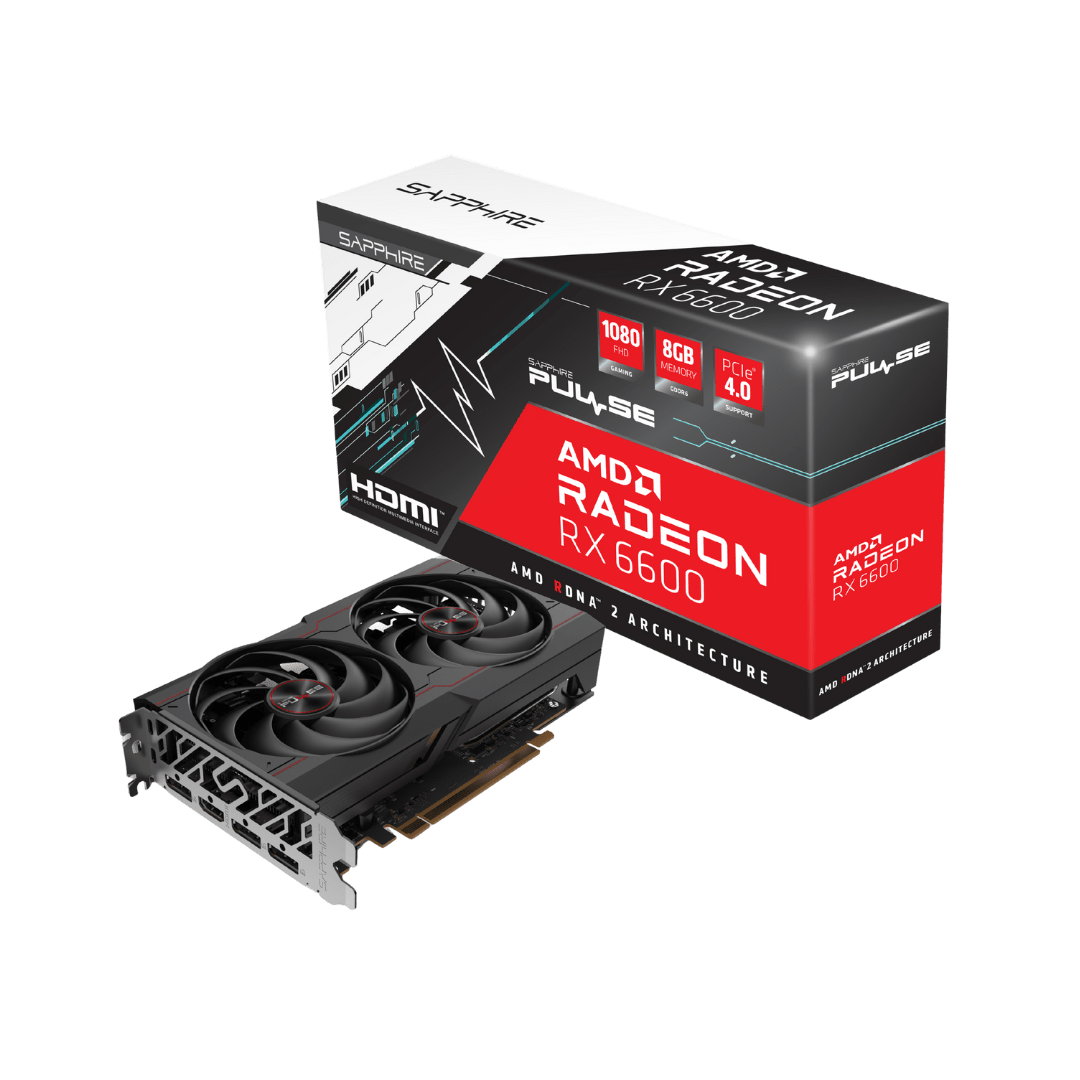
Sapphire Radeon RX 6600From Rs. 66,999
Local price
Lowest current price1 offer
Updated 8 hours ago
Sapphire
Sapphire Radeon RX 7700 XTFrom Rs. 139,000
Local price
11 offers
Updated 8 hours ago