
Price Breakdown & Availability
Here's how current offers compare across retailers.
You Might Also Like
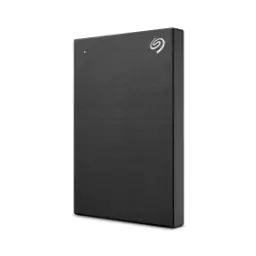
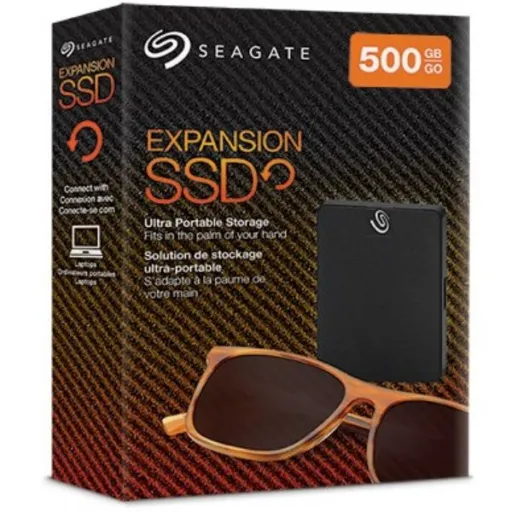
Seagate Expansion 500GB gives your computer room to grow, jab internal storage full ho rahi ho, and your workflow stays uncluttered. The 500GB capacity feels practical for daily life, because documents, project folders, and a solid media library can live off your main drive. Daily portability stays simple with this Expansion line, kyun ke portable external drives are built for carrying between desk, home, and bag without drama. Everyday storage stress drops when you separate “keep forever” files, jaise family photos ya class notes, from the stuff you only need temporarily. The external drive habit also protects your laptop performance, because freeing internal space reduces that cramped feeling when apps and updates start fighting for room. Seagate positions its portable external hard drive as a straightforward backup and carry solution, aur yahi simplicity is product ki real identity ban jati hai. Practical users usually want storage that feels predictable, bilkul seedha, so file saving becomes a routine instead of a special project. This Expansion 500GB variant fits that mindset well, because it focuses on usable space and everyday transport rather than complicated extras
USB 3.0 connectivity makes everyday transfers feel quick, especially jab aap large videos ya photo folders move karte ho between devices. The interface on Expansion portable models is listed as USB 3.0, so your modern laptop ports can push data more smoothly than older standards. Real world convenience shows up when you dump a week’s work into one folder, phir bas copy paste karo, and you keep momentum. The drive is marketed around simple drag and drop saving, which keeps the transfer process familiar for anyone who just wants storage that behaves like an extra drawer. Many retail listings for this 500GB Expansion portable drive highlight USB 3.0 plus compatibility with older USB 2.0 ports, which helps when you connect to older desktops or office machines. Work feels smoother when your connection method is consistent, kyun ke same cable and same port behavior reduces those “why isn’t it showing up” moments. The best part is the habit it enables, because quick transfers encourage more frequent backups instead of one scary monthly dump. Seagate also describes its portable drive as plug and play with no setup, so you spend time moving files rather than troubleshooting drivers. Simple speed plus familiar handling keeps the experience calm, aur rozana use mein yahi calm feeling sab se zyada valuable hoti hai
USB powered design keeps your setup clean, kyun ke wall adapter ki zarurat nahi hoti for basic use. Seagate explicitly notes its portable external hard drive plugs in via USB 3.0 without needing a wall adapter, which is perfect when your sockets are already crowded. The power source is often listed as USB bus, so the drive draws power straight from your computer and stays travel friendly. Daily carry becomes easier when your kit is minimal, matlab laptop + one drive + one cable, and that’s it. Small habits matter a lot in real routines, because if a device needs extra power bricks, log aksar use avoid kar dete hain. The Expansion approach feels more “grab and go,” asaani se, so you can move class files, office archives, or client deliverables without rearranging your bag. B&H also describes the Expansion portable unit as bus powered with simple setup, which supports the idea of quick usage in tight spaces like cafés or shared desks. A USB powered drive also works nicely with docking stations and monitors that have USB ports, kyun ke you can keep everything routed neatly and reduce cable mess. This kind of convenience is not flashy, but it is the feature you feel daily, rozana rozana
Cross device compatibility keeps your files moving with you, chahe aap Windows laptop use karo ya MacBook, and the handoff stays simple. Seagate describes its portable external hard drive as a plug and play option for PC, Mac, and Chromebook devices, which covers the most common everyday ecosystems. Seagate also lists the Expansion HDD under its Works With Chromebook certified products, so Chromebook users get a more confident “it should connect” experience. Official Seagate guidance notes that many drives are compatible with most Windows and macOS systems, and it points Chromebook users toward the Works With Chromebook program for confirmation. Practical Chromebook usage stays straightforward, kyun ke Seagate’s Chromebook compatibility article says you can use the drive like a large flash drive with drag and drop rather than relying on Toolkit. Everyday reality is that offices and homes mix platforms, aur jab aapko file share karni ho, the easiest win is a drive that simply shows up everywhere. The experience becomes calmer when you don’t plan around one machine, because a single external drive can act as your “neutral zone” for handoffs. This matters for students and teams too, kyun ke group projects mein devices mix hotay rehte hain, and nobody wants a format drama mid deadline. Seagate also notes Toolkit software is not compatible with Chrome OS, so Chromebook users should expect simple file storage behavior instead of app driven backup features
Drag and drop file saving keeps the learning curve near zero, bilkul like moving files into a normal folder on your computer. Seagate highlights simple drag and drop functionality as a core way to start saving files right away, which matches how most people already organize their data. Setup feels faster when there is no special software to master, kyun ke you can plug it in and treat it like instant storage. This approach supports clean organization habits, because you can create folders like “Work,” “Study,” “Photos,” and “Backups” without changing your routine. The same drag and drop style is also described in common retail documentation for Expansion portable models, reinforcing that this is meant to be straightforward storage rather than a complex device. Daily use becomes more consistent when saving is frictionless, matlab you are more likely to archive finished projects instead of leaving everything on your desktop. A 500GB drive is also a nice size for active projects, kyun ke it can hold your current work plus a rolling backup without becoming a “dump everything forever” black hole. The biggest benefit is mental clarity, because once your internal drive stops screaming for space, browsing and searching feel cleaner. Simple interactions create reliable habits, aur reliable habits are what keep data organized long term, not fancy features
File system choice decides how smoothly you share data, is liye format ko samajhna helps you avoid surprise read only situations. Seagate notes that most drives are formatted in exFAT so they work on both Windows and macOS, and it also flags that reformatting may be required for Time Machine use. Seagate’s documentation on file system formats explains that exFAT is cross platform but not recommended for certain built in backup utilities, which is useful when you are planning a Mac first backup routine. Chrome OS behavior can also shape your decision, because Seagate explains that Chrome OS can read and write NTFS plus common cross platform formats like exFAT and FAT32, while HFS+ is readable but not writable. This means you can keep one drive for mixed environments, asaani se, by choosing a format that matches your real device mix rather than guessing. A smart approach is to pick one “main” ecosystem, phir us ke mutabiq optimize karo, and only go fully cross platform when you truly need it. Seagate’s guidance also reminds users that compatibility can vary by hardware and OS version, so staying aware of your current Windows or macOS version is part of a smooth ownership experience. The result is fewer interruptions when you move files between machines, because your drive behaves consistently across the week. Good formatting is invisible when it’s right, aur jab right ho, you only notice the calm
Safe removal protects your files during daily unplugging, kyun ke background writing can still be happening even after a copy bar looks finished. Seagate’s Expansion Portable user manual specifically advises always ejecting the storage drive before physically disconnecting it, warning that unplugging without the OS process can corrupt or damage files. Windows users get clear steps through the Safely Remove Hardware flow, which helps when you are moving fast and still want your data clean. Mac users also have simple eject options via Finder or the desktop, so the habit is easy to build even if you switch between machines. This is especially important for portable drives, kyun ke they get unplugged more often than desktop drives, and that repetition increases risk if you skip eject. Everyday confidence comes from small routines, because a two second eject is cheaper than losing a project folder to corruption. The habit also makes your drive feel more reliable, bilkul, because you stop blaming hardware for what is usually just an unsafe disconnect. If your household shares one drive, then a consistent eject rule becomes even more valuable, kyun ke different users have different “rush levels.” Safe ejection is not a flashy feature, but it is the feature that protects everything else you store
Daily backups become easier when storage is portable, aur jab aapko quick copy karni ho, you can just plug in and start saving. Seagate positions its portable external hard drive as a simple way to back up documents and memories, using a USB 3.0 plug in and drag and drop without extra setup. Travel workflows improve when your files are offline and in your bag, kyun ke client deliverables, lecture recordings, and drafts stay with you even without internet. Chromebook users can also treat the drive like a large flash drive, because Seagate’s Chromebook compatibility article recommends drag and drop or copy paste rather than Toolkit based workflows. Seagate also includes Expansion HDD under its Works With Chromebook certified lineup, which supports smoother plug in expectations for school and work Chromebooks. A 500GB drive feels practical for “active archives,” matlab last semester’s files, a current client folder, and your personal photo rollups without overcomplicating storage management. The USB powered nature keeps it lightweight for commuters, kyun ke no power brick means fewer items to remember. When your storage method is simple, you actually use it more often, aur zyada frequent backups are what reduce regret after accidents
Choosing 500GB can be a smart balance, kyun ke it’s enough for meaningful storage without turning into a messy “everything forever” dump. The Seagate Expansion model here is a 500GB portable external drive with a USB 3.0 interface, which keeps it in the everyday convenience tier rather than the desk bound category. Seagate describes its portable external hard drive as compact and easy to use on the go, and that portability is exactly what makes 500GB feel more usable day to day. Larger capacities can be great, lekin for many people the real pain is not “no space,” it is “no organization,” and a moderate size encourages better folder habits. The USB 3.0 plug and play approach also keeps the experience consistent across machines, so you can treat the drive as a dependable sidecar for your laptop life. If you rotate backups weekly, then 500GB can comfortably hold versions and working sets, asaani se, while keeping retrieval quick because you are not searching through years of random files. Chromebook compatibility also adds value for mixed device homes, because Expansion HDD is listed in Seagate’s Works With Chromebook certified products for easy integration. This Seagate Expansion 500GB option is best for disciplined everyday storage, aur jab use disciplined ho, it feels bigger than the number suggests
Here's how current offers compare across retailers.
Review current prices and specifications side by side.
 Current
Seagate
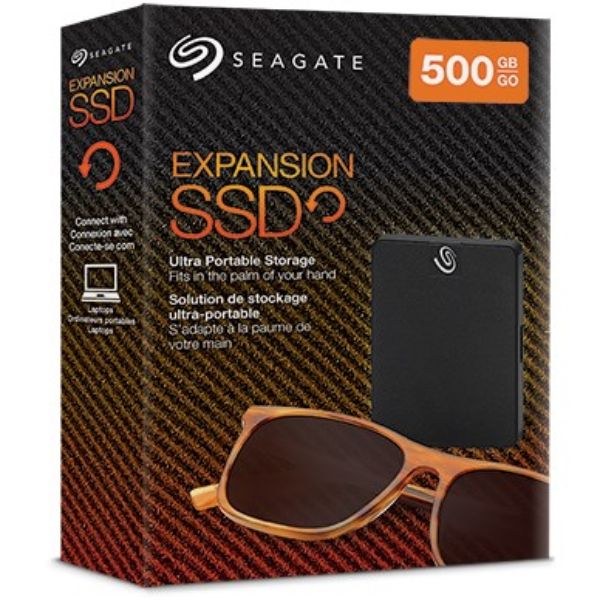
Seagate Expansion 500GBRs. 7,000
Local price
Lowest current price1 offer
Updated 2 days ago
Seagate
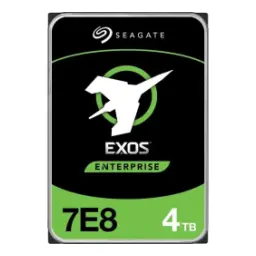
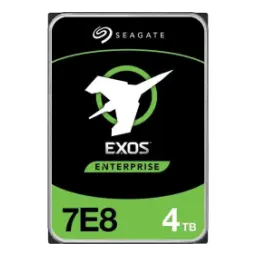
Seagate Exos 7E8 3.5" HDD 4TBRs. 54,990
Local price
3 offers
Updated 2 days ago