Price Breakdown & Availability
Here's how current offers compare across retailers.
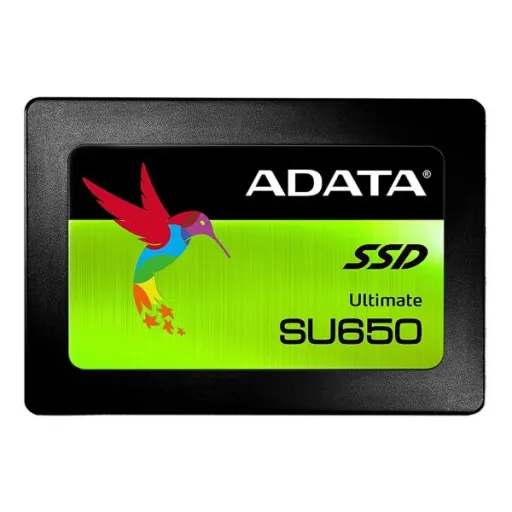
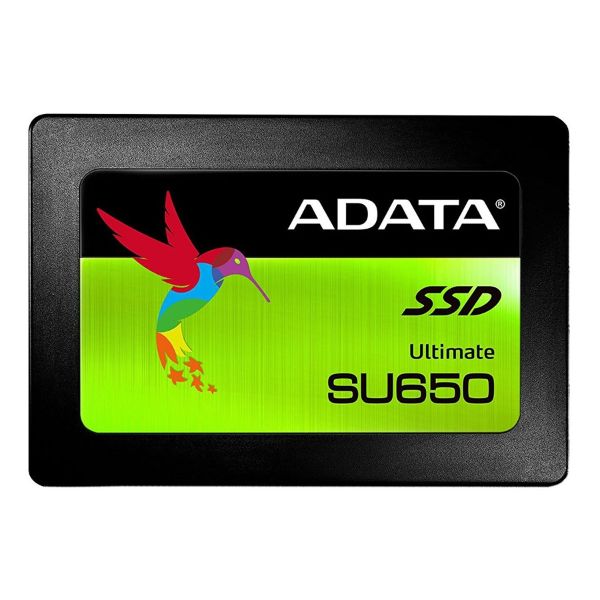
ADATA Ultimate SU650 480GB

You Might Also Like
The ADATA Ultimate SU650 480GB SSD targets fast everyday upgrades. This 2.5 inch SATA 6Gb/s drive replaces a slow HDD, rozana boot aur app loading ko noticeably fast banata hai, while the workflow stays familiar. The 3D NAND build is meant to be more reliable than older 2D NAND, bilkul daily use ke liye, so the upgrade feels modern for longer. The intelligent SLC caching approach speeds up short writes, jaise office docs save karna aur small installs, and the system feels less “busy” under light multitasking. The advanced error correction support uses ECC, choti choti errors ko detect karke fix karta hai, which helps protect data integrity over time. The MTBF rating is stated up to 2,000,000 hours for the SU650, long run confidence ke liye, especially for daily PCs that stay on. The 480GB capacity lands in a practical zone, apps aur photos ke liye kafi space, while keeping the setup simple for laptops and desktops. The tough and silent SSD design avoids moving parts, is liye noise aur vibration kam hoti hai, and that comfort shows up every day
The SATA 6Gb/s interface keeps upgrades broadly compatible. This standard aligns with SATA Revision 3.0 at 6Gb/s, purane desktops aur laptops mein bhi ports mil jate hain, so the upgrade path stays practical. The SATA revision 3.0 ceiling is commonly described as 6Gbit/s with a 600MB/s maximum uncoded transfer rate, is liye “SATA SSDs” ek natural speed cap feel karte hain, and that cap is expected. ADATA quotes peak performance up to 520MB/s read and 450MB/s write, jo typical boots aur app loads ko fast banata hai, when workloads are light and bursty. Hardware variation can exist across SSD lines, flash aur controller revisions change ho sakti hain, so maximum write behavior may differ by specific unit. Some 480GB entries list up to 520MB/s read with lower maximum write figures, lambi file copies mein curve different ho sakti hai, while everyday responsiveness still improves. The real daily win is lower wait time on small reads, rozana folders instantly open hotay hain, and the PC stops feeling stuck behind storage delays. This difference stays noticeable even versus faster NVMe in light tasks, kyun ke bottleneck aksar random access hota hai, and SATA SSDs still remove HDD friction
Reliable flash matters when the drive holds daily essentials. The SU650 uses 3D NAND flash for durability and capacity, jis se upgrades zyada dependable feel hoti hain, and ADATA positions it as stronger than 2D NAND options. ADATA states an MTBF up to 2,000,000 hours, rozana ke continuous use ke liye, which supports a long life design target. The solid state build avoids mechanical movement, is liye shock aur vibration ka risk kam hota hai, and ADATA cites 1500G/0.5ms shock resistance. The operating temperature range is listed as 0°C to 70°C, ghar ya office ke normal environments mein bilkul fine, and that suits typical PC cases. The 2.5 inch form factor keeps mounting simple, laptop caddy mein easily seat ho jata hai, and the listed height is 7mm. TechPowerUp lists idle power draw around 0.65W, jis se battery backup par pressure low rehta hai, and light work efficiency feels cleaner. This quiet efficiency helps reduce system fuss, heat kam feel hoti hai, and everyday reliability becomes the main story
Fast perceived performance often comes from smarter write handling. The SU650 uses an intelligent SLC caching algorithm, jo NAND ko temporary SLC mode mein treat karta hai, and ADATA says this boosts performance for smoother boots and transfers. Small bursts feel crisp during browsing and office work, rozana ke saves aur downloads jaldi settle ho jate hain, and the system feels less interrupted. ADATA also describes peak speeds up to 520MB/s read and 450MB/s write, jab workload cache friendly ho, which is close to what SATA SSDs aim for. The SATA revision 3.0 transfer context is commonly cited as 6Gbit/s with 600MB/s maximum uncoded throughput, is liye sequential numbers naturally ek ceiling ke paas hotay hain, and that is normal. Sustained heavy writes can slow after cache is consumed, lambi video copy ya full drive imaging ke dauran, as shown in some SU650 480GB spec notes. TechPowerUp also notes a pseudo SLC cache on certain variants, matlab bursts ko pehle fast lane milti hai, and then longer writes may settle lower. For everyday mixed workloads, yeh caching approach speed ko balanced rakhta hai, so updates, patches, and frequent small transfers stay smooth
ECC support matters when storage holds important files. The SU650 supports ECC error correction, jo errors detect aur fix karta hai, and ADATA links this to data integrity and lifespan support. Standard SATA hosting typically uses AHCI for software to device communication, is liye compatibility generally straightforward hoti hai, and the AHCI spec defines how software talks to SATA devices. TechTarget also describes AHCI as a standard enabling software to communicate with SATA devices, jahan features like NCQ and hot swapping support mil sakti hai, depending on system configuration. Drive health monitoring becomes simpler with ADATA SSD Toolbox, jo S.M.A.R.T. attributes se status aur wear level show karta hai, and firmware checks can be handled inside the utility. OS level maintenance like TRIM can improve SSD write performance and longevity, background mein quietly chalti rehti hai, when the OS and drive support it. TechPowerUp lists the SU650 480GB as supporting SMART and TRIM, jo routine cleanup workflows ko align karta hai, while the user experience stays hands off. This combination keeps everyday saves and edits consistent, lag nahi hota, and long term storage behavior stays more predictable
A 480GB SSD makes a PC feel more organized. The SU650 line lists 480GB among its supported capacities, rozana apps, documents, aur photos ke liye, and it sits nicely between small boot drives and large archives. ADATA also shows the family spanning from 240GB up to 2TB, upgrade path clear rehta hai, while this 480GB variant stays a practical everyday pick. TechPowerUp lists the 480GB model with an endurance figure of 280 TBW, normal home workloads mein yeh kafi headroom deta hai, and it can help compare durability across options. TechPowerUp also lists the model as having no DRAM cache, jis ka matlab firmware aur SLC caching par zyada reliance hota hai, so keeping breathing room can help sustain smoother behavior. Kingston explains over provisioning as controller reserved space for garbage collection and spare blocks, jitni free capacity zyada ho utna management asaan hota hai, which supports steadier performance and longevity. Simple space habits keep the experience consistent, rozana install aur delete cycles ke bawajood, and the drive has room to do its background work. With better space and faster access, multitasking feels smoother and storage anxiety stays low
Installation stays simple because the drive is 2.5 inch SATA. The SU650 is listed as a 2.5 inch form factor with SATA 6Gb/s interface, is liye desktops aur many laptops mein fit naturally ho jata hai, and cabling stays standard. The 7mm thickness fits slim laptop bays, asaani se caddy mein set ho jata hai, and the listed dimensions are 100.45 x 69.85 x 7mm. The SATA revision 3.0 ecosystem is widely used and backward compatible, purane SATA speeds ke saath bhi chal jata hai, which makes upgrades less risky on older boards. ADATA offers SSD Toolbox and Migration Utility as free downloads, jo monitoring aur cloning ko easier banata hai, so moving from HDD to SSD feels less intimidating. SSD Toolbox can monitor status, wear level, and lifespan info via S.M.A.R.T. attributes, health check asaan ho jata hai, and firmware updates can be checked. Migration Utility is described as a simple way to back up and migrate entire drives including the OS, is liye reinstall ka time aur tension kam hoti hai, when the old drive is still readable. After the swap, daily launches feel quicker and smoother, rozana workflow mein, because storage waiting drops sharply
Choosing SATA over NVMe is often about fit and compatibility. IBM notes NVMe uses PCIe connections with more bandwidth than SATA, lekin har older system mein NVMe socket available nahi hota, so a 2.5 inch SATA SSD stays a universal upgrade. Crucial also explains that PCIe and NVMe can deliver significantly higher transfer rates than SATA, jab platform support ho, but SATA remains a straightforward option in many PCs. SATA IO describes SATA 6Gb/s as the correct naming for the 6Gb/s class and highlights backward compatibility, purane ports ke saath bhi kaam ho jata hai, which helps when upgrading older machines. The SU650 focuses on daily uplift through 3D NAND and caching, rozana boot, file transfers, aur downloads smoother ho jate hain, and ADATA frames it as a strong cost performance upgrade. PCWorld notes SATA is slower than NVMe but still useful, is liye “SATA SSD” ka selection tab smart hota hai, when the system is SATA first or the upgrade needs simplicity. The 480GB SU650 variant fits cleanly as a boot drive or secondary library drive, gaming installs aur work files ke liye, because the form factor and interface are widely supported. SATA IO also describes SATA as a stable and economical storage solution over time, practical buyers ke liye yeh point important hota hai, and that is why SATA SSD upgrades remain common
Long term satisfaction comes from quiet consistency, not just raw numbers. ADATA highlights SSD advantages over HDDs like silence and shock resistance, koi mechanical noise nahi hoti, and that makes daily environments calmer. The SU650 is listed with a 3 year limited warranty, warranty coverage ki tension kam hoti hai, and it aligns with mainstream consumer SSD expectations. TechPowerUp also lists a 3 year warranty and 2.0 million hours MTBF for the 480GB entry, jo spec comparison ko easier banata hai, when evaluating SATA SSD options. The MTBF is stated up to 2,000,000 hours and ECC is emphasized for error detection and correction, rozana ke stable performance ke liye, while 3D NAND supports durability. The 480GB capacity keeps the system flexible for daily storage, rozana juggling kam ho jati hai, and upgrades feel practical rather than cramped. The slim 2.5 inch 7mm body fits many devices, asaani se, so upgrading an older laptop often becomes a manageable one evening project. The final experience is a PC that feels modern again, lag nahi hota, and storage becomes something that simply works in the background
Here's how current offers compare across retailers.
Review current prices and specifications side by side.

ADATA
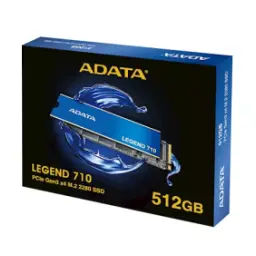
Adata Legend 710 256GBRs. 13,790
Local price
Lowest current price7 offers
Updated 11 hours ago