
Price Breakdown & Availability
Here's how current offers compare across retailers.
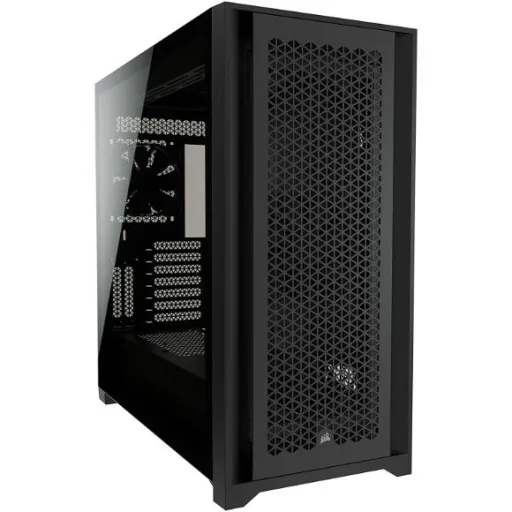
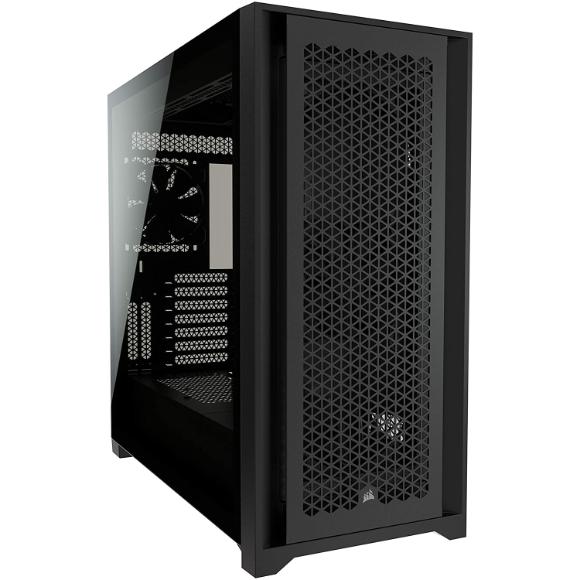
Corsair 5000D Airflow Black ATX Mid Tower

You Might Also Like
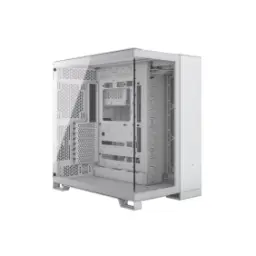
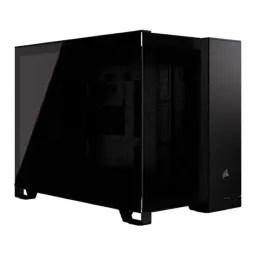
The Corsair 5000D Airflow Black is built for airflow, rozana ke heavy use mein bhi system relaxed feel karta hai. The mid tower ATX layout keeps the footprint practical, lekin andar space itna hai ke build cramped nahi hota. The airflow focused front panel design pushes fresh intake fast, jis se GPU aur CPU dono ka heat kam rehta hai. The tempered glass side panel turns your build into a showcase, aur RGB ho ya stealth theme, sab clean nazar aata hai. The case ships with two 120mm AirGuide fans for directed airflow, so you start with a solid baseline cooling plan. The interior is intentionally roomy for ambitious hardware, jitna aap upgrade karte jao utna yeh case saath deta rehta hai. The overall chassis concept balances showpiece looks with practical access, yani building aur cleaning dono asaan rehte hain. The black finish keeps the exterior understated, aur desk setup ke sath match karna bilkul simple ho jata hai. The result feels like a builder first enclosure, jahan design sirf pretty nahi balkay useful bhi hai
The optimized steel front panel drives serious intake, jis se fans ko zyada RPM pe push karne ki zarurat kam hoti hai. The case supports up to ten 120mm fans overall, aur aap apne airflow ko front to back ya bottom to top tune kar sakte ho. The alternate 140mm path stays open for quieter builds, kyun ke 4x 140mm support aapko low noise airflow ka option deta hai. The included AirGuide fans use anti vortex vanes for focused flow, jis se radiator fins aur hot spots par air zyada disciplined jati hai. The top, front, side, and rear fan positions are clearly defined, to aap ko guessing nahi karni parti ke airflow kahan break ho raha hai. The PWM fan repeater supports up to six fans, so one motherboard header can control the group cleanly. The side mounting area adds flexibility for targeted cooling, matlab GPU side intake ya radiator positioning mein real freedom milti hai. The airflow approach helps stabilize boost behavior in long sessions, kyun ke heat spikes kam hote hain and fan curves stay smoother. The overall cooling story feels scalable for any tier, chahe aap entry air cooler chalao ya multi fan performance setup
The motherboard support spans Mini ITX through E ATX, so compact builds se le kar larger layouts tak sab fit ho jata hai. The E ATX limit is listed as 305mm by 277mm, jo aapko feature rich boards ka comfortable room deta hai. The GPU clearance reaches 420mm, meaning long triple fan cards bhi asaani se seat ho jate hain. The CPU cooler height cap is 170mm, so tall air coolers ka option open rehta hai without side panel stress. The case dimensions sit at 520mm x 245mm x 520mm, jis se interior access roomy feel hota hai during installs. The case uses an ATX power supply format, to common PSU upgrades simple rehte hain. The official maximum PSU length is 250mm, so longer units ke liye pehle plan karna smart rehta hai. The practical takeaway is fewer compromises on parts selection, yani aap performance ko case limitations ki wajah se down nahi karte. The build process feels less stressful when clearances are generous, aur cable routing aur fan placement dono clean ho jate hain
The radiator compatibility covers 120mm through 360mm sizes, so AIO choices aur custom loop planning dono straightforward ho jate hain. The front radiator area supports up to 360mm, jis se CPU cooling ko high headroom mil jata hai without crowding. The side radiator location also supports up to 360mm, to GPU focused airflow aur loop expansion ka option bilkul real ho jata hai. The rear mount is sized for a 120mm radiator, which works well for auxiliary loops or compact AIO layouts. The top fan support lists three 120mm or two 140mm, so top exhaust can be tuned for heat kam aur noise balanced. The layout even mentions room for a 360mm push pull in the roof, jo enthusiasts ko thick radiator plus dual fan stack ka confidence deta hai. The spacious interior is rated for multiple radiators in general use, meaning you can scale cooling as hardware grows. The side mounted fan locations add creative options for positive pressure, to dust control aur temps dono better manage ho sakte hain. The end benefit is stable performance under long rendering or gaming, kyun ke heat soak se bachna asaan ho jata hai
The RapidRoute channel hides major cables in one path, jis se first build bhi pro level clean nazar aata hai. The routing depth behind the motherboard is 25mm, so thicker EPS and GPU cables ko force nahi karna parta. The hinged steel door keeps the back side tidy, aur jab aapko upgrade karna ho to access quick mil jata hai. The visual payoff is immediate through the tempered glass, kyun ke front chamber mein wires ka mess kam hota hai. The clean routing also helps airflow stay unobstructed, to fans ka kaam zyada effective aur noise typically lower feel hota hai. The serviceability matters when you swap GPUs later, kyun ke cables labeled aur routed hon to troubleshooting fast hoti hai. The case includes a PWM fan repeater for up to six fans, so fan wires bhi organized rehte hain instead of messy splitters everywhere. The overall build experience feels planned, matlab aap ka time cable wrestling mein nahi jata. The back panel closes without drama when slack is managed, aur yeh choti cheez daily satisfaction bohat increase karti hai
The front panel I/O includes one USB 3.2 Gen 2 Type C, so fast external SSD transfers aur modern accessories easy ho jate hain. The same I/O cluster adds two USB 3.2 Gen 1 Type A ports, yani keyboard, mouse, controller, aur flash drive sab ka daily jugaar set rehta hai. The combo audio in out jack supports headset use, to late night gaming ya meetings mein cable swap ka hassle kam hota hai. The placement keeps connectivity within arm reach, bilkul desk friendly layout ban jata hai without reaching the rear IO. The TechPowerUp spec listing also notes the Type C presence and front USB setup, which matches the practical intent of the case. The real benefit shows up during builds and OS installs, kyun ke USB drives ko front se plug karna quick ho jata hai. The ports are useful even for creators on a workstation, jab aap cameras ya audio interfaces ko temporary connect karte ho. The convenience reduces wear on motherboard ports, because frequent plug unplug front IO par shift ho jata hai. The cable management design keeps those front IO wires controlled, to build ke andar random tangles nahi bante. The overall experience feels modern without gimmicks, aur yahi cheez daily usage ko smooth banati hai
The drive support fits two 3.5 inch bays and four 2.5 inch bays, so SSD plus HDD mixes ko manage karna asaan ho jata hai. The storage layout helps creators keep fast scratch SSDs, aur backup drives bhi neatly inside reh jate hain. The expansion slot layout is listed as seven horizontal plus two vertical, so capture cards and big GPUs dono ke liye flexibility milti hai. The vertical GPU mount readiness is built in, lekin riser cable separately buy karna hota hai for the final display look. The clearance supports modern long GPUs up to 420mm, so vertical plans banate waqt bhi space ka confidence rehta hai. The case stays friendly for incremental upgrades, kyun ke you can add fans or radiators without removing the whole system. The interior approach encourages clean airflow paths around storage cages, to drive temps bhi stable rehte hain in warm rooms. The tempered glass side keeps the build visible, aur clean storage placement se aesthetic aur better ho jati hai. The practical outcome is longer platform life, matlab aap sirf parts upgrade karte ho case dobara pick nahi karte
The chassis materials include steel, plastic, and tempered glass, so structure rigid rehta hai and the presentation stays premium. The tempered glass side panel is part of the official design, jis se aapka GPU and cooler setup clear nazar aata hai. The black colorway keeps the build understated, aur RGB ho to bhi look controlled rehta hai rather than flashy. The mid tower form factor still measures 520mm x 245mm x 520mm, which explains why it feels roomy without being a desk monster. The front panel is described as an optimized steel airflow panel, meaning it is designed to feed components rather than block them. The build quality focus shows in the cable management door, kyun ke hinged access makes maintenance feel like a planned feature. The visual balance is especially strong for air cooled builds, jab aap clean lines aur open front mesh prefer karte ho. The overall material mix keeps weight and strength balanced, so moving the system is manageable while still feeling solid. The finish also supports long term cleanliness, kyun ke airflow intake design makes it easier to keep dust under control with regular cleaning habits
This case fits builders who value predictable thermals, kyun ke airflow and directed fans reduce surprises during long sessions. The cooling capacity supports up to ten 120mm fans, so you can tune for silence or performance depending on your routine. The radiator options up to 360mm in front and side make scaling to liquid cooling realistic, jab aap future mein hotter hardware add karte ho. The GPU clearance of 420mm is a long term safety net, so next gen cards ke liye case change ka pressure kam ho jata hai. The RapidRoute cable channel keeps the build clean and serviceable, matlab upgrades ke time par aapko wiring redo nahi karni parti. The modern I/O with USB Type C and dual Type A supports real desk life, to everyday connectivity bilkul sorted rehti hai. The included PWM fan repeater helps keep control simple, kyun ke up to six fans can follow one header and one curve. The kit stays friendly for first time builders, jab clear mounts aur roomy access se mistakes ka chance low hota hai. The closing takeaway is simple and practical, kyun ke this enclosure is designed to stay relevant through multiple upgrade cycles
Here's how current offers compare across retailers.
Review current prices and specifications side by side.
Corsair
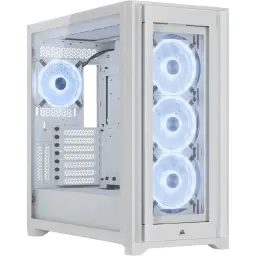
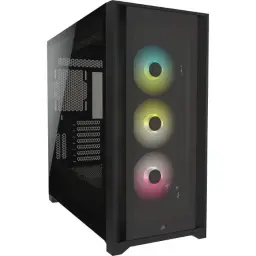
Corsair iCUE 5000X RGBFrom Rs. 51,800
Local price
4 offers
Updated 4 hours ago
Corsair
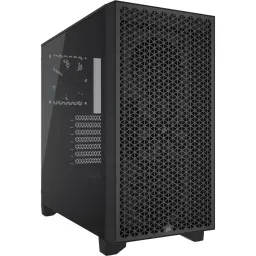
Corsair 3000D AirflowFrom Rs. 23,499
Local price
Lowest current price3 offers
Updated 4 hours ago