




Price Breakdown & Availability
Here's how current offers compare across retailers.
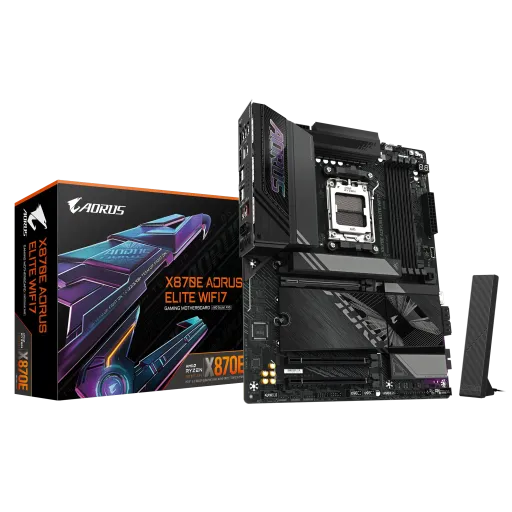

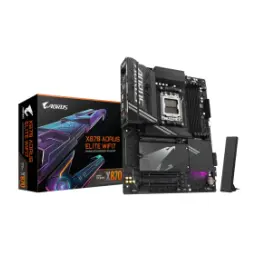
Gigabyte X870E Aorus Elite Wifi


You Might Also Like
The Gigabyte X870E AORUS ELITE WIFI is built for modern AM5 PC builds, so your next upgrade feels planned, not patched. The AMD X870E chipset gives this board an enthusiast class backbone, jahan I/O aur expansion dono ka scope wide rehta hai for gaming and creator rigs. The AM5 socket support covers AMD Ryzen 9000, 8000, and 7000 series processors, which keeps your CPU choices flexible as new chips launch. A balanced AORUS Elite layout focuses on practical performance, meaning you get strong power delivery, modern connectivity, and DIY friendly handling, bilkul daily use mindset ke saath. The onboard feature mix is designed around real routines like gaming nights, content exports, and heavy multitasking, taa ke aapko random bottlenecks ka masla na ho. The built in Wi Fi branding (often shown as “WIFI7”) signals integrated wireless hardware, so aapko add in card ya extra clutter ki zarurat nahi hoti. The platform story also stays simple for first time builders, because Q Flash Plus and EZ Latch style touches reduce trial and error during assembly
The AMD X870E chipset is positioned for high end AM5 builds, with a strong emphasis on PCIe 5.0 support and modern connectivity. The biggest day to day benefit is headroom, kyun ke GPU aur NVMe upgrades ke saath platform “tight” feel nahi hota as your setup grows. AMD highlights USB 4.0 onboard as part of the X870E motherboard experience, which matters if you move large files or dock a lot of accessories. The X870E vs X870 split is also meaningful on paper, aur generally X870E offers more overall lanes and I/O capability for expansion heavy setups. Overclocking friendly positioning is part of the X870E identity, so enthusiasts can tune CPU and DDR5 profiles, lekin phir bhi stable daily behavior keep kar sakte hain. This Gigabyte board plugs directly into that promise with X870E on the spec sheet, giving your build a clean upgrade narrative for the AM5 lifecycle. The result is a motherboard that feels ready for fast storage, fast USB devices, and high refresh gaming, rozana ke use mein without feeling fragile
The board’s memory design is aimed at longevity, with four DDR5 DIMM slots that support up to 256GB total capacity. That 256GB ceiling matters for heavy workflows, kyun ke large project caches, VMs, and creator timelines can stay responsive without constant swapping. Gigabyte lists support for DDR5 speeds up to 8200 MT/s (OC), which is helpful for squeezing extra snappiness from Zen systems. Practical tuning stays approachable because AMD EXPO and XMP memory profiles are supported, so aapko manual timings mein ghusne ki zarurat kam ho jati hai. Dual channel DDR5 is the expected AM5 sweet spot, and it keeps everyday gaming loads smooth while also helping productivity tools feel less “stuttery.” The 64GB per slot support (as listed by Gigabyte) makes upgrading gradual, matlab pehle 2 sticks se start karo and scale later when your workload demands it. This capacity first approach is especially useful if you keep many apps open, rozana multitasking asaan ho jati hai and your system feels calmer under pressure
Storage flexibility is a core strength here, with four M.2 slots designed for modern NVMe layouts across gaming and creator builds. Gigabyte specifies three PCIe 5.0 x4 M.2 slots plus one PCIe 4.0 M.2 slot, which means fast OS drive + multiple scratch drives lag free configure ho jate hain. The main PCIe x16 slot supports PCIe 5.0 x16 mode with Ryzen 9000/7000 series CPUs, making it a clean pairing for current and next gen GPUs. Bandwidth sharing is transparently documented, because populating certain CPU connected M.2 slots can reduce the PCIe x16 slot to up to x8 mode, planning ke liye yeh clarity bohat useful hoti hai. The board also includes four SATA 6Gb/s ports for bulk storage, so older SSDs and HDDs can stay in the build without drama. RAID options are available for both NVMe and SATA scenarios, jo creators ko redundancy ya speed focused arrays set karne mein help deta hai. Tool free style touches like EZ Latch for PCIe and M.2 reduce build friction, especially when you swap drives often for projects or game libraries
Wireless is not treated as an afterthought, because this board includes Wi‑Fi 7 hardware and Bluetooth 5.4 on the official specification sheet. Gigabyte notes Wi‑Fi 7 (802.11be) with 160MHz support, which helps reduce congestion and keep connections snappy in busy homes, bilkul modern router environments ke liye. The exact Wi‑Fi module can vary by PCB revision, with MediaTek MT7925 listed for rev 1.0 and Realtek RTL8922AE for rev 1.1/1.2, so buyers can match drivers and expectations accordingly. Wi‑Fi 7 as a standard adds features like Multi‑Link Operation and 4K‑QAM to improve throughput and latency behavior, jo gaming sessions aur video calls ko more stable feel karwata hai. Gigabyte also highlights Wi‑Fi 7 features such as MLO, 4K‑QAM, and deterministic low latency, which translates into smoother competitive play and less jitter during streams. Wired Ethernet stays strong too, thanks to a Realtek 2.5GbE LAN chip for consistent low latency throughput when you want the most reliable line. Small convenience details like WIFI EZ‑Plug make antenna installation quicker, asaani se setup ho jata hai and your rear I/O stays cleaner
Modern I/O is a major selling point, because the board includes two USB4 Type‑C ports rated up to 40Gb/s each. This dual USB4 setup is ideal for fast external SSDs, capture devices, and docks, jahan bandwidth bottleneck warna easily feel hota hai. Gigabyte states these USB4 ports support DisplayPort video outputs, letting you route a clean display signal through a single Type‑C cable when your workflow needs it. The USB4 controller spec also mentions a maximum resolution up to 3840×2160 at 240Hz for USB4 DisplayPort output, which is great for high refresh productivity monitors. Front panel convenience is covered via an internal USB Type‑C header supporting USB 3.2 Gen 2x2 (20Gbps), so your case’s Type‑C port can actually run at modern speeds. HDMI output is present for simple display hookup, aur Gigabyte lists up to 4096×2160 at 60Hz on the rear HDMI port depending on CPU graphics support. AMD also positions X870E platforms around USB4 onboard, so you’re aligning with the direction of the current AM5 ecosystem
Power delivery is built for consistency, with Gigabyte listing a digital twin 16+2+2 phases VRM solution for this model. That VRM structure helps maintain stable boost behavior under load, jahan gaming aur rendering dono mein performance bohat steady feel hoti hai. The board uses 8+8 pin CPU power connectors as shown in Gigabyte’s feature overview, which supports high core count CPUs without “power anxiety.” Gigabyte also highlights a 6 layer PCB and 2X copper PCB approach in the design notes, which can help signal integrity and overall board robustness, bilkul long term reliability mindset ke saath. Thermal handling is reinforced via VRM Thermal Armor Advanced and M.2 Thermal Guard solutions, so hotspots tame rehte hain and heat kam hoti hai in long sessions. Smart Fan 6 support is called out with multiple fan headers, which makes it easier to tune airflow for silence or performance depending on your case. The net effect is a motherboard that feels composed at high utilization, so your CPU and SSDs can run hard without the system feeling “stressed.”
Build experience matters more than people admit, and Gigabyte adds EZ‑Latch features for PCIe and M.2 to speed up upgrades without tiny screws. Firmware safety is handled with a dedicated Q‑FLASH Plus button, so you can update BIOS without a CPU installed, jo troubleshooting ko kaafi easy bana deta hai. Gigabyte’s “Auto DDR5 Memory Boost” is positioned as a one click approach to improving DDR5 behavior, which helps beginners get performance without deep manual tuning. Debug support is more approachable thanks to the EZ‑Debug Zone concept shown in the feature list, so quick checks become less stressful when something doesn’t boot. Audio is treated as a quality feature with the Realtek ALC1220 codec, which helps deliver clearer positional cues and cleaner output for headphones and speakers. S/PDIF Out support is listed in the specifications, which is great if you run an external DAC or home theater chain, bilkul clean digital signal ke liye. These “small” touches add up during ownership, because swaps, updates, and everyday use all feel smoother over time
Choosing X870E is often about avoiding compromises later, because it’s positioned above X870 with more overall I/O capability and expansion flexibility. Corsair’s chipset comparison notes that both X870E and X870 guarantee PCIe 5.0 for GPU and a main M.2, but X870E is framed as offering more USB and SATA capacity overall, jo builders ko zyada breathing room deta hai. AMD emphasizes USB4 onboard for X870E motherboards, which supports a more modern desk setup with high speed hubs and external drives. Gigabyte’s own X870E lineup messaging also highlights next gen Wi‑Fi 7 and dual USB4 connectivity as a platform theme, meaning you’re buying into current standards rather than retrofitting later. This AORUS ELITE WIFI configuration adds practical memory scale, fast NVMe options, and a straightforward DIY build flow, jahan performance aur convenience dono balance ho jate hain. The end result is a motherboard that fits competitive gaming, content creation, and future AM5 upgrades, so aapka build time ke saath “grow” kar sakta hai without feeling outdated
Here's how current offers compare across retailers.
Review current prices and specifications side by side.
 Current
Gigabyte
Gigabyte X870E Aorus Elite WifiRs. 93,999
Local price
6 offers
Updated 23 hours ago
Gigabyte
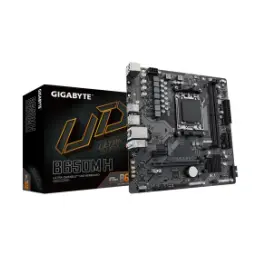
Gigabyte B650M-HRs. 33,999
Local price
Lowest current price5 offers
Updated 1 hour ago
Gigabyte
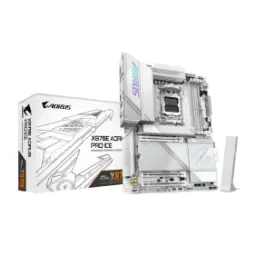
Gigabyte X870E Aorus Pro WifiRs. 104,990
Local price
5 offers
Updated 1 day ago