
Price Breakdown & Availability
Here's how current offers compare across retailers.
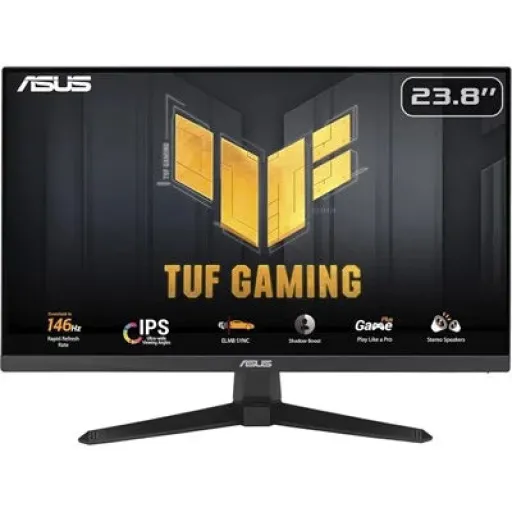

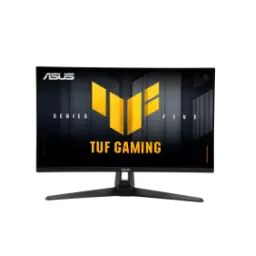
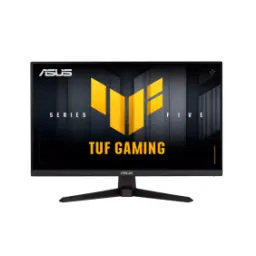
Asus TUF Gaming VG249QE5A


You Might Also Like
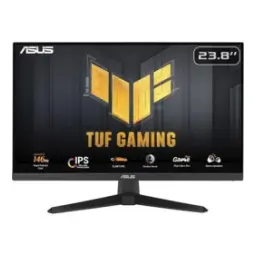
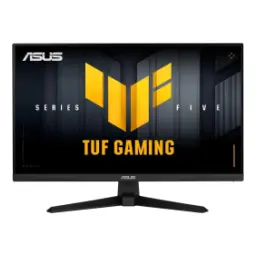
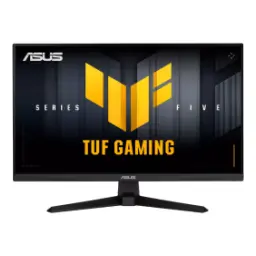
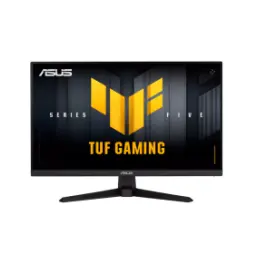
This ASUS TUF Gaming VG249QE5A targets speed first setups, jahan reaction time matter karta hai, without demanding a giant desk footprint. The 23.8 inch screen size stays practical for close range focus and clean peripheral vision. The Full HD 1920x1080 resolution keeps UI elements sharp enough for daily use while staying easy to drive for high frame rates. An IPS panel brings wide viewing angles and consistent colors, so off center seating par bhi colors weird nahi lagte. A maximum 146Hz refresh rate (overclock) makes motion feel more immediate during quick turns and rapid strafes. A 1ms MPRT response time is tuned for motion clarity, jis se fast scenes mein smear kam feel hota hai. The anti glare finish helps maintain readability under room lights, roshni mein reflections ka drama kam hota hai. The overall identity feels “competitive and controlled,” meaning daily work bhi ho jata hai and gaming stays responsive
A 23.8 inch panel size keeps text and HUD elements comfortably sized, especially when you sit at a normal desk distance. The 1920x1080 Full HD resolution works well for esports titles and productivity, kyun ke scaling aur compatibility dono smooth rehte hain. This screen format also makes multi window work simple, so you can keep Discord, a browser, and a game launcher open without feeling lost. The 16:9 aspect ratio is a universal match for streaming, console sources, and everyday apps. An anti glare surface helps reduce distraction in bright rooms, bilkul especially jab overhead lights directly hit the panel. The monitor’s LED backlight design supports consistent daily viewing without adding complexity, aur setup bhi straightforward rehta hai. This size and resolution combination also keeps GPU load reasonable, meaning you can chase higher FPS without turning settings into a compromise. That practicality matters when you want stable performance, rozana ke use mein, rather than occasional peak moments
An IPS panel type gives you stable colors across the screen, so side angles par bhi washout kam hota hai. The rated 178° viewing angles support couch side watching or sharing a screen during co op planning. A wide 125% sRGB coverage can make games and media look more vibrant, lekin overall tone still controlled rehta hai for everyday browsing. The listed 90% DCI P3 coverage adds extra depth for modern content, especially when you want richer gradients without pushing saturation too far. Typical brightness is specified at 300 cd/m², which helps maintain visibility in brighter rooms, dhoop wali side par bhi. The typical contrast ratio is listed at 1500:1, so darker scenes retain separation rather than turning into flat gray. The display supports 16.7 million colors for smooth transitions in UI and videos, aur banding ka risk generally kam hota hai. This is the kind of color behavior that feels “easy to live with,” meaning casual editing, streaming, and gaming all land comfortably
A maximum 146Hz refresh rate (OC) keeps fast camera pans smoother, so tracking targets becomes more readable at speed. The jump from standard refresh can feel immediate in competitive titles, rozana ke flick shots aur micro adjustments mein. A 1ms MPRT response time is built to reduce perceived motion blur, which helps when you rely on quick visual confirmation. The Full HD resolution also supports higher FPS targets, so your system can more easily feed the panel with consistent frames. This combination matters most in hectic scenes, jahan multiple elements ek saath move kar rahe hotay hain, and you still need clarity. The IPS panel keeps motion and color stable across the viewing area, so edges don’t shift tone as you scan the screen. The monitor’s anti glare coating also helps prevent reflections from masking fine movement, which is useful for daytime play. The end result is a more controlled feel during quick turns, not just a bigger number on a box. That control supports both aim consistency and general comfort, bilkul especially in long sessions
VESA Adaptive Sync support targets screen tearing and uneven motion, so frame pacing feels more consistent when your FPS fluctuates. The monitor also lists VRR technology with Adaptive Sync, which is helpful for reducing stutter while keeping latency reasonable. ELMB Sync is designed to pair blur reduction with variable refresh behavior, jahan normally aapko one feature choose karna parta hai. The Extreme Low Motion Blur and ELMB Sync features are explicitly listed, making it easier to tune clarity for shooters and racers. Shadow Boost is included to lift detail in dark areas, so corners mein enemies ya objects zyada jaldi spot ho jate hain without blowing out bright scenes. DisplayWidget Center support lets you adjust settings via mouse controls, which saves time compared to deep OSD clicking. The idea is simple: you tune for your game, aur phir monitor aapke pace ko match karta rehta hai. That flexibility helps you keep motion clean while staying comfortable during variable performance
A DisplayPort 1.2 input gives you a straightforward PC gaming connection, especially when you want high refresh with minimal fuss. An HDMI 2.0 port keeps the monitor flexible for consoles, laptops, and streaming devices, jahan plug and play usually priority hoti hai. A built in earphone jack makes cable routing simpler if you keep your headset wired, so desk par clutter kam rehta hai. The monitor includes stereo speakers rated at 2W x 2, which can handle casual videos or system sounds without external speakers. The absence of USB I/O keeps the layout simple, meaning you won’t end up managing extra hubs on the display itself. This I/O set suits the “main monitor” role nicely, rozana ke switching between devices mein. The practical benefit is fewer compatibility surprises, because DP and HDMI are widely supported across modern hardware. That reliability matters when you just want to power on and play, without troubleshooting every week
A tilt adjustable stand helps you dial in viewing comfort, especially when your chair height is fixed or your desk is slightly high. The specified tilt range is 5° to +23°, which is enough for most setups, aur quick angle changes bhi asaan ho jati hain. VESA 100x100 mounting support lets you shift to a monitor arm, so space management better ho jata hai and posture can improve. The monitor is also described as VESA mount compatible by major retailers, which reinforces arm friendly planning for clean cable routes. A net weight around 3.3 kg (with stand) keeps handling manageable during setup, lekin mounting ke time still careful rehna chahiye. A Kensington lock slot is listed for basic physical security, which can matter in shared rooms or offices. The outcome is flexibility without complexity, meaning you can start on the stand and upgrade to an arm later. That upgrade path feels practical, bilkul especially for evolving gaming desks
Flicker free operation helps reduce subtle eye fatigue over long viewing periods, particularly during late night sessions. Low Blue Light support gives you another lever for comfort, jahan brightness aur color tone ko aap apne mood ke mutabiq set kar sakte ho. The screen coating is specified as anti glare, which is useful if you work near windows or bright room lights. A typical 300 cd/m² brightness rating means you can keep the image visible without pushing maximum levels, so strain kam feel hota hai in mixed lighting. TÜV Rheinland certifications for Flicker Free and Low Blue Light are listed by enterprise focused retailers, which signals a measurable comfort intent rather than a vague promise. The 23.8 inch size also naturally supports closer, focused viewing without excessive head turning, which helps during long work blocks. This comfort stack matters when gaming and work share the same screen, rozana ka routine mix hota hai. The practical benefit is fewer “burnout” moments, because the display behavior stays consistent. That consistency makes the monitor easier to keep as a daily driver
This monitor fits players who prioritize fluid motion over extreme resolution, kyun ke 1080p high refresh is a proven competitive lane. The 146Hz overclock ceiling gives extra smoothness headroom, especially when your PC can push frames beyond 144. An IPS panel with wide viewing angles supports shared viewing and casual content, so movie night par bhi colors stable rehte hain. Adaptive Sync support targets tear free gameplay in real conditions, jahan FPS kabhi stable hota hai aur kabhi dip kar jata hai. ELMB Sync adds a motion clarity option when you want sharper tracking, which is useful for shooters and fast sports titles. The DP 1.2 and HDMI 2.0 ports keep device switching easy, so one monitor can serve both PC and secondary sources. VESA mounting support gives you a clean upgrade path, meaning you can move to an arm when you want better posture and more desk space. The final takeaway feels balanced: speed, clarity, and comfort in a size that suits daily life. That balance makes it a strong pick for anyone wanting smooth scrolling, stable gameplay, aur hassle free setup
Here's how current offers compare across retailers.
Review current prices and specifications side by side.