Price Breakdown & Availability
Here's how current offers compare across retailers.
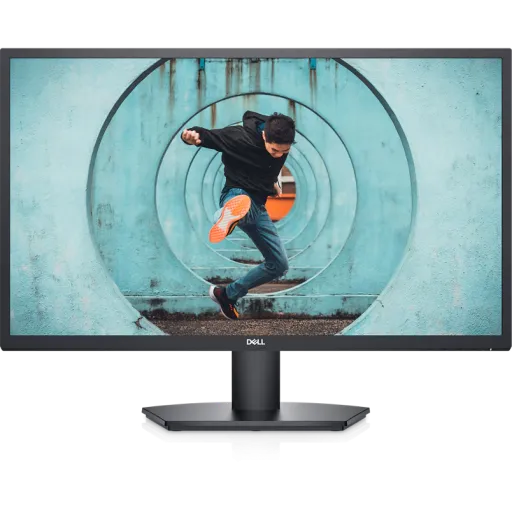

Dell SE2722H


You Might Also Like
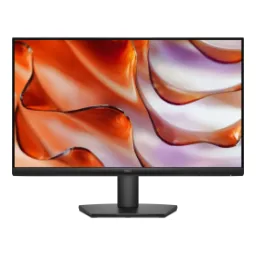
Bring more breathing room to your desk setup with the Dell SE2722H, a 27 inch Full HD monitor that feels spacious for study, office work, and casual streaming. Keep your daily workflow visually organized because the native 1920 x 1080 resolution stays familiar, rozana ke documents aur tabs clean lagte hain, and scaling usually behaves predictably on most PCs. Enjoy the natural widescreen framing as the 16:9 aspect ratio matches most laptops, consoles, and video content, so you spend less time adjusting and more time finishing tasks. Feel confident choosing the VA panel direction because it aims for richer contrast, kaafi logon ko dark themes aur movies mein zyada depth milti hai, while still staying practical for everyday brightness. Reduce setup drama on day one because Dell lists a simple tilt only stand, jo asaani se angle set kar deta hai, and the profile stays clean for smaller desks. Keep your buying decision grounded because this screen is built for reliable daily use, bilkul straightforward, rather than chasing niche pro features you may never turn on
See more content at once on a 27 inch panel, where spreadsheets, timelines, and side by side windows feel less cramped during long sessions. Keep text and icons comfortably readable because Dell lists 81 pixels per inch, jo normal viewing distance par balanced clarity deta hai, without forcing aggressive scaling changes. Make entertainment look natural because the Full HD 1920 x 1080 resolution fits common streaming outputs, and the 16:9 frame avoids awkward letterboxing for most videos. Handle bright rooms with less distraction because Dell specifies an anti glare coating with 3H hardness, jis se reflections aur micro scratches ki tension kam hoti hai, while the screen stays easy to wipe. Keep your desk looking modern because a slim bezel design helps the display feel cleaner, especially when you line it up next to a laptop or a second screen. Make daily navigation feel smoother because the panel supports up to a 75 Hz refresh rate at 1080p, so scrolling and cursor motion can look more fluid than standard 60 Hz
Get stronger perceived depth in darker scenes because VA technology is known for blocking more backlight, jis se blacks comparatively deeper lagte hain, and shadowy UI themes can look less washed out. Keep cinematic content looking punchier because Dell lists a 3000:1 contrast ratio, which supports richer separation between bright highlights and darker backgrounds. Manage typical indoor lighting comfortably because Dell rates the brightness at 250 cd/m2, jo office room aur bedroom setup mein usually practical rehta hai, without feeling harsh at night. Avoid unrealistic expectations in fast competitive play because VA panels can trade some response behavior for contrast, lekin everyday gaming aur video mein experience kaafi stable rehta hai, especially when settings are tuned. Keep motion handling adaptable because Dell mentions multiple gray to gray response time modes, so you can choose a calmer profile for work or a snappier feel for games. Enjoy a more relaxed late night vibe because dark wallpapers and editors look more “inky,” raat ko eye comfort better feel hota hai, while the screen still holds bright UI elements cleanly in apps
Feel the difference during everyday scrolling because Dell specifies 1920 x 1080 at up to 75 Hz, so fast feeds and mouse movement can look less choppy than basic office panels. Keep your setup realistic about inputs because Dell notes VGA runs at 60 Hz while HDMI supports 75 Hz, toh best smoothness ke liye HDMI connection prefer hota hai, especially with newer PCs. Reduce screen tearing in supported scenarios because Dell lists AMD FreeSync as the adaptive sync technology, jo casual gaming aur variable frame rates mein screen ko zyada stable feel karata hai, without complex tuning. Keep motion clarity flexible because Dell lists response time options like 8 ms normal, 5 ms fast, and 4 ms extreme, so you can balance sharpness with comfort depending on the content. Make study breaks more enjoyable because action videos and sports look a touch cleaner at 75 Hz, bilkul subtle but noticeable, while Full HD keeps bandwidth and device load reasonable. Avoid overpaying for unused esports extras because this refresh class targets smoother everyday use, halka sa gaming uplift, and consistent productivity rather than extreme high Hz competition
Stay comfortable during long reading sessions because Dell lists ComfortView and flicker free technology as built in features, jis se late night browsing aur office ka prolonged use zyada manageable lagta hai, especially on bright white pages. Reduce fatigue risks in a more intentional way because Dell explains ComfortView is designed to reduce blue light emission, jo digital eye strain ki feeling ko soften kar sakta hai, while you keep brightness at a sensible level. Keep the screen easier on your eyes because Dell also calls out Low Blue Light support, so you can lean into warmer tones when you are working late or studying for hours. Balance comfort with clarity by adjusting brightness and color because the panel is rated at 250 cd/m2, meaning you can dial it down for night use and still keep text readable. Make your routine feel less draining because flicker free behavior helps reduce subtle visual stress, rozana ke Zoom calls aur documents mein aankhon ko aaram milta hai, without needing external filters. Keep expectations clear for wellbeing features because these tools support comfort habits, bilkul helpful, yet regular breaks and good room lighting still matter for truly relaxed viewing
Connect modern laptops and desktops easily through HDMI, since Dell lists an HDMI port with HDCP 1.4 support for protected content playback. Keep legacy compatibility available because a VGA port is also included, purane PCs ya office systems ke liye useful, even if you later migrate fully to HDMI. Start using the display quickly because Dell indicates an HDMI cable is included, so the out of box setup feels straightforward for most users. Avoid messy adapters in many setups because one HDMI input plus one VGA input covers common desktops, consoles, and mini PCs, aur wiring simple rehti hai, which keeps the desk cleaner. Manage power planning confidently because Dell lists typical consumption around 20 W and standby power at 0.3 W, so idle time waste stays low in everyday home office routines. Keep the experience predictable because this model focuses on core display delivery, bilkul no nonsense, rather than adding complex hubs or docks that you might not need
Set a comfortable viewing angle quickly because Dell specifies a tilt range from minus 5 degrees to plus 21 degrees, jo sitting posture ke mutabiq screen ko align kar deta hai, especially for long typing sessions. Keep the design straightforward because Dell notes the stand is tilt only with no height adjustment, so pairing it with a riser or arm can be a smart upgrade if you want more flexibility. Upgrade your workspace layout anytime because Dell lists a VESA 100 x 100 mm mounting interface, meaning wall mounts and monitor arms are easy to match. Plan your desk space with confidence because Dell lists the size at 24.5 inches wide and about 7.9 inches deep with the stand, toh table par footprint predictable rehta hai, even in smaller rooms. Keep your setup looking uncluttered because a slim bezel design helps the panel blend into work areas, especially when you position a laptop beside it for dual screen productivity. Make posture improvements feel practical because a VESA arm can lift the screen to eye level, gardan aur shoulders par load kam hota hai, while the 27 inch canvas stays centered and stable
Share the screen comfortably with others because Dell lists 178 degree horizontal and vertical viewing angles, so the picture stays readable when someone stands nearby or you shift in your chair. Keep everyday visuals smooth and familiar because Dell states support for 16.7 million colors, jo casual photo viewing aur UI gradients mein banding ko reduce karta hai, without turning this into a specialist color grading display. Work with consistent web friendly tones because Dell mentions color gamut ratings like 72% sRGB (CIE 1931) and 84% sRGB (CIE 1976), which helps standard content look balanced for browsing and typical office tasks. Keep day to day content looking crisp because the Full HD 1920 x 1080 resolution scales well for documents, streaming, and lightweight editing in common apps. Maintain a cleaner picture in bright rooms because the anti glare coating helps limit distracting reflections, roshni ke saath bhi screen zyada readable rehti hai, especially near windows. Keep your expectations aligned with the category because this monitor targets reliable daily color and comfort, bilkul practical, rather than specialized wide gamut HDR workflows
Choose a dependable daily driver when you want a 27 inch Full HD monitor with a VA panel, designed to feel spacious for work and relaxed for media. Keep motion feeling more fluid because the monitor supports a 75 Hz refresh rate, jo scrolling aur casual gaming mein smoothness add karta hai, without demanding high end hardware. Reduce visual distractions in everyday use because Dell lists flicker free and low blue light features, so long sessions feel less harsh when your day is full of documents and meetings. Keep device compatibility wide because HDMI and VGA inputs cover newer systems plus older PCs, ghar ya office dono mein kaam aa jata hai, and setup stays simple. Plan an easy desk upgrade because a tilt only stand and VESA 100 x 100 support let you start simple and later move to an arm when you want better ergonomics. Make the final decision confidently because the SE2722H combines core specs that matter, bilkul balanced, and keeps the experience focused on comfort, clarity, and smooth everyday use
Here's how current offers compare across retailers.
Review current prices and specifications side by side.
 Current
Dell
Dell SE2722HRs. 44,999
Local price
Lowest current price1 offer
Updated 30 minutes ago