Price Breakdown & Availability
Here's how current offers compare across retailers.

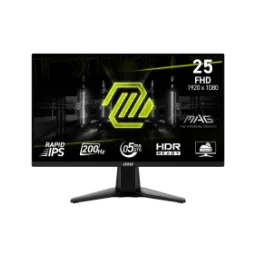
MSI MAG 255F E20


You Might Also Like
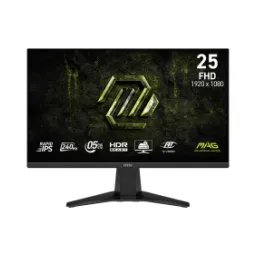
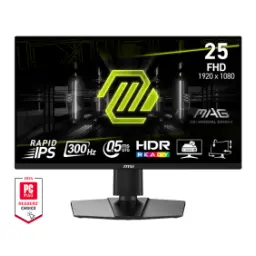
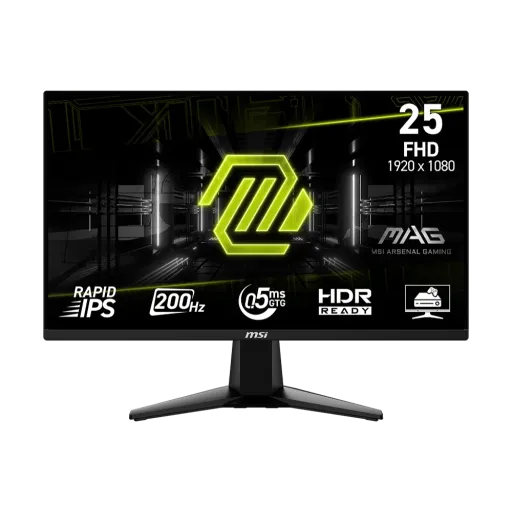
Fast paced gaming feels cleaner when the screen stays disciplined. The MSI MAG 255F E20 is tuned around a 24.5 inch Rapid IPS panel and a simple 16:9 shape, so aim tracking stays natural, haath ki memory bhi jaldi set ho jati hai. Everyday FPS sessions benefit from Full HD clarity at 1920 x 1080, where UI elements look sharp without pushing the GPU too hard. The same page confirms the 200Hz refresh rate and 0.5ms (GtG, Min) response time, which is exactly the combo that reduces smear during quick flicks and tight corner peeks. Daily practice becomes more consistent because motion stays stable, rozana wali grind mein yeh cheez bohat matter karti hai. Long sessions also feel more controlled when the monitor is designed around competitive genres, not random add ons, and that mindset shows in the overall tuning
A focused screen size helps your eyes react faster. The panel measures 24.5 inches and runs at 1920 x 1080 (FHD), which keeps text readable and targets crisp, rozana browsing aur gaming dono smooth feel hotay hain. The Rapid IPS panel type is listed directly in MSI’s specifications, which generally means wider viewing stability and better color consistency for shared angles. The 16:9 aspect ratio keeps esports titles framed correctly, and most games optimize HUD placement for this layout. The anti glare surface treatment reduces distracting reflections, especially jab room ki lights on hon, and it helps maintain contrast in brighter rooms. The viewing angles are rated at 178° horizontal and 178° vertical, so colors don’t shift aggressively when you lean or reposition. A 300 cd/m2 SDR brightness spec supports comfortable daytime use, while the 1000:1 contrast ratio keeps darker scenes from looking washed
Higher refresh makes micro movements easier to read. The MAG 255F E20 runs at 200Hz, so crosshair movement looks smoother and recoil control becomes more predictable, especially jab aap low sensitivity par khelte hain. Lower response time helps reduce visible trailing in fast transitions. MSI lists a 0.5ms (GtG, Min) response time, which supports clearer edges during rapid camera turns and quick target switching. Everyday scrolling also feels more “locked in,” so even Windows navigation and timelines feel snappier, bilkul sluggish nahi lagta. The activated Adaptive Sync range is shown as 48 200Hz, which matters because it keeps variable refresh behavior useful across a wide span of real in game FPS. Competitive players often care about consistency more than peak numbers, and this combo supports stable motion clarity without demanding extreme GPU headroom
Variable refresh is most valuable when FPS varies. MSI specifies AMD FreeSync Premium for this monitor, which aims to reduce tearing and stutter by syncing the refresh rate to your GPU, gameplay bilkul zyada fluid ho jata hai. The monitor’s variable refresh activated range is listed as 48 200Hz, giving a wide window where Adaptive Sync can work as intended. AMD notes that all displays in the FreeSync Premium tier must meet Low Framerate Compensation (LFC) requirements, which helps maintain sync behavior when FPS falls below the minimum refresh range. Real matches rarely stay locked at one number, so this matters in practice because dips feel less jarring, aur screen tearing ki tension kam hoti hai. The result is a more stable feel in shooters, racers, and sports titles where motion changes quickly and timing matters
HDR support helps scenes look more layered. MSI lists this monitor as HDR Ready, which is positioned to enhance perceived detail through contrast and shadow adjustments for games and multimedia. AI Vision is included as a gaming assistance feature, and MSI describes it as revealing details in dark areas while also enhancing overall brightness and saturating colors. Color handling also gets practical support from 1.07B display colors using 10 bit (8 bit + FRC), which helps gradients look smoother in skies, shadows, and smoke effects. Wide gamut coverage is listed as 100% sRGB with 79% DCI P3 and 83% Adobe RGB (CIE1976), so everyday content looks lively without needing constant tweaks, colors zyada natural aur punchy feel karte hain. In darker competitive maps, this combination can make enemy outlines and corner detail easier to notice while keeping the image from looking artificially crushed
Long sessions feel better when flicker is controlled. MSI states that Anti Flicker and Less Blue Light technologies are included to reduce flicker and lower blue light levels, so you can game longer with less eye fatigue, aankhon par load kam hota hai. A non distracting surface also supports comfort over time. The anti glare surface treatment is listed in the official specs, which helps when bright room lights would otherwise reflect on darker scenes. Practical ergonomics start with a solid basic tilt range. MSI lists a 5° to 20° tilt adjustment, which makes it easier to set an eye level viewing angle for desk setups, especially jab chair height fixed ho. A stable, comfortable posture reduces the “micro stress” that builds during ranked matches, and it keeps focus on gameplay instead of posture fixes
Multiple inputs make switching devices simple. MSI lists 2x HDMI 2.0b and 1x DisplayPort 1.2a (HBR2), so a PC and console can stay connected without cable swapping, rozana setup hassle kam ho jata hai. The same specs page states HDMI can run FHD up to 200Hz and DisplayPort can run FHD up to 200Hz, which is ideal for high refresh PC play where latency and motion clarity matter. A dedicated 1x headphone out port keeps audio routing straightforward, especially when you want quick volume control without reaching behind a PC tower. Console friendly behaviors are also called out by MSI. The product page mentions HDMI CEC in “MSI Console Mode,” letting supported controllers wake the screen and enabling VRR support through the console mode feature set. Daily device switching feels smoother when ports and behavior match how people actually play and stream, aur cables ka mess bhi zyada nahi banta
A flexible mount option upgrades any workspace quickly. MSI lists 100 x 100 mm VESA mounting, which fits common monitor arms and wall mounts for a cleaner desk footprint, bilkul pro style battle station vibe aa jati hai. The net weight is specified as 3.24 kg, helping you choose an arm with the right load rating and keeping movement stable during adjustments. The dimensions with stand are listed as 557.1 x 220.1 x 418.5 mm, which supports quick planning for desk depth and placement beside a second display. Power setup stays straightforward with an internal power board and a 100 240V input rating, so you avoid bulky external bricks and keep cable routing neater behind the monitor. A tidy layout matters in real use because less clutter means fewer accidental tugs and more consistent screen positioning, asaani se set ho jata hai
This monitor makes the most sense for speed first players. The 24.5 inch FHD Rapid IPS design and 200Hz refresh rate align with competitive titles where frame clarity matters more than raw pixel count, especially jab aap stable FPS target kar rahe hon. Color and content also benefit from the listed 100% sRGB coverage and 10 bit (8 bit + FRC) display support, making it a practical screen for mixed use like classes, editing clips, and gaming in one setup. Adaptive sync matters for real world rigs. MSI lists AMD FreeSync Premium, and AMD explains that the Premium tier includes mandatory LFC behavior, which helps reduce stutter when performance dips, game feel zyada smooth rehta hai. Setup friction stays low because MSI lists an included HDMI 2.0 cable plus power cord and quick guide in the box. Warranty confidence can matter for daily drivers. The MSI US official store listing shows a 2 year manufacturer warranty for the MAG 255F E20, which supports longer term ownership planning without turning it into a gamble
Here's how current offers compare across retailers.
Review current prices and specifications side by side.
 Current
MSI
MSI MAG 255F E20Rs. 34,990
Local price
Lowest current price10 offers
Updated 21 hours ago