Price Breakdown & Availability
Here's how current offers compare across retailers.
Kingston FURY Beast DDR4 16GB 3200MHz


You Might Also Like
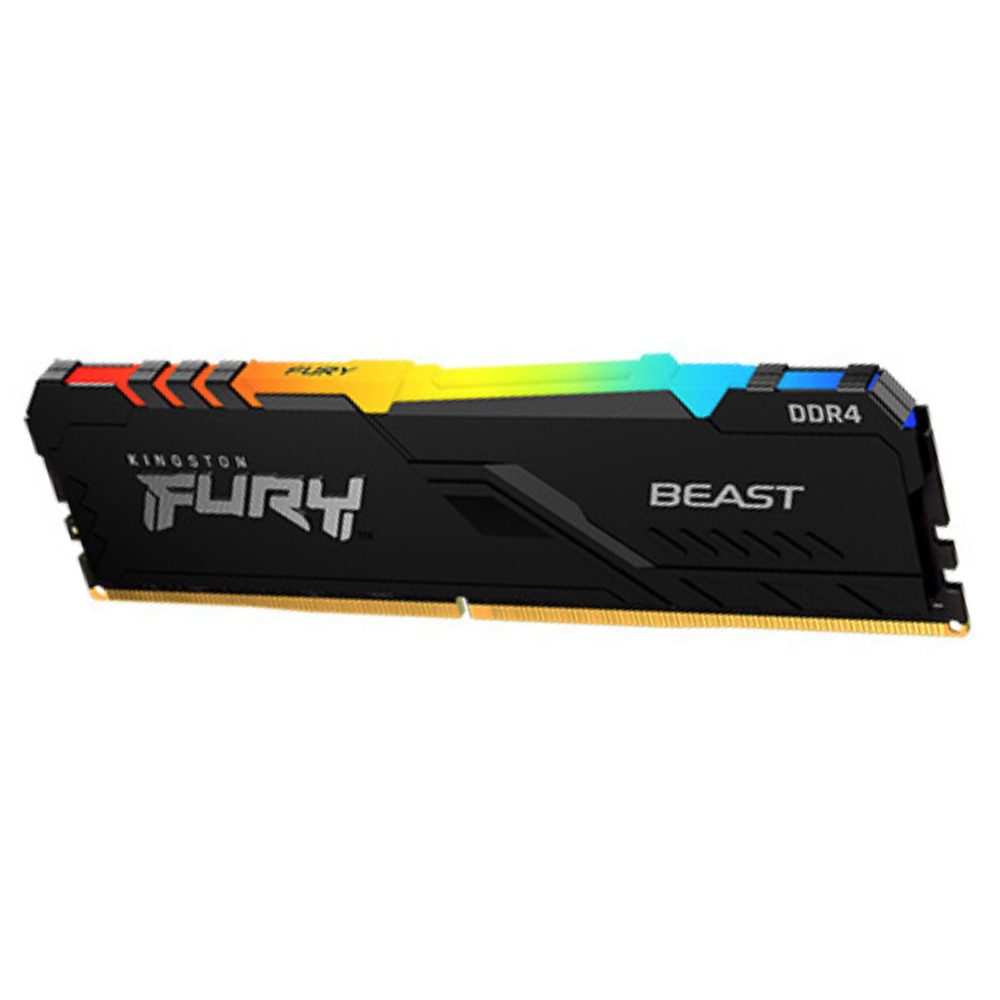
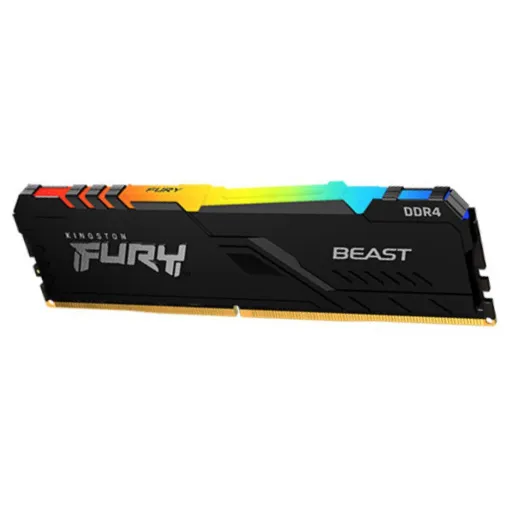
Kingston FURY Beast DDR4 turns desktop upgrades into momentum, rozana ka system bilkul zyada responsive feel karta hai. Kingston positions FURY Beast DDR4 as a performance boost for gaming, video editing, and rendering, so everyday loads stop feeling heavy. This 16GB 3200MT/s single module variant is clearly identified as KF432C16BB/16, making matching and planning asaani se possible. The low profile heat spreader keeps the module physically practical around big air coolers, aur heat kam rehne se stability ka confidence bhi barhta hai. Kingston lists the line as Intel XMP Ready/XMP Certified and Ready for AMD Ryzen, so platform switching ya future upgrade wali tension kam hoti hai. The module is specified as a 288 pin DIMM, which is the standard desktop form factor most builders expect. The module is also non ECC and unbuffered, meaning it targets mainstream desktops where compatibility is usually straightforward. Kingston highlights 100% speed testing and lifetime warranty on the FURY Beast DDR4 line, which supports a worry free upgrade mindset for long term use
With a rated 3200MT/s data rate, this module targets snappy app launches, aur gameplay mein micro stutter ka chance kam hota hai. Kingston explicitly lists FURY Beast DDR4 speeds starting at 3200MT/s, positioning it as a practical high performance DDR4 tier. Kingston defines MT/s as the correct way to describe DDR memory speed because DDR transfers data at twice the frequency, is liye marketing wali “MHz” phrasing kabhi kabhi confuse karti hai. Kingston also breaks down MT/s vs MHz and explains why MT/s reflects effective data rate for DDR SDRAM, so the number aligns with real transfer behavior. DDR4 as a generation is standardized up to DDR4 3200 (PC4 25600), which makes this speed a familiar top end reference point for many DDR4 platforms. That practical ceiling matters because many systems run JEDEC defaults first, phir aap profile enable karke rated speed tak le ja sakte ho. The KF432C16BB/16 part listing clearly states the 3200MT/s profile, so the target performance level is not vague or implied. Faster memory data rate can reduce bottlenecks when multiple apps fight for bandwidth, especially when background tasks keep running, bilkul office + gaming hybrid use mein. A 3200MT/s module also keeps the upgrade path clean when adding a second stick later, because pairing like for like modules makes dual channel setups simpler for most boards
Real world smoothness depends on timings and stability, aur yahan CL16 profile ka role important ho jata hai. Kingston’s official spec sheet for KF432C16BB/16 lists an XMP Profile #1 of DDR4 3200 with CL16 20 20 at 1.35V, which frames the kit’s intended tuned behavior. Kingston’s part page also shows the 3200MT/s profile with 16 20 20 at 1.35V, so the headline speed is tied to a defined timing set. DDR4 3200 corresponds to the PC4 25600 class, which is commonly associated with up to 25.6GB/s theoretical transfer rate in DDR4 standard tables. That bandwidth context helps when large game assets stream in, aur creative apps mein cache aur previews zyada clean feel hotay hain. The same Kingston spec sheet notes JEDEC programming at DDR4 2400 CL17 17 17 at 1.2V, which explains why some systems boot slower settings until a profile is enabled. This behavior can feel confusing at first, lekin BIOS mein profile apply karne ke baad system apni rhythm pakar leta hai. Lower effective latency also supports frame time consistency in CPU bound scenes, so mouse input and window switching feels more predictable in daily use. Balanced timings matter because chasing raw MHz alone can create instability, aur stable performance bohat zaroori hoti hai long sessions mein
Intel XMP support makes rated performance more accessible, kyun ke aapko har timing manually set nahi karni parti. Intel describes Intel Extreme Memory Profile as a way to load predefined and tested profiles to overclock compatible DDR4/DDR5 memory modules using BIOS or tuning utilities. Intel’s own support guidance also explains that XMP profiles are selected through BIOS and are meant to simplify configuration on supported platforms. Kingston states FURY Beast DDR4 is Intel XMP Ready and XMP Certified, so enabling XMP is part of the intended user journey rather than a risky hack. Kingston’s KF432C16BB/16 spec sheet specifically notes support for Intel XMP 2.0 and lists multiple XMP profiles, which matches DDR4 era XMP behavior. Intel’s XMP FAQ notes a fail safe default boot at JEDEC settings first, then XMP can be applied for subsequent boots, so first time installs stay safer for most systems. That means a new build can post reliably, phir aap performance mode activate karke full potential unlock kar lo. AMD boards often read XMP data through their own BIOS labels, so cross platform usage feels familiar even if the wording changes. Practical tuning also reduces troubleshooting time, kyun ke stable preset apply hota hai and the system behavior becomes repeatable
Voltage tuning matters when memory runs faster, aur 1.35V profile is tier par bilkul normal approach hai. Kingston lists FURY Beast DDR4 at 1.35V in its specifications, which aligns with the performance profile nature of this line. Kingston’s KF432C16BB/16 spec sheet confirms the DDR4 3200 XMP profile runs at 1.35V, giving a clear target for BIOS configuration when chasing rated speed. Kingston also notes the module’s SPD is programmed to JEDEC DDR4 2400 at 1.2V, so the system can fall back to safer defaults if profiles are not enabled. That fallback behavior helps first boots stay calm, aur aap step by step tuning kar sakte ho without panic. Kingston defines a heat spreader as a metal shield attached to modules to dissipate heat, which supports stable behavior during heavier workloads. Kingston also highlights the low profile heat spreader design for FURY Beast DDR4, so cooling and clearance dono practical rehte hain. In long gaming nights or rendering sessions, steady thermals help avoid random instability, aur performance bohat stable feel hoti hai. A clean airflow case setup usually keeps DIMM temperatures reasonable, so you get the benefit of the profile without extra hardware complexity
Desktop builders usually want simple, direct compatibility, aur yeh module exactly isi category mein aata hai. Kingston’s part page lists KF432C16BB/16 as a Non ECC Unbuffered DIMM (single module) with a 288 pin form factor, which signals mainstream desktop intent. Kingston’s server memory explainer describes UDIMM as unbuffered memory that connects DRAM directly with the CPU memory controller, and notes non ECC UDIMMs are more commonly used in desktop systems. That UDIMM explanation helps clarify why buffering and ECC flags matter, kyun ke server requirements aur desktop needs ka scene different hota hai. Kingston also explains ECC UDIMMs require processor and BIOS support to use error correction, so choosing non ECC is the normal path for many consumer motherboards. The Kingston KF432C16BB/16 spec sheet reinforces the 288 pin DIMM positioning and DDR4 3200 CL16 profile, keeping the identity consistent across official documentation. This compatibility profile helps when upgrading older DDR4 rigs, because you avoid registered/buffered mismatches that can block boot. The unbuffered design also keeps latency low in typical desktop workloads, aur everyday responsiveness ka feel better rehta hai
A single 16GB stick can reshape multitasking comfort, especially jab browser tabs, launchers, aur background apps saath chal rahe hon. Kingston identifies this exact module as 16GB (1x16GB), which is ideal when a system has open slots and you want a clean upgrade today. Kingston also lists FURY Beast DDR4 single module capacities including 16GB, positioning it as a standard building block for scaling later. That scaling matters because a second matching module later can enable dual channel bandwidth on most platforms, aur upgrade roadmap simple rehta hai. The same FURY Beast DDR4 line is described by Kingston as useful for gaming, video editing, and rendering, which are exactly the scenarios where extra memory headroom reduces slowdowns. More available RAM can reduce excessive swapping during heavy sessions, so alt tabbing and project switching feels smoother in practice, bilkul frustration kam hoti hai. The 3200MT/s profile also keeps data movement brisk when multiple apps request memory access, making the system feel more “awake” during daily workloads. A 16GB single module is also a practical choice for prebuilt upgrades, because many systems ship with one populated slot, aur yahan direct replacement ya add on asaani se ho jata hai. Balanced capacity plus a defined XMP profile keeps the upgrade focused on stability, not on risky tuning experiments
Simple installation keeps the upgrade enjoyable, aur thori si care se results bilkul clean aate hain. Kingston’s desktop DIMM installation guide recommends handling the module by the upper corners of the PCB and avoiding pressure around the ICs, which reduces damage risk. Kingston’s guide also explains aligning the module key with the socket key and pressing until the retention tabs snap into place, so the seating is secure and reliable. Kingston’s RAM upgrade article reminds builders to check motherboard manuals for optimal sockets when installing 2 or 4 modules, kyun ke correct slot placement dual channel ke liye important hoti hai. This particular memory is a 288 pin desktop DIMM, so it fits standard DDR4 DIMM slots rather than laptop SO DIMM slots. After the first boot at defaults, enabling the XMP profile typically brings the kit to its rated DDR4 3200 CL16 behavior, jo aapko advertised performance feel karwata hai. A clean BIOS update and a stable CPU memory controller also help, so troubleshooting time stays low for most users. Good cable management and airflow finish the job, because RAM stability likes steady case temperatures and predictable power delivery
Long term reliability matters more than quick benchmarks, aur yahan brand validation aur official specs ka combination strong feel deta hai. Kingston states FURY Beast DDR4 is 100% tested at speed and backed by a lifetime warranty, which supports buyers who want a dependable daily driver upgrade. Kingston’s official datasheet documents the exact factory timing parameters for KF432C16BB/16, including JEDEC defaults and XMP profiles, so expectations remain transparent. Intel explains XMP as an overclocking mechanism using predefined profiles, so using the rated profile is structured and predictable rather than random tweaking. Kingston also markets the FURY Beast DDR4 line as Intel XMP Ready/XMP Certified and Ready for AMD Ryzen, so platform flexibility stays practical for future builds, bilkul planning easy ho jati hai. The unbuffered non ECC UDIMM profile targets mainstream desktops, reducing the chance of “wrong type” purchases that can waste time. This module therefore fits builders who want smoother gaming and cleaner multitasking without jumping platforms, aur jo stability ko performance ke sath balance karna chahte hain. A well matched second stick later can complete the dual channel story, while the first stick already delivers a noticeable responsiveness uplift in everyday use
Here's how current offers compare across retailers.
Review current prices and specifications side by side.
Kingston
Kingston ValueRAM DDR5 8GB 5600MHzRs. 38,000
Local price
1 offer
Updated 3 days ago